GOHIGHLEVEL ANSWERS & PROMPTS: PLAYBOOK T02 · WORKFLOWS & TEAM NOTIFICATIONS
AUTHOR: DANIEL HALLMAN
KEYWORD: REPLY ALERT
STEP-BY-STEP INSTRUCTIONS + ANNOTATED GHL SCREENSHOTS
Steps in GoHighLevel
-
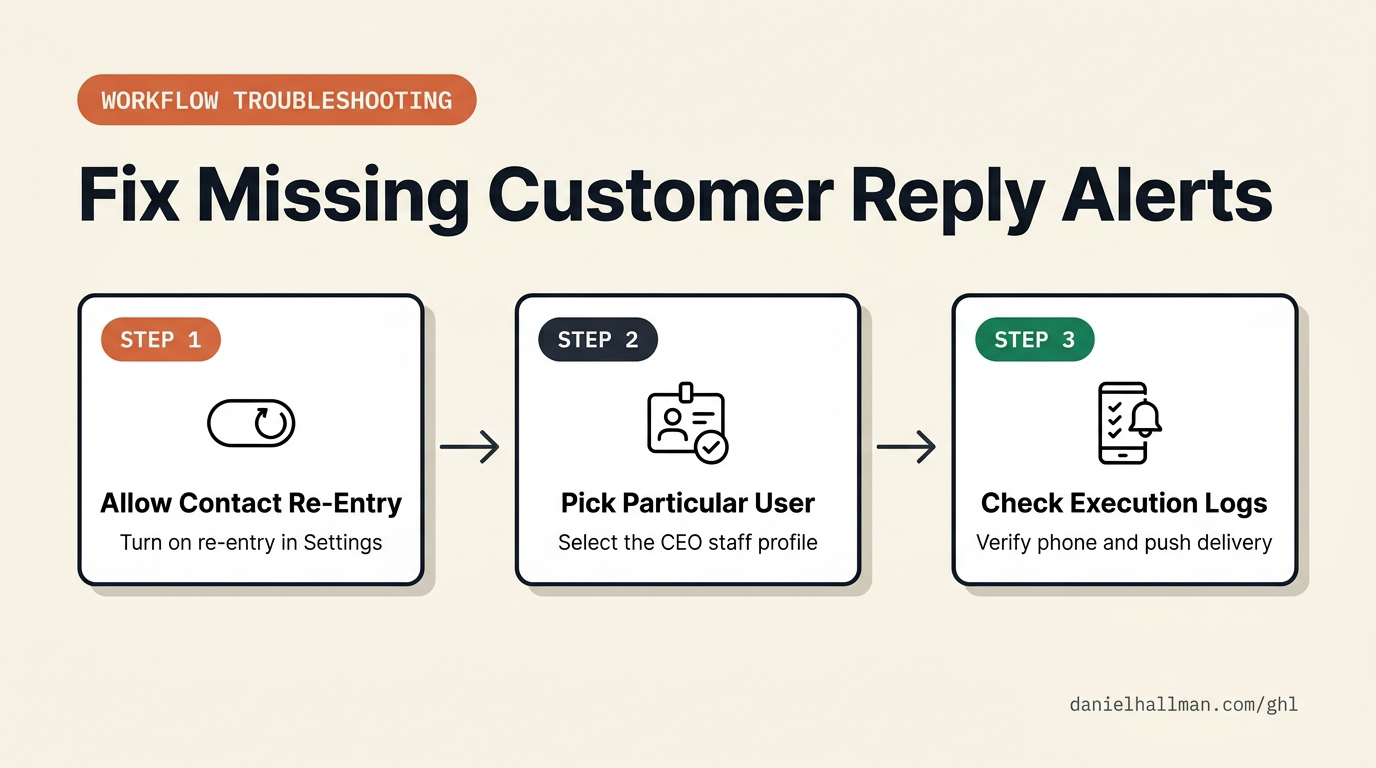
STEP 1In Automation > Workflow > Settings, turn on Allow Re-entry and review your Customer Replied trigger filters: Enable Allow Re-entry so the same contact can trigger the alert on every reply, and remove any Replied to Workflow filter if you want notifications across all inbound messages.
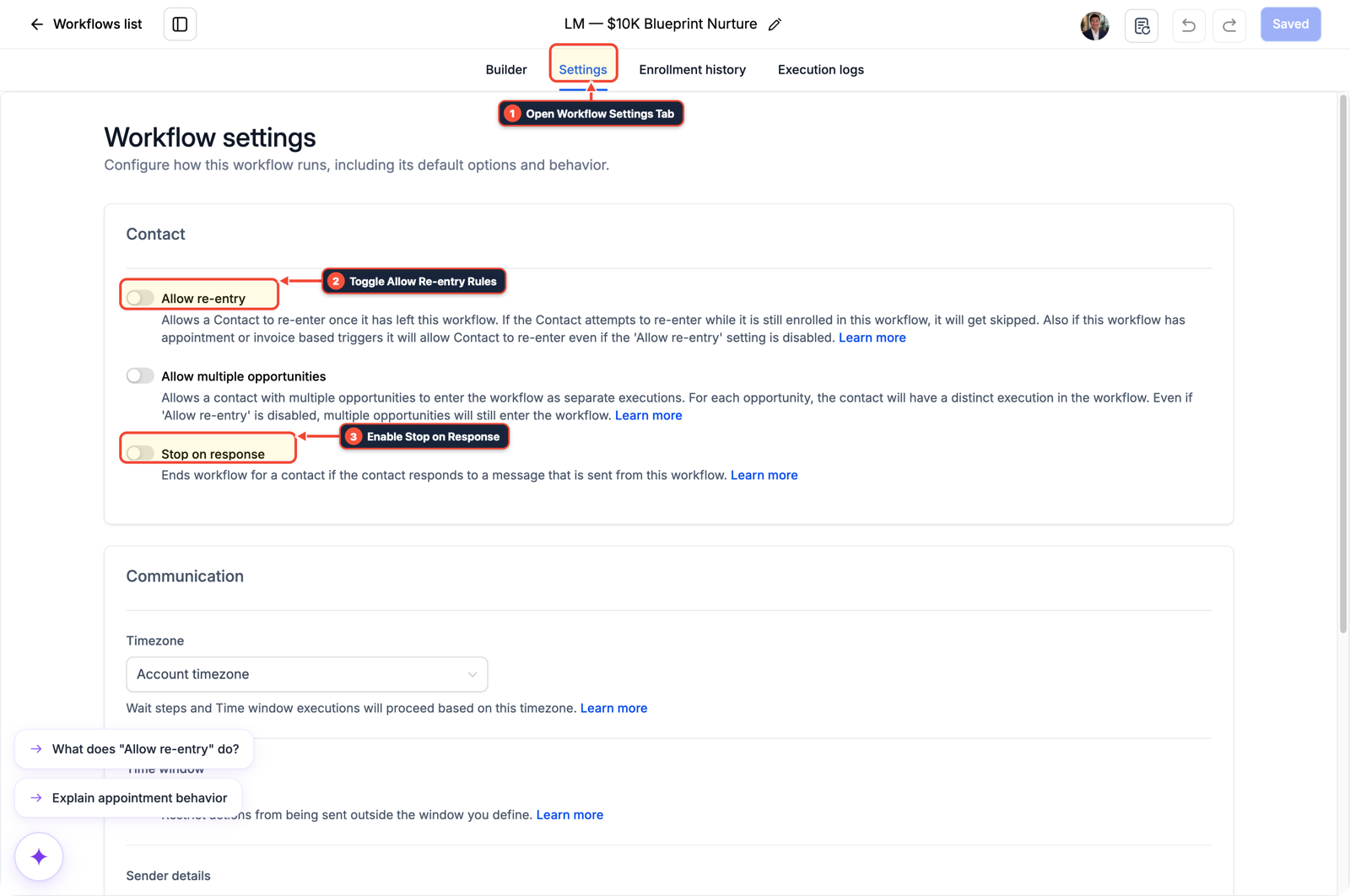
1Open Workflow Settings Tab 2Toggle Allow Re-entry Rules 3Enable Stop on Response -
STEP 2In Automation > Workflow Builder, set the Internal Notification recipient to Particular User: Open the Send Internal Notification action, change User Type from
Assigned UsertoParticular User, select the CEO's staff profile, and include{{contact.name}}and{{message.body}}in the notification body.
1Add If/Else Condition & Tag Guard 2Chain Priority & Wait Steps 3Switch to Settings or Execution Logs -
STEP 3In Automation > Workflow > Execution Logs and Settings > Users, verify delivery with a real inbound message: Confirm the CEO's mobile number and email are saved under Settings > Users, send a live SMS or email from an outside phone or inbox (do not use the Test Workflow button), and check Execution Logs to see
Executedon the notification step.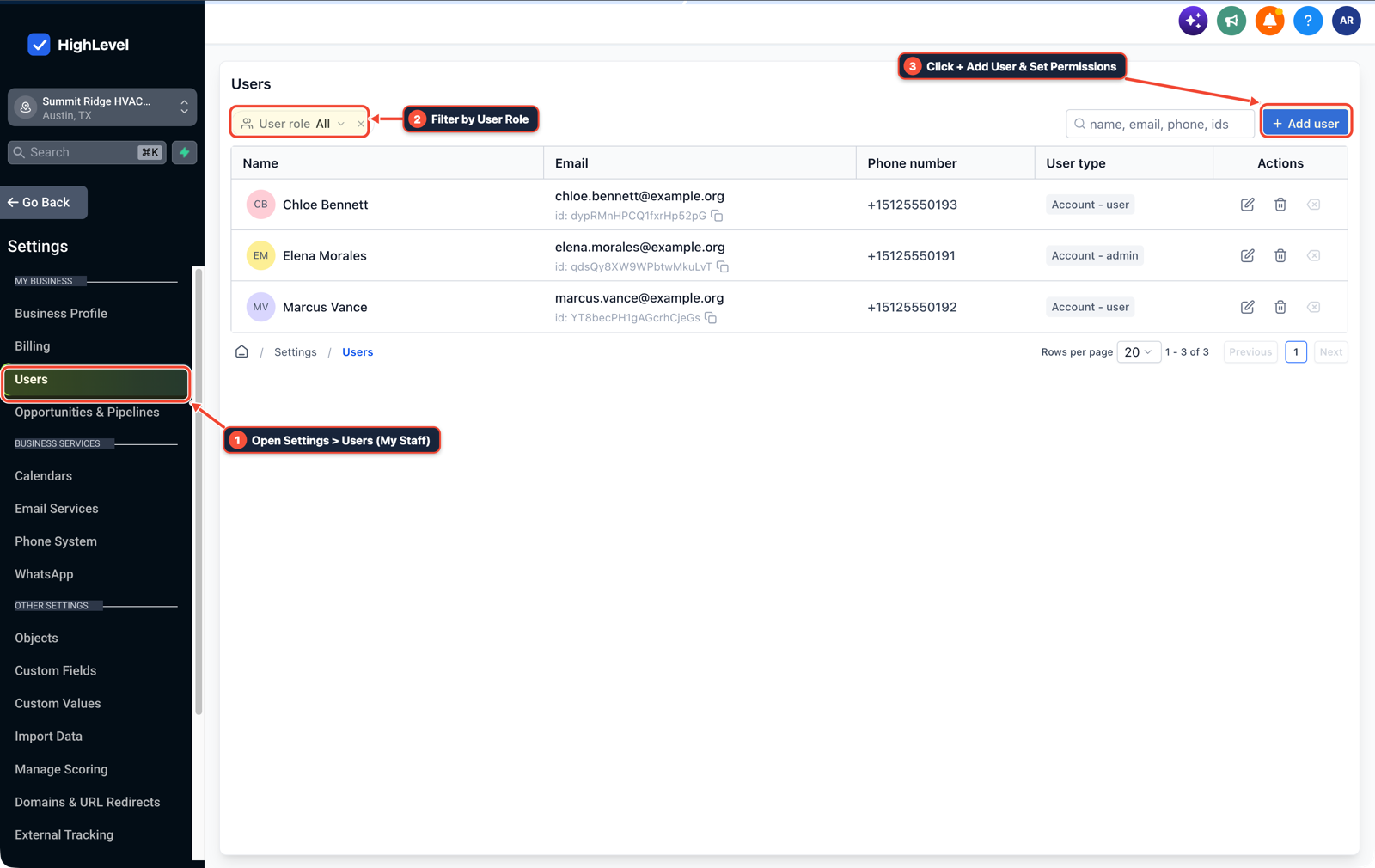
1Open Settings > Users (My Staff) 2Filter by User Role 3Click + Add User & Set Permissions
MODE: AGENT PROMPT
PASTE INTO CLAUDE CODE, CURSOR, CHATGPT, OR GOHIGHLEVEL ASK AI
AGENT PROMPT
Troubleshoot and fix a Customer Replied internal notification workflow in sub-account <YOUR_LOCATION_ID>:
1. In Automation > Workflow > Settings, enable Allow Re-entry and remove overly narrow Replied to Workflow trigger filters.
2. In Automation > Workflow Builder, set the Send Internal Notification action User Type to Particular User (selecting the CEO profile) with {{contact.name}} and {{message.body}}.
3. In Settings > Users and Workflow Execution Logs, verify the recipient's phone/email fields and test with a live inbound SMS or email.
GHL-TOOLS MCP SERVER & CLI (DANIELHALLMAN.COM/MCP)
BUILDER + SUB-ACCOUNT TOOLS
# Inspect workflows and staff user profiles in the sub-account via ghl-crm and ghl-agency
ghl-crm workflows list --context <YOUR_CONTEXT> --location <YOUR_LOCATION_ID>
ghl-agency users list --context <YOUR_CONTEXT> --location <YOUR_LOCATION_ID>
Official GHL MCP vs. ghl-tools: HighLevel’s official hosted MCP (services.leadconnectorhq.com/mcp) covers public v2 CRM records (contacts, opportunities, appointments, conversations). ghl-tools MCP complements it with workflow graph inspection & recipes, funnel/form builders, DNS/BIMI checks, and ghl-crm doctor audits.
Cause
- New CRM specialists often connect a 'Customer Replied' trigger to a 'Send Internal Notification' step, click 'Test Workflow' or send a second test message from their own phone, and wonder why nothing reaches the CEO.
- Because GoHighLevel blocks repeat contact entries by default and skips 'Assigned User' notifications whenever a contact has no owner assigned, the step fails quietly without showing an error banner on the builder canvas.
GoHighLevel Configuration
- Enable 'Allow Re-entry' under the workflow's Settings tab so every inbound reply fires the alert, set the Internal Notification step to 'Particular User' with the CEO's user profile selected directly
- and confirm the CEO's phone number and email address are populated under Settings > Users before testing with a live reply.
GoHighLevel Menu Paths
| Step | Menu Path in GHL | Action |
|---|---|---|
| Step 1 | Automation > Workflow > Settings | Turn on Allow Re-entry and review your Customer Replied trigger filters: Enable Allow Re-entry so the same contact can trigger the alert on every reply, and remove any Replied to Workflow filter if you want notifications across all inbound messages. |
| Step 2 | Automation > Workflow Builder | Set the Internal Notification recipient to Particular User: Open the Send Internal Notification action, change User Type from Assigned User to Particular User, select the CEO's staff profile, and include {{contact.name}} and {{message.body}} in the notification body. |
| Step 3 | Automation > Workflow > Execution Logs | Verify delivery with a real inbound message: Confirm the CEO's mobile number and email are saved under Settings > Users, send a live SMS or email from an outside phone or inbox (do not use the Test Workflow button), and check Execution Logs to see Executed on the notification step. |
DEFAULT SETUP VS. AUTOMATED WORKFLOW
Operational Comparison
Speed to Lead & Callback Safety
Caller Reply & Booking Rate
Related Questions
BUILD FASTER IN GOHIGHLEVEL · FREE TRIAL BONUSES + MCP SERVER
Build this directly inside your GoHighLevel sub-account
Connect Claude Code, Cursor, or OpenAI Codex to our ghl-tools MCP Server & Rust CLI to build workflows, forms, and funnels from your editor, or start your GoHighLevel plan through our partner link to unlock $612+ in ready-to-import kits (including GHL Workflow Architect Pack) and weekly live clinics.