GOHIGHLEVEL ANSWERS & PROMPTS: PLAYBOOK T02 · PIPELINES & STAGE WORKFLOWS
AUTHOR: DANIEL HALLMAN
KEYWORD: PIPELINES
STEP-BY-STEP INSTRUCTIONS + ANNOTATED GHL SCREENSHOTS
Steps in GoHighLevel
-
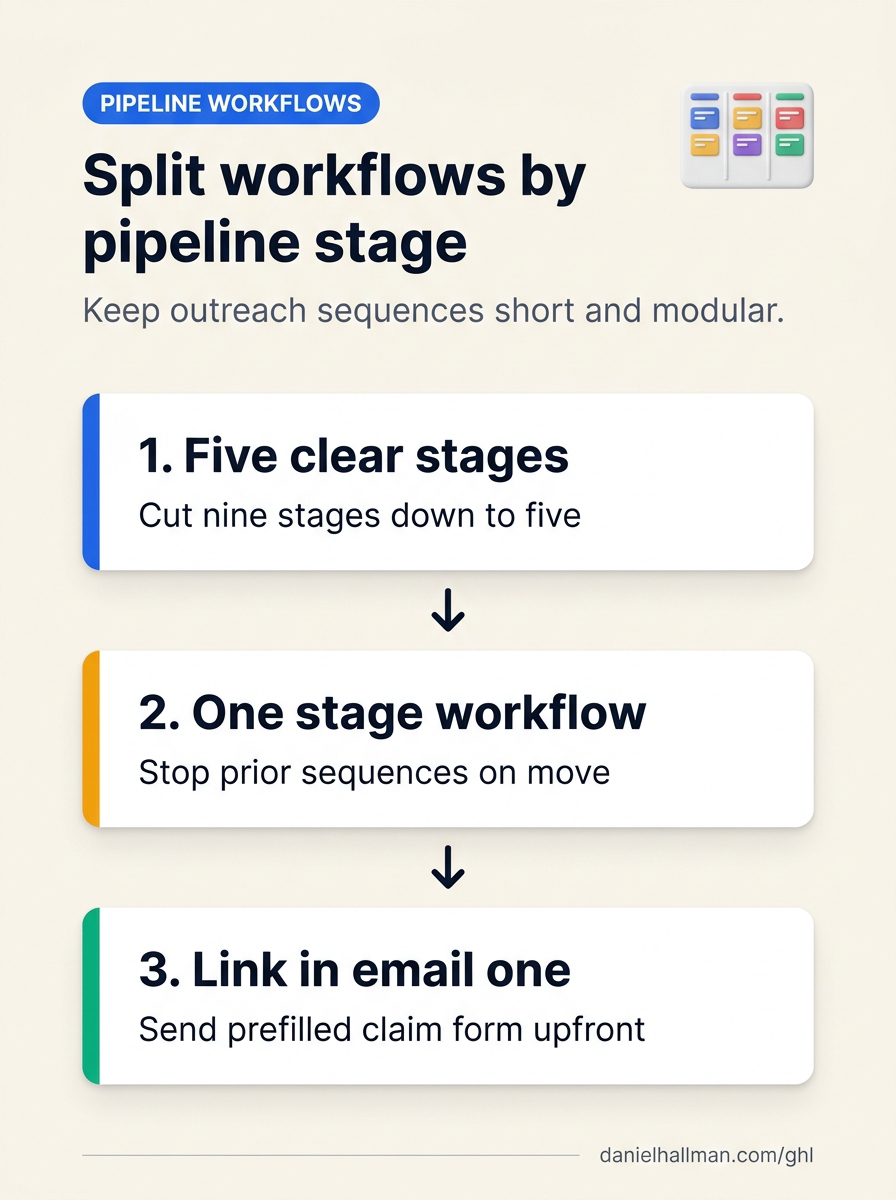
STEP 1In Opportunities > Pipelines, simplify your board to 5 milestone stages: Replace 9 micro-stages with 5 clear stages (
01 — New Prospect,02 — Outreach Active,03 — Free Listing Submitted,04 — Listing Live,05 — Featured Upgrade Won) so your team can read the board at a glance.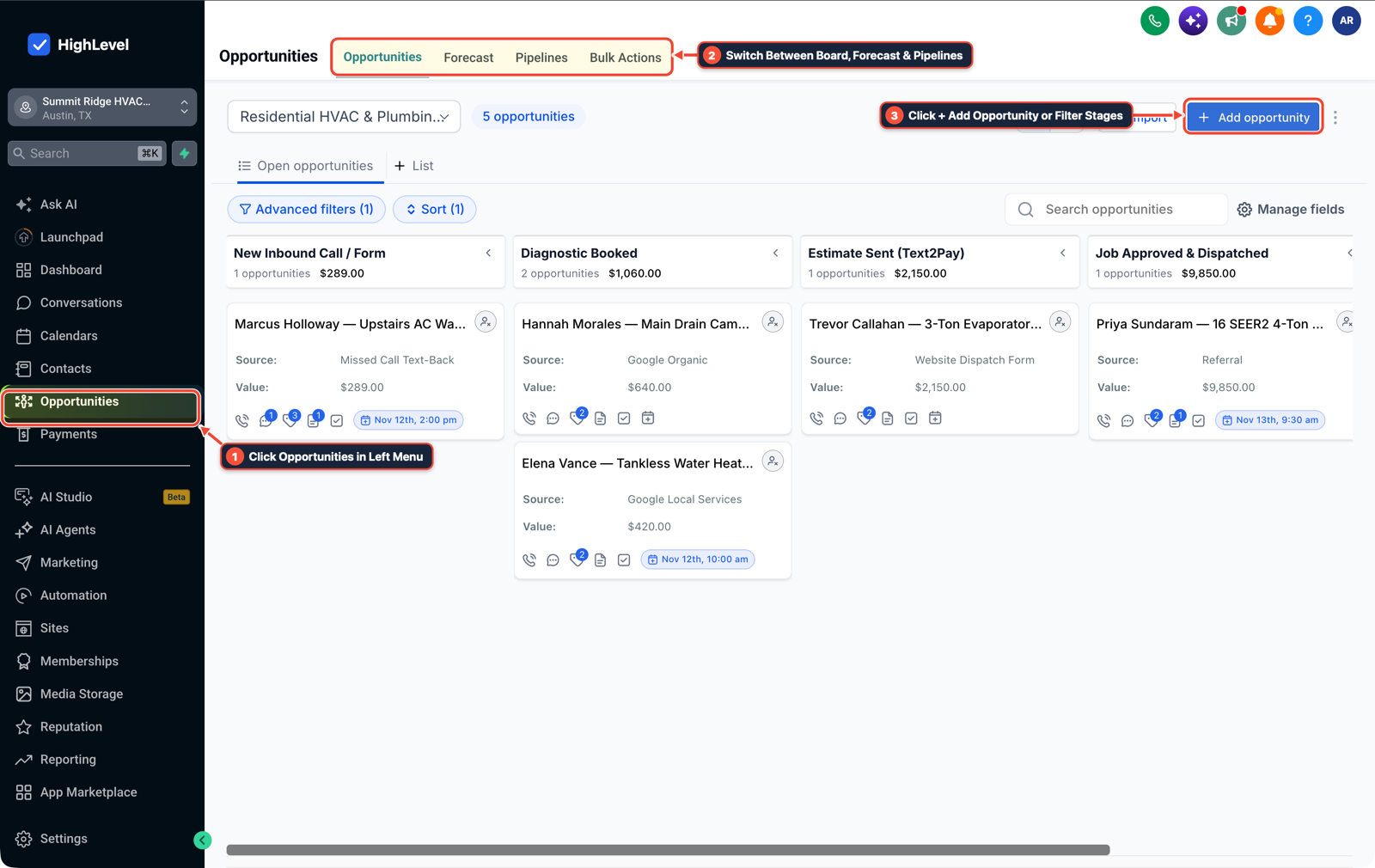
1Click Opportunities in Left Menu 2Switch Between Board, Forecast & Pipelines 3Click + Add Opportunity or Filter Stages -
STEP 2In Automation > Workflows, create one modular workflow per stage with automatic cleanup: Trigger each workflow on Pipeline Stage Changed for that specific stage, enable Stop on Response in Settings, and make Action #1 Remove from Workflow (removing the contact from earlier stage workflows) so prospects never receive stale follow-ups after moving forward.

1Add If/Else Condition & Tag Guard 2Chain Priority & Wait Steps 3Switch to Settings or Execution Logs -
STEP 3In Sites > Forms, pass URL query parameters to pre-fill the registration form in email #1: Set your form fields (
business_name,phone,email) to read URL query keys, and include the pre-filled link (?business_name={{contact.company_name}}&phone={{contact.phone}}) directly in your initial outreach email instead of making busy owners reply just to request the link.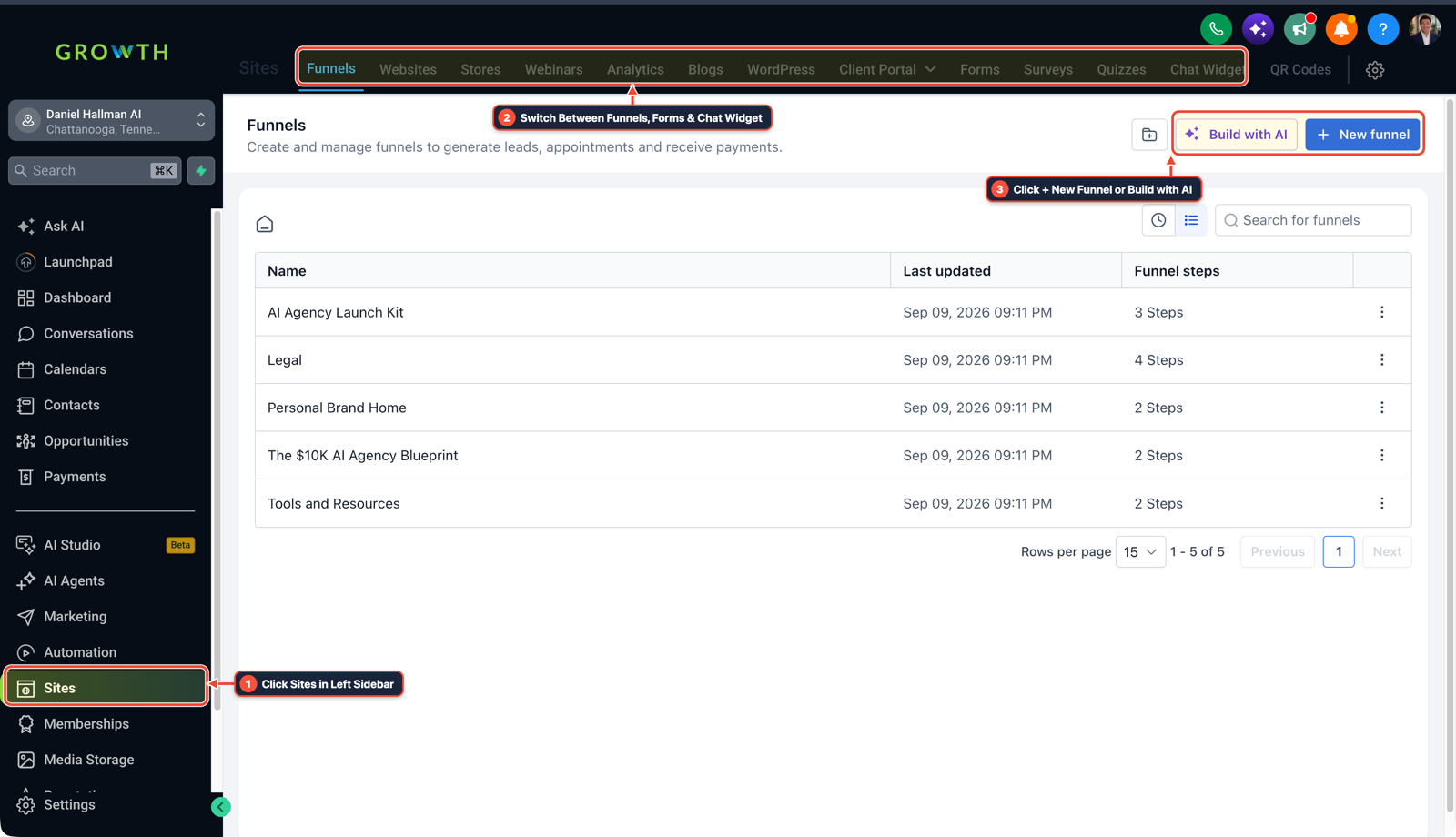
1Click Sites in Left Sidebar 2Switch Between Funnels, Forms & Chat Widget 3Click + New Funnel or Build with AI
MODE: AGENT PROMPT
PASTE INTO CLAUDE CODE, CURSOR, CHATGPT, OR GOHIGHLEVEL ASK AI
AGENT PROMPT
Structure a modular 5-stage outreach pipeline and stage-triggered workflows in sub-account <YOUR_LOCATION_ID>:
1. In Opportunities > Pipelines, create a 5-stage pipeline (New Prospect, Outreach Active, Free Listing Submitted, Listing Live, Featured Upgrade Won).
2. In Automation > Workflows, build one separate workflow per stage triggered by Pipeline Stage Changed, with Remove from Workflow at the top to cancel prior stage follow-ups and Stop on Response enabled.
3. In Sites > Forms, configure URL query parameter pre-fill (?business_name={{contact.company_name}}&phone={{contact.phone}}) and include the link directly in Email #1.
GHL-TOOLS MCP SERVER & CLI (DANIELHALLMAN.COM/MCP)
BUILDER + SUB-ACCOUNT TOOLS
# Inspect sub-account pipelines, forms, and stage workflows via ghl-crm
ghl-crm workflows list --context <YOUR_CONTEXT> --location <YOUR_LOCATION_ID>
ghl-crm forms list --context <YOUR_CONTEXT> --location <YOUR_LOCATION_ID>
Official GHL MCP vs. ghl-tools: HighLevel’s official hosted MCP (services.leadconnectorhq.com/mcp) covers public v2 CRM records (contacts, opportunities, appointments, conversations). ghl-tools MCP complements it with workflow graph inspection & recipes, funnel/form builders, DNS/BIMI checks, and ghl-crm doctor audits.
Cause
- Operators building directory outreach or B2B sales pipelines in GoHighLevel often create 8 to 10 granular pipeline stages ('New Prospect', 'Outreach Sent', 'Replied', 'Link Sent', 'Submitted', 'Published', 'Upsell Sent') and wire them into one giant automation.
- In real life, a prospect clicks your link in email #1 and submits their form immediately, skipping three stages while the old workflow keeps sending 'Did you get my email?' follow-ups.
GoHighLevel Configuration
- Trim the pipeline to 5 real milestones where the owner's action changes, put the pre-filled registration form link directly in your first email so prospects can convert in one click
- and run one modular workflow per stage that removes the contact from all prior stage workflows the instant their stage updates.
GoHighLevel Menu Paths
| Step | Menu Path in GHL | Action |
|---|---|---|
| Step 1 | Opportunities > Pipelines | Simplify your board to 5 milestone stages: Replace 9 micro-stages with 5 clear stages (01 — New Prospect, 02 — Outreach Active, 03 — Free Listing Submitted, 04 — Listing Live, 05 — Featured Upgrade Won) so your team can read the board at a glance. |
| Step 2 | Automation > Workflows | Create one modular workflow per stage with automatic cleanup: Trigger each workflow on Pipeline Stage Changed for that specific stage, enable Stop on Response in Settings, and make Action #1 Remove from Workflow (removing the contact from earlier stage workflows) so prospects never receive stale follow-ups after moving forward. |
| Step 3 | Sites > Forms | Pass URL query parameters to pre-fill the registration form in email #1: Set your form fields (business_name, phone, email) to read URL query keys, and include the pre-filled link (?business_name={{contact.company_name}}&phone={{contact.phone}}) directly in your initial outreach email instead of making busy owners reply just to request the link. |
DEFAULT SETUP VS. AUTOMATED WORKFLOW
Operational Comparison
Speed to Lead & Callback Safety
Caller Reply & Booking Rate
Related Questions
- Why is GoHighLevel still sending messages after a customer replies?
- How do you set up GoHighLevel for a solo home service business without bloated agency snapshots?
- How do you capture partial form submissions in a 2-step GoHighLevel funnel?
- How do you keep cold email separate from your main business domain in GoHighLevel?
BUILD FASTER IN GOHIGHLEVEL · FREE TRIAL BONUSES + MCP SERVER
Build this directly inside your GoHighLevel sub-account
Connect Claude Code, Cursor, or OpenAI Codex to our ghl-tools MCP Server & Rust CLI to build workflows, forms, and funnels from your editor, or start your GoHighLevel plan through our partner link to unlock $612+ in ready-to-import kits (including GHL Workflow Architect Pack) and weekly live clinics.