GOHIGHLEVEL ANSWERS & PROMPTS: PLAYBOOK T07 · WORKFLOWS & AUTOMATION
AUTHOR: DANIEL HALLMAN
KEYWORD: SMS
STEP-BY-STEP INSTRUCTIONS
Steps in GoHighLevel
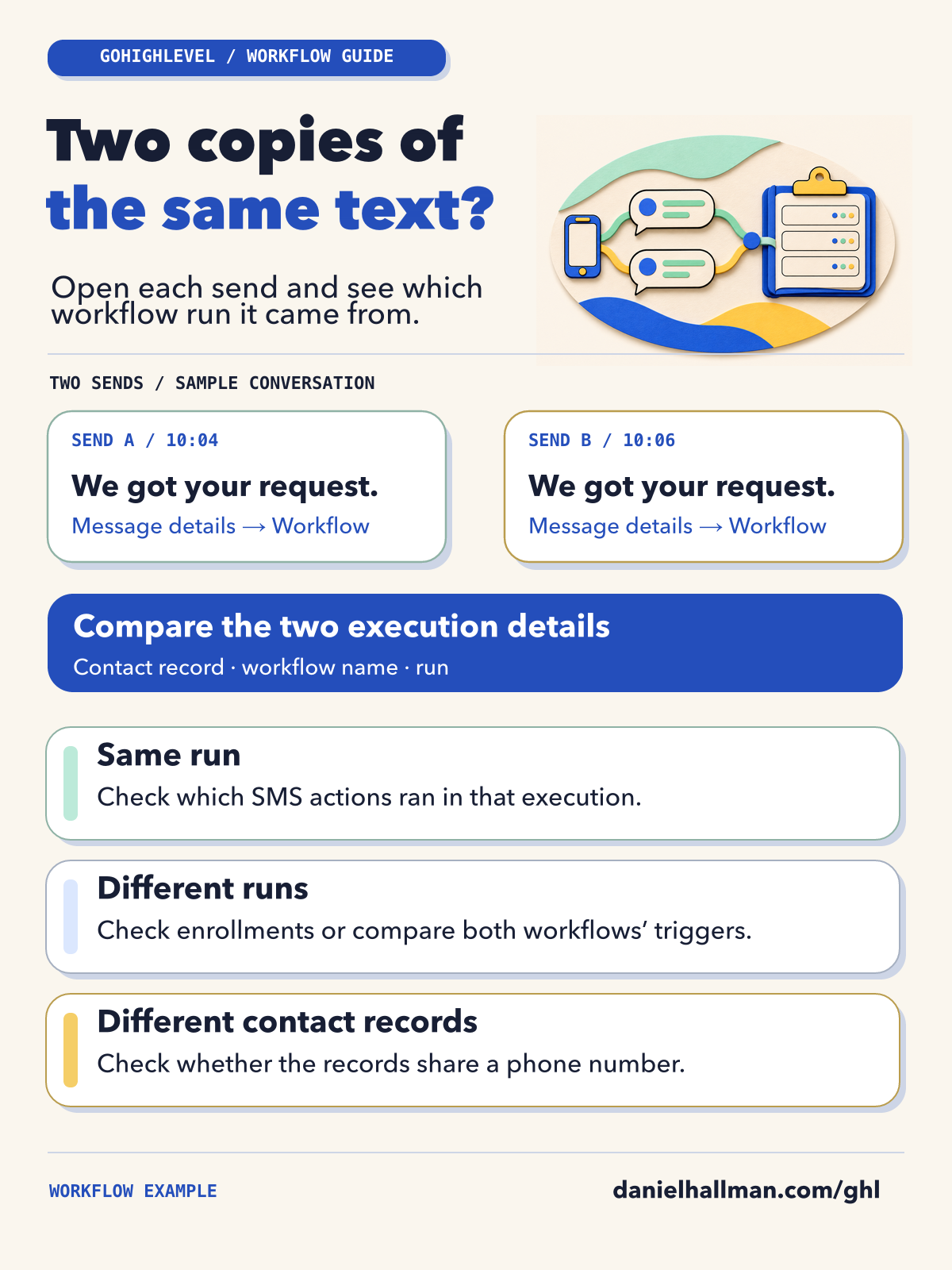
- STEP 1Open the thread with both outgoing texts in Conversations.
- STEP 2Select Workflow in each text’s message details. Each link opens Execution Details for that contact and run.
- STEP 3Compare the contact, workflow, and run shown for both texts. Use Executed On to line up each
Send SMSentry with its text.
MODE: AGENT PROMPT
PASTE INTO CLAUDE CODE, CURSOR, CHATGPT, OR GOHIGHLEVEL ASK AI
AGENT PROMPT
Compare the two HighLevel workflow runs I provide. For each one, list the contact, workflow, enrollment, and Send SMS action time. Point out which fields match and which differ. Mark any missing fields as unknown.
GHL-TOOLS MCP SERVER & CLI (DANIELHALLMAN.COM/MCP)
BUILDER + SUB-ACCOUNT TOOLS
# Show the settings for an identified workflow. Use the Workflow links in Conversations for individual runs.
ghl-crm workflows get --context <YOUR_CONTEXT> --location <YOUR_LOCATION_ID> --id <WORKFLOW_ID>
Official GHL MCP vs. ghl-tools: HighLevel’s official hosted MCP (services.leadconnectorhq.com/mcp) covers public v2 CRM records (contacts, opportunities, appointments, conversations). ghl-tools MCP complements it with workflow graph inspection & recipes, funnel/form builders, DNS/BIMI checks, and ghl-crm doctor audits.
Possible Causes
- Two matching texts can come from two actions in one run, separate runs of a workflow, or different workflows.
- The text itself won’t tell you which happened.
Reading the Results
- If both texts point to the same contact and run, look for two
Send SMSentries in that run. - If the workflow and contact match but the runs differ, compare the enrollments in Enrollment History.
- If the workflows differ, compare their triggers.
- If the contacts differ, check which contact each run used.
- A text without a Workflow link still needs a separate source check.
GoHighLevel Menu Paths
| Step | Menu Path in GHL | Action |
|---|---|---|
| Step 1 | Conversations | Open the thread with both outgoing texts in Conversations. |
| Step 2 | Conversations > Message details > Workflow | Select Workflow in each text’s message details. |
| Step 3 | Execution Logs > Execution Details | Compare the contact, workflow, and run shown for both texts. |
HighLevel guide to Execution Logs and Enrollment History
Related Questions
BUILD FASTER IN GOHIGHLEVEL · FREE TRIAL BONUSES + MCP SERVER
Build this directly inside your GoHighLevel sub-account
Connect Claude Code, Cursor, or OpenAI Codex to our ghl-tools MCP Server & Rust CLI to build workflows, forms, and funnels from your editor, or start your GoHighLevel plan through our partner link to unlock $612+ in ready-to-import kits (including GHL Workflow Architect Pack) and weekly live clinics.