GOHIGHLEVEL ANSWERS & PROMPTS: PLAYBOOK T46 · DUPLICATE CONTRACT & OPPORTUNITY WORKFLOW GUARD
AUTHOR: DANIEL HALLMAN
KEYWORD: DOCUMENT DUPLICATE
STEP-BY-STEP INSTRUCTIONS + ANNOTATED GHL SCREENSHOTS
Steps in GoHighLevel
-
STEP 1In Automation > Workflow > Settings, toggle Allow Re-entry off so a contact cannot be enrolled in the document workflow a second, third, or fourth time while their contract is already out for signature.
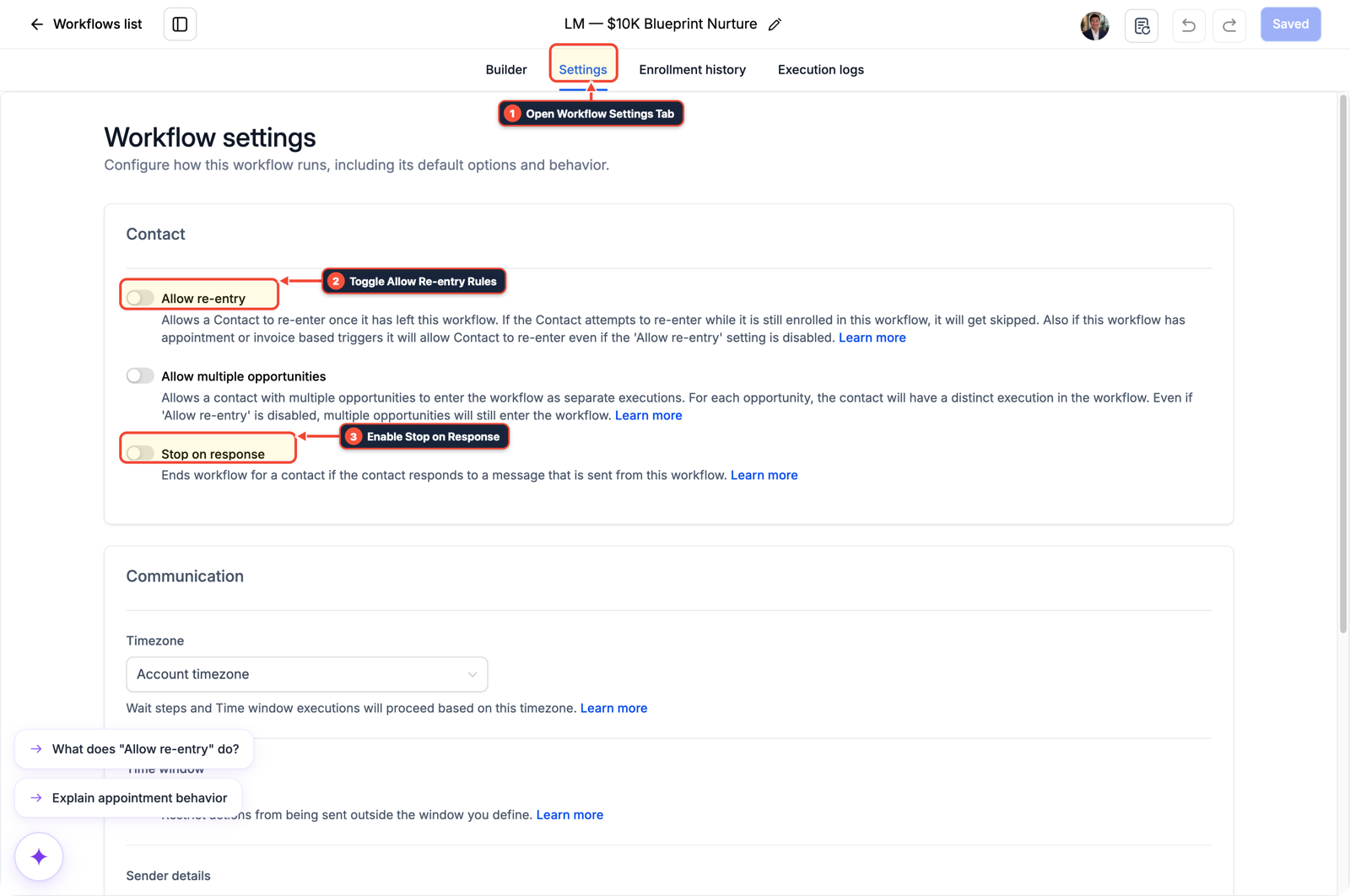
1Open Workflow Settings Tab 2Toggle Allow Re-entry Rules 3Enable Stop on Response -
STEP 2In Automation > Workflow Builder, open your Pipeline Stage Changed trigger, filter by In Pipeline and Pipeline Stage, add an If/Else condition checking that the contact does not have the
contract-senttag, and apply thecontract-senttag right before the Send Document step.
1Add If/Else Condition & Tag Guard 2Chain Priority & Wait Steps 3Switch to Settings or Execution Logs -
STEP 3In Automation > Workflow > Execution Logs, filter by the contact's name and open the Trigger details on each run to verify whether a duplicate active workflow or Documents & Contracts stage sync moved the deal card repeatedly.
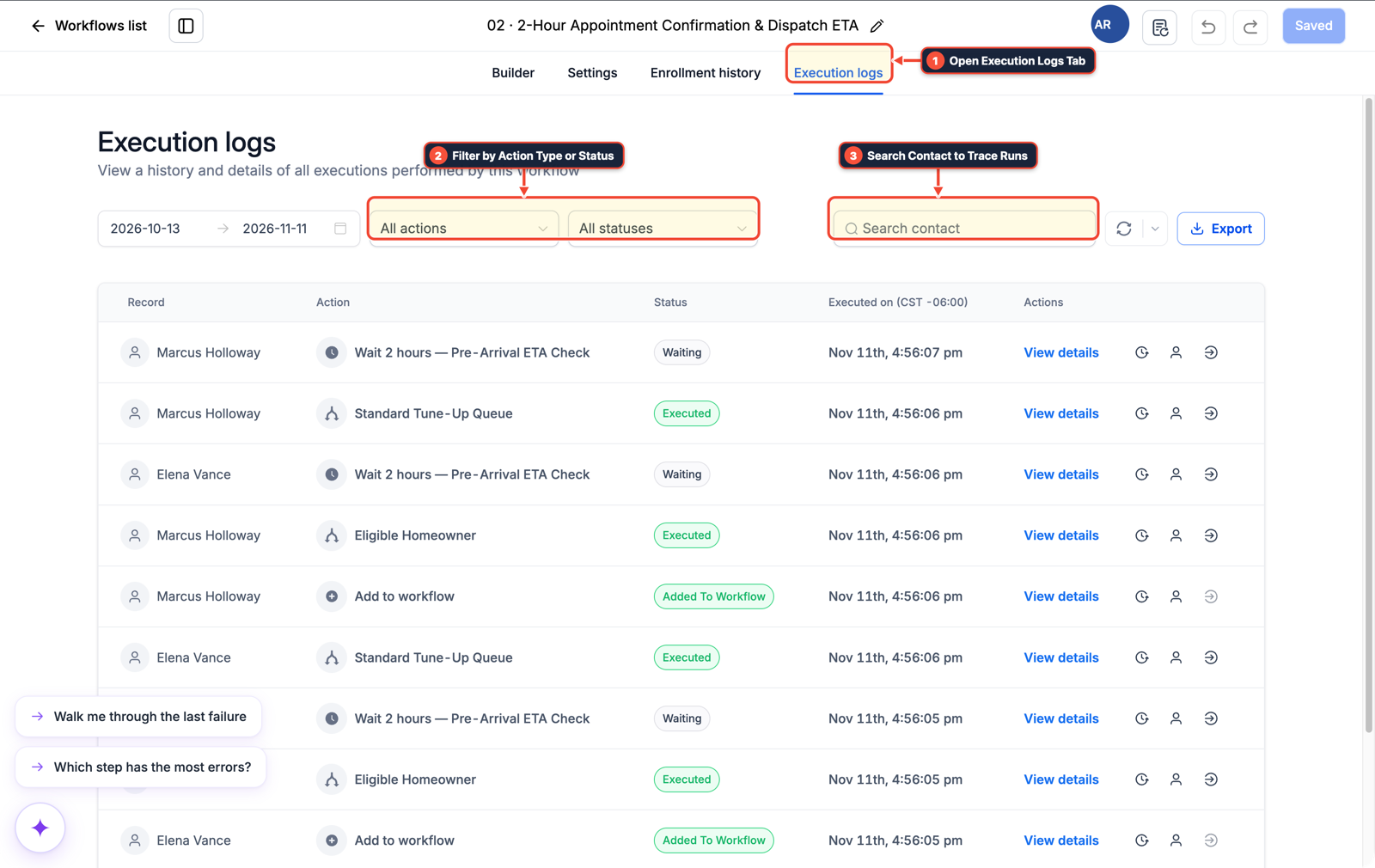
1Open Execution Logs Tab 2Filter by Action Type or Status 3Search Contact to Trace Runs
MODE: AGENT PROMPT
PASTE INTO CLAUDE CODE, CURSOR, CHATGPT, OR GOHIGHLEVEL ASK AI
AGENT PROMPT
Stop duplicate Send Document runs on pipeline stage workflows in sub-account <YOUR_LOCATION_ID>:
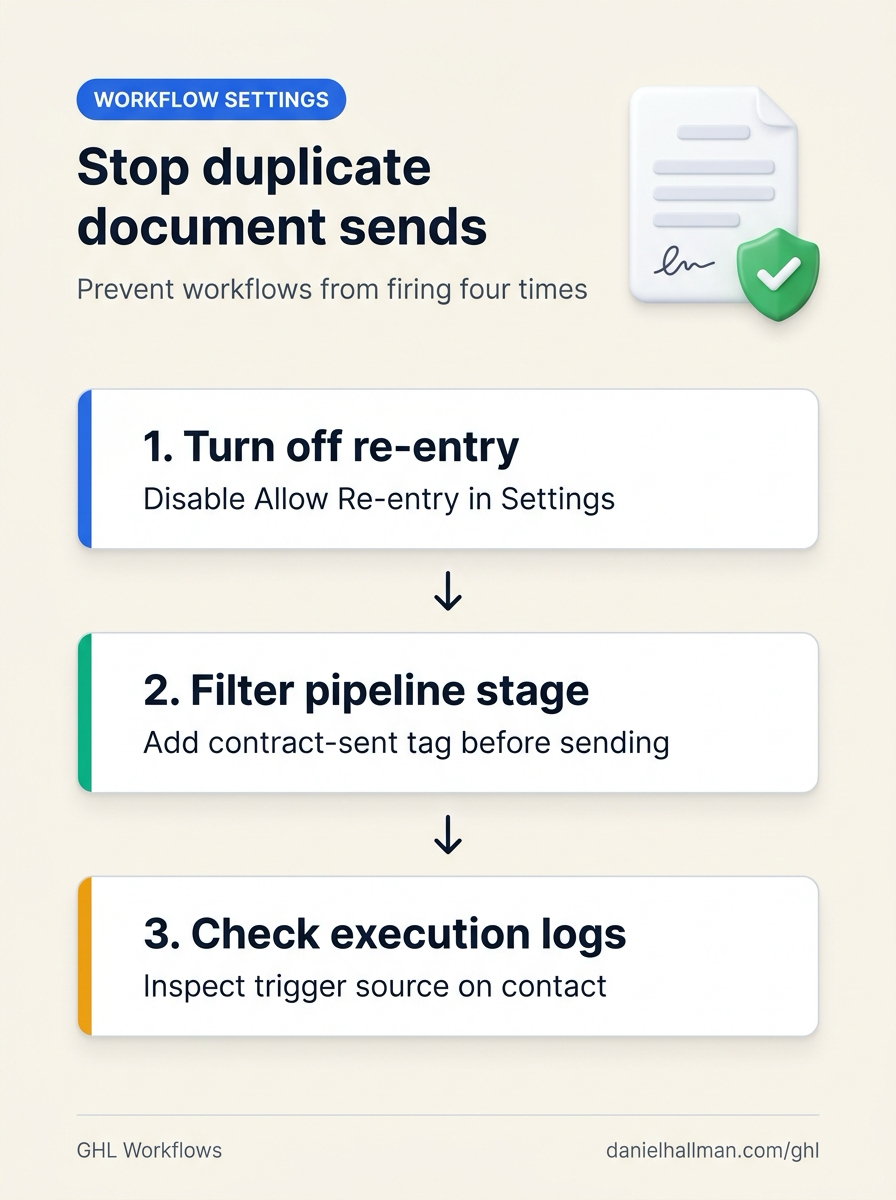
1. In Automation > Workflow > Settings, turn Allow Re-entry off on the document-sending workflow.
2. In Automation > Workflow Builder, filter the Pipeline Stage Changed trigger by exact In Pipeline and Pipeline Stage, check that the contact lacks the contract-sent tag in an If/Else branch, and add the contract-sent tag before Send Document.
3. In Automation > Workflow > Execution Logs, inspect the enrollment trigger history for the test contact.
GHL-TOOLS MCP SERVER & CLI (DANIELHALLMAN.COM/MCP)
BUILDER + SUB-ACCOUNT TOOLS
# Inspect workflows and execution logs for duplicate opportunity stage triggers
ghl-crm workflows list --context <YOUR_CONTEXT> --location <YOUR_LOCATION_ID>
ghl-crm pipelines list --context <YOUR_CONTEXT> --location <YOUR_LOCATION_ID>
Official GHL MCP vs. ghl-tools: HighLevel’s official hosted MCP (services.leadconnectorhq.com/mcp) covers public v2 CRM records (contacts, opportunities, appointments, conversations). ghl-tools MCP complements it with workflow graph inspection & recipes, funnel/form builders, DNS/BIMI checks, and ghl-crm doctor audits.
Cause
- Switching a contract workflow from Opportunity Created/Updated to Pipeline Stage Changed still sends four copies of the same document if Allow Re-entry is left on in the workflow settings or if another automation updates the opportunity stage while syncing fields.
GoHighLevel Configuration
- Disable Allow Re-entry in Automation > Workflow > Settings, filter the Pipeline Stage Changed trigger by exact pipeline, stage
- and a
contract-senttag in Automation > Workflow Builder - and inspect Automation > Workflow > Execution Logs to spot duplicate triggers.
GoHighLevel Menu Paths
| Step | Menu Path in GHL | Action |
|---|---|---|
| Step 1 | Automation > Workflow > Settings | Toggle Allow Re-entry off so a contact cannot be enrolled in the document workflow a second, third, or fourth time while their contract is already out for signature. |
| Step 2 | Automation > Workflow Builder | Open your Pipeline Stage Changed trigger, filter by In Pipeline and Pipeline Stage, add an If/Else condition checking that the contact does not have the contract-sent tag, and apply the contract-sent tag right before the Send Document step. |
| Step 3 | Automation > Workflow > Execution Logs | Filter by the contact's name and open the Trigger details on each run to verify whether a duplicate active workflow or Documents & Contracts stage sync moved the deal card repeatedly. |
DEFAULT SETUP VS. AUTOMATED WORKFLOW
Operational Comparison
Speed to Lead & Callback Safety
Caller Reply & Booking Rate
Related Questions
- How Do You Handle Multiple Orders and Opportunities for One Contact in a Single GoHighLevel Pipeline?
- Why Is My GoHighLevel Workflow Not Sending Notifications When a Customer Replies?
- How Do You Prevent AI Agents From Sending Too Many Emails or Looping in GoHighLevel Workflows?
- Should You Use One Giant Workflow or Separate Stage Workflows for a GoHighLevel Pipeline?
BUILD FASTER IN GOHIGHLEVEL · FREE TRIAL BONUSES + MCP SERVER
Build this directly inside your GoHighLevel sub-account
Connect Claude Code, Cursor, or OpenAI Codex to our ghl-tools MCP Server & Rust CLI to build workflows, forms, and funnels from your editor, or start your GoHighLevel plan through our partner link to unlock $612+ in ready-to-import kits (including GHL Opportunity & Document Workflow Guard Pack) and weekly live clinics.