GOHIGHLEVEL ANSWERS & PROMPTS: PLAYBOOK T28 · MULTI-ORDER PIPELINES & OPPORTUNITY LOOKUP
AUTHOR: DANIEL HALLMAN
KEYWORD: MULTIPLE ORDERS
STEP-BY-STEP INSTRUCTIONS + ANNOTATED GHL SCREENSHOTS
Steps in GoHighLevel
-
STEP 1In Automation > Workflow > Settings (and Settings > Business Profile > General), turn on Allow multiple opportunities and Allow Re-entry so a single contact can hold separate active order cards in the same pipeline.
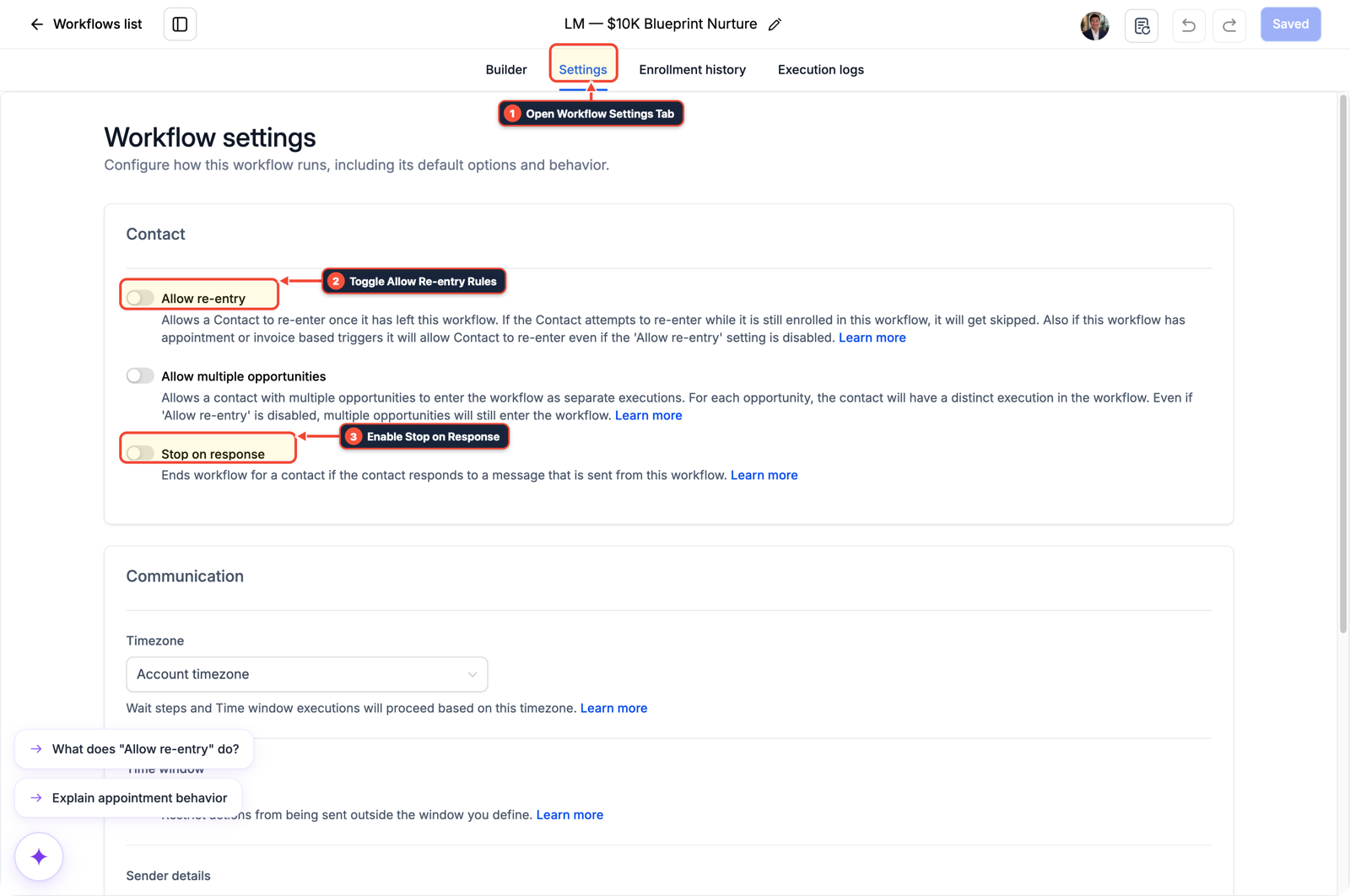
1Open Workflow Settings Tab 2Toggle Allow Re-entry Rules 3Enable Stop on Response -
STEP 2In Settings > Custom Fields, choose the Opportunity object when clicking + Create Field and create a Single Line text field named
Order ID({{opportunity.order_id}}) so each deal card stores its own order identifier.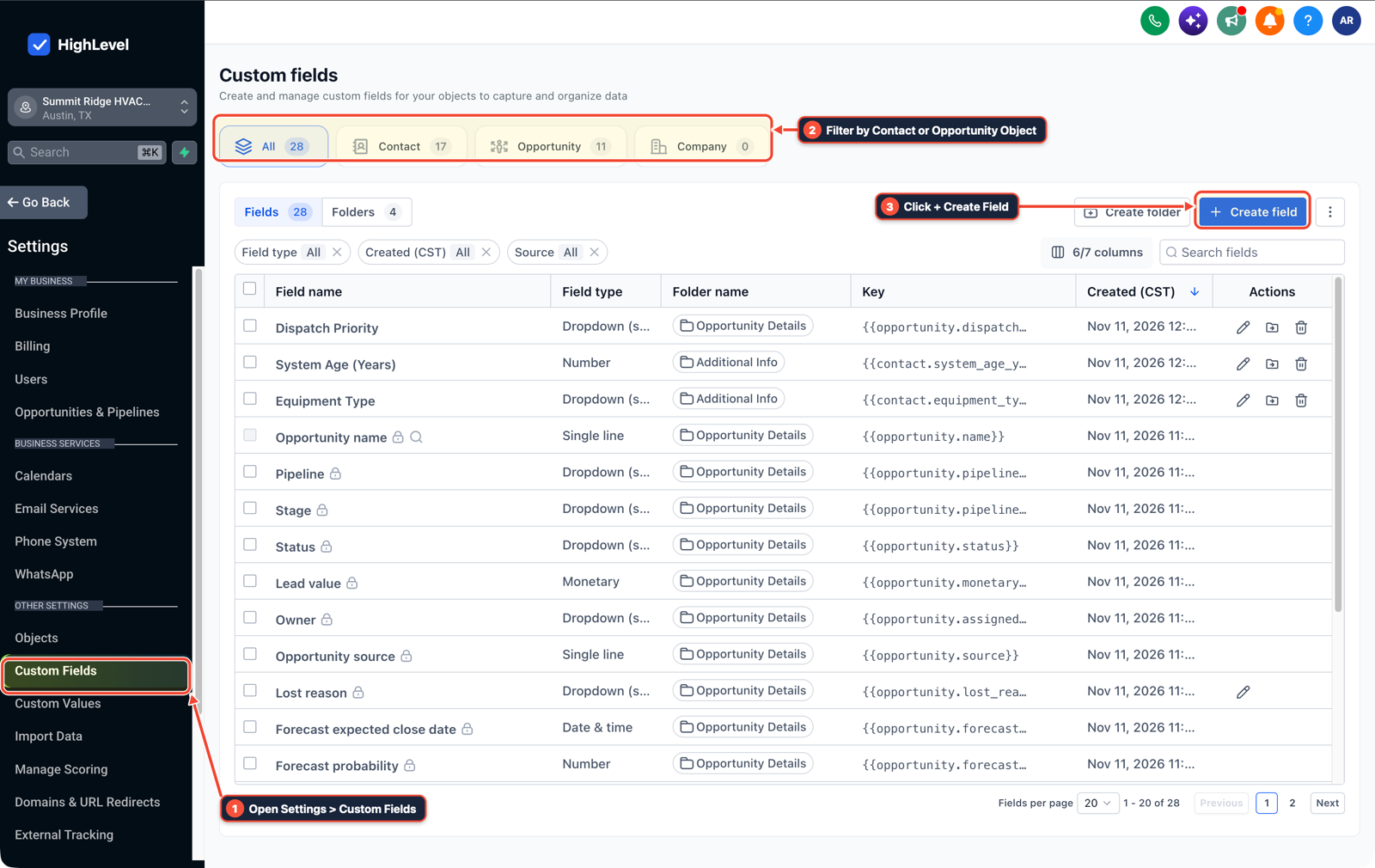
1Open Settings > Custom Fields 2Filter by Contact or Opportunity Object 3Click + Create Field -
STEP 3In Opportunities > Pipelines (and your Find Opportunity workflow action), set Opportunity to Be Found to
Latest Opportunityand add custom field conditionOrder IDequals{{inboundWebhookRequest.order_id}}before updating the stage.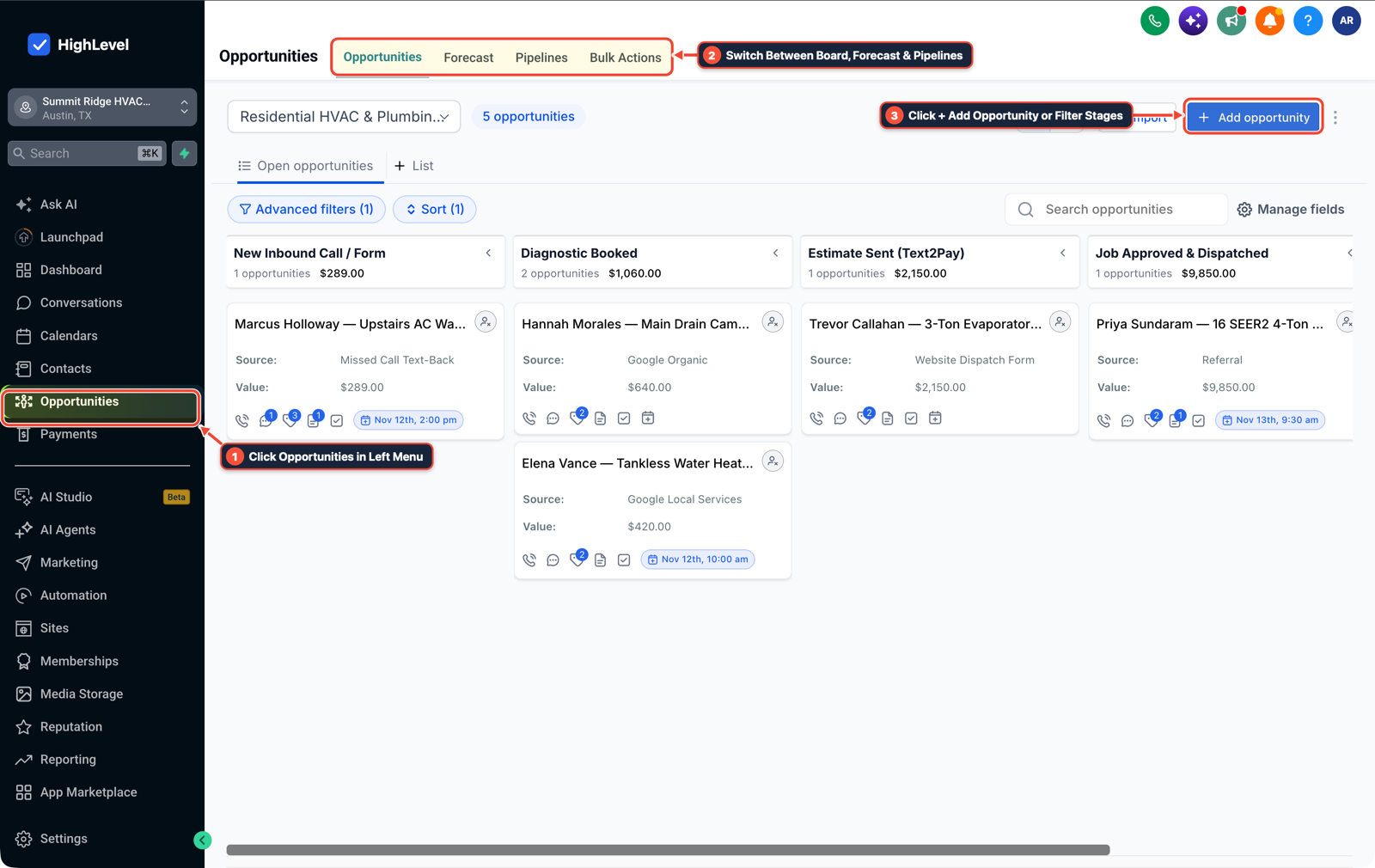
1Click Opportunities in Left Menu 2Switch Between Board, Forecast & Pipelines 3Click + Add Opportunity or Filter Stages
MODE: AGENT PROMPT
PASTE INTO CLAUDE CODE, CURSOR, CHATGPT, OR GOHIGHLEVEL ASK AI
AGENT PROMPT
Configure multi-order tracking in a single pipeline for sub-account <YOUR_LOCATION_ID>:
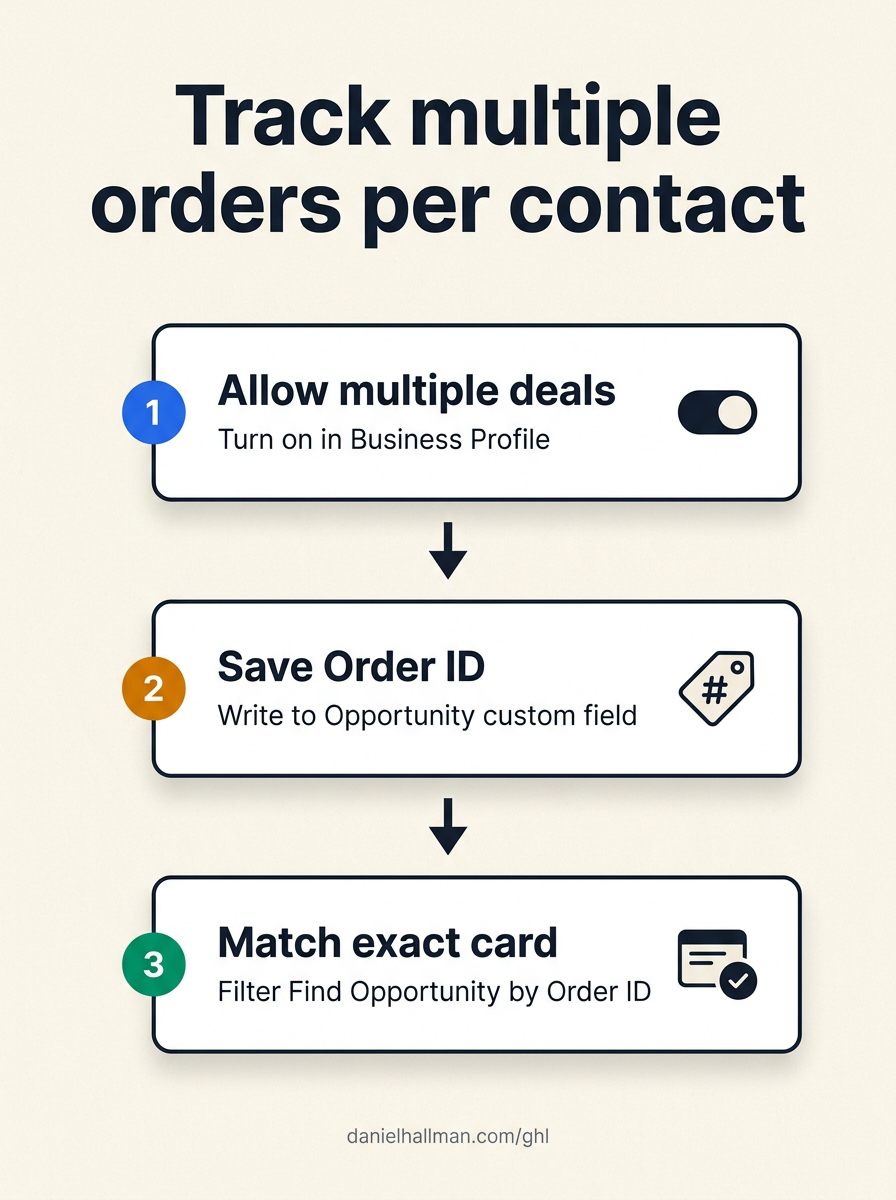
1. In Settings > Business Profile > General, enable Allow multiple opportunities, and enable Allow Re-entry in Automation > Workflow > Settings.
2. In Settings > Custom Fields, select the Opportunity object and create a Single Line field named Order ID ({{opportunity.order_id}}).
3. In the order creation workflow, populate Opportunity Order ID on Create Opportunity; in the fulfillment update workflow, use Find Opportunity filtered by Opportunity Order ID == {{inboundWebhookRequest.order_id}}.
GHL-TOOLS MCP SERVER & CLI (DANIELHALLMAN.COM/MCP)
BUILDER + SUB-ACCOUNT TOOLS
# List sub-account workflows and inspect opportunity custom fields
ghl-crm workflows list --context <YOUR_CONTEXT> --location <YOUR_LOCATION_ID>
ghl-agency custom-values-audit --context <YOUR_CONTEXT> --location <YOUR_LOCATION_ID>
Official GHL MCP vs. ghl-tools: HighLevel’s official hosted MCP (services.leadconnectorhq.com/mcp) covers public v2 CRM records (contacts, opportunities, appointments, conversations). ghl-tools MCP complements it with workflow graph inspection & recipes, funnel/form builders, DNS/BIMI checks, and ghl-crm doctor audits.
Cause
- Saving an Order ID or Invoice Number on a Contact custom field overwrites the previous value the moment the same customer places a second order.
- When a fulfillment or payment webhook fires later, the Find Opportunity workflow action cannot tell which deal card belongs to which order and moves or closes the wrong opportunity.
GoHighLevel Configuration
- Enable multiple opportunities per contact, create an Opportunity-object custom field for
Order ID, write the order number onto the opportunity card when created - and filter Find Opportunity by that opportunity custom field on every downstream status update.
GoHighLevel Menu Paths
| Step | Menu Path in GHL | Action |
|---|---|---|
| Step 1 | Automation > Workflow > Settings | In Automation > Workflow > Settings (and Settings > Business Profile > General), turn on Allow multiple opportunities and Allow Re-entry so a single contact can hold separate active order cards in the same pipeline. |
| Step 2 | Settings > Custom Fields | Choose the Opportunity object when clicking + Create Field and create a Single Line text field named Order ID ({{opportunity.order_id}}) so each deal card stores its own order identifier. |
| Step 3 | Opportunities > Pipelines | In Opportunities > Pipelines (and your Find Opportunity workflow action), set Opportunity to Be Found to Latest Opportunity and add custom field condition Order ID equals {{inboundWebhookRequest.order_id}} before updating the stage. |
DEFAULT SETUP VS. AUTOMATED WORKFLOW
Operational Comparison
Speed to Lead & Callback Safety
Caller Reply & Booking Rate
Related Questions
- Why can't I save contacts after enabling GoHighLevel Opportunity-First beta?
- How do you test repeat property inquiries in GoHighLevel?
- Should You Use One Giant Workflow or Separate Stage Workflows for a GoHighLevel Pipeline?
- How Do You Automate Multi-Photo Form Uploads Into a Single Folder Link on a GoHighLevel Opportunity?
BUILD FASTER IN GOHIGHLEVEL · FREE TRIAL BONUSES + MCP SERVER
Build this directly inside your GoHighLevel sub-account
Connect Claude Code, Cursor, or OpenAI Codex to our ghl-tools MCP Server & Rust CLI to build workflows, forms, and funnels from your editor, or start your GoHighLevel plan through our partner link to unlock $612+ in ready-to-import kits (including GHL Multi-Order Pipeline Pack) and weekly live clinics.