GOHIGHLEVEL ANSWERS & PROMPTS: PLAYBOOK T39 · OUTBOUND DIALER & CALLER ID ROUTING
AUTHOR: DANIEL HALLMAN
KEYWORD: OUTBOUND NUMBER
STEP-BY-STEP INSTRUCTIONS + ANNOTATED GHL SCREENSHOTS
Steps in GoHighLevel
-
STEP 1In Settings > Phone System > Manage Numbers, locate the campaign phone number (such as
+15125550142) and select Make Default Number (or click the star icon) so the Opportunities web dialer defaults to that line on every card click.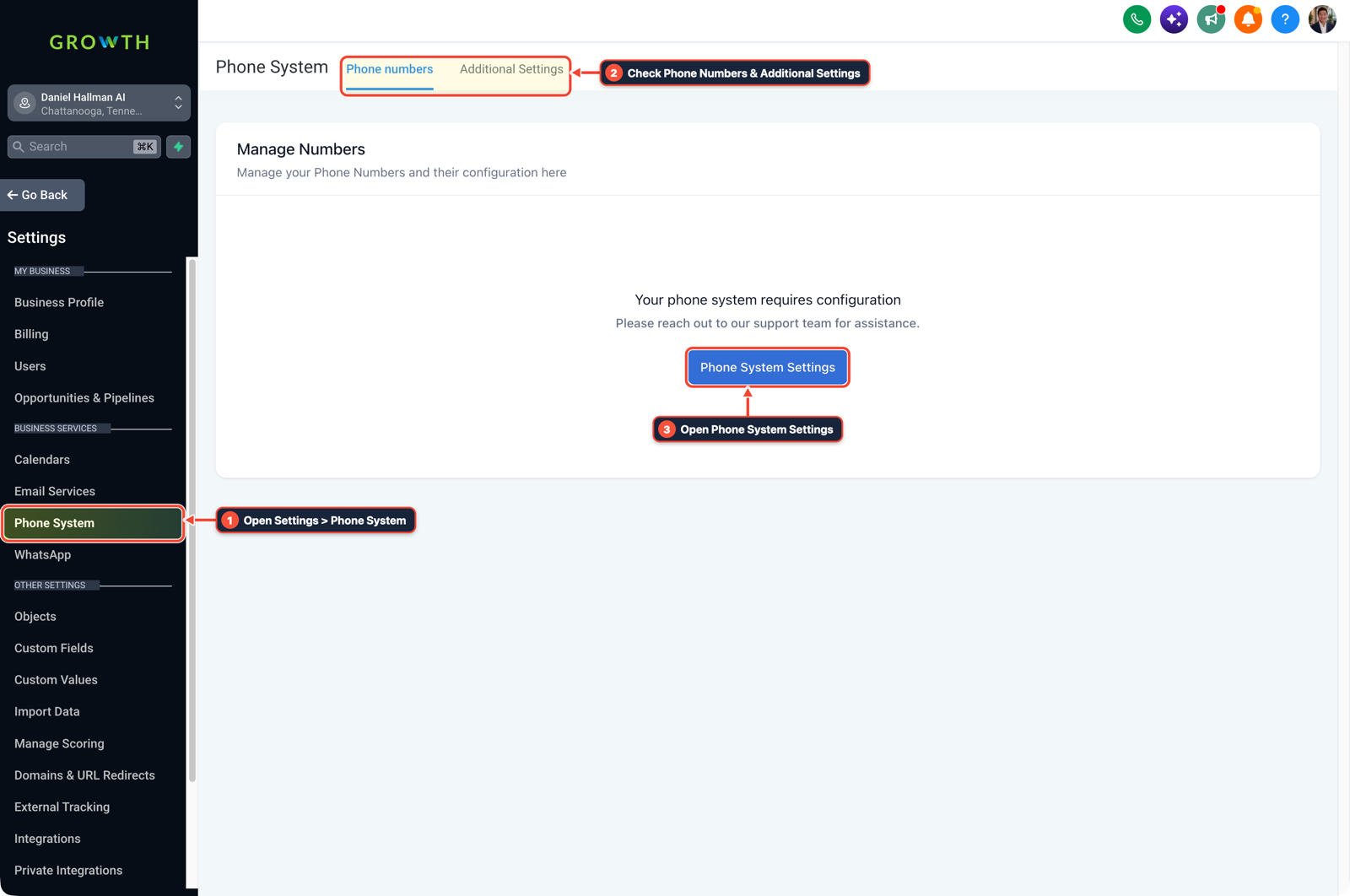
1Open Settings > Phone System 2Check Phone Numbers & Additional Settings 3Open Phone System Settings -
STEP 2In Settings > Users (My Staff), open your staff profile under User Info and select your dedicated outbound number in the
Phonefield if you want your login to dial from that line while leaving the sub-account default unchanged.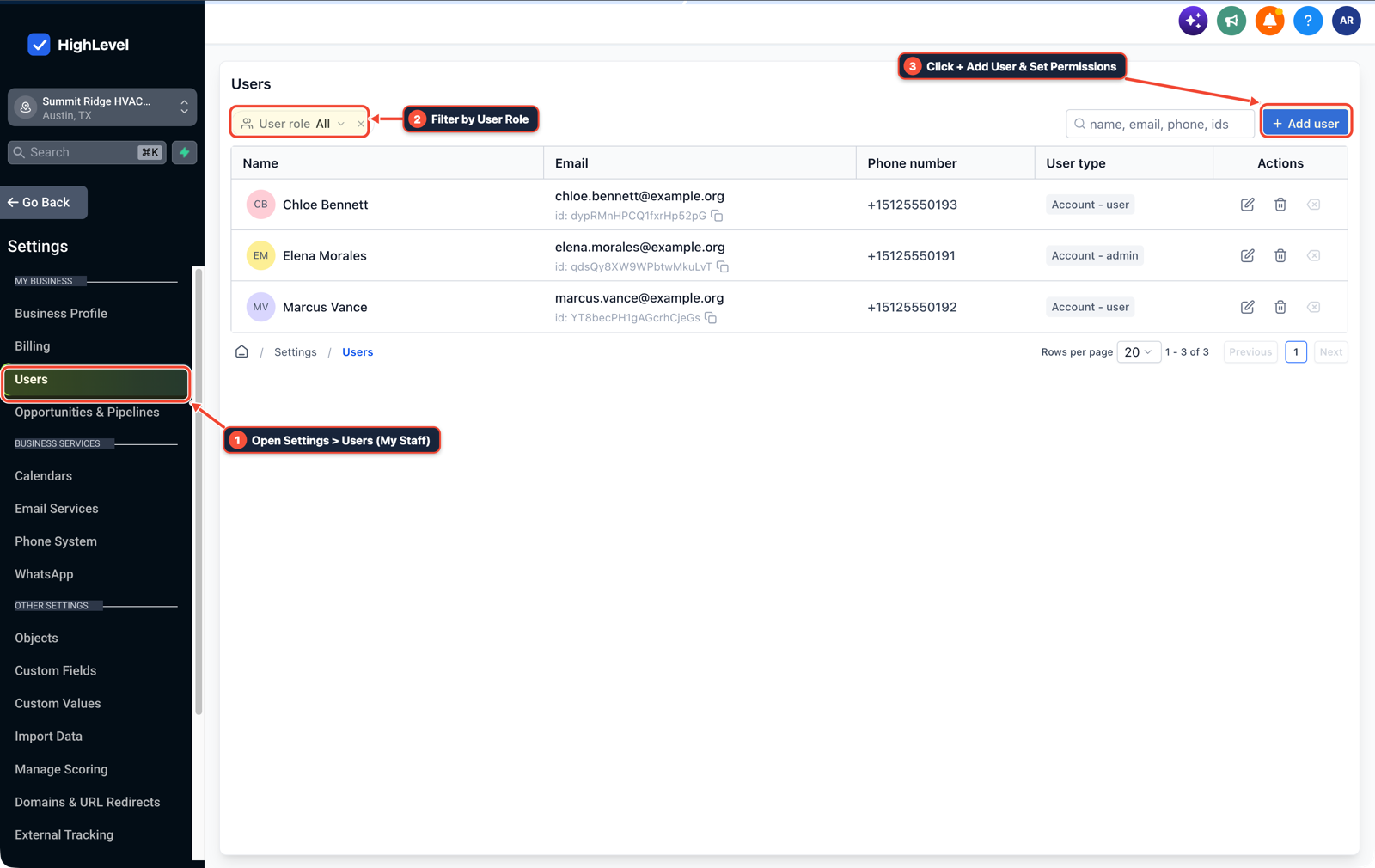
1Open Settings > Users (My Staff) 2Filter by User Role 3Click + Add User & Set Permissions -
STEP 3In Conversations > Manual Actions (populated by a Manual Action to Call step in Automation > Workflows), select your outbound
From Numberin the top bar and click Let's Start to power-dial through the pipeline list without resetting caller ID.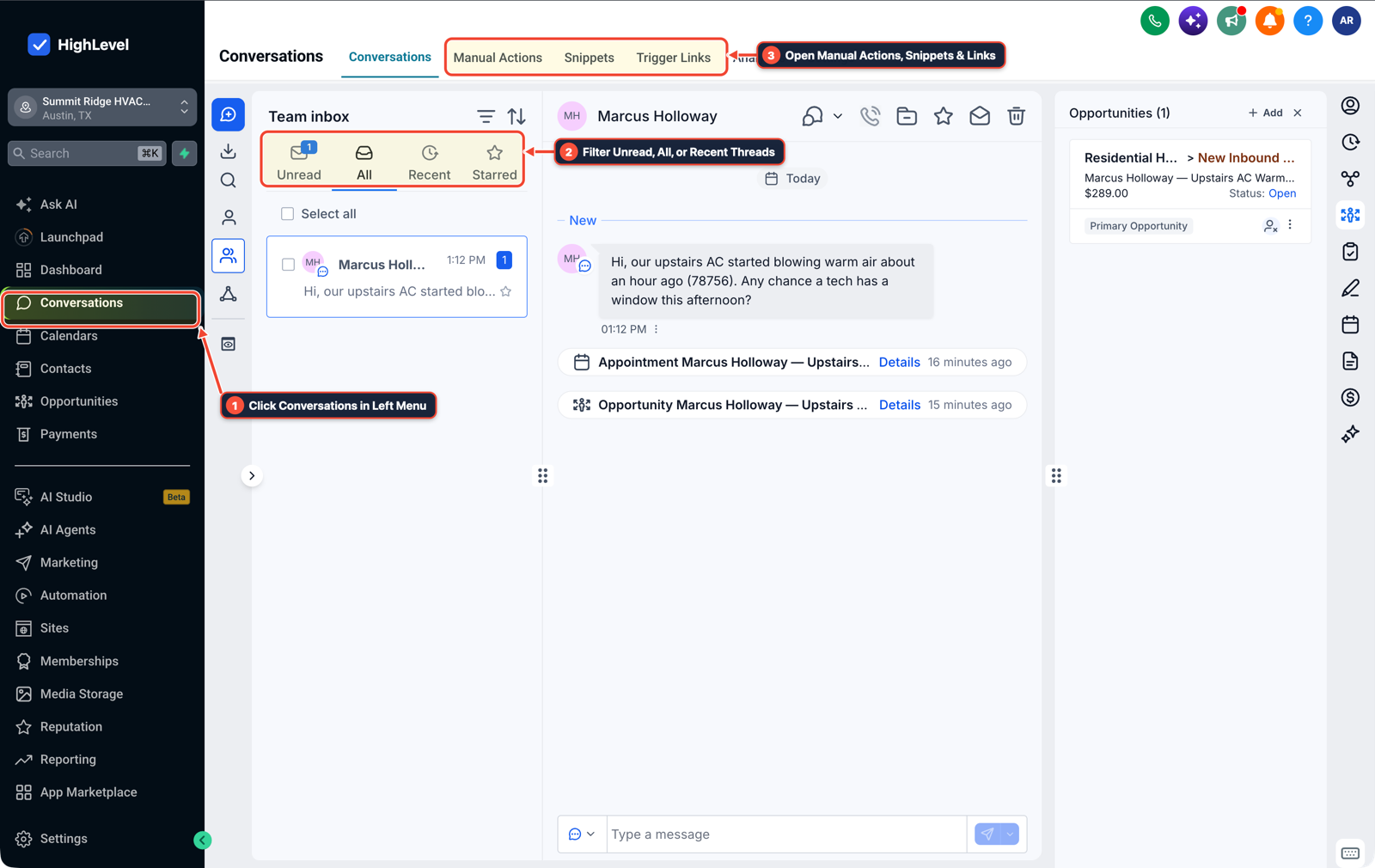
1Click Conversations in Left Menu 2Filter Unread, All, or Recent Threads 3Open Manual Actions, Snippets & Links
MODE: AGENT PROMPT
PASTE INTO CLAUDE CODE, CURSOR, CHATGPT, OR GOHIGHLEVEL ASK AI
AGENT PROMPT
Lock outbound caller ID for pipeline calling in sub-account <YOUR_LOCATION_ID>:
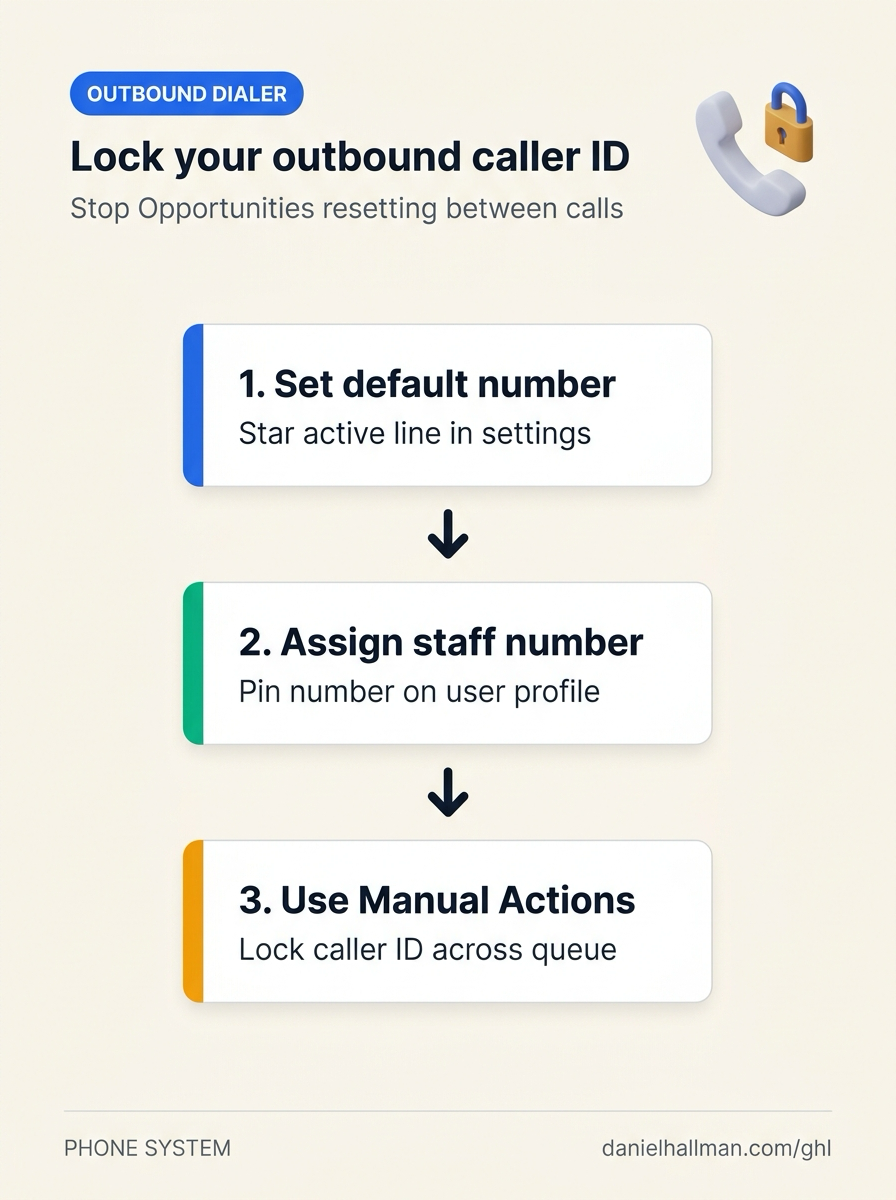
1. In Settings > Phone System > Manage Numbers, set the active campaign line as Default Outbound Number, or assign it to the rep under Settings > Users > User Info.
2. In Automation > Workflows, add a Manual Action to Call step when an opportunity enters the target calling stage.
3. In Conversations > Manual Actions, select the outbound From Number once and click Let's Start to dial sequentially without resetting caller ID.
GHL-TOOLS MCP SERVER & CLI (DANIELHALLMAN.COM/MCP)
BUILDER + SUB-ACCOUNT TOOLS
# Audit sub-account phone numbers and staff user assignments
ghl-agency phone-wallet-audit --context <YOUR_CONTEXT> --location <YOUR_LOCATION_ID>
ghl-agency users list --context <YOUR_CONTEXT> --location <YOUR_LOCATION_ID>
Official GHL MCP vs. ghl-tools: HighLevel’s official hosted MCP (services.leadconnectorhq.com/mcp) covers public v2 CRM records (contacts, opportunities, appointments, conversations). ghl-tools MCP complements it with workflow graph inspection & recipes, funnel/form builders, DNS/BIMI checks, and ghl-crm doctor audits.
Cause
- In the Opportunities pipeline view, closing a contact modal or clicking the next opportunity card re-initializes the browser dialer component.
- Unless an outbound line is set as the location default, assigned to the logged-in user, or locked inside a Manual Actions power-dialer session, HighLevel reverts the From Number dropdown back to the primary sub-account number after every call.
GoHighLevel Configuration
- Set your active campaign line as the default outbound number in Settings > Phone System, pin it to your staff profile in Settings > Users
- or queue your pipeline stage calls through Conversations > Manual Actions where the selected caller ID stays locked for the entire session.
GoHighLevel Menu Paths
| Step | Menu Path in GHL | Action |
|---|---|---|
| Step 1 | Settings > Phone System > Manage Numbers | Locate the campaign phone number (such as +15125550142) and select Make Default Number (or click the star icon) so the Opportunities web dialer defaults to that line on every card click. |
| Step 2 | Settings > Users | Open your staff profile under User Info and select your dedicated outbound number in the Phone field if you want your login to dial from that line while leaving the sub-account default unchanged. |
| Step 3 | Conversations > Manual Actions | In Conversations > Manual Actions (populated by a Manual Action to Call step in Automation > Workflows), select your outbound From Number in the top bar and click Let's Start to power-dial through the pipeline list without resetting caller ID. |
DEFAULT SETUP VS. AUTOMATED WORKFLOW
Operational Comparison
After-Hours & Missed Call Capture
Qualified Jobs Booked 24/7
Related Questions
- How Do You Set Up Sequential Call Routing Between Team Members in GoHighLevel?
- How do you stop iPhone Live Voicemail from breaking GoHighLevel Missed-Call Text-Back?
- How Do You Handle Multiple Orders and Opportunities for One Contact in a Single GoHighLevel Pipeline?
- How do you stop GoHighLevel Missed-Call Text-Back from texting while a rep is calling back?
BUILD FASTER IN GOHIGHLEVEL · FREE TRIAL BONUSES + MCP SERVER
Build this directly inside your GoHighLevel sub-account
Connect Claude Code, Cursor, or OpenAI Codex to our ghl-tools MCP Server & Rust CLI to build workflows, forms, and funnels from your editor, or start your GoHighLevel plan through our partner link to unlock $612+ in ready-to-import kits (including GHL Outbound Dialer & Pipeline Call Pack) and weekly live clinics.