GOHIGHLEVEL ANSWERS & PROMPTS: PLAYBOOK T98 · WHEN-NOT-TO-CALL TOOL RULES, FRESHNESS TIMESTAMPS ON LOOKUPS & EXPLICIT EMPTY-RESULT HANDLING
AUTHOR: DANIEL HALLMAN
KEYWORD: TOOL LOOKUPS
STEP-BY-STEP INSTRUCTIONS + ANNOTATED GHL SCREENSHOTS
Steps in GoHighLevel
-
STEP 1In AI Agents > Conversation AI, keep at most
3to5tools attached to a single agent and add an explicit rule stating when *not* to call a tool (for example, never call a booking or order-lookup tool until the customer has provided their email, phone number, or preferred day).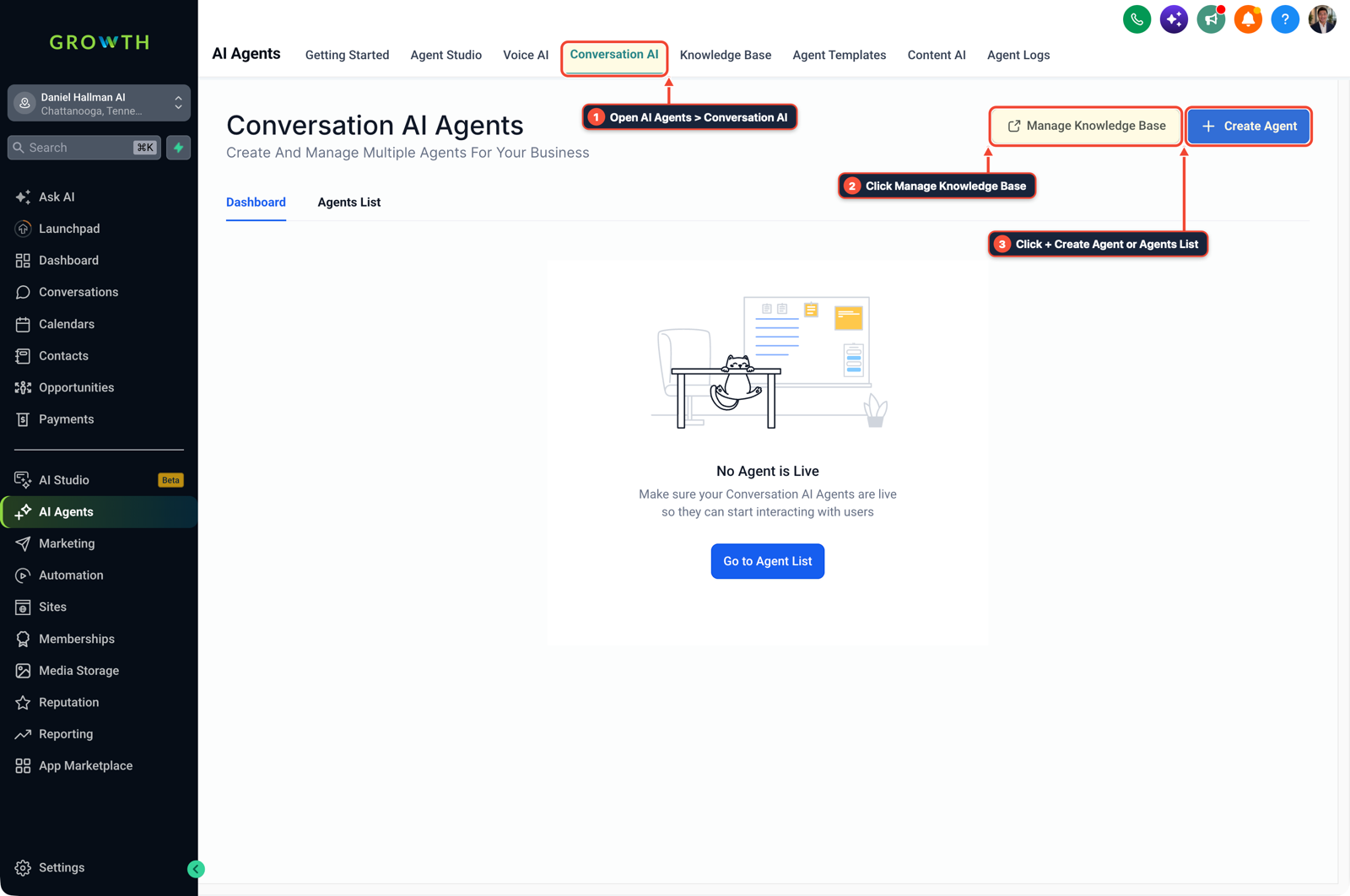
1Open AI Agents > Conversation AI 2Click Manage Knowledge Base 3Click + Create Agent or Agents List -
STEP 2In AI Agents > Knowledge Base, include an explicit
Last Updateddate and effective scope on every pricing table, service area list, and FAQ entry so the agent can tell whether a lookup result reflects current business rules.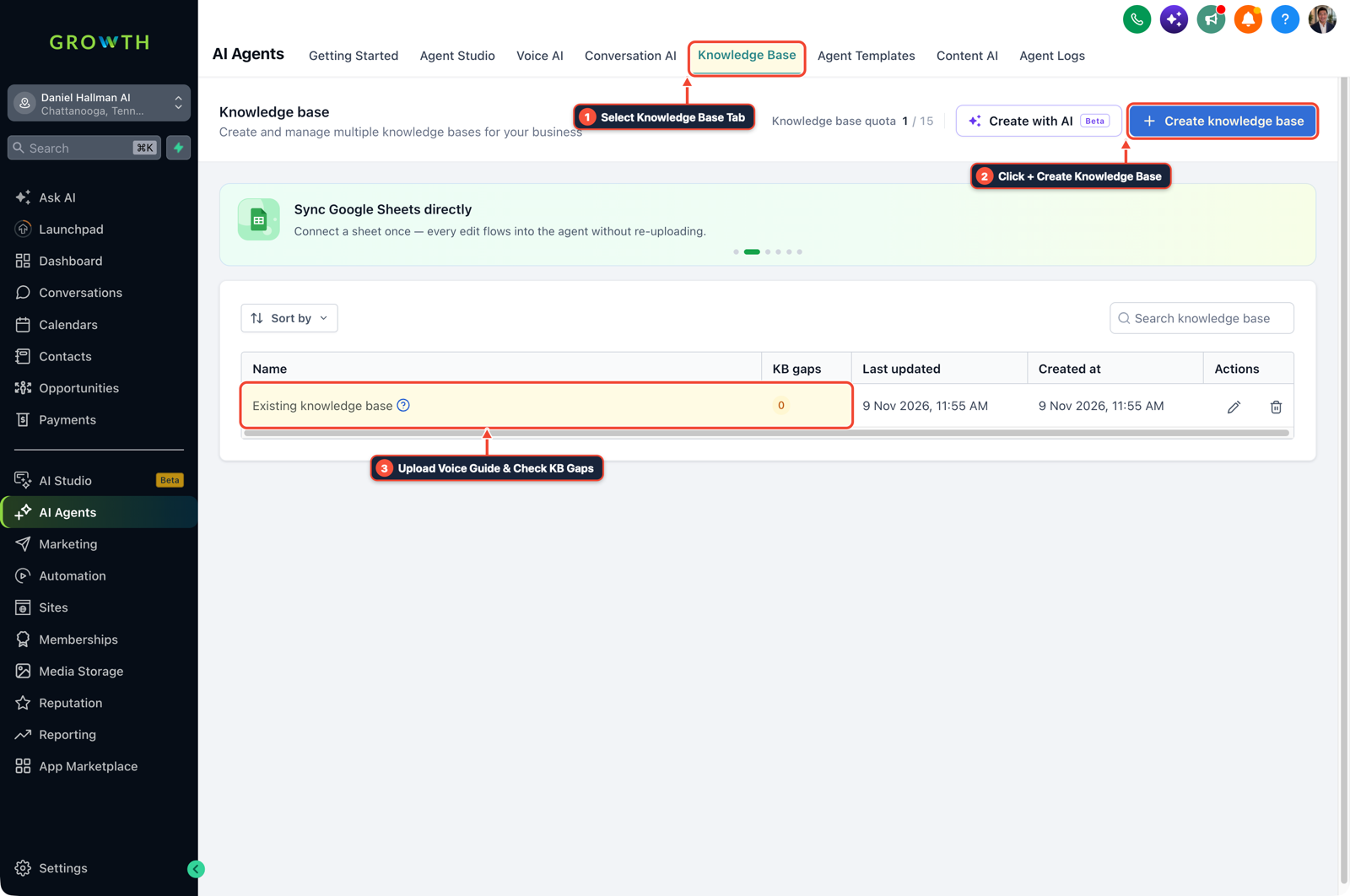
1Select Knowledge Base Tab 2Click + Create Knowledge Base 3Review Industry FAQ & Check KB Gaps -
STEP 3In Automation > Workflow Builder, add an If/Else check after every webhook or CRM lookup that distinguishes an empty response (
0matching records) from a lookup failure, pausing the bot and routing the thread to Conversations > Team Inbox instead of letting the model guess.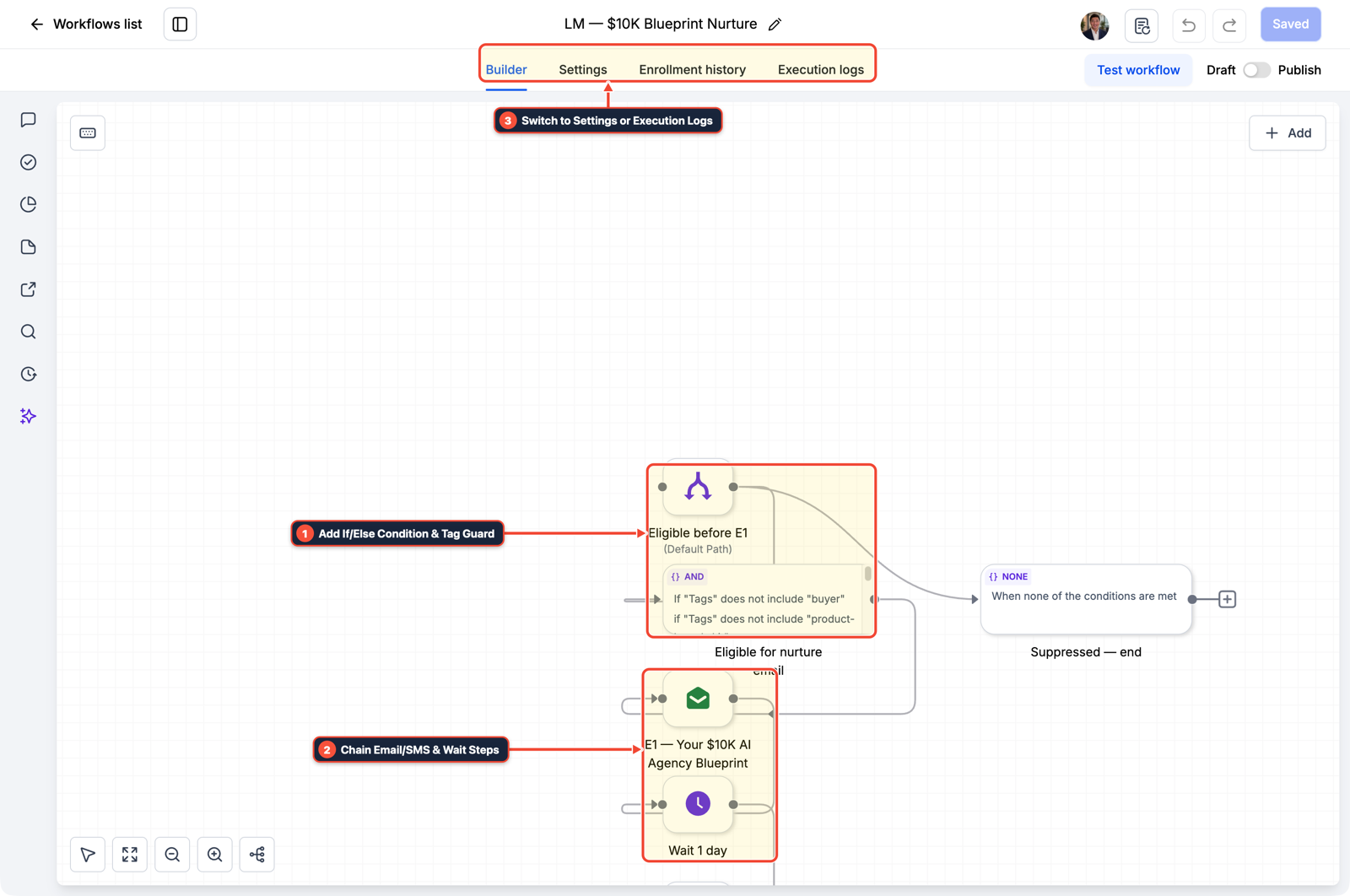
1Add If/Else Condition & Tag Guard 2Chain Priority & Wait Steps 3Switch to Settings or Execution Logs
MODE: AGENT PROMPT
PASTE INTO CLAUDE CODE, CURSOR, CHATGPT, OR GOHIGHLEVEL ASK AI
AGENT PROMPT
Harden an AI agent against wrong tool calls, stale data, and empty lookup guesses in sub-account <YOUR_LOCATION_ID>:
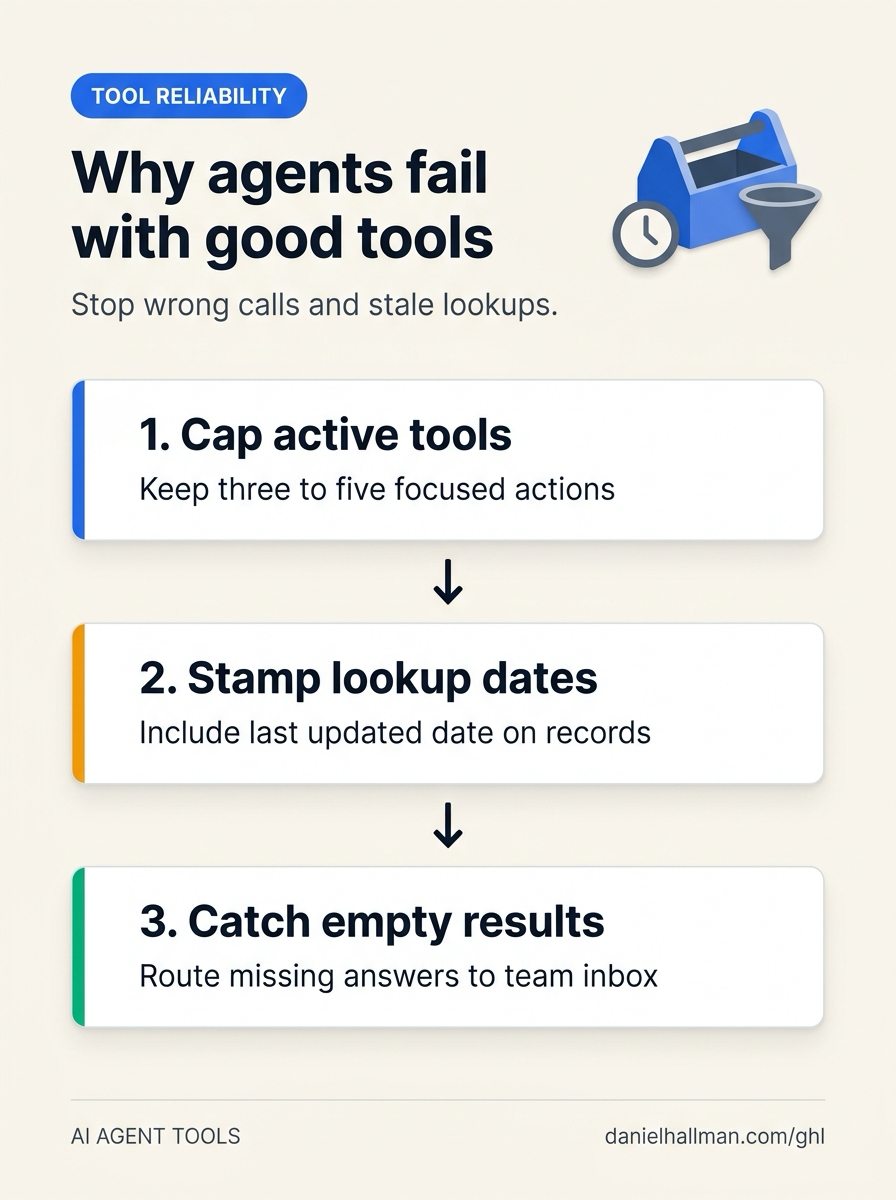
1. In AI Agents > Conversation AI, restrict the assistant to 3 to 5 focused tools and add prompt rules defining when not to call each tool.
2. In AI Agents > Knowledge Base, add Last Updated timestamps and scope labels to every pricing and policy table.
3. In Automation > Workflow Builder, add an If/Else check on webhook and lookup results that routes empty or failed lookups to Conversations > Team Inbox rather than allowing the bot to guess.
GHL-TOOLS MCP SERVER & CLI (DANIELHALLMAN.COM/MCP)
BUILDER + SUB-ACCOUNT TOOLS
# Audit Conversation AI workflows and custom fields in the sub-account
ghl-crm workflows list --context <YOUR_CONTEXT> --location <YOUR_LOCATION_ID>
ghl-crm custom-fields list --context <YOUR_CONTEXT> --location <YOUR_LOCATION_ID>
Official GHL MCP vs. ghl-tools: HighLevel’s official hosted MCP (services.leadconnectorhq.com/mcp) covers public v2 CRM records (contacts, opportunities, appointments, conversations). ghl-tools MCP complements it with workflow graph inspection & recipes, funnel/form builders, DNS/BIMI checks, and ghl-crm doctor audits.
Cause
- When an agent has 20+ connected tools and no freshness metadata, two hidden failures happen constantly: the agent calls a tool when it should ask a clarifying question first
- or a lookup tool returns an outdated cached record or an empty list
[]and the model confidently tells the customer that a slot, order - or policy does not exist.
GoHighLevel Configuration
- Restrict AI Agents > Conversation AI to 3 to 5 focused tools and state when *not* to run them, stamp
Last Updateddates on reference tables in AI Agents > Knowledge Base - and handle empty lookup payloads explicitly with an If/Else branch in Automation > Workflow Builder.
GoHighLevel Menu Paths
| Step | Menu Path in GHL | Action |
|---|---|---|
| Step 1 | AI Agents > Conversation AI | Keep at most 3 to 5 tools attached to a single agent and add an explicit rule stating when *not* to call a tool (for example, never call a booking or order-lookup tool until the customer has provided their email, phone number, or preferred day). |
| Step 2 | AI Agents > Knowledge Base | Include an explicit Last Updated date and effective scope on every pricing table, service area list, and FAQ entry so the agent can tell whether a lookup result reflects current business rules. |
| Step 3 | Automation > Workflow Builder | Add an If/Else check after every webhook or CRM lookup that distinguishes an empty response (0 matching records) from a lookup failure, pausing the bot and routing the thread to Conversations > Team Inbox instead of letting the model guess. |
DEFAULT SETUP VS. AUTOMATED WORKFLOW
Operational Comparison
Speed to Lead & Callback Safety
Caller Reply & Booking Rate
Related Questions
- How Do You Make Multi-Tool AI Agents Reliable Without Duplicate Bookings or Hallucinated Tool Calls in GoHighLevel?
- How Do You Prevent AI Agents from Repeating the Same Mistakes and Tool Call Loops in GoHighLevel?
- What Bottlenecks Should You Expect When Building an MCP Server for n8n and GoHighLevel Workflows?
- What Should an AI Support Bot Do When Your Business Doesn't Have an Answer?
BUILD FASTER IN GOHIGHLEVEL · FREE TRIAL BONUSES + MCP SERVER
Build this directly inside your GoHighLevel sub-account
Connect Claude Code, Cursor, or OpenAI Codex to our ghl-tools MCP Server & Rust CLI to build workflows, forms, and funnels from your editor, or start your GoHighLevel plan through our partner link to unlock $612+ in ready-to-import kits (including GHL AI Agent Tool Reliability & KB Freshness Kit) and weekly live clinics.