GOHIGHLEVEL ANSWERS & PROMPTS: PLAYBOOK T91 · 2-TRY TOOL CALL CAP, FAILED-FIELD CONTACT LOGGING & HUMAN INBOX ESCALATION
AUTHOR: DANIEL HALLMAN
KEYWORD: AGENT RECOVERY
STEP-BY-STEP INSTRUCTIONS + ANNOTATED GHL SCREENSHOTS
Steps in GoHighLevel
-
STEP 1In Settings > Custom Fields, create two text fields on the Contact object (
last_failed_tool_argandlast_tool_error_code) so any failed booking or lookup writes the rejected field name and status code directly to the contact record.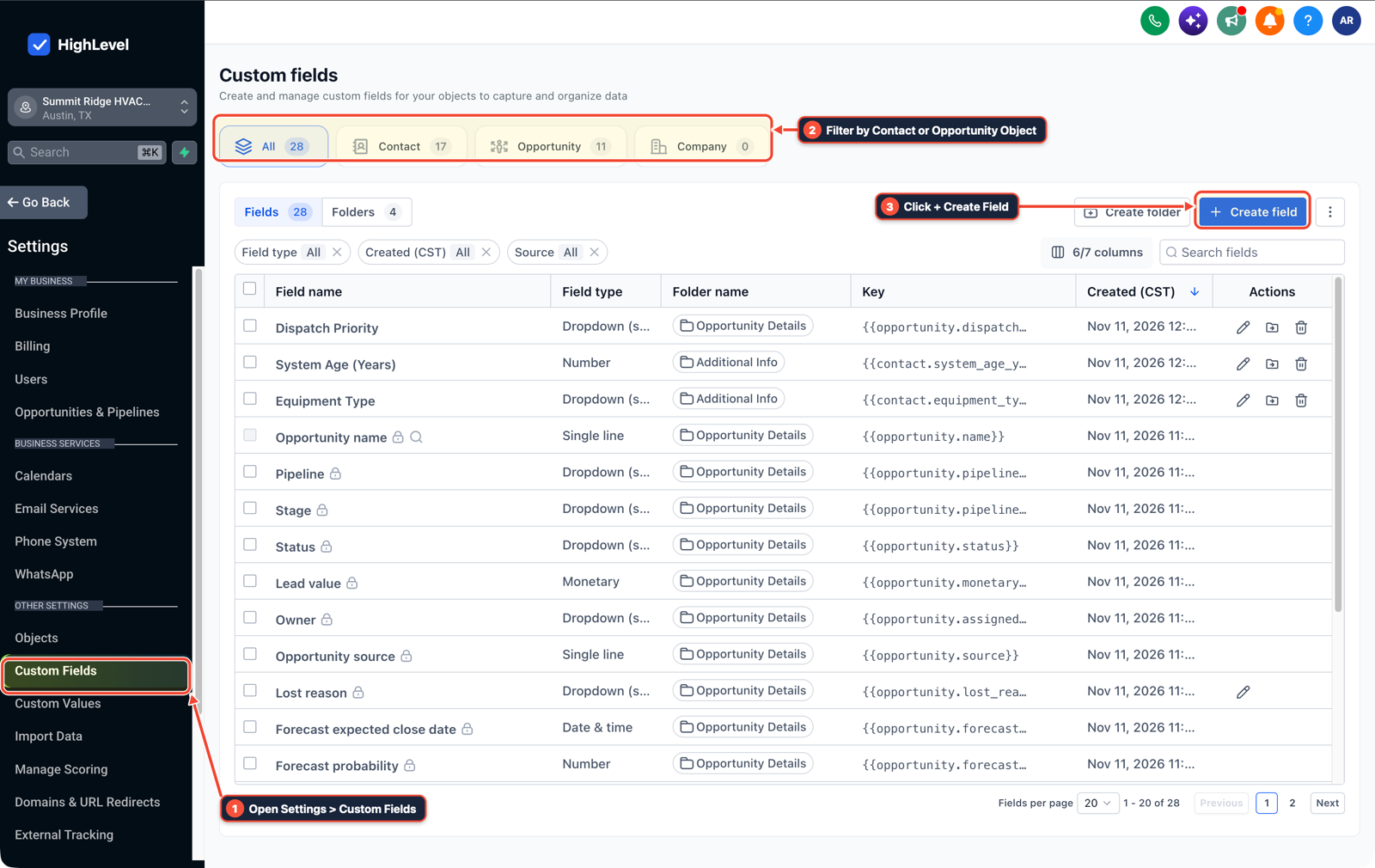
1Open Settings > Custom Fields 2Filter by Contact or Opportunity Object 3Click + Create Field -
STEP 2In AI Agents > Conversation AI, add a system prompt instruction that checks
{{contact.last_failed_tool_arg}}before calling any action and caps identical tool retries at2attempts, asking the contact for a corrected phone number, email, or date whenever a400or422validation error occurs.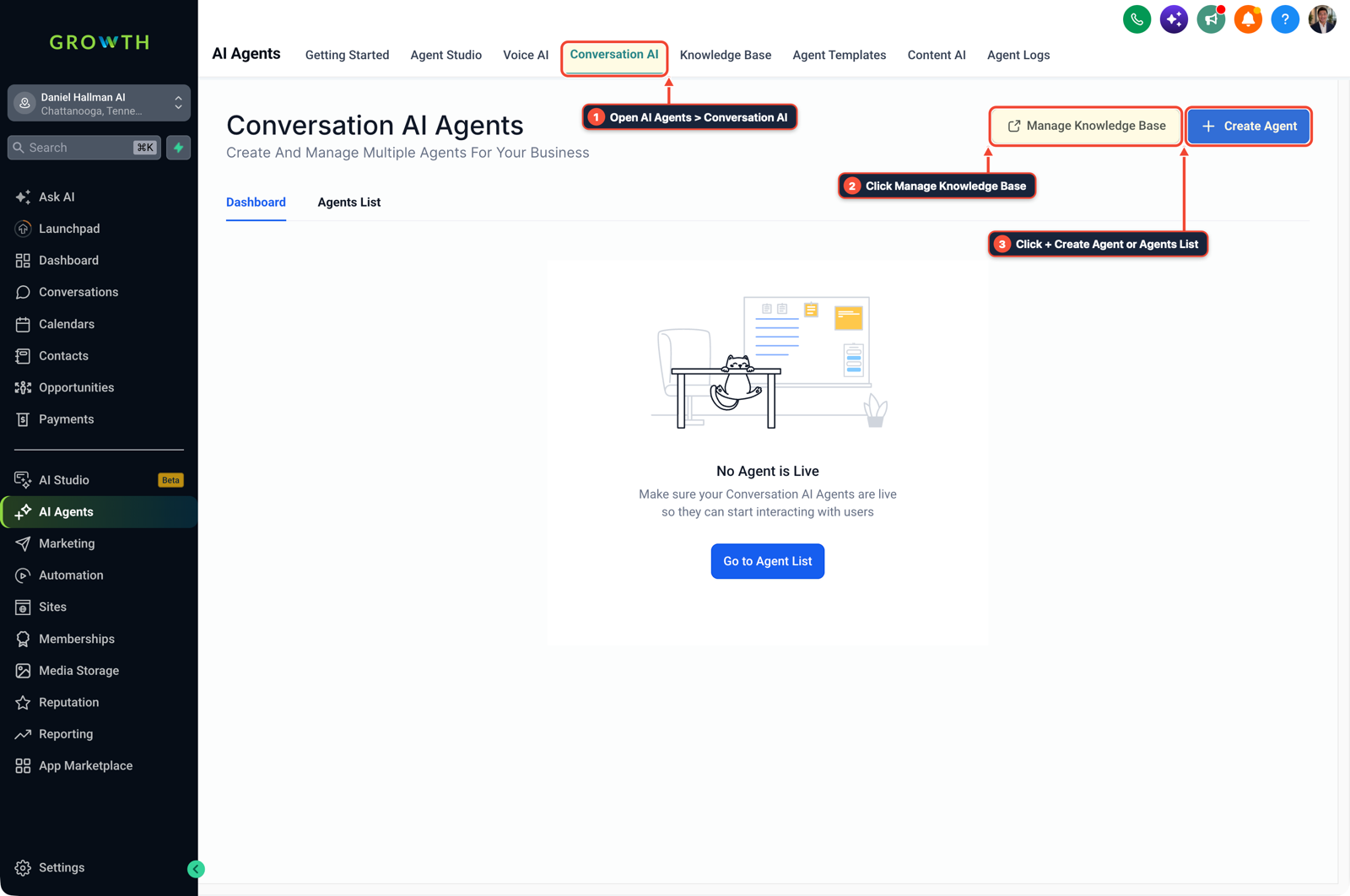
1Open AI Agents > Conversation AI 2Click Manage Knowledge Base 3Click + Create Agent or Agents List -
STEP 3In Automation > Workflow Builder, add an If/Else check on the error branch that turns Conversation AI status to
Off, applies thetool-retry-limittag, and routes the thread to Conversations > Team Inbox when a tool call fails twice or the target field does not change.
1Add If/Else Condition & Tag Guard 2Chain Priority & Wait Steps 3Switch to Settings or Execution Logs
MODE: AGENT PROMPT
PASTE INTO CLAUDE CODE, CURSOR, CHATGPT, OR GOHIGHLEVEL ASK AI
AGENT PROMPT
Prevent repeated AI agent tool failures and retry loops in sub-account <YOUR_LOCATION_ID>:
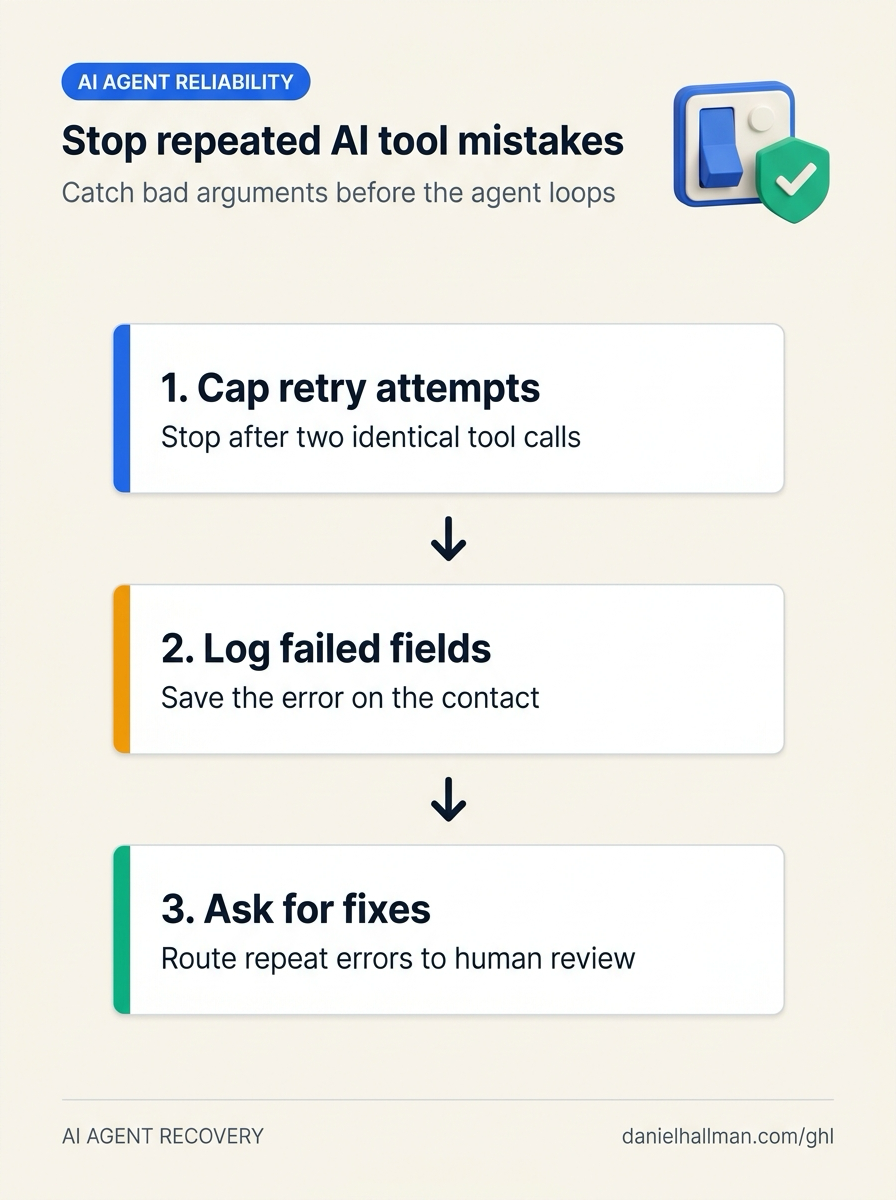
1. In Settings > Custom Fields, create last_failed_tool_arg and last_tool_error_code fields on the Contact object to persist failed parameters across turns.
2. In AI Agents > Conversation AI, cap tool retries at 2 attempts, allow retries only on 429/503 timeouts, and ask the user to correct the field when a 400/422 validation error is logged.
3. In Automation > Workflow Builder, turn Conversation AI Off and notify Conversations > Team Inbox if a second attempt fails or target contact fields do not change.
GHL-TOOLS MCP SERVER & CLI (DANIELHALLMAN.COM/MCP)
BUILDER + SUB-ACCOUNT TOOLS
# Audit custom fields and tool failure escalation workflows in the sub-account
ghl-crm custom-fields list --context <YOUR_CONTEXT> --location <YOUR_LOCATION_ID>
ghl-crm workflows list --context <YOUR_CONTEXT> --location <YOUR_LOCATION_ID>
Official GHL MCP vs. ghl-tools: HighLevel’s official hosted MCP (services.leadconnectorhq.com/mcp) covers public v2 CRM records (contacts, opportunities, appointments, conversations). ghl-tools MCP complements it with workflow graph inspection & recipes, funnel/form builders, DNS/BIMI checks, and ghl-crm doctor audits.
Cause
- Adding extra reasoning instructions rarely stops a production tool loop.
- When an agent hits a 400 or 422 validation error—or executes an action that leaves the target CRM record unchanged—it often retries the same tool with slightly tweaked arguments on the next message, burning tokens and sending repetitive replies.
GoHighLevel Configuration
- Record the failed argument and status code in Settings > Custom Fields, cap retries at
2attempts in AI Agents > Conversation AI (retrying only transient429or503timeouts) - and pause the bot via Automation > Workflow Builder when target state does not change.
GoHighLevel Menu Paths
| Step | Menu Path in GHL | Action |
|---|---|---|
| Step 1 | Settings > Custom Fields | Create two text fields on the Contact object (last_failed_tool_arg and last_tool_error_code) so any failed booking or lookup writes the rejected field name and status code directly to the contact record. |
| Step 2 | AI Agents > Conversation AI | Add a system prompt instruction that checks {{contact.last_failed_tool_arg}} before calling any action and caps identical tool retries at 2 attempts, asking the contact for a corrected phone number, email, or date whenever a 400 or 422 validation error occurs. |
| Step 3 | Automation > Workflow Builder | Add an If/Else check on the error branch that turns Conversation AI status to Off, applies the tool-retry-limit tag, and routes the thread to Conversations > Team Inbox when a tool call fails twice or the target field does not change. |
DEFAULT SETUP VS. AUTOMATED WORKFLOW
Operational Comparison
Speed to Lead & Callback Safety
Caller Reply & Booking Rate
Related Questions
- How Do You Make Multi-Tool AI Agents Reliable Without Duplicate Bookings or Hallucinated Tool Calls in GoHighLevel?
- What Causes Production AI Agents to Act on Stale Data or Double-Send (And How Do You Prevent It in GoHighLevel)?
- How Do You Get Past the GoHighLevel AI Support Bot Sub-Account ID Loop (And Stop Slot-Filling Loops in Your Own Conversation AI)?
- Why are AI agents unreliable in production workflows and how do you fix them in GoHighLevel?
BUILD FASTER IN GOHIGHLEVEL · FREE TRIAL BONUSES + MCP SERVER
Build this directly inside your GoHighLevel sub-account
Connect Claude Code, Cursor, or OpenAI Codex to our ghl-tools MCP Server & Rust CLI to build workflows, forms, and funnels from your editor, or start your GoHighLevel plan through our partner link to unlock $612+ in ready-to-import kits (including GHL AI Agent Error Recovery & Loop Guard Kit) and weekly live clinics.