GOHIGHLEVEL ANSWERS & PROMPTS: PLAYBOOK T77 · STAGE-SCOPED TOOL MENUS & STEP-BY-STEP CHECKPOINT FIELDS
AUTHOR: DANIEL HALLMAN
KEYWORD: MULTI-TOOL AGENTS
STEP-BY-STEP INSTRUCTIONS + ANNOTATED GHL SCREENSHOTS
Steps in GoHighLevel
-
STEP 1In AI Agents > Conversation AI (and Settings > Private Integrations), split a 10-to-15 tool list by conversation stage so the intake step only sees contact and slot lookup tools (
get_contact,get_available_slots) and the booking step only unlocks after the customer confirms a slot.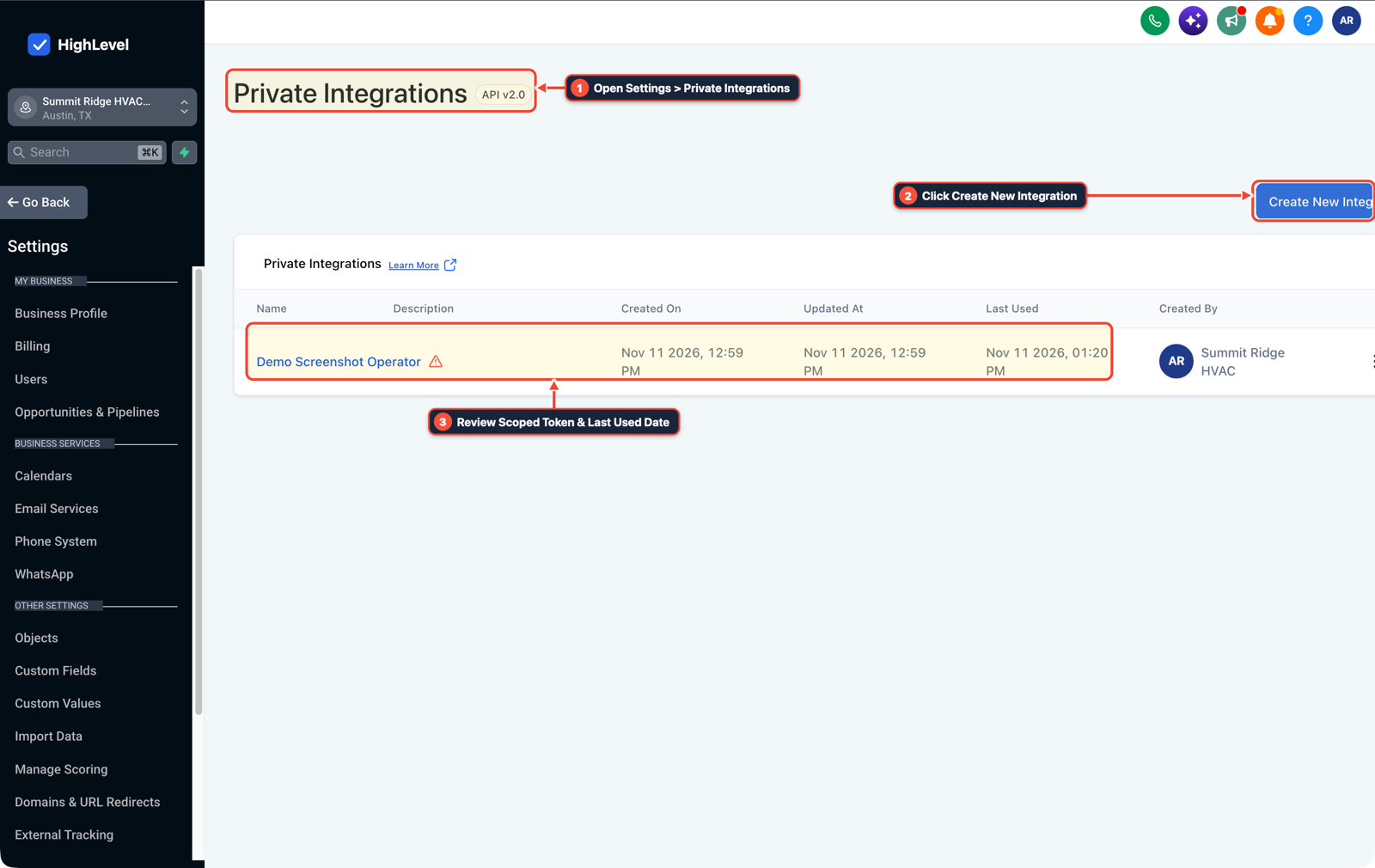
1Open Settings > Private Integrations 2Click Create New Integration 3Review Scoped Token & Last Used Date -
STEP 2In Automation > Workflow Builder, place an If/Else check before any write tool to verify that required arguments (
contact_phone,appointment_timezone,selected_slot_iso) are non-empty, returning a specificmissing_fieldprompt instead of a generic error so the agent asks the customer rather than guessing.
1Add If/Else Condition & Tag Guard 2Chain Priority & Wait Steps 3Switch to Settings or Execution Logs -
STEP 3In Settings > Custom Fields, write
Booking Appointment IDto the record the moment the calendar confirms; if the downstream CRM or webhook update times out, checkBooking Appointment IDfirst and retry only the CRM update without calling the calendar booking tool a second time.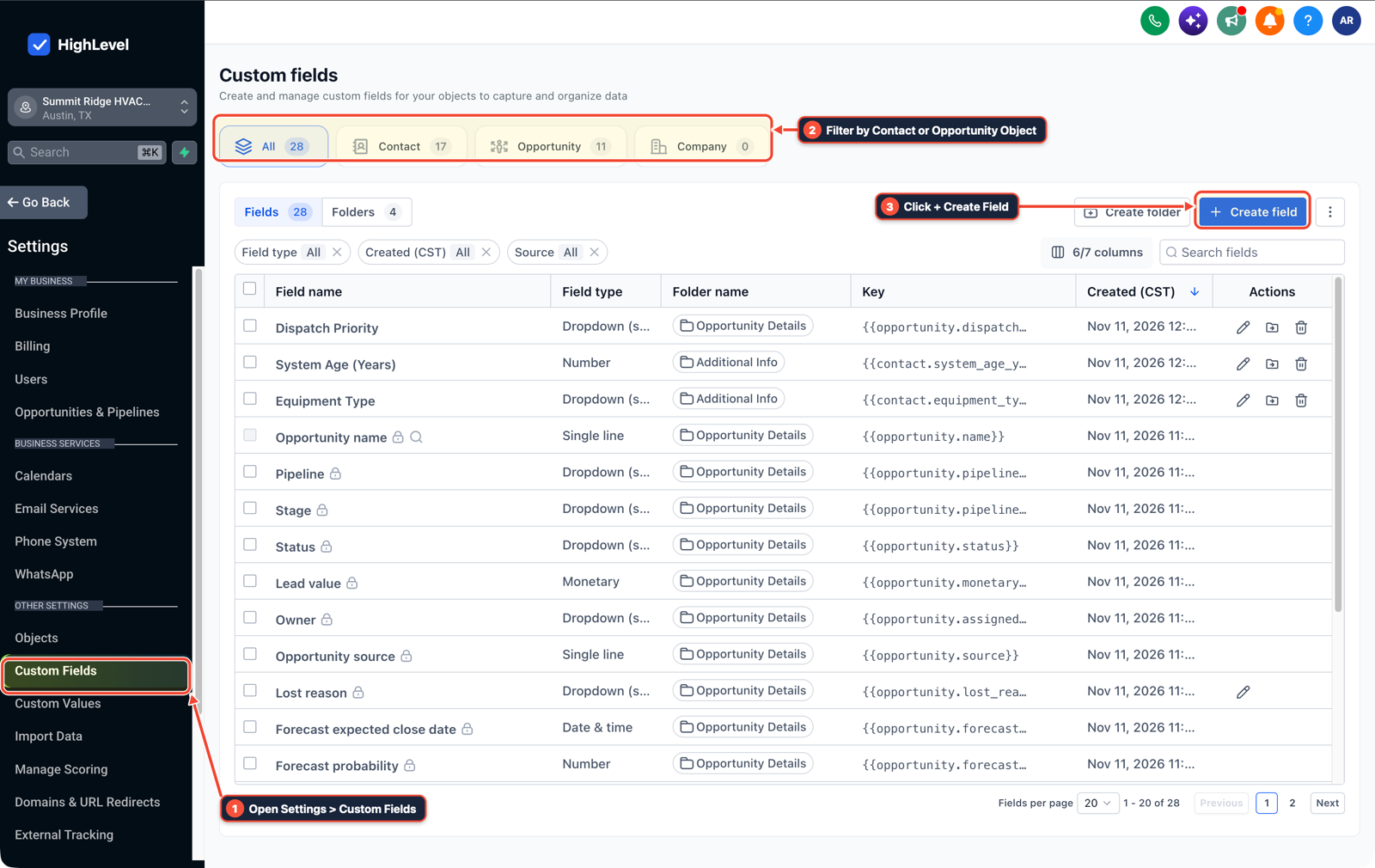
1Open Settings > Custom Fields 2Filter by Contact or Opportunity Object 3Click + Create Field
MODE: AGENT PROMPT
PASTE INTO CLAUDE CODE, CURSOR, CHATGPT, OR GOHIGHLEVEL ASK AI
AGENT PROMPT
Harden a multi-tool AI agent workflow against wrong tool calls and partial-failure retries in sub-account <YOUR_LOCATION_ID>:
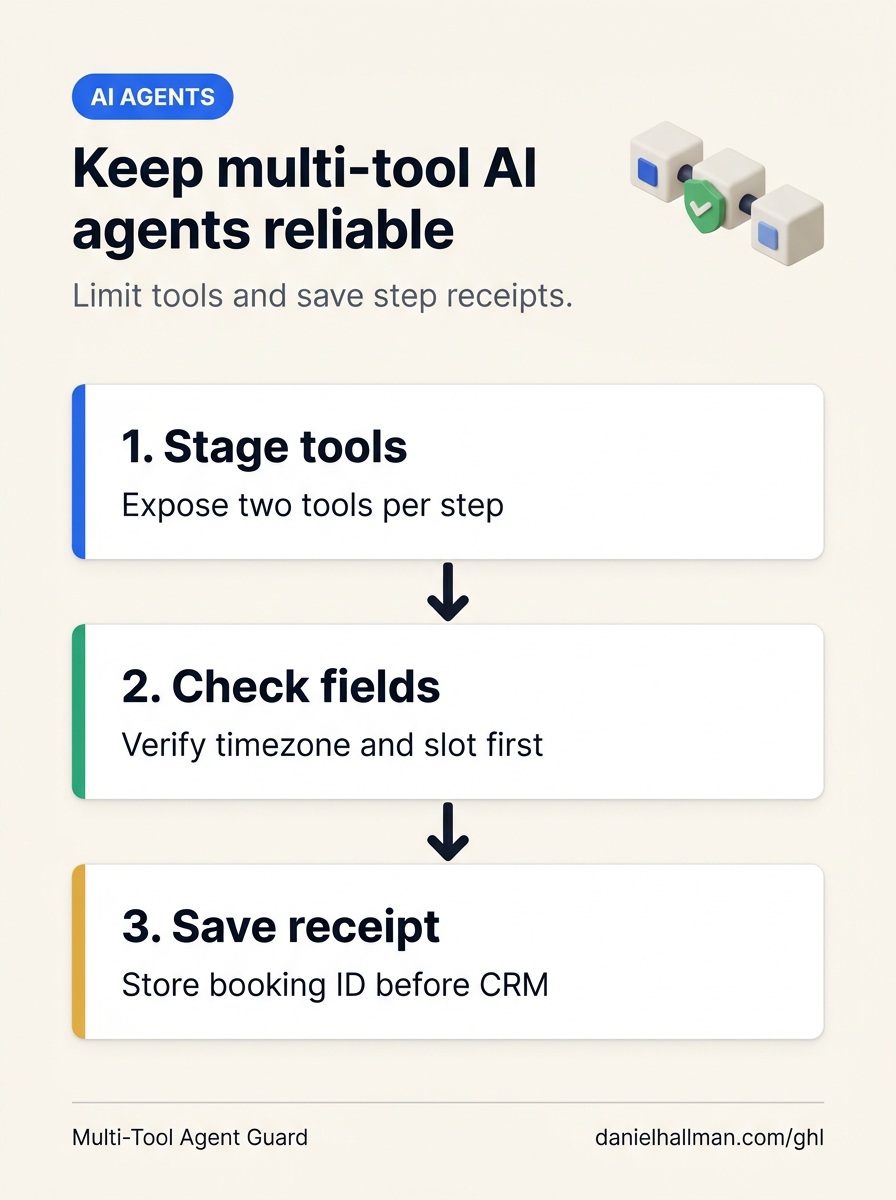
1. In AI Agents > Conversation AI and Settings > Private Integrations, restrict each workflow stage to the 2 or 3 tools required for that step (lookup tools during qualification, booking tools only after slot confirmation).
2. In Automation > Workflow Builder, add an If/Else check validating required arguments before any write action and return explicit missing-field names when incomplete.
3. In Settings > Custom Fields, store Booking Appointment ID immediately after calendar confirmation so downstream CRM retries skip already-completed bookings.
GHL-TOOLS MCP SERVER & CLI (DANIELHALLMAN.COM/MCP)
BUILDER + SUB-ACCOUNT TOOLS
# Audit custom checkpoint fields, private integration scopes, and agent workflows
ghl-crm custom-fields list --context <YOUR_CONTEXT> --location <YOUR_LOCATION_ID>
ghl-crm workflows list --context <YOUR_CONTEXT> --location <YOUR_LOCATION_ID>
Official GHL MCP vs. ghl-tools: HighLevel’s official hosted MCP (services.leadconnectorhq.com/mcp) covers public v2 CRM records (contacts, opportunities, appointments, conversations). ghl-tools MCP complements it with workflow graph inspection & recipes, funnel/form builders, DNS/BIMI checks, and ghl-crm doctor audits.
Cause
- When an AI agent must check a calendar, book an appointment, update a CRM deal card
- and send a confirmation message in one chain, two failures show up under real traffic: the model guesses an unconfirmed timezone or date format to force a tool call through
- or step 2 (the CRM update) fails after step 1 (the calendar booking) already succeeded, causing a blind retry to book a second appointment.
GoHighLevel Configuration
- Scope each agent step to 2 or 3 tools in AI Agents > Conversation AI, verify required input fields and return explicit
missing_fieldprompts via If/Else in Automation > Workflow Builder - and record step checkpoint IDs (
Booking Confirmation ID,CRM Sync Status) in Settings > Custom Fields.
GoHighLevel Menu Paths
| Step | Menu Path in GHL | Action |
|---|---|---|
| Step 1 | AI Agents > Conversation AI | In AI Agents > Conversation AI (and Settings > Private Integrations), split a 10-to-15 tool list by conversation stage so the intake step only sees contact and slot lookup tools (get_contact, get_available_slots) and the booking step only unlocks after the customer confirms a slot. |
| Step 2 | Automation > Workflow Builder | Place an If/Else check before any write tool to verify that required arguments (contact_phone, appointment_timezone, selected_slot_iso) are non-empty, returning a specific missing_field prompt instead of a generic error so the agent asks the customer rather than guessing. |
| Step 3 | Settings > Custom Fields | Write Booking Appointment ID to the record the moment the calendar confirms; if the downstream CRM or webhook update times out, check Booking Appointment ID first and retry only the CRM update without calling the calendar booking tool a second time. |
DEFAULT SETUP VS. AUTOMATED WORKFLOW
Operational Comparison
Speed to Lead & Callback Safety
Caller Reply & Booking Rate
Related Questions
- What Causes Production AI Agents to Act on Stale Data or Double-Send (And How Do You Prevent It in GoHighLevel)?
- Why are AI agents unreliable in production workflows and how do you fix them in GoHighLevel?
- Are Multi-Agent AI Systems Really Better Than a Single AI Agent for Business Workflows in GoHighLevel?
- How Do You Catch Wrong or Outdated AI Agent Answers Before They Reach Customers in GoHighLevel?
BUILD FASTER IN GOHIGHLEVEL · FREE TRIAL BONUSES + MCP SERVER
Build this directly inside your GoHighLevel sub-account
Connect Claude Code, Cursor, or OpenAI Codex to our ghl-tools MCP Server & Rust CLI to build workflows, forms, and funnels from your editor, or start your GoHighLevel plan through our partner link to unlock $612+ in ready-to-import kits (including GHL Multi-Tool AI Agent Reliability & Checkpoint Kit) and weekly live clinics.