GOHIGHLEVEL ANSWERS & PROMPTS: PLAYBOOK T92 · 10-TOOL CONTEXT CAP, LIVE CUSTOM FIELD SCHEMA LOOKUP & IDEMPOTENT REQUEST KEYS
AUTHOR: DANIEL HALLMAN
KEYWORD: MCP SCHEMA
STEP-BY-STEP INSTRUCTIONS + ANNOTATED GHL SCREENSHOTS
Steps in GoHighLevel
-
STEP 1In Settings > Private Integrations, create a scoped Location token (
pit-...) limited to the exact objects your MCP server needs (such as Contacts, Opportunities, and Custom Fields) with delete permissions left unchecked, and expose at most10focused tools per workspace so tool schemas do not crowd the model context.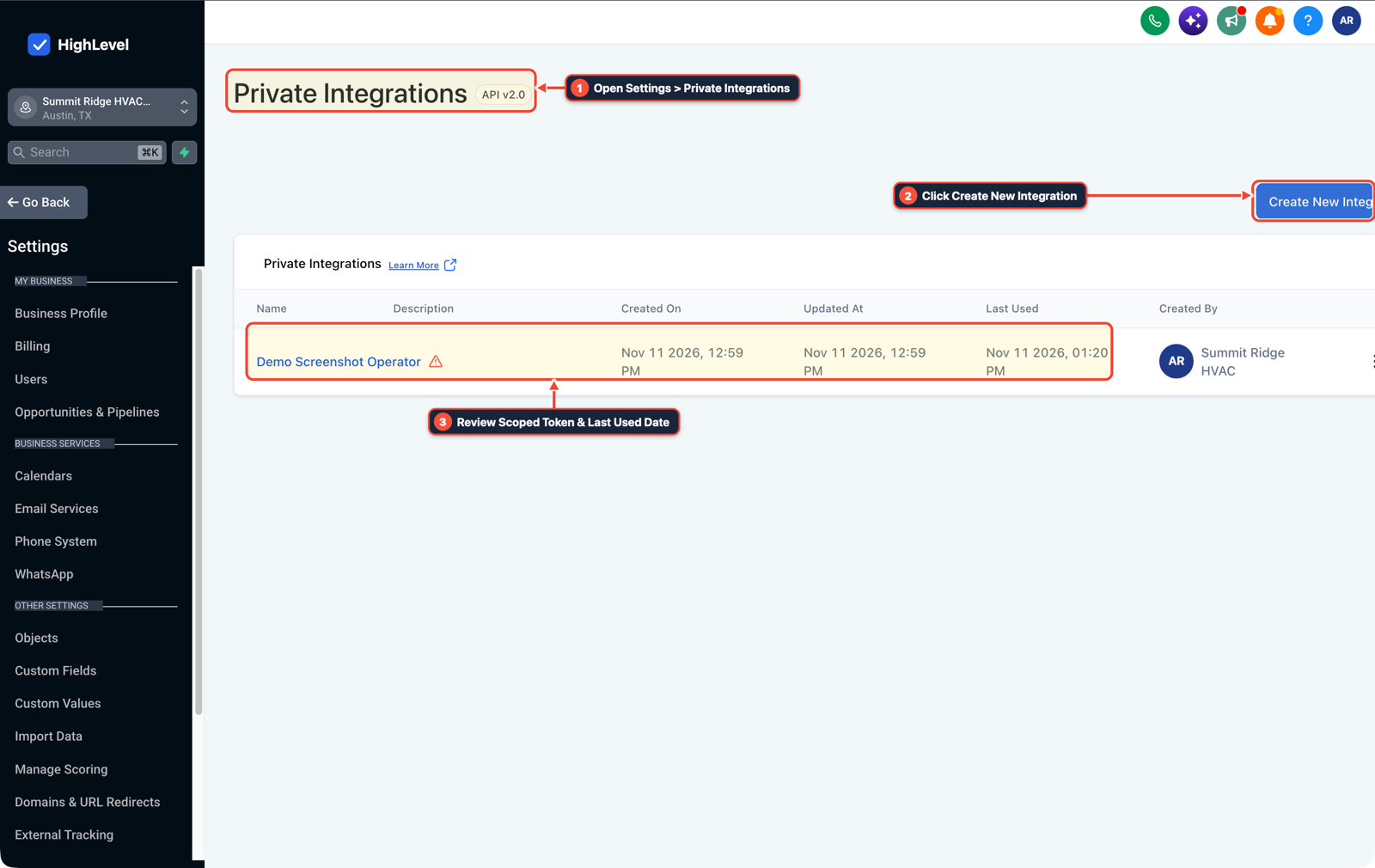
1Open Settings > Private Integrations 2Click Create New Integration 3Review Scoped Token & Last Used Date -
STEP 2In Settings > Custom Fields, require your MCP server to query the sub-account's existing field keys and picklist values before generating or running any extraction task so new workflows map to
{{contact.phone}}and existing pipeline keys instead of inventing duplicate field names.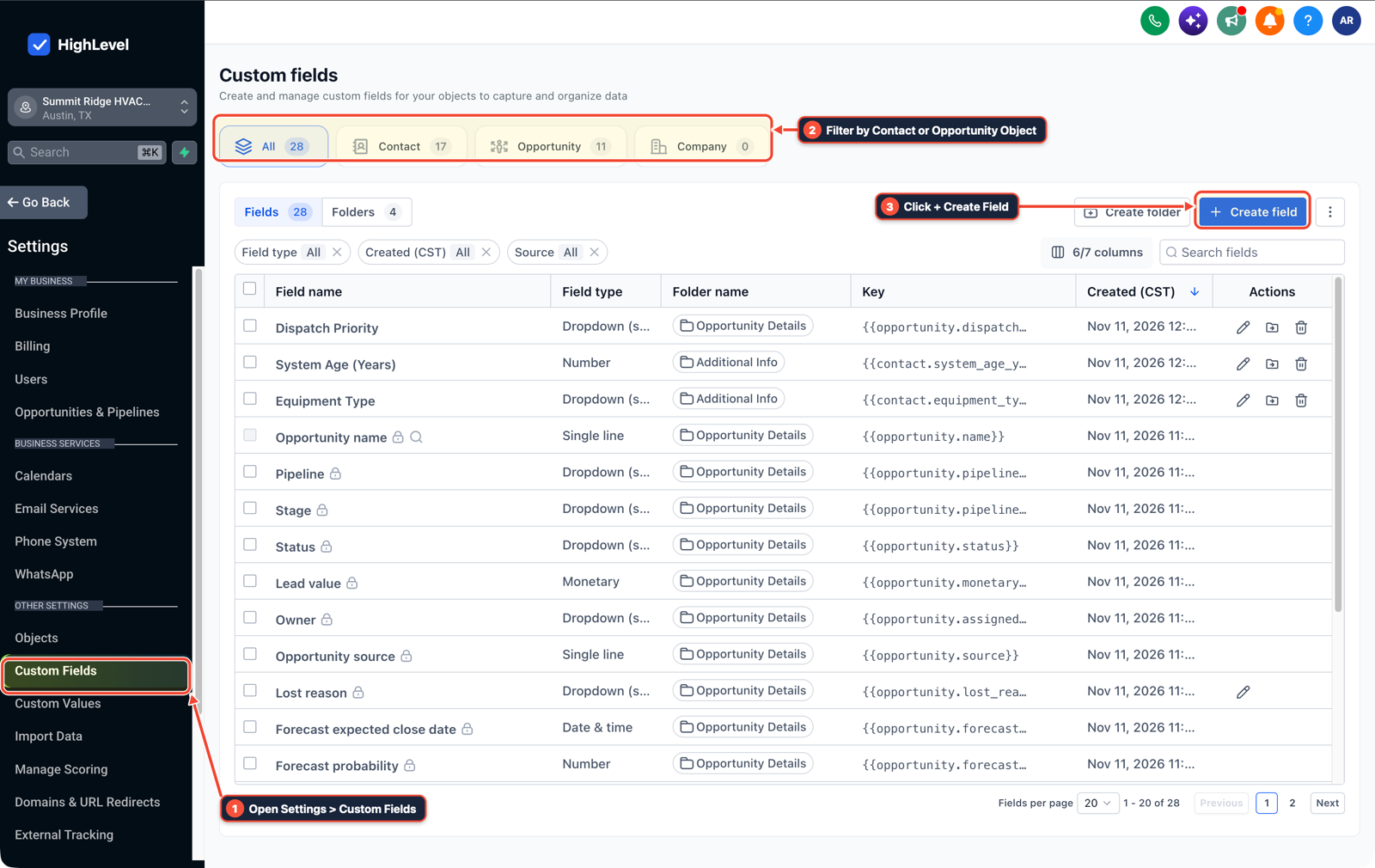
1Open Settings > Custom Fields 2Filter by Contact or Opportunity Object 3Click + Create Field -
STEP 3In Automation > Workflow Builder, pass a unique request key (such as
{{contact.id}}_{{workflow.id}}) on every outbound webhook or MCP write step and check Execution Logs to confirm retry attempts update the existing record rather than creating duplicates.
1Add If/Else Condition & Tag Guard 2Chain Priority & Wait Steps 3Switch to Settings or Execution Logs
MODE: AGENT PROMPT
PASTE INTO CLAUDE CODE, CURSOR, CHATGPT, OR GOHIGHLEVEL ASK AI
AGENT PROMPT
Configure a schema-locked MCP integration and webhook write flow for sub-account <YOUR_LOCATION_ID>:
1. In Settings > Private Integrations, provision a least-privilege token scoped to Contacts, Opportunities, and Custom Fields without delete permissions.
2. In Settings > Custom Fields, fetch all existing field keys and picklist options first so extraction and classification tasks output exact matching keys.
3. In Automation > Workflow Builder, attach a contact+workflow request key to every write payload so retries update existing records.
GHL-TOOLS MCP SERVER & CLI (DANIELHALLMAN.COM/MCP)
BUILDER + SUB-ACCOUNT TOOLS
# Inspect existing sub-account custom field keys and workflows before creating MCP schemas
ghl-crm custom-fields list --context <YOUR_CONTEXT> --location <YOUR_LOCATION_ID>
ghl-crm workflows list --context <YOUR_CONTEXT> --location <YOUR_LOCATION_ID>
Official GHL MCP vs. ghl-tools: HighLevel’s official hosted MCP (services.leadconnectorhq.com/mcp) covers public v2 CRM records (contacts, opportunities, appointments, conversations). ghl-tools MCP complements it with workflow graph inspection & recipes, funnel/form builders, DNS/BIMI checks, and ghl-crm doctor audits.
Cause
- When an MCP server auto-generates tools for every task or lets an LLM propose output schemas from scratch, one pipeline names a field
customer_phone, the next names itphone_number - and the third names it
phone, breaking downstream n8n nodes and GoHighLevel field mappings.
GoHighLevel Configuration
- Scope capability tokens in Settings > Private Integrations to at most
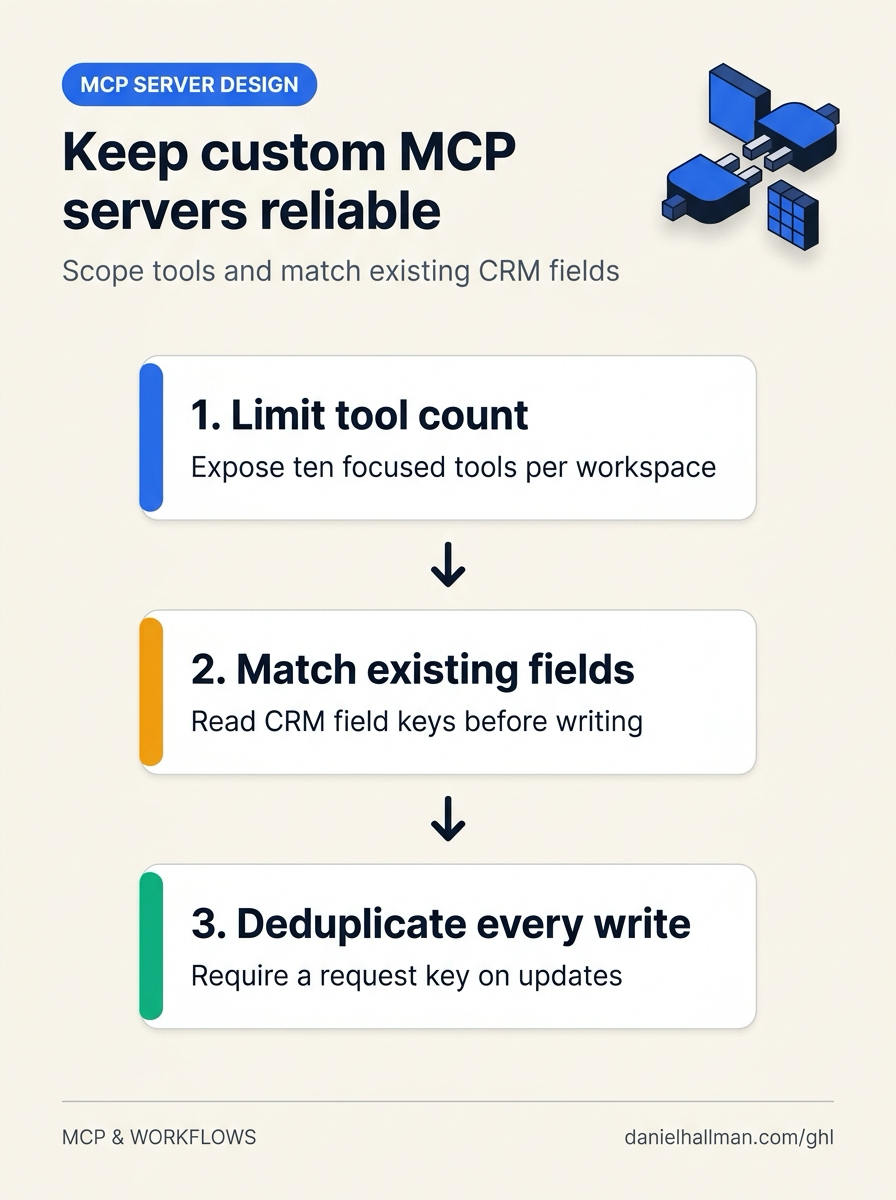
10well-described tools per workspace, query Settings > Custom Fields first so proposed schemas reuse existing field keys - and pass an idempotency key on every write in Automation > Workflow Builder.
GoHighLevel Menu Paths
| Step | Menu Path in GHL | Action |
|---|---|---|
| Step 1 | Settings > Private Integrations | Create a scoped Location token (pit-...) limited to the exact objects your MCP server needs (such as Contacts, Opportunities, and Custom Fields) with delete permissions left unchecked, and expose at most 10 focused tools per workspace so tool schemas do not crowd the model context. |
| Step 2 | Settings > Custom Fields | Require your MCP server to query the sub-account's existing field keys and picklist values before generating or running any extraction task so new workflows map to {{contact.phone}} and existing pipeline keys instead of inventing duplicate field names. |
| Step 3 | Automation > Workflow Builder | Pass a unique request key (such as {{contact.id}}_{{workflow.id}}) on every outbound webhook or MCP write step and check Execution Logs to confirm retry attempts update the existing record rather than creating duplicates. |
DEFAULT SETUP VS. AUTOMATED WORKFLOW
Operational Comparison
Manual Admin Work Per Client
Lead-to-Booked-Job Conversion
Related Questions
- How Do You Stop GoHighLevel MCP From Constantly Disconnecting in Claude and ChatGPT?
- How do you connect Claude Code or Cursor to GoHighLevel using MCP?
- When Are AI Agent Skills Actually Useful for GoHighLevel and CRM Workflows?
- How Do You Make Multi-Tool AI Agents Reliable Without Duplicate Bookings or Hallucinated Tool Calls in GoHighLevel?
BUILD FASTER IN GOHIGHLEVEL · FREE TRIAL BONUSES + MCP SERVER
Build this directly inside your GoHighLevel sub-account
Connect Claude Code, Cursor, or OpenAI Codex to our ghl-tools MCP Server & Rust CLI to build workflows, forms, and funnels from your editor, or start your GoHighLevel plan through our partner link to unlock $612+ in ready-to-import kits (including GoHighLevel MCP Server & Schema Toolkit) and weekly live clinics.