GOHIGHLEVEL ANSWERS & PROMPTS: PLAYBOOK T08 · CONVERSATION AI & SUPPORT TRIAGE
AUTHOR: DANIEL HALLMAN
KEYWORD: HANDOFF
STEP-BY-STEP INSTRUCTIONS + ANNOTATED GHL SCREENSHOTS
Steps in GoHighLevel
-
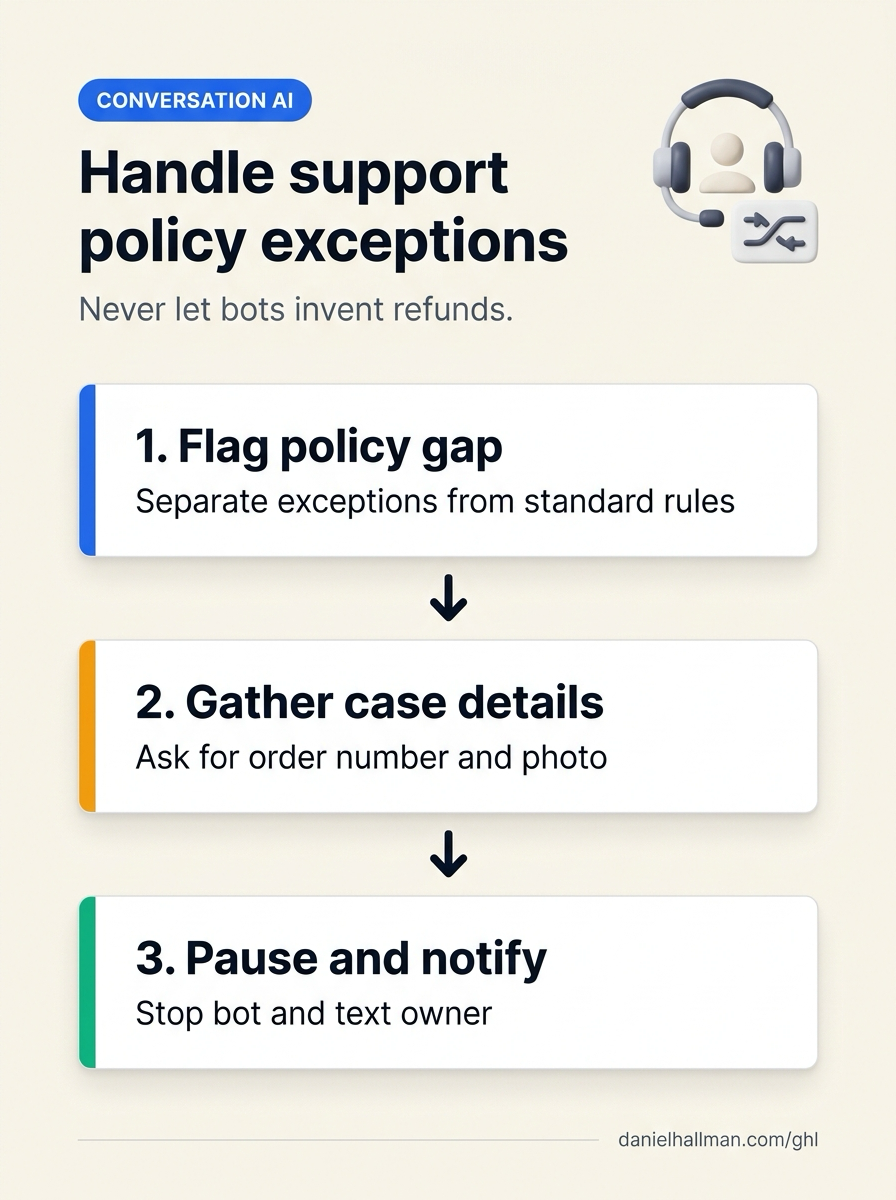
STEP 1In AI Agents > Knowledge Base, separate standard rules from exception cases: Document your standard return and service policies clearly, and add an explicit Exception Rule instructing the bot never to approve or deny damaged-item claims, custom refunds, or out-of-window requests on its own.
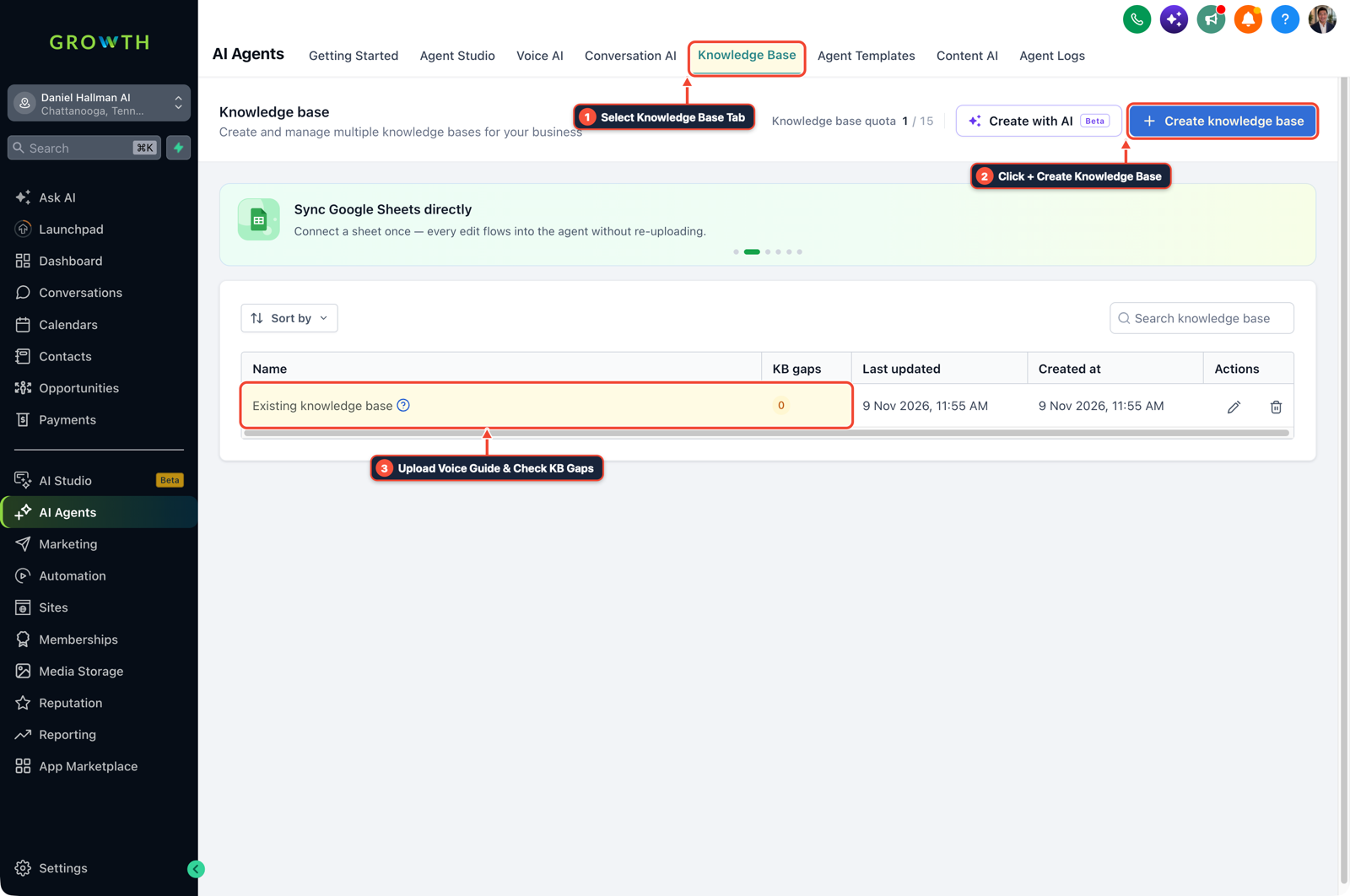
1Select Knowledge Base Tab 2Click + Create Knowledge Base 3Review Industry FAQ & Check KB Gaps -
STEP 2In AI Agents > Conversation AI, configure a 3-item intake prompt for exceptions: When a customer describes a scenario not covered by policy, instruct the bot to collect the Order or Invoice Number, a Photo of the issue, and the customer's Preferred resolution, then let them know a team member will review it shortly.
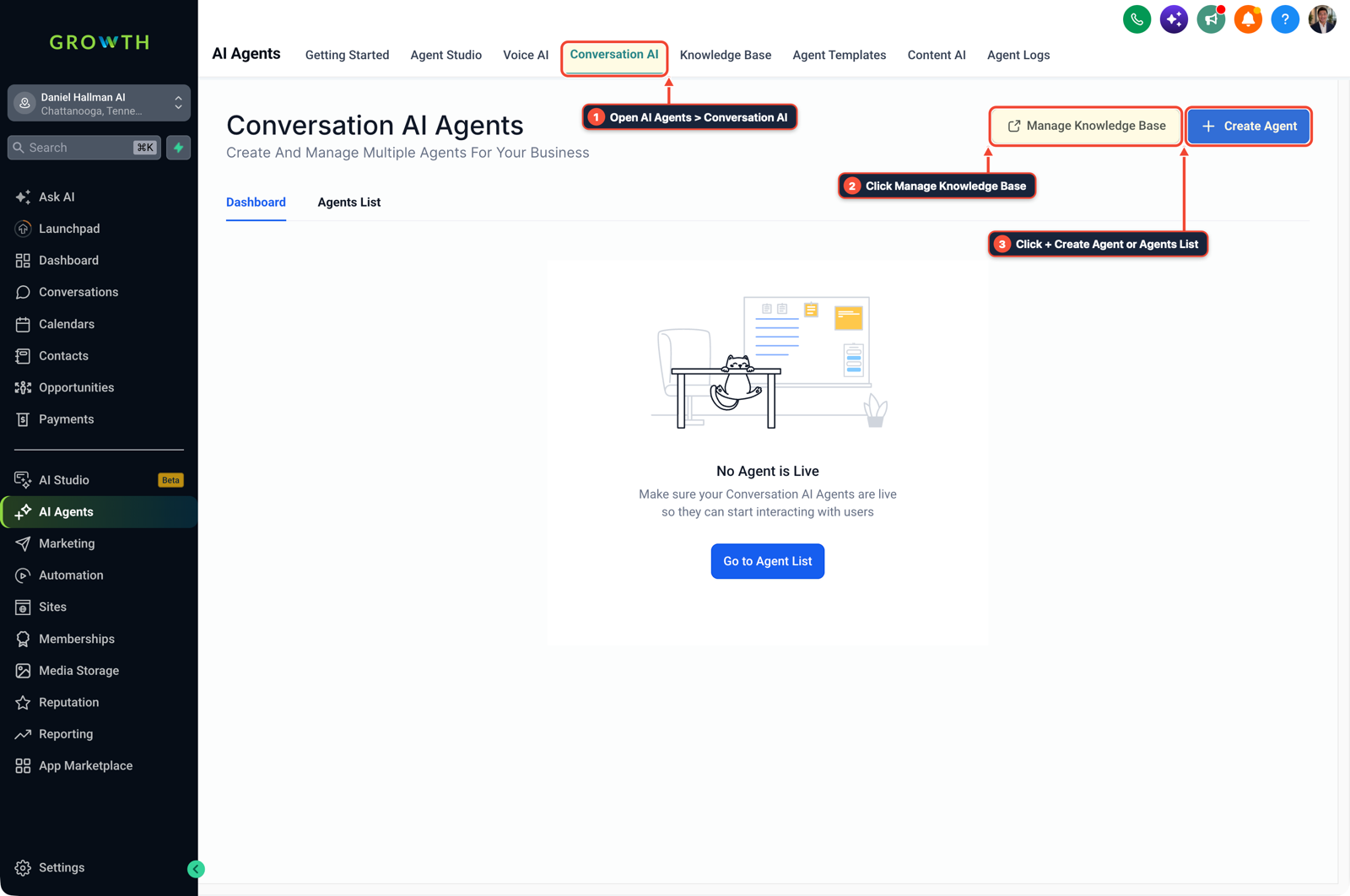
1Open AI Agents > Conversation AI 2Click Manage Knowledge Base 3Click + Create Agent or Agents List -
STEP 3In Automation > Workflows, pause the bot and text the owner the complete case: Trigger a workflow when the
needs-human-reviewtag is applied, add the Update Conversation AI Status action to pause the bot for24 hours, and send an Internal Notification SMS to the owner with the contact link, order number, and photo attachment.
1Add If/Else Condition & Tag Guard 2Chain Priority & Wait Steps 3Switch to Settings or Execution Logs
MODE: AGENT PROMPT
PASTE INTO CLAUDE CODE, CURSOR, CHATGPT, OR GOHIGHLEVEL ASK AI
AGENT PROMPT
Configure an exception-handoff workflow for Conversation AI in sub-account <YOUR_LOCATION_ID>:
1. In AI Agents > Knowledge Base, separate standard FAQ rules from out-of-policy exception claims (damaged shipments, custom refunds, billing disputes).
2. In AI Agents > Conversation AI, instruct the bot to collect the order number, photo evidence, and requested resolution when a case falls outside standard policy, then apply the 'needs-human-review' tag.
3. In Automation > Workflows, trigger on 'needs-human-review', pause Conversation AI for 24 hours on that contact, and send an Internal Notification SMS to the owner with the collected details.
GHL-TOOLS MCP SERVER & CLI (DANIELHALLMAN.COM/MCP)
BUILDER + SUB-ACCOUNT TOOLS
# Inspect Conversation AI and handoff workflows in the sub-account via ghl-crm
ghl-crm workflows list --context <YOUR_CONTEXT> --location <YOUR_LOCATION_ID>
Official GHL MCP vs. ghl-tools: HighLevel’s official hosted MCP (services.leadconnectorhq.com/mcp) covers public v2 CRM records (contacts, opportunities, appointments, conversations). ghl-tools MCP complements it with workflow graph inspection & recipes, funnel/form builders, DNS/BIMI checks, and ghl-crm doctor audits.
Cause
- Small business owners get burned when a support bot treats an unwritten edge case the same as a standard FAQ.
- If your FAQ says returns close at 30 days and a customer writes in at day 35 saying half their shipment arrived broken, a bot that approves the refund invents a policy exception, while a bot that flatly refuses risks an angry chargeback or 1-star review.
GoHighLevel Configuration
- Keep fixed policy answers in your Knowledge Base, and route unaddressed exceptions through a 3-question intake handoff.
- Train Conversation AI to recognize damage claims, billing disputes, and edge cases outside written rules, ask for the order number and photo evidence once, turn off automated replies on that thread for 24 hours, and send an Internal Notification SMS to the owner with the full case details.
GoHighLevel Menu Paths
| Step | Menu Path in GHL | Action |
|---|---|---|
| Step 1 | AI Agents > Knowledge Base | Separate standard rules from exception cases: Document your standard return and service policies clearly, and add an explicit Exception Rule instructing the bot never to approve or deny damaged-item claims, custom refunds, or out-of-window requests on its own. |
| Step 2 | AI Agents > Conversation AI | Configure a 3-item intake prompt for exceptions: When a customer describes a scenario not covered by policy, instruct the bot to collect the Order or Invoice Number, a Photo of the issue, and the customer's Preferred resolution, then let them know a team member will review it shortly. |
| Step 3 | Automation > Workflows | Pause the bot and text the owner the complete case: Trigger a workflow when the needs-human-review tag is applied, add the Update Conversation AI Status action to pause the bot for 24 hours, and send an Internal Notification SMS to the owner with the contact link, order number, and photo attachment. |
DEFAULT SETUP VS. AUTOMATED WORKFLOW
Operational Comparison
Speed to Lead & Callback Safety
Caller Reply & Booking Rate
Related Questions
- When Should You Use AI Agents and MCP vs Structured Workflows in GoHighLevel?
- Why are AI agents unreliable in production workflows and how do you fix them in GoHighLevel?
- How to Stop Runaway AI Costs in Business Workflows Without Killing Team Adoption
- When Are AI Agent Skills Actually Useful for GoHighLevel and CRM Workflows?
BUILD FASTER IN GOHIGHLEVEL · FREE TRIAL BONUSES + MCP SERVER
Build this directly inside your GoHighLevel sub-account
Connect Claude Code, Cursor, or OpenAI Codex to our ghl-tools MCP Server & Rust CLI to build workflows, forms, and funnels from your editor, or start your GoHighLevel plan through our partner link to unlock $612+ in ready-to-import kits (including AI Agent & Conversation Triage Pack) and weekly live clinics.