GOHIGHLEVEL ANSWERS & PROMPTS: PLAYBOOK T67 · SINGLE AGENT VS. READER-ACTOR MULTI-AGENT SPLIT
AUTHOR: DANIEL HALLMAN
KEYWORD: AGENT SPLIT
STEP-BY-STEP INSTRUCTIONS + ANNOTATED GHL SCREENSHOTS
Steps in GoHighLevel
-
STEP 1In AI Agents > Conversation AI (paired with AI Agents > Knowledge Base), run standard customer Q&A and appointment booking through one focused agent with a short prompt instead of chaining multiple prose-generating agents.
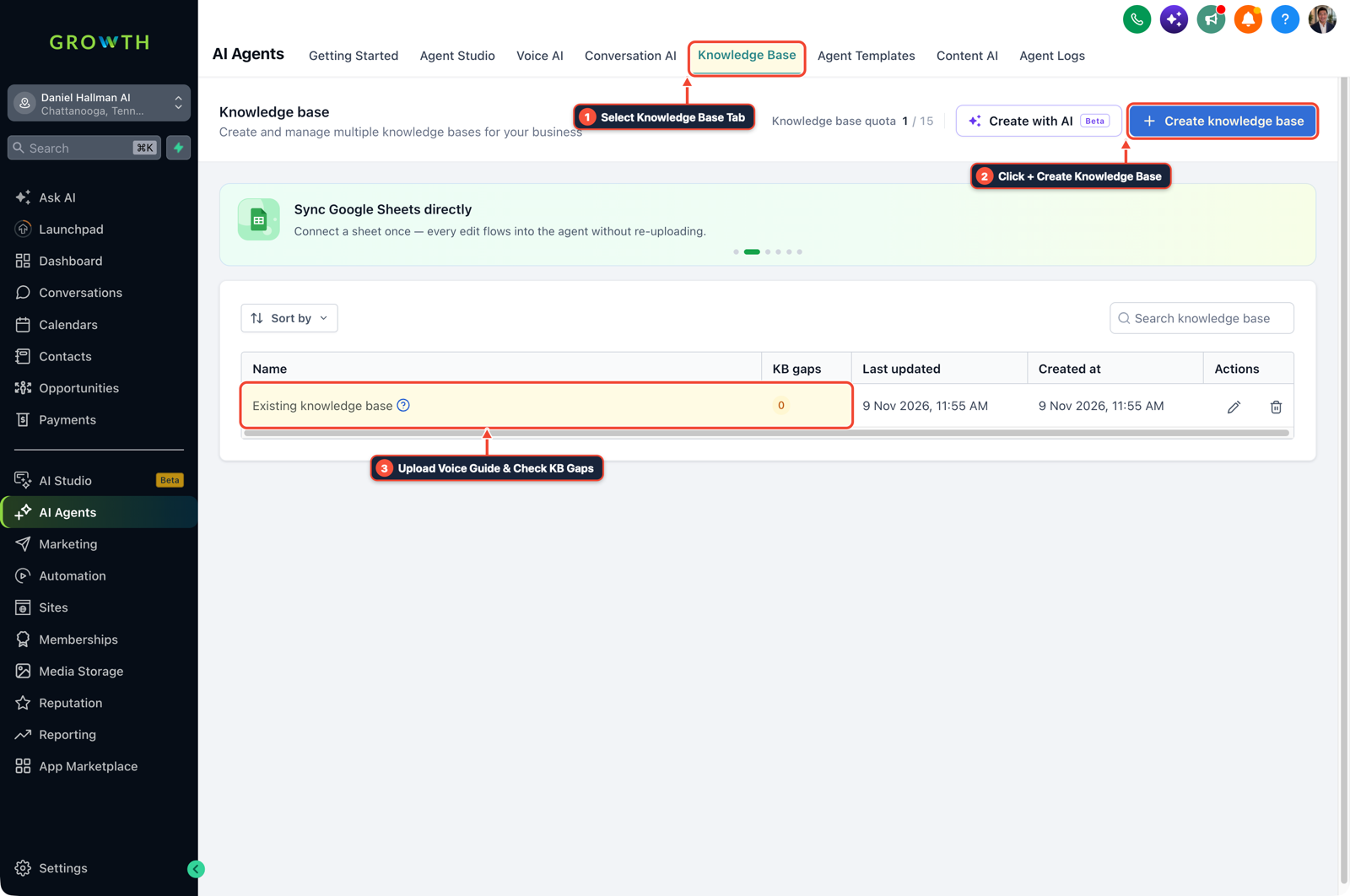
1Select Knowledge Base Tab 2Click + Create Knowledge Base 3Review Industry FAQ & Check KB Gaps -
STEP 2In Settings > Private Integrations, separate untrusted content ingestion (such as reading forwarded email threads or external web pages) into an isolated reader call that has zero CRM write or account-note export scopes.
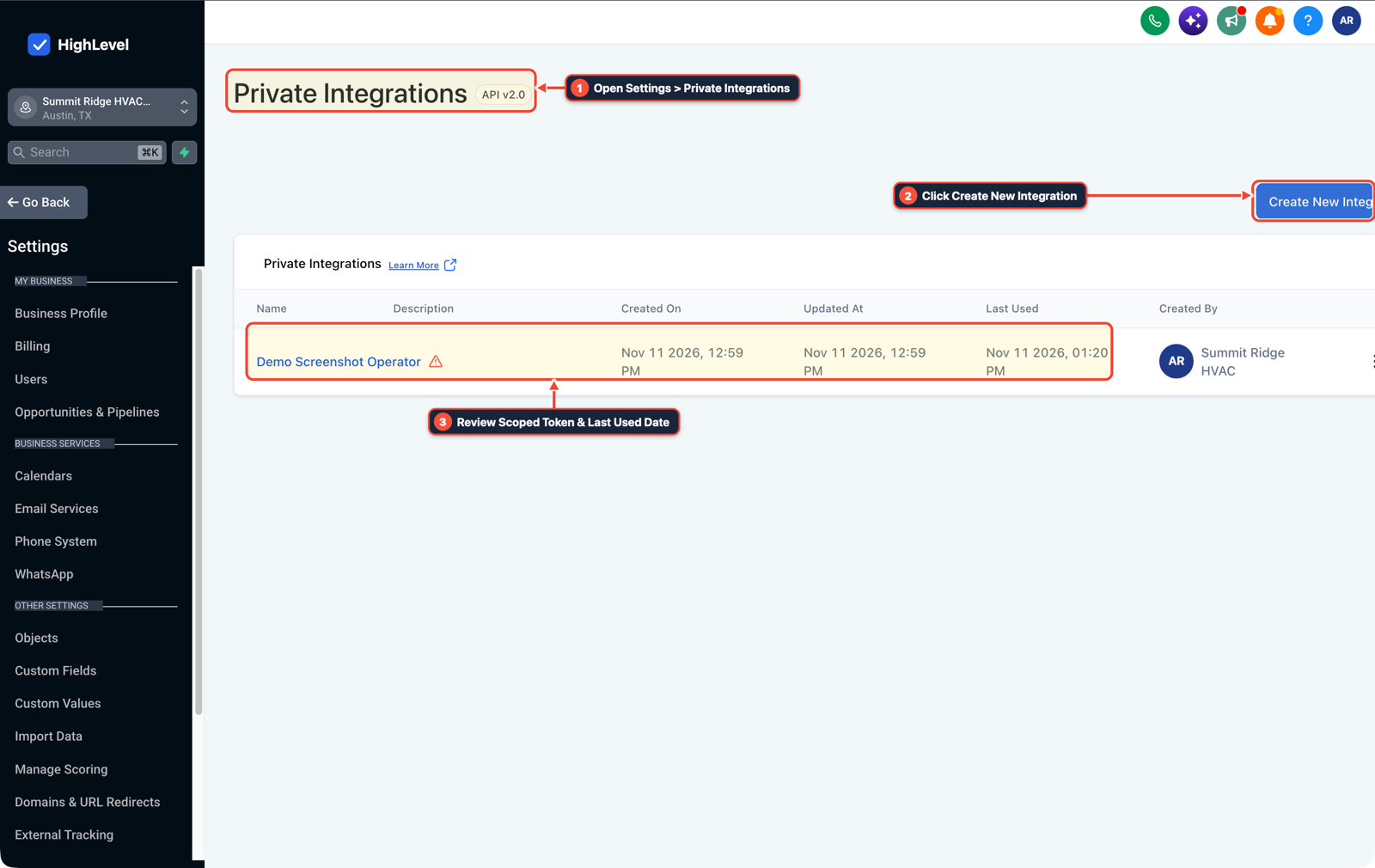
1Open Settings > Private Integrations 2Click Create New Integration 3Review Scoped Token & Last Used Date -
STEP 3In Automation > Workflow Builder, have the reader output only structured fields (
intent,service_type,requested_date) into contact custom fields and verify them with an If/Else step before the actor branch updates Opportunities or sends a reply.
1Add If/Else Condition & Tag Guard 2Chain Priority & Wait Steps 3Switch to Settings or Execution Logs
MODE: AGENT PROMPT
PASTE INTO CLAUDE CODE, CURSOR, CHATGPT, OR GOHIGHLEVEL ASK AI
AGENT PROMPT
Configure a single-agent FAQ flow and a reader-actor boundary for untrusted inbound content in sub-account <YOUR_LOCATION_ID>:
1. In AI Agents > Conversation AI, consolidate routine customer FAQ and booking replies into one focused agent tied to AI Agents > Knowledge Base.
2. In Settings > Private Integrations, scope any external email or document reader so it has no write, delete, or internal-note export permissions.
3. In Automation > Workflow Builder, validate the reader's extracted custom fields with an If/Else step before executing CRM updates or outbound messages.
GHL-TOOLS MCP SERVER & CLI (DANIELHALLMAN.COM/MCP)
BUILDER + SUB-ACCOUNT TOOLS
# Audit private integration token scopes and AI workflow branches in the sub-account
ghl-agency user-role-governance --context <YOUR_CONTEXT> --location <YOUR_LOCATION_ID>
ghl-crm workflows list --context <YOUR_CONTEXT> --location <YOUR_LOCATION_ID>
Official GHL MCP vs. ghl-tools: HighLevel’s official hosted MCP (services.leadconnectorhq.com/mcp) covers public v2 CRM records (contacts, opportunities, appointments, conversations). ghl-tools MCP complements it with workflow graph inspection & recipes, funnel/form builders, DNS/BIMI checks, and ghl-crm doctor audits.
Cause
- Builders often split a straightforward support or booking flow into four or five conversational agents that pass long prose summaries to one another.
- Each hop introduces context drift and doubles response time, yet if a single agent both reads raw external emails and holds full CRM write tools, a hidden instruction buried inside an email thread can trick that agent into leaking internal notes or running an unwanted action.
GoHighLevel Configuration
- Use one focused agent in AI Agents > Conversation AI for standard customer chats, isolate untrusted document or email reading into a tool-less reader step backed by scoped Settings > Private Integrations permissions
- and validate extracted JSON fields with an If/Else check in Automation > Workflow Builder before any CRM write or message send runs.
GoHighLevel Menu Paths
| Step | Menu Path in GHL | Action |
|---|---|---|
| Step 1 | AI Agents > Conversation AI | In AI Agents > Conversation AI (paired with AI Agents > Knowledge Base), run standard customer Q&A and appointment booking through one focused agent with a short prompt instead of chaining multiple prose-generating agents. |
| Step 2 | Settings > Private Integrations | Separate untrusted content ingestion (such as reading forwarded email threads or external web pages) into an isolated reader call that has zero CRM write or account-note export scopes. |
| Step 3 | Automation > Workflow Builder | Have the reader output only structured fields (intent, service_type, requested_date) into contact custom fields and verify them with an If/Else step before the actor branch updates Opportunities or sends a reply. |
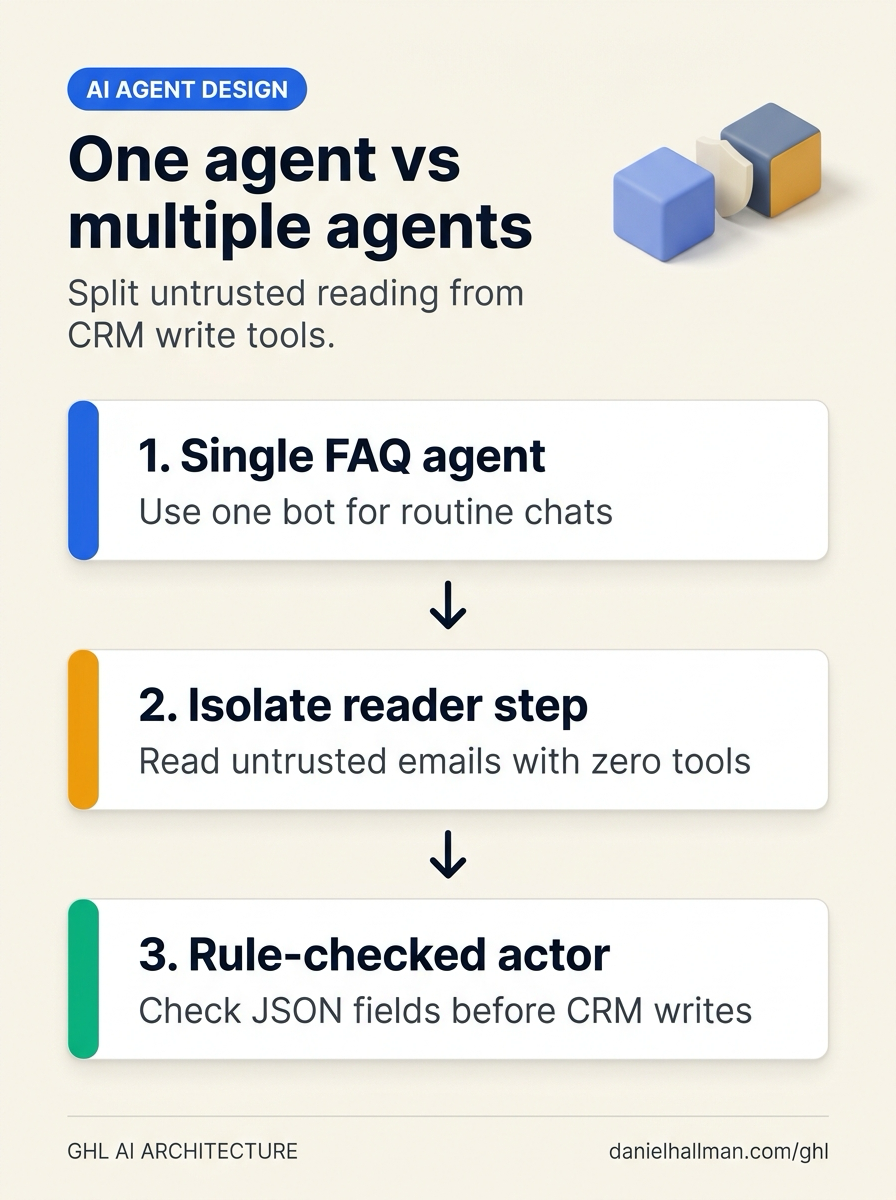
DEFAULT SETUP VS. AUTOMATED WORKFLOW
Operational Comparison
Speed to Lead & Callback Safety
Caller Reply & Booking Rate
Related Questions
- How Do You Catch Wrong or Outdated AI Agent Answers Before They Reach Customers in GoHighLevel?
- How Do You Test Whether an AI Agent Reduces Work Instead of Creating Babysitting in GoHighLevel?
- How Do You Prevent Prompt Injection and Free-Text Memory Bugs in GoHighLevel AI Agents?
- How Do You Coordinate Codex, Claude Code, and a Planner Agent Without Copy-Pasting?
BUILD FASTER IN GOHIGHLEVEL · FREE TRIAL BONUSES + MCP SERVER
Build this directly inside your GoHighLevel sub-account
Connect Claude Code, Cursor, or OpenAI Codex to our ghl-tools MCP Server & Rust CLI to build workflows, forms, and funnels from your editor, or start your GoHighLevel plan through our partner link to unlock $612+ in ready-to-import kits (including GHL Single vs. Multi-Agent Boundary Kit) and weekly live clinics.