GOHIGHLEVEL ANSWERS & PROMPTS: PLAYBOOK T08 · AI AGENT SECURITY & STATE SCHEMA
AUTHOR: DANIEL HALLMAN
KEYWORD: SCHEMA
STEP-BY-STEP INSTRUCTIONS + ANNOTATED GHL SCREENSHOTS
Steps in GoHighLevel
-
STEP 1In Settings > Custom Fields, replace free-text memory dumps with typed CRM fields: Click + Add Field and create explicit Dropdown (Single), Number, or Date fields (such as
contact.service_category,contact.quoted_Tier, andcontact.ai_intent) so the agent writes to fixed options instead of an open-ended text note.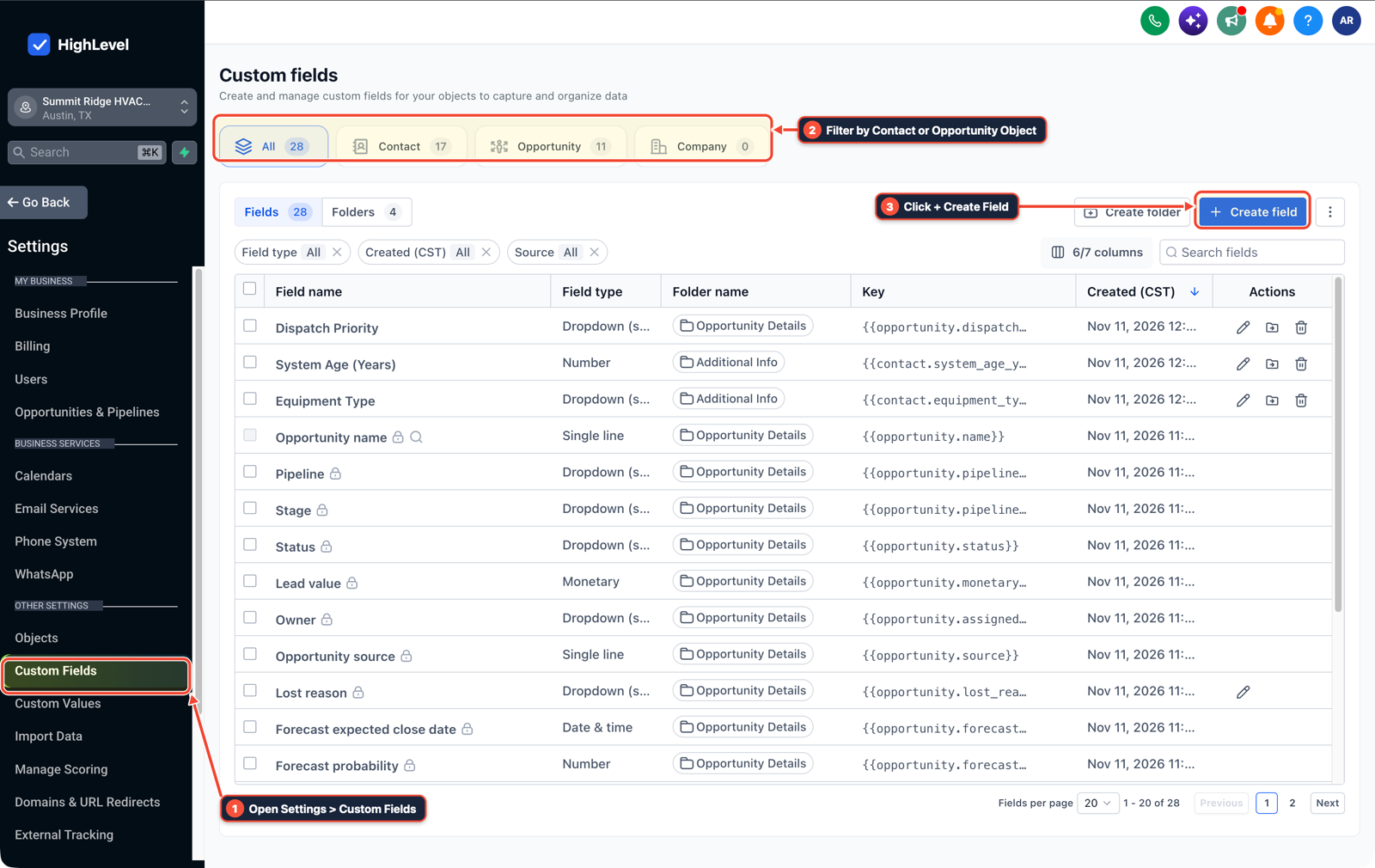
1Open Settings > Custom Fields 2Filter by Contact or Opportunity Object 3Click + Create Field -
STEP 2In Automation > Workflows, validate fields with If/Else branches before running actions: After a Conversation AI or Inbound Webhook step, add an If/Else condition that verifies
contact.ai_intentmatches an allowed value (estimate,repair,human_handoff) andai-opted-outis not present before sending a booking link or updating an opportunity.
1Add If/Else Condition & Tag Guard 2Chain Priority & Wait Steps 3Switch to Settings or Execution Logs -
STEP 3In Settings > Private Integrations, scope external agent tokens to one sub-account: When connecting Claude Code, Cursor, or an MCP worker via
ghl-tools(danielhallman.com/mcp), mint a location-specific Private Integration token limited to the required scopes (contacts.readonly,workflows.readonly,opportunities.write) instead of sharing an agency-wide key.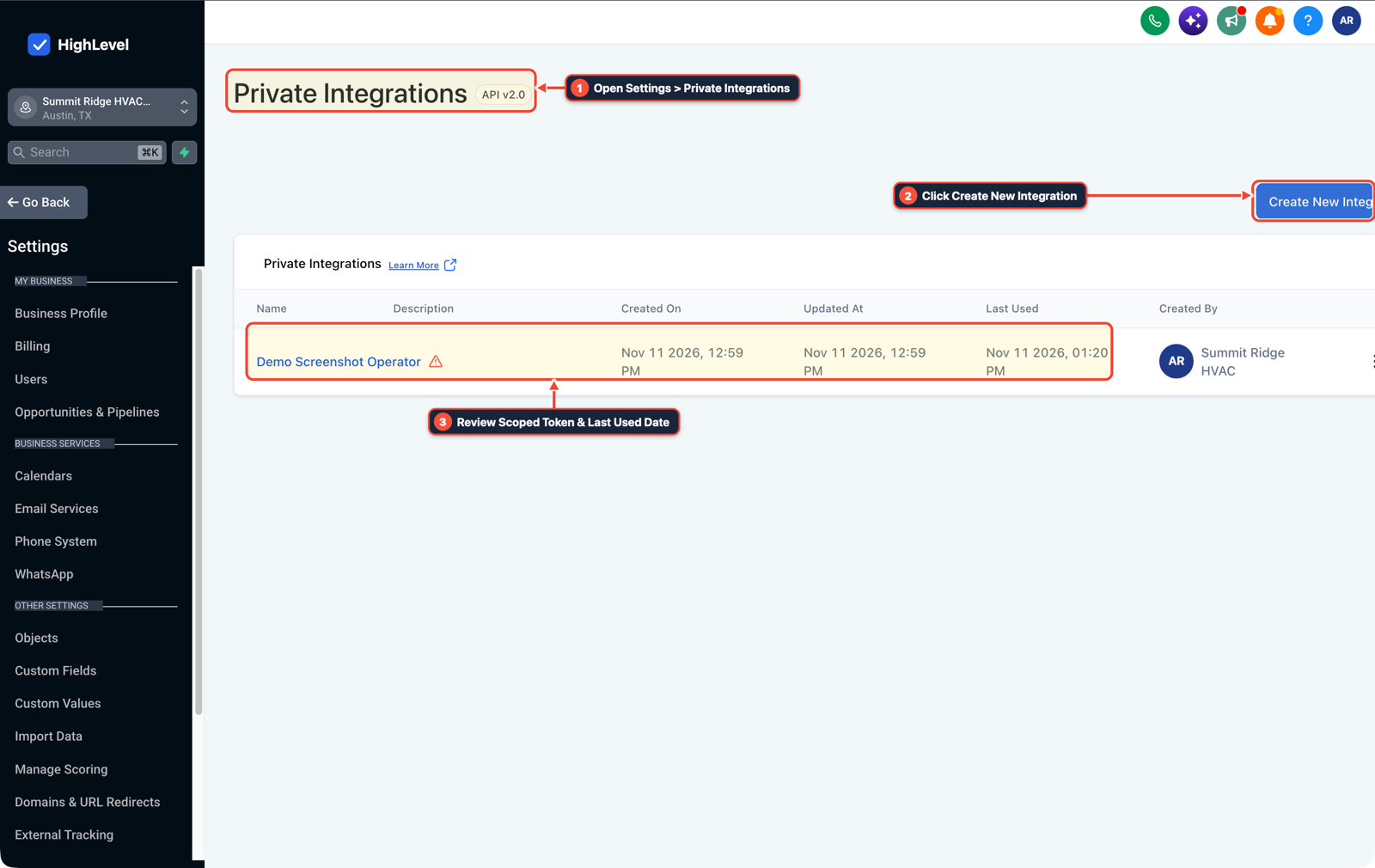
1Open Settings > Private Integrations 2Click Create New Integration 3Review Scoped Token & Last Used Date
MODE: AGENT PROMPT
PASTE INTO CLAUDE CODE, CURSOR, CHATGPT, OR GOHIGHLEVEL ASK AI
AGENT PROMPT
Harden AI agent state management and tool permissions in sub-account <YOUR_LOCATION_ID>:
1. In Settings > Custom Fields, create typed Dropdown and Number fields (contact.ai_intent, contact.service_category) instead of storing state in free-text notes.
2. In Automation > Workflows, add an If/Else validation branch after Conversation AI to check allowed field values before sending SMS or moving pipeline stages.
3. In Settings > Private Integrations, restrict MCP and API tokens to location-scoped least-privilege permissions.
GHL-TOOLS MCP SERVER & CLI (DANIELHALLMAN.COM/MCP)
BUILDER + SUB-ACCOUNT TOOLS
# Inspect custom field types and workflow validation branches via ghl-crm
ghl-crm custom-fields list --context <YOUR_CONTEXT> --location <YOUR_LOCATION_ID>
ghl-crm workflows list --context <YOUR_CONTEXT> --location <YOUR_LOCATION_ID>
Official GHL MCP vs. ghl-tools: HighLevel’s official hosted MCP (services.leadconnectorhq.com/mcp) covers public v2 CRM records (contacts, opportunities, appointments, conversations). ghl-tools MCP complements it with workflow graph inspection & recipes, funnel/form builders, DNS/BIMI checks, and ghl-crm doctor audits.
Cause
- Operators building AI agents often dump entire unvalidated form submissions and multi-week chat histories into a single prompt and let the model decide which CRM tools to run.
- When a lead submits a weird string or asks the bot to ignore prior rules, free-text memory drifts off script and triggers unintended pipeline or billing actions.
GoHighLevel Configuration
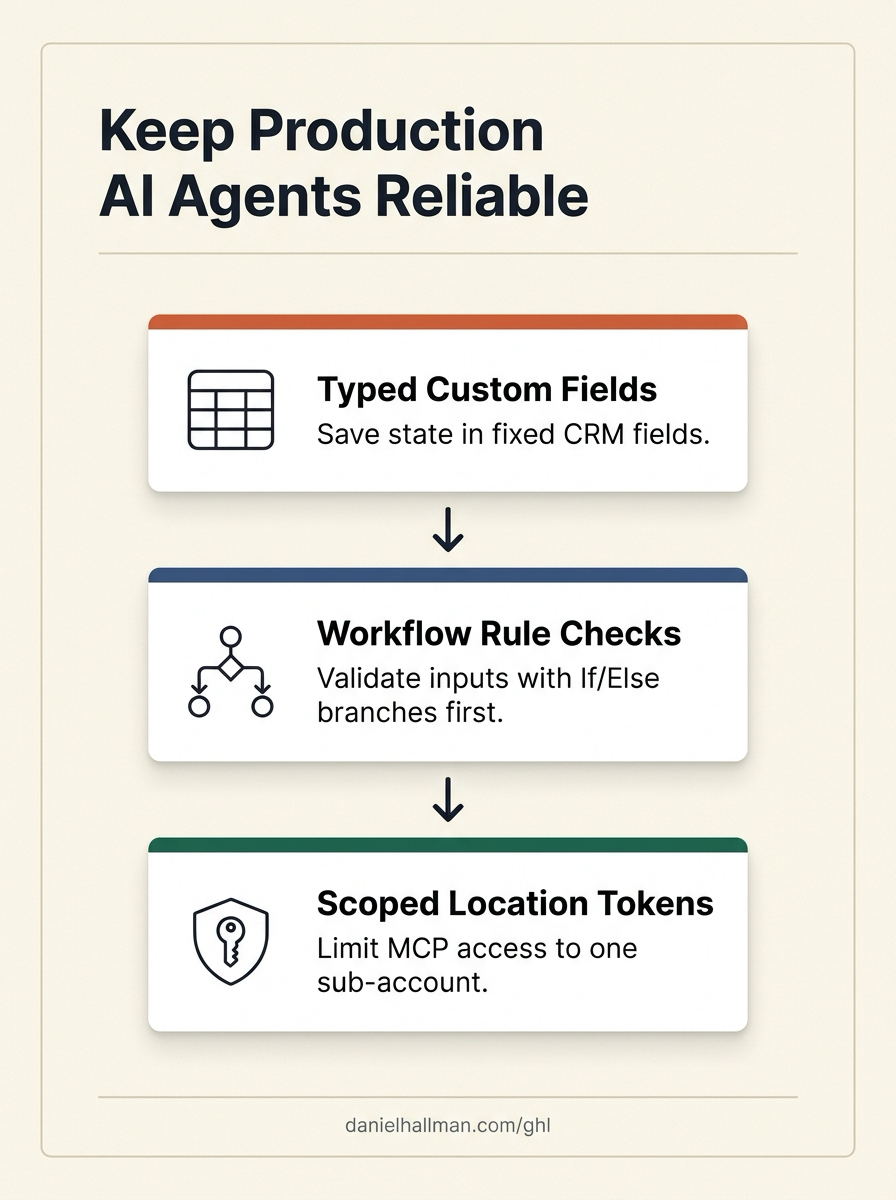
- Separate untrusted user text from CRM state transitions.
- Save extracted lead details into strict dropdown or number Custom Fields, check those fields with standard GoHighLevel Workflow If/Else branches before booking or messaging, and restrict external MCP agents (
ghl-tools) to a location-scoped Private Integration token with only the permissions that job requires.
GoHighLevel Menu Paths
| Step | Menu Path in GHL | Action |
|---|---|---|
| Step 1 | Settings > Custom Fields | Replace free-text memory dumps with typed CRM fields: Click + Add Field and create explicit Dropdown (Single), Number, or Date fields (such as contact.service_category, contact.quoted_Tier, and contact.ai_intent) so the agent writes to fixed options instead of an open-ended text note. |
| Step 2 | Automation > Workflows | Validate fields with If/Else branches before running actions: After a Conversation AI or Inbound Webhook step, add an If/Else condition that verifies contact.ai_intent matches an allowed value (estimate, repair, human_handoff) and ai-opted-out is not present before sending a booking link or updating an opportunity. |
| Step 3 | Settings > Private Integrations | Scope external agent tokens to one sub-account: When connecting Claude Code, Cursor, or an MCP worker via ghl-tools (danielhallman.com/mcp), mint a location-specific Private Integration token limited to the required scopes (contacts.readonly, workflows.readonly, opportunities.write) instead of sharing an agency-wide key. |
DEFAULT SETUP VS. AUTOMATED WORKFLOW
Operational Comparison
Speed to Lead & Callback Safety
Caller Reply & Booking Rate
Related Questions
- When Should You Use AI Agents and MCP vs Structured Workflows in GoHighLevel?
- Why are AI agents unreliable in production workflows and how do you fix them in GoHighLevel?
- How Do You Run 24/7 AI Agents Practically Without Babysitting Every Prompt?
- When Are AI Agent Skills Actually Useful for GoHighLevel and CRM Workflows?
BUILD FASTER IN GOHIGHLEVEL · FREE TRIAL BONUSES + MCP SERVER
Build this directly inside your GoHighLevel sub-account
Connect Claude Code, Cursor, or OpenAI Codex to our ghl-tools MCP Server & Rust CLI to build workflows, forms, and funnels from your editor, or start your GoHighLevel plan through our partner link to unlock $612+ in ready-to-import kits (including AI Agent & MCP Operator Pack) and weekly live clinics.