GOHIGHLEVEL ANSWERS & PROMPTS: PLAYBOOK T21 · MULTI-AGENT HANDOFFS & MCP
AUTHOR: DANIEL HALLMAN
KEYWORD: AGENT HANDOFF
STEP-BY-STEP INSTRUCTIONS + ANNOTATED GHL SCREENSHOTS
Steps in GoHighLevel
-
STEP 1In Settings > Private Integrations, create a scoped token for your sub-account so your planner and builder CLI agents can query live pipelines, contacts, and workflows via MCP instead of asking you to paste screenshots.
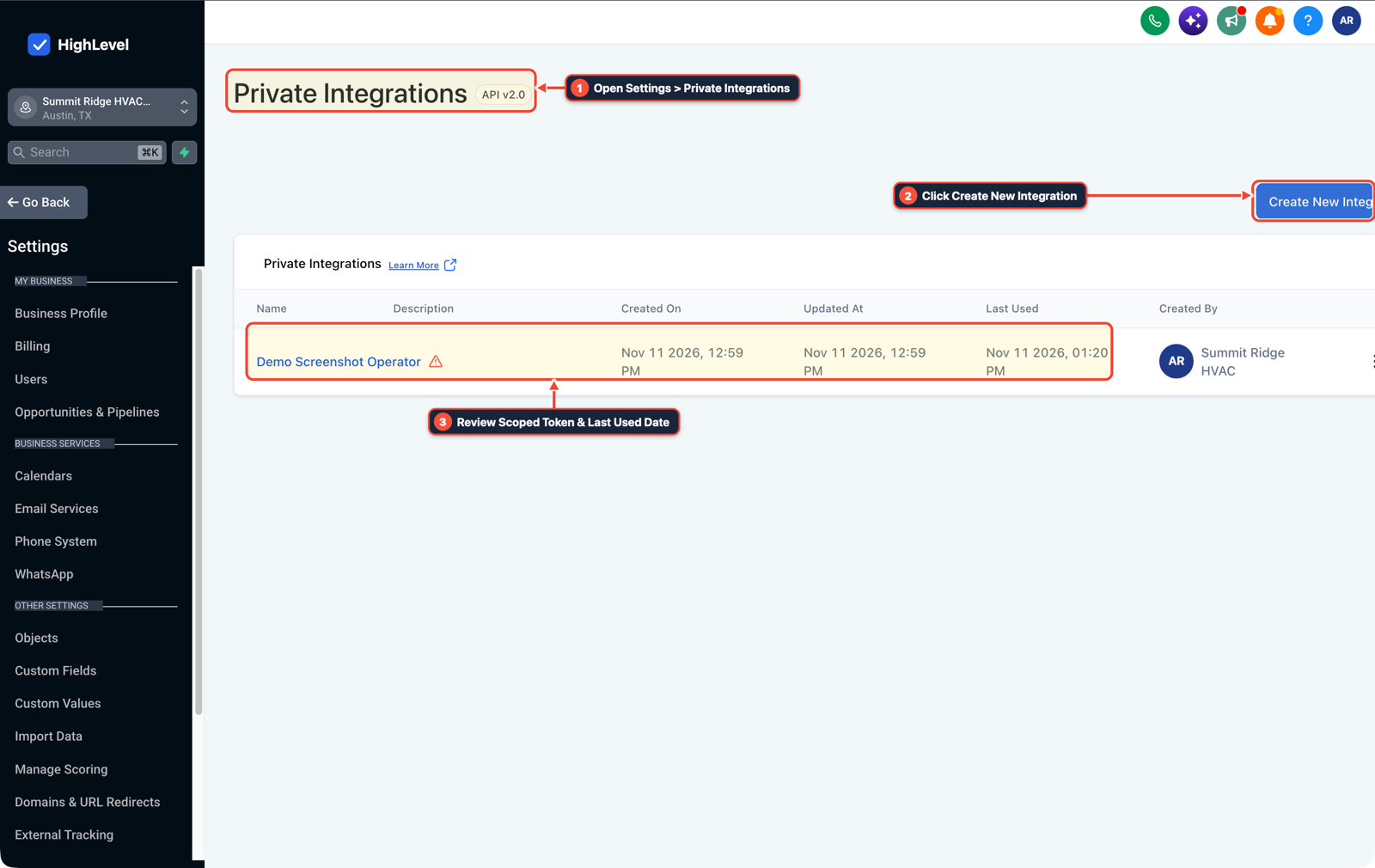
1Open Settings > Private Integrations 2Click Create New Integration 3Review Scoped Token & Last Used Date -
STEP 2In AI Agents > Knowledge Base (and your repo's
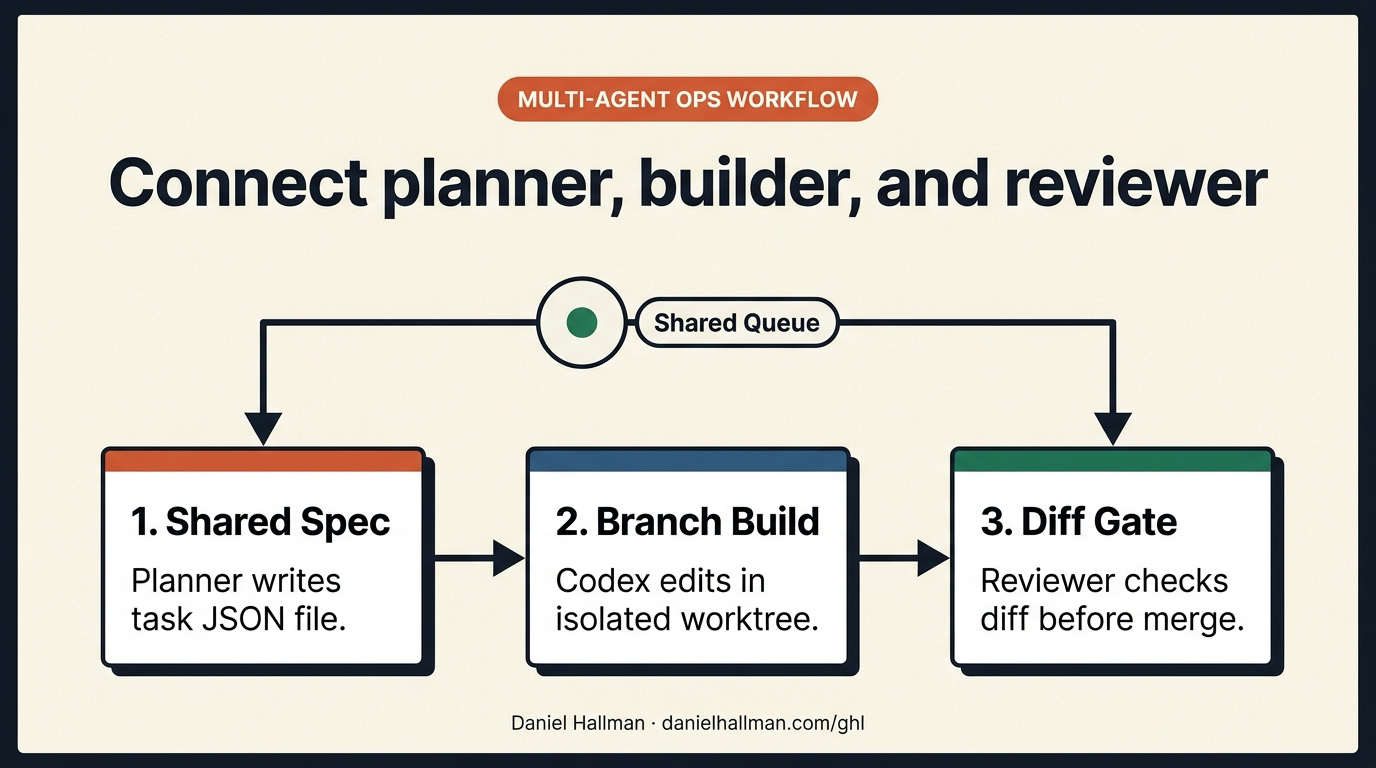
tasks/directory), store shared JSON task specs containing the goal, target files, and acceptance checks so the planner writes the spec file and Codex builds in an isolated git worktree.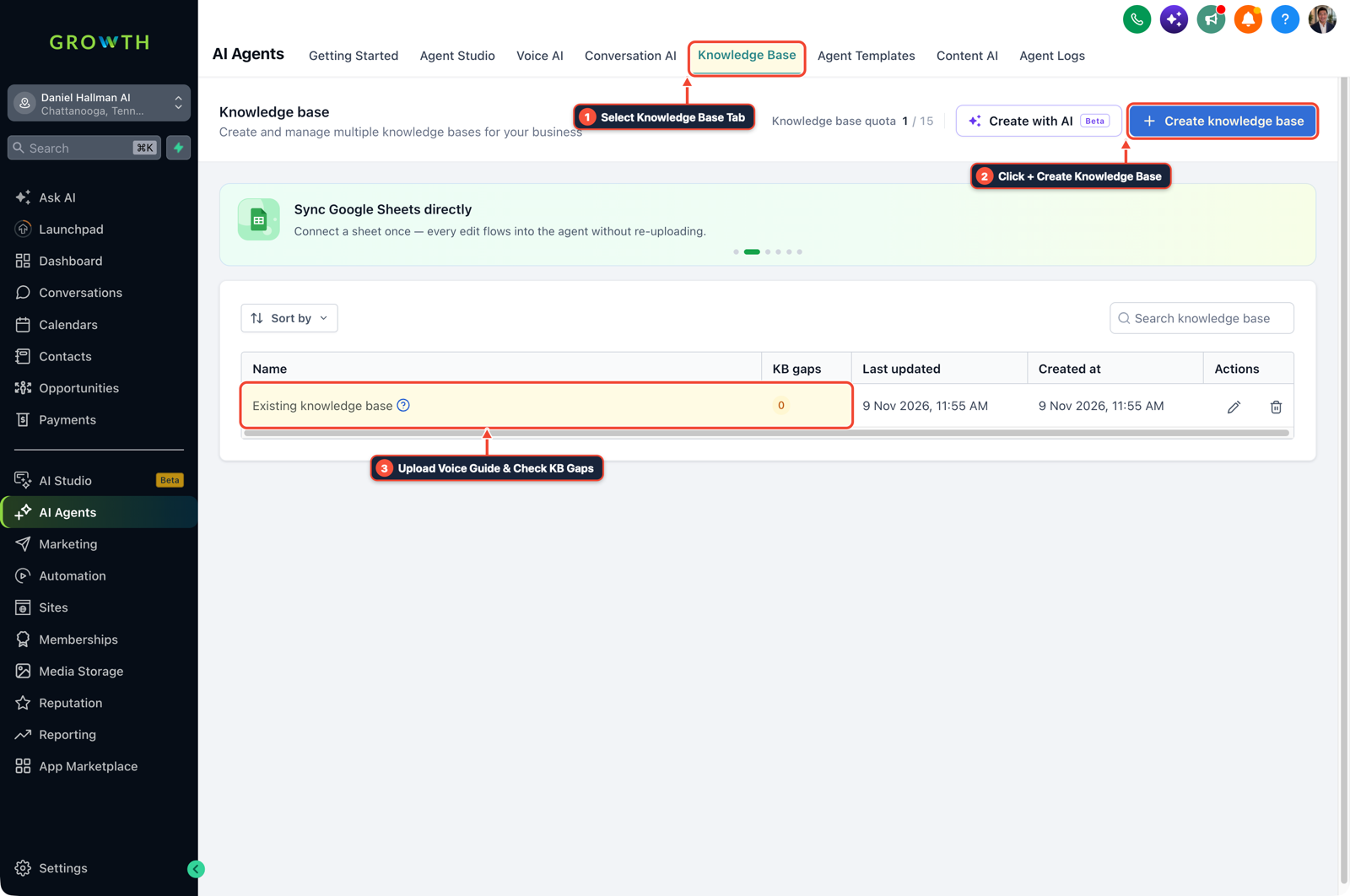
1Select Knowledge Base Tab 2Click + Create Knowledge Base 3Review Industry FAQ & Check KB Gaps -
STEP 3In Automation > Workflows > Execution Logs, trigger a reviewer command (
claude -p) on the branch diff before merge and log completed task status back to the opportunity or webhook log.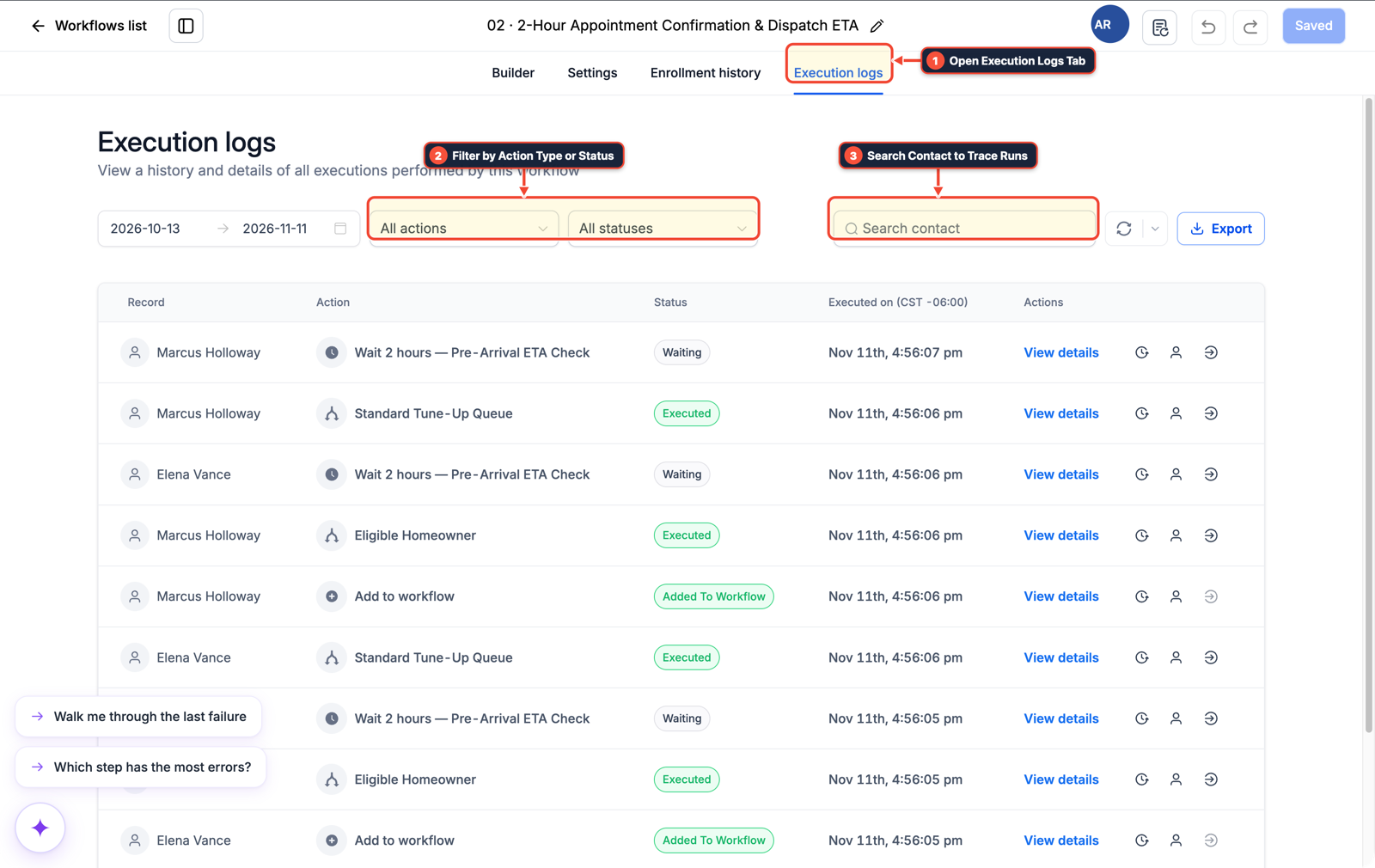
1Open Execution Logs Tab 2Filter by Action Type or Status 3Search Contact to Trace Runs
MODE: AGENT PROMPT
PASTE INTO CLAUDE CODE, CURSOR, CHATGPT, OR GOHIGHLEVEL ASK AI
AGENT PROMPT
Connect planner, builder, and reviewer CLI agents to sub-account <YOUR_LOCATION_ID>:
1. In Settings > Private Integrations, create a scoped token with Contacts, Opportunities, Calendars, and Workflows scopes.
2. Have the planner write task specifications to tasks/<task_id>.json with explicit acceptance checks.
3. Run the builder agent in an isolated git worktree, run the reviewer CLI against git diff, and log completion webhooks to Automation > Workflows.
GHL-TOOLS MCP SERVER & CLI (DANIELHALLMAN.COM/MCP)
BUILDER + SUB-ACCOUNT TOOLS
# Verify HighLevel MCP connectivity and inspect sub-account workflows
ghl-agency doctor --context <YOUR_CONTEXT>
ghl-crm workflows list --context <YOUR_CONTEXT> --location <YOUR_LOCATION_ID>
Official GHL MCP vs. ghl-tools: HighLevel’s official hosted MCP (services.leadconnectorhq.com/mcp) covers public v2 CRM records (contacts, opportunities, appointments, conversations). ghl-tools MCP complements it with workflow graph inspection & recipes, funnel/form builders, DNS/BIMI checks, and ghl-crm doctor audits.
Cause
- Running a planner model in a browser chat, copying its prompt into Codex, pasting Codex's output into Claude Code for review, and copying review notes back turns the operator into a manual clipboard.
- As soon as you get busy on client calls, the handoff stalls and context drifts between windows.
GoHighLevel Configuration
- Replace chat-window copy-pasting with a file-backed task spec (
tasks/<id>.json), isolated git worktrees per task, an automatedgit diffreview gate from a second model family - and a scoped GoHighLevel MCP connection for live CRM state.
GoHighLevel Menu Paths
| Step | Menu Path in GHL | Action |
|---|---|---|
| Step 1 | Settings > Private Integrations | Create a scoped token for your sub-account so your planner and builder CLI agents can query live pipelines, contacts, and workflows via MCP instead of asking you to paste screenshots. |
| Step 2 | AI Agents > Knowledge Base | Store shared JSON task specs containing the goal, target files, and acceptance checks so the planner writes the spec file and Codex builds in an isolated git worktree. |
| Step 3 | Automation > Workflows > Execution Logs | Trigger a reviewer command (claude -p) on the branch diff before merge and log completed task status back to the opportunity or webhook log. |
DEFAULT SETUP VS. AUTOMATED WORKFLOW
Operational Comparison
Manual Admin Work Per Client
Lead-to-Booked-Job Conversion
Related Questions
BUILD FASTER IN GOHIGHLEVEL · FREE TRIAL BONUSES + MCP SERVER
Build this directly inside your GoHighLevel sub-account
Connect Claude Code, Cursor, or OpenAI Codex to our ghl-tools MCP Server & Rust CLI to build workflows, forms, and funnels from your editor, or start your GoHighLevel plan through our partner link to unlock $612+ in ready-to-import kits (including GHL MCP & Multi-Agent Harness Pack) and weekly live clinics.