GOHIGHLEVEL ANSWERS & PROMPTS: PLAYBOOK T07 · SAAS MODE & SNAPSHOTS
AUTHOR: DANIEL HALLMAN
KEYWORD: MCP
STEP-BY-STEP INSTRUCTIONS + ANNOTATED GHL SCREENSHOTS
Steps in GoHighLevel
-
STEP 1Register ghl-crm-mcp in .mcp.json: In
.mcp.json(or~/.claude.json), add theghl-crm-mcpserver command with your sub-account'sGHL_LOCATION_ID.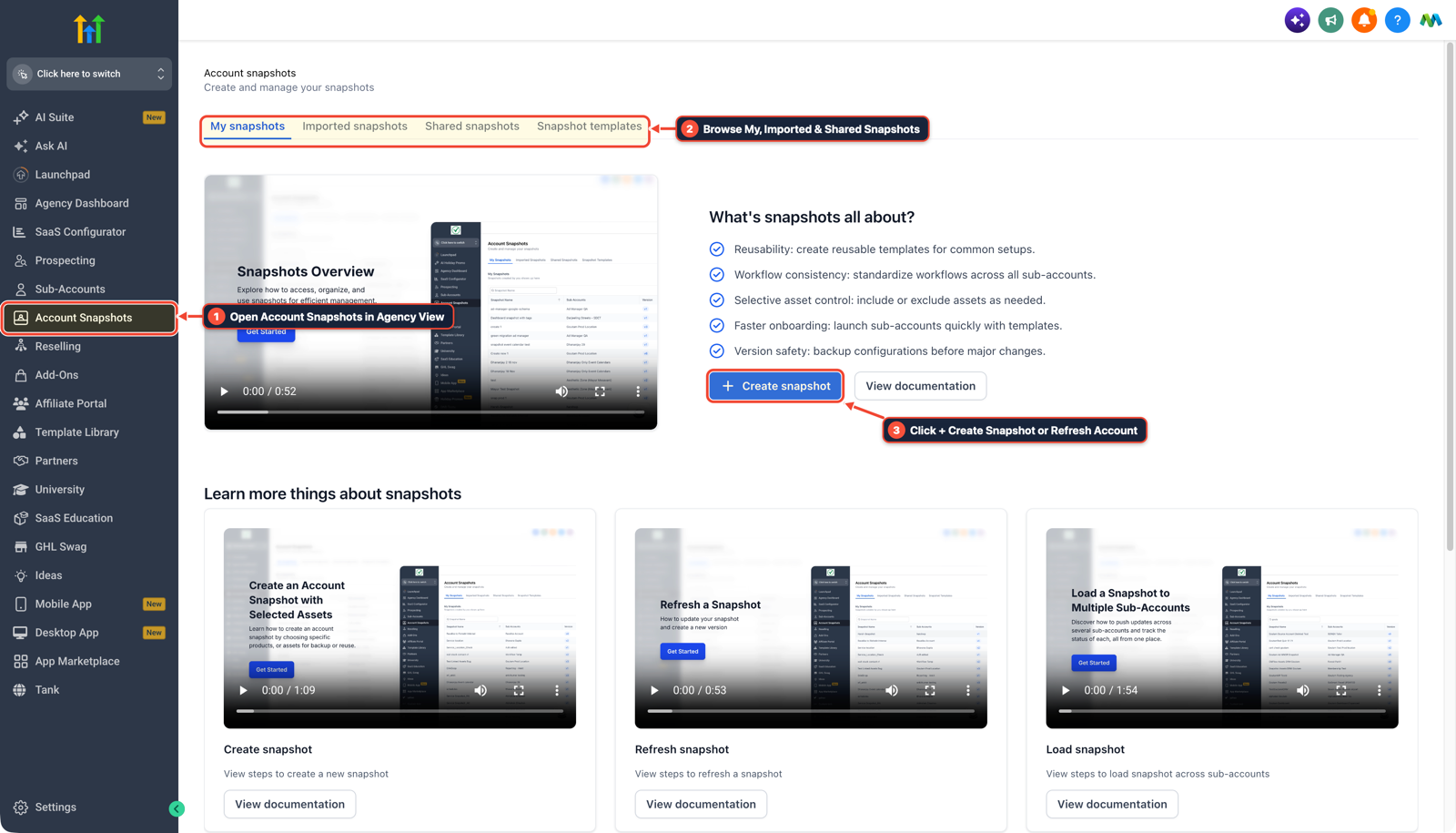
1Open Account Snapshots in Agency View 2Browse My, Imported & Shared Snapshots 3Click + Create Snapshot or Refresh Account -
STEP 2Query the Sub-Account Schema: In Claude Code or Cursor, run
audit_location,workflows_inspect_graph, andfunnels_inspectto load existing custom fields, calendars, and workflow triggers.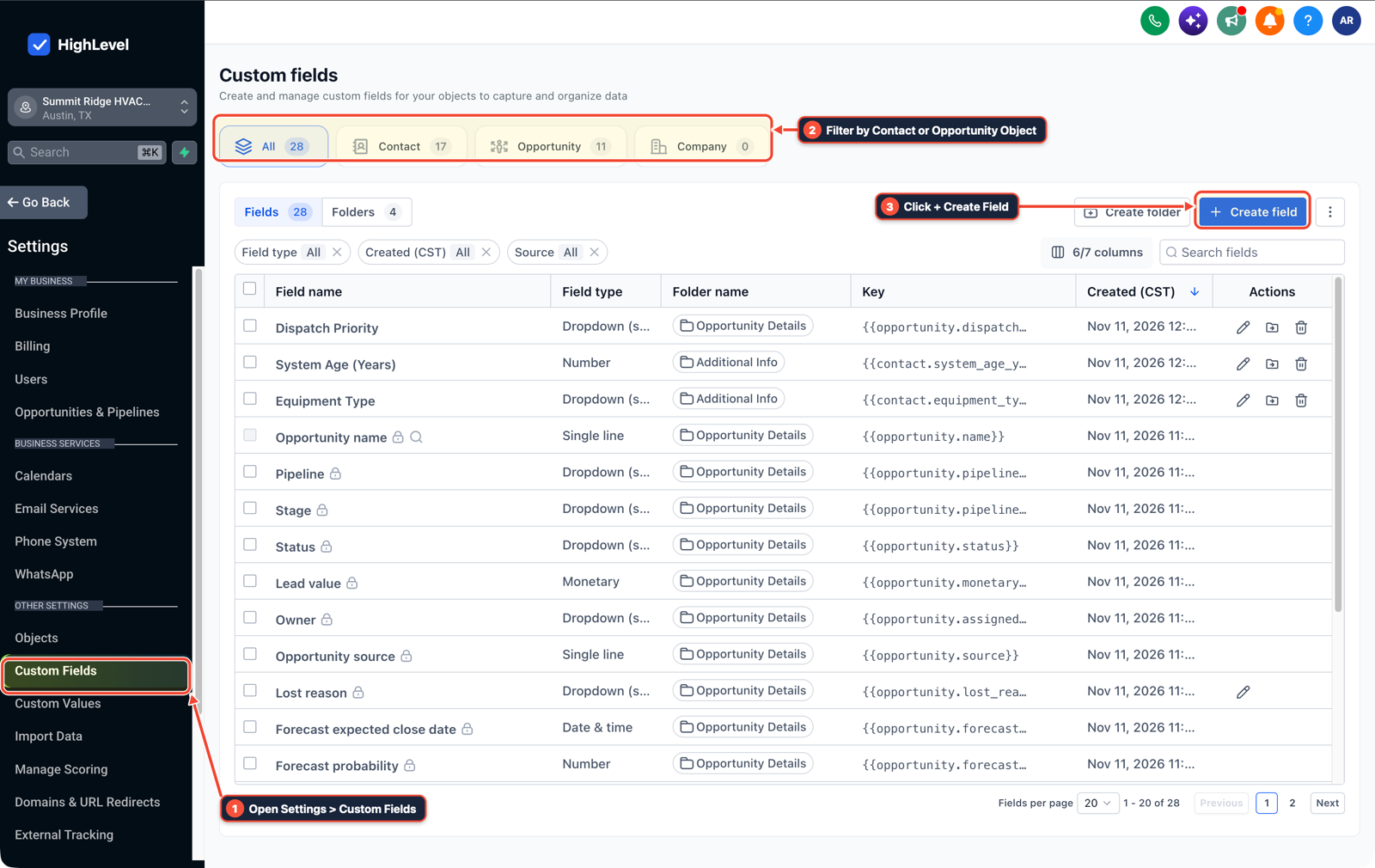
1Open Settings > Custom Fields 2Filter by Contact or Opportunity Object 3Click + Create Field -
STEP 3Create or Update Workflows and Pages: In Claude Code or Cursor, call
workflows_create_from_recipe,forms_create, orfunnels_update_pageto build and update sub-account assets directly from your editor.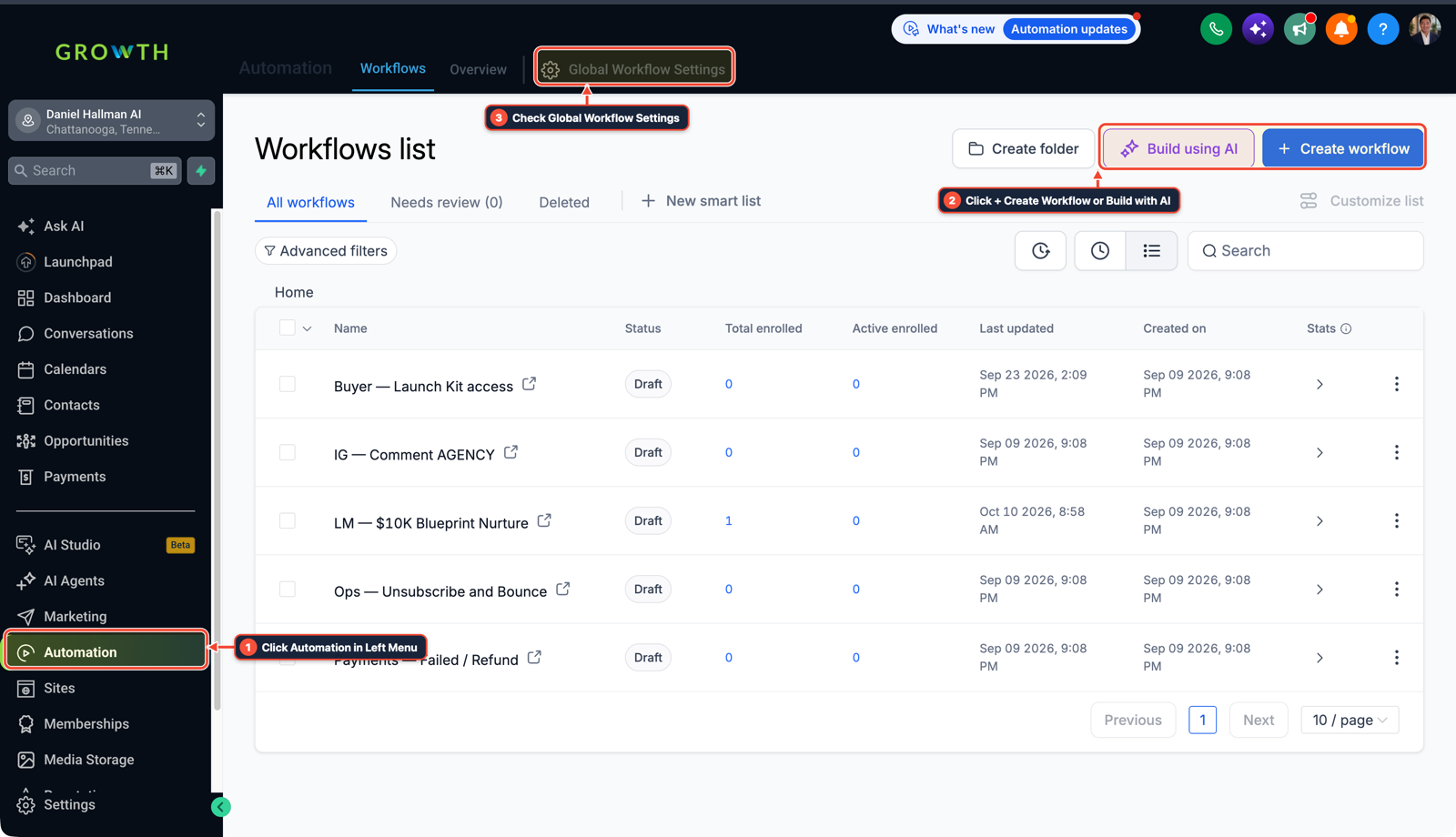
1Click Automation in Left Menu 2Click + Create Workflow or Build with AI 3Check Global Workflow Settings
MODE: AGENT PROMPT
PASTE INTO CLAUDE CODE, CURSOR, CHATGPT, OR GOHIGHLEVEL ASK AI
AGENT PROMPT
Connect to our GoHighLevel sub-account via MCP and audit the active configuration:
1. Run audit_location to inspect DNS deliverability, Voice AI prompts, call-screening IVRs, and workflow triggers.
2. List any broken triggers, missing custom fields, or unlinked calendars.
3. Update the affected workflows and calendar settings directly using the ghl-crm MCP tools.
GHL-TOOLS MCP SERVER & CLI (DANIELHALLMAN.COM/MCP)
BUILDER + SUB-ACCOUNT TOOLS
# 1. Add to .mcp.json (Claude Code / Cursor)
{
  "mcpServers": {
    "ghl-crm": {
      "command": "ghl-crm-mcp",
      "env": {
        "GHL_LOCATION_ID": "<YOUR_LOCATION_ID>"
      }
    }
  }
}

# 2. Run a 30-second sub-account health check
ghl-crm doctor --location-id <YOUR_LOCATION_ID>
Official GHL MCP vs. ghl-tools: HighLevel’s official hosted MCP (services.leadconnectorhq.com/mcp) covers public v2 CRM records (contacts, opportunities, appointments, conversations). ghl-tools MCP complements it with workflow graph inspection & recipes, funnel/form builders, DNS/BIMI checks, and ghl-crm doctor audits.
Cause
- GoHighLevel's official hosted MCP (
services.leadconnectorhq.com/mcp) wraps public v2 CRM record CRUD (contacts, conversations, opportunities - and appointments)
- which does not expose workflow node graphs, funnel/website page builders, DNS/SSL verification
- or snapshot diffs.
GoHighLevel Configuration
- Pair Official HighLevel MCP (for standard contact and conversation lookups) with
ghl-toolsMCP (ghl-crm-mcp,ghl-agency-mcp - and
ghl-onboard-mcp) for builder and agency operations: inspecting and creating workflow graphs, building forms and funnel pages, verifying DNS/BIMI/A2P 10DLC - and diffing snapshots.
GoHighLevel Menu Paths
| Step | Menu Path in GHL | Action |
|---|---|---|
| Step 1 | .mcp.json | Add the ghl-crm-mcp server command with your sub-account's GHL_LOCATION_ID. |
| Step 2 | Claude Code | Run audit_location, workflows_inspect_graph, and funnels_inspect to load existing custom fields, calendars, and workflow triggers. |
| Step 3 | Claude Code | Call workflows_create_from_recipe, forms_create, or funnels_update_page to build and update sub-account assets directly from your editor. |
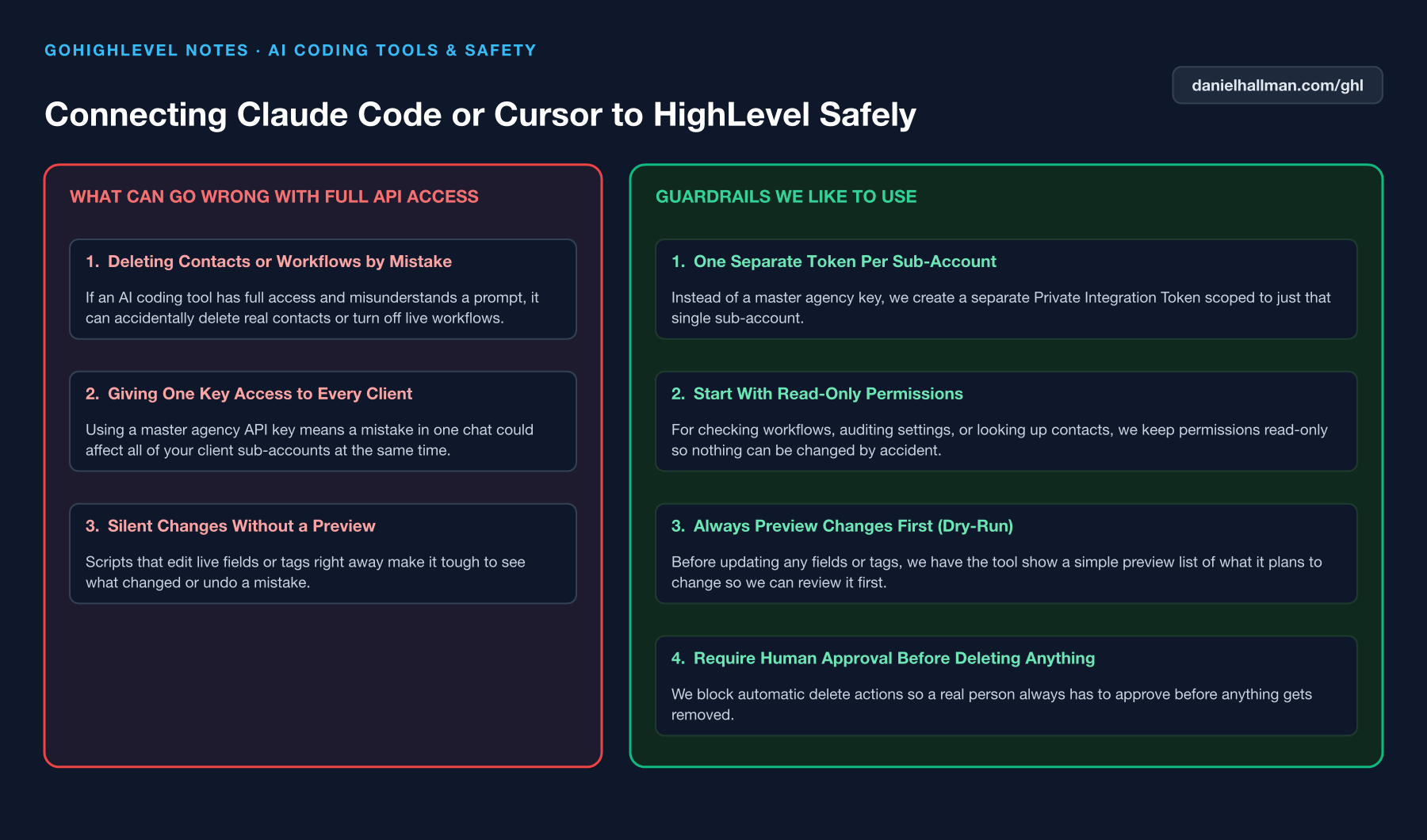
DEFAULT SETUP VS. AUTOMATED WORKFLOW
Operational Comparison
Manual Admin Work Per Client
Lead-to-Booked-Job Conversion
Related Questions
- How do you push GoHighLevel snapshot updates without wiping out client customizations?
- How do you set up a GoHighLevel Private Integration Token for a sub-account?
- How do you format data and run math in GoHighLevel Workflows without paying for n8n or Make?
- How do you onboard a new GoHighLevel agency client fast?
BUILD FASTER IN GOHIGHLEVEL · FREE TRIAL BONUSES + MCP SERVER
Build this directly inside your GoHighLevel sub-account
Connect Claude Code, Cursor, or OpenAI Codex to our ghl-tools MCP Server & Rust CLI to build workflows, forms, and funnels from your editor, or start your GoHighLevel plan through our partner link to unlock $612+ in ready-to-import kits (including ghl-tools MCP Server & Rust CLI) and weekly live clinics.