GOHIGHLEVEL ANSWERS & PROMPTS: PLAYBOOK T70 · GOHIGHLEVEL MCP V2 ENDPOINTS & SCOPED PRIVATE INTEGRATION TOKENS
AUTHOR: DANIEL HALLMAN
KEYWORD: MCP DISCONNECT
STEP-BY-STEP INSTRUCTIONS + ANNOTATED GHL SCREENSHOTS
Steps in GoHighLevel
-
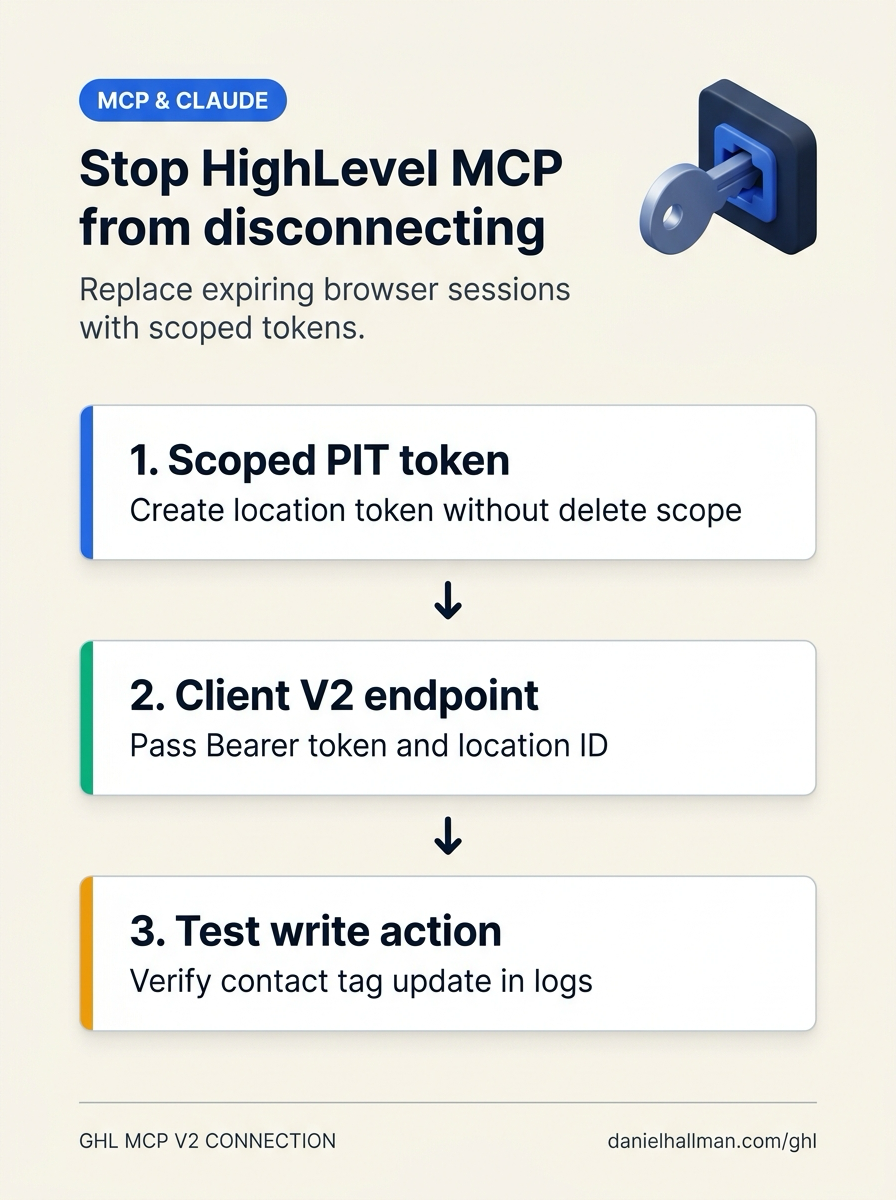
STEP 1In Settings > Private Integrations, click Create New Integration, select only the scopes your assistant needs (Contacts, Opportunities, Calendars, Conversations, and Workflows, leaving destructive delete scopes unchecked), and copy the
pit-...token.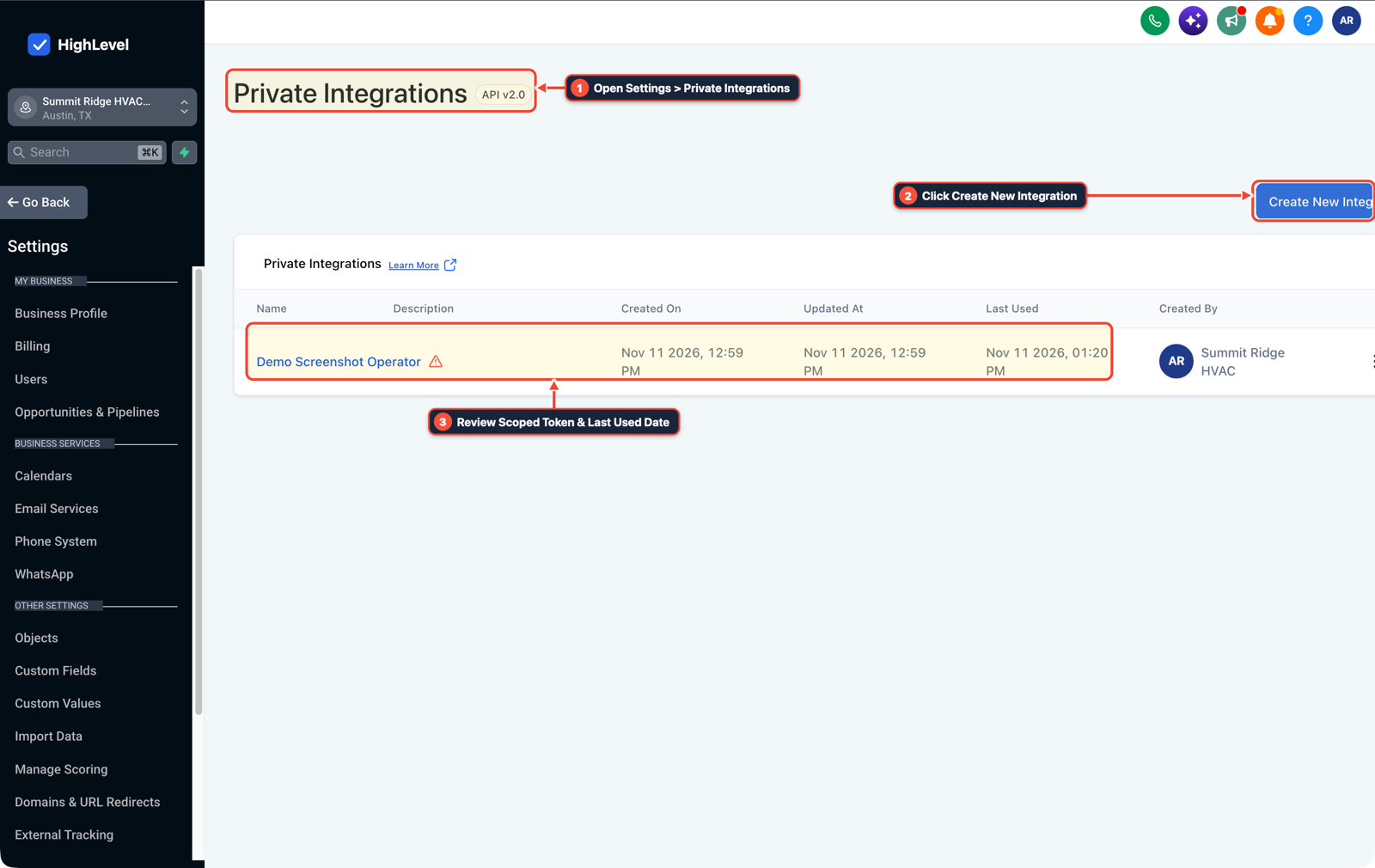
1Open Settings > Private Integrations 2Click Create New Integration 3Review Scoped Token & Last Used Date -
STEP 2In Automation > Workflow Builder (and your Claude or ChatGPT MCP server settings), replace the legacy
/mcp/browser OAuth connection with the V2 MCP endpoint and passAuthorization: Bearer pit-...plus your target sub-accountlocationIdso rotating web sessions never disconnect the tool.
1Add If/Else Condition & Tag Guard 2Chain Priority & Wait Steps 3Switch to Settings or Execution Logs -
STEP 3In Automation > Workflow > Execution Logs (and Contacts), run one test contact search and one test tag update through the new MCP connection to confirm it reads and writes in the right sub-account before removing your old connector.
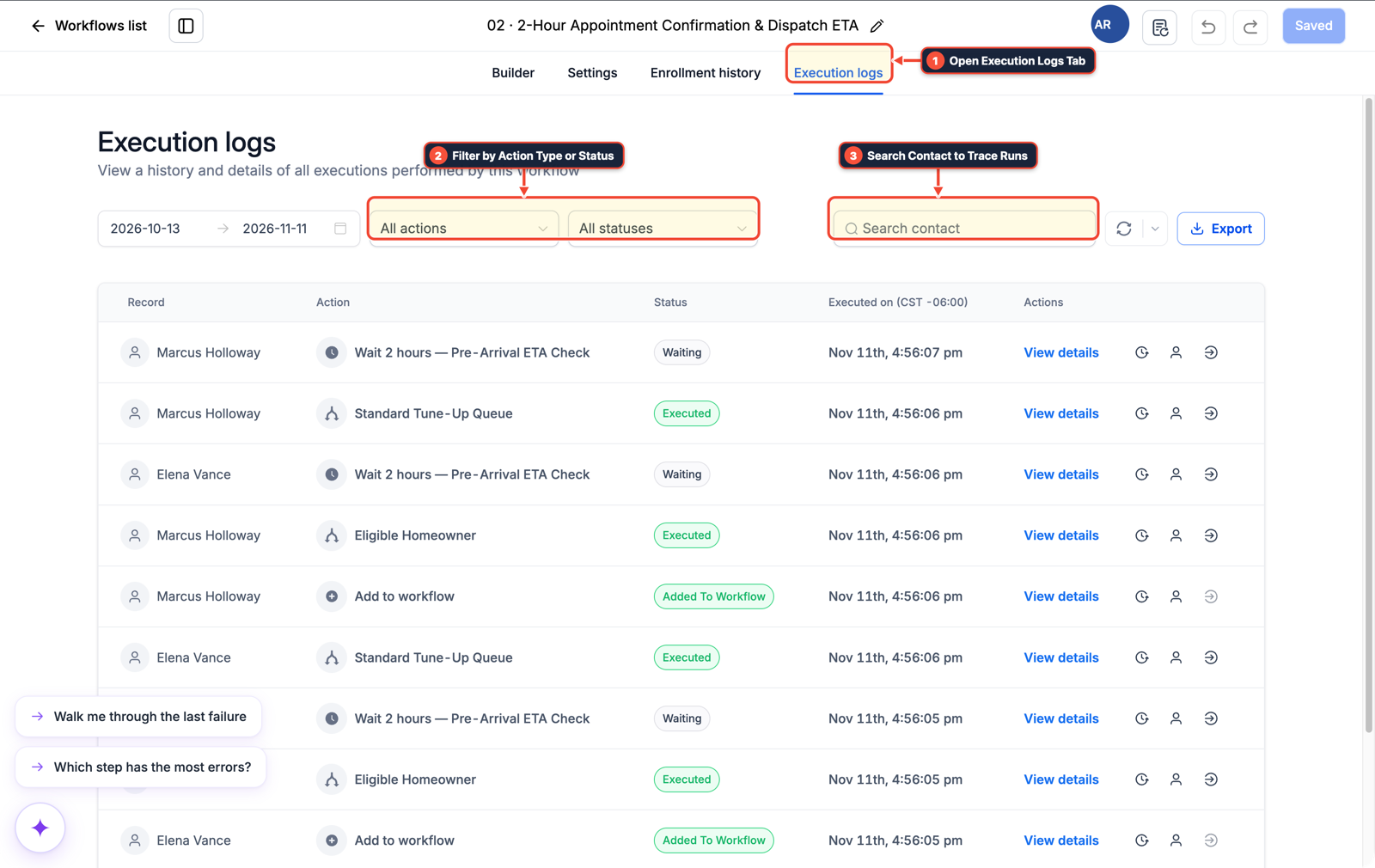
1Open Execution Logs Tab 2Filter by Action Type or Status 3Search Contact to Trace Runs
MODE: AGENT PROMPT
PASTE INTO CLAUDE CODE, CURSOR, CHATGPT, OR GOHIGHLEVEL ASK AI
AGENT PROMPT
Fix recurring GoHighLevel MCP disconnections for Claude or ChatGPT in sub-account <YOUR_LOCATION_ID>:
1. In Settings > Private Integrations, create a scoped API v2 token (pit-...) with Contacts, Opportunities, Calendars, Conversations, and Workflows permissions and no delete scopes.
2. Configure the client-specific V2 MCP endpoint with Authorization: Bearer <PIT_TOKEN> and locationId: <YOUR_LOCATION_ID> instead of an expiring browser OAuth session.
3. Run a test contact lookup and tag update and verify the event in Contacts and Automation > Workflow > Execution Logs before removing the legacy connection.
GHL-TOOLS MCP SERVER & CLI (DANIELHALLMAN.COM/MCP)
BUILDER + SUB-ACCOUNT TOOLS
# Verify HighLevel MCP connection health and sub-account token scopes
ghl-agency doctor --context <YOUR_CONTEXT> --location <YOUR_LOCATION_ID>
ghl-crm workflows list --context <YOUR_CONTEXT> --location <YOUR_LOCATION_ID>
Official GHL MCP vs. ghl-tools: HighLevel’s official hosted MCP (services.leadconnectorhq.com/mcp) covers public v2 CRM records (contacts, opportunities, appointments, conversations). ghl-tools MCP complements it with workflow graph inspection & recipes, funnel/form builders, DNS/BIMI checks, and ghl-crm doctor audits.
Cause
- Operators connecting Claude or ChatGPT to the legacy
https://services.leadconnectorhq.com/mcp/URL via interactive browser login get forced to reauthorize every few days whenever the OAuth session token expires or rotates. - Even after switching to the newer client-specific V2 URL, keeping delete scopes enabled or skipping a live sub-account write test can leave the assistant pointing at the wrong location or failing on tool calls.
GoHighLevel Configuration
- Generate a non-expiring, least-privilege Private Integration token (
pit-...) in Settings > Private Integrations, pair it with the V2 MCP endpoint and explicitlocationIdin Automation > Workflow Builder (or your MCP client config) - and verify a real contact tag update in Automation > Workflow > Execution Logs.
GoHighLevel Menu Paths
| Step | Menu Path in GHL | Action |
|---|---|---|
| Step 1 | Settings > Private Integrations | Click Create New Integration, select only the scopes your assistant needs (Contacts, Opportunities, Calendars, Conversations, and Workflows, leaving destructive delete scopes unchecked), and copy the pit-... token. |
| Step 2 | Automation > Workflow Builder | In Automation > Workflow Builder (and your Claude or ChatGPT MCP server settings), replace the legacy /mcp/ browser OAuth connection with the V2 MCP endpoint and pass Authorization: Bearer pit-... plus your target sub-account locationId so rotating web sessions never disconnect the tool. |
| Step 3 | Automation > Workflow > Execution Logs | Run one test contact search and one test tag update through the new MCP connection to confirm it reads and writes in the right sub-account before removing your old connector. |
DEFAULT SETUP VS. AUTOMATED WORKFLOW
Operational Comparison
Speed to Lead & Callback Safety
Caller Reply & Booking Rate
Related Questions
- How do you connect Claude Code or Cursor to GoHighLevel using MCP?
- How Do You Coordinate Codex, Claude Code, and a Planner Agent Without Copy-Pasting?
- How Do You Let Non-Engineers Approve Risky AI Agent Actions in GoHighLevel Without Slowing the Team?
- Are Multi-Agent AI Systems Really Better Than a Single AI Agent for Business Workflows in GoHighLevel?
BUILD FASTER IN GOHIGHLEVEL · FREE TRIAL BONUSES + MCP SERVER
Build this directly inside your GoHighLevel sub-account
Connect Claude Code, Cursor, or OpenAI Codex to our ghl-tools MCP Server & Rust CLI to build workflows, forms, and funnels from your editor, or start your GoHighLevel plan through our partner link to unlock $612+ in ready-to-import kits (including GHL MCP V2 & Private Integration Setup Kit) and weekly live clinics.