GOHIGHLEVEL ANSWERS & PROMPTS: PLAYBOOK T08 · WORKFLOWS & AUTOMATION
AUTHOR: DANIEL HALLMAN
KEYWORD: MCP
MODE: AGENT PROMPT
PASTE INTO CLAUDE CODE, CURSOR, CHATGPT, OR GOHIGHLEVEL ASK AI
AGENT PROMPT
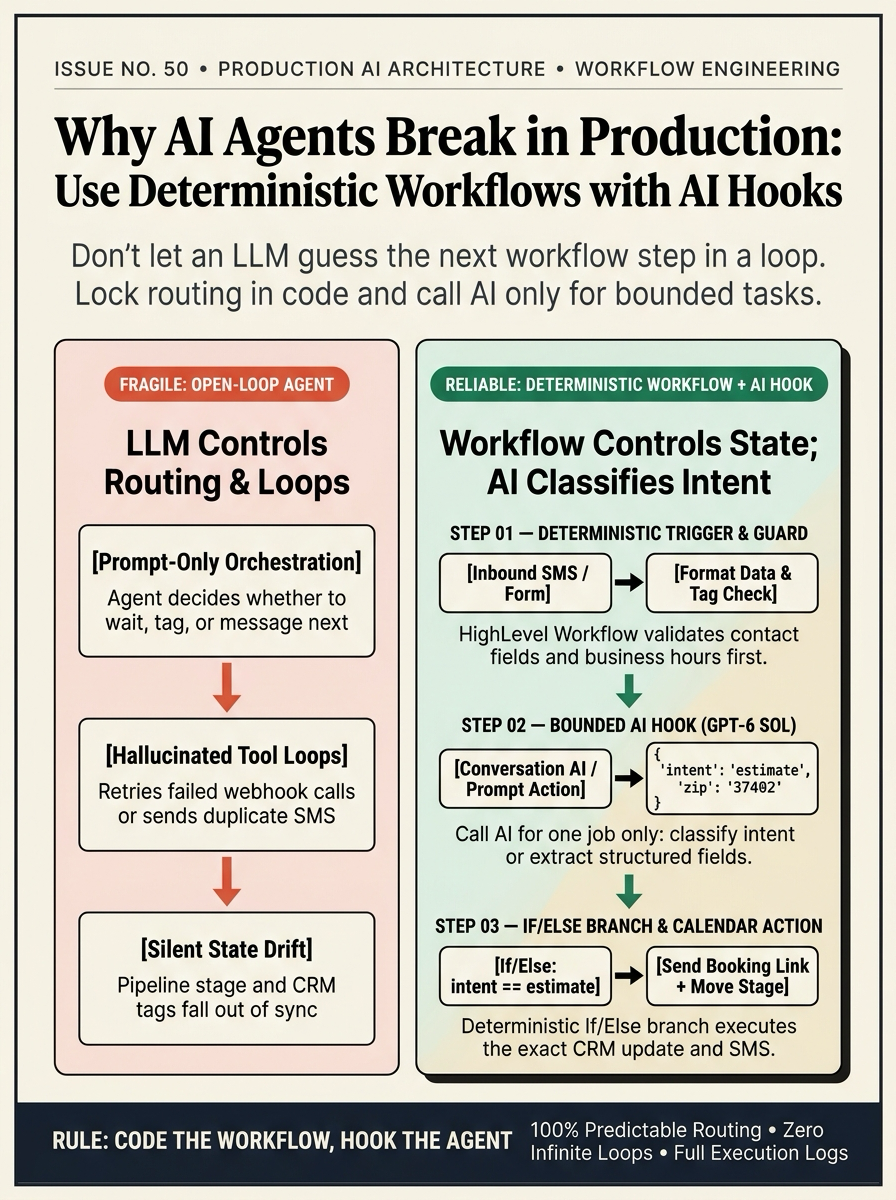
Refactor our GoHighLevel AI lead workflow in sub-account <YOUR_LOCATION_ID> so rule-based workflow steps control routing and AI runs only as a bounded hook:
1. In Automation > Workflows, place a Format Data step and tag check ('ai-opted-out' excluded) immediately after the Customer Replied trigger.
2. Configure the Conversation AI (GPT-6 Sol) step to perform one bounded task: classify the reply into 'estimate', 'urgent_repair', or 'human_handoff' and populate contact.ai_intent.
3. Add an If/Else branch on contact.ai_intent to send the calendar link, move the opportunity stage, or alert a human team member.
GHL-TOOLS MCP SERVER & CLI (DANIELHALLMAN.COM/MCP)
BUILDER + SUB-ACCOUNT TOOLS
# Inspect workflow graph and AI action nodes via ghl-crm CLI
ghl-crm workflows list --context <YOUR_CONTEXT> --location <YOUR_LOCATION_ID>
Official GHL MCP vs. ghl-tools: HighLevel’s official hosted MCP (services.leadconnectorhq.com/mcp) covers public v2 CRM records (contacts, opportunities, appointments, conversations). ghl-tools MCP complements it with workflow graph inspection & recipes, funnel/form builders, DNS/BIMI checks, and ghl-crm doctor audits.
STEP-BY-STEP INSTRUCTIONS + ANNOTATED GHL SCREENSHOTS
Steps in GoHighLevel
-
STEP 1Gate Triggers and Contact State with Workflow Rules: In Automation > Workflows, start with an explicit trigger (Customer Replied or Form Submitted) followed by Format Data and an If/Else tag guard (
ai-opted-outis not present) before any AI step runs.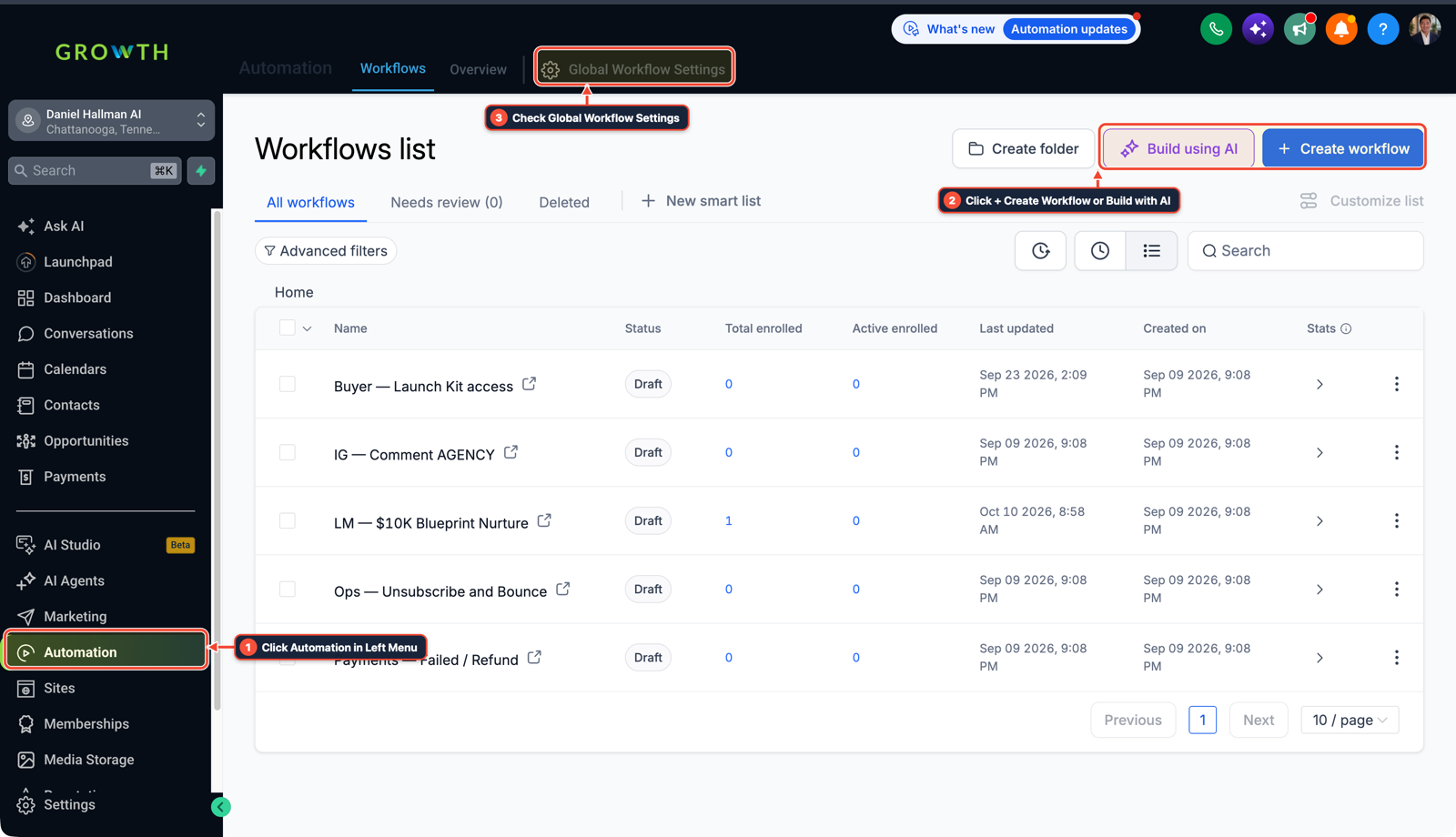
1Click Automation in Left Menu 2Click + Create Workflow or Build with AI 3Check Global Workflow Settings - STEP 2Call Conversation AI as a Bounded Extraction Hook: In Automation > Workflows, add a single Conversation AI (
GPT-6 Sol) or structured prompt step instructed to classify the message into fixed values (intent:estimate,repair, orhuman_handoff) and save the output tocontact.ai_intent. -
STEP 3Route Actions with an Explicit If/Else Branch: In Automation > Workflows, add an If/Else step inspecting
contact.ai_intentso standard workflow actions handle the calendar booking link, Update Opportunity stage move, or internal rep handoff alert.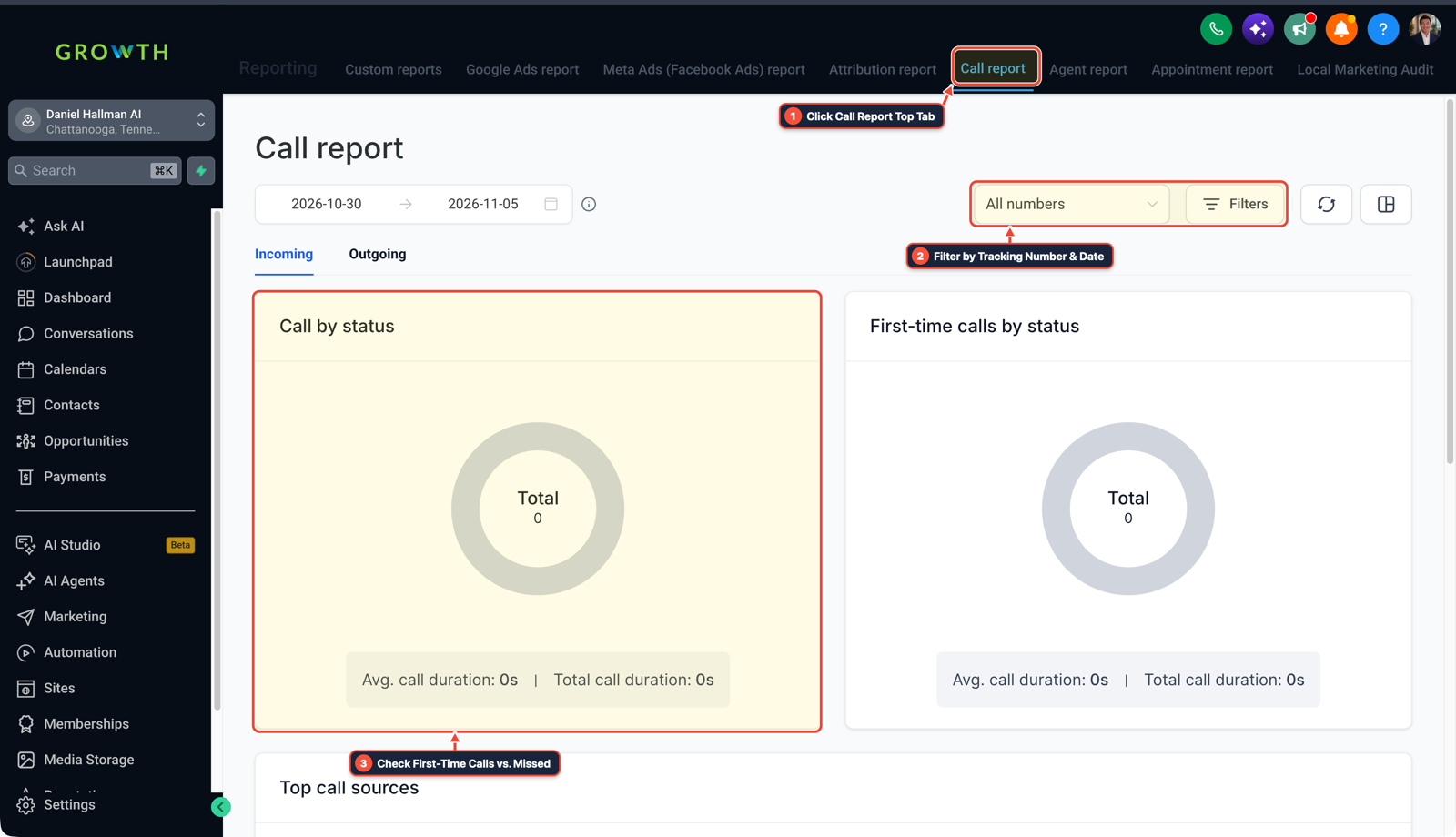
1Click Call Report Top Tab 2Filter by Tracking Number & Date 3Check First-Time Calls vs. Missed
Cause
- When an AI agent is given open-ended control over an entire lead workflow—deciding when to wait, which webhook to fire next, and whether to update pipeline stages—small prompt variations cause hallucinated tool loops, duplicate SMS sends, and silent CRM state drift.
- Relying on an LLM as the workflow engine makes production troubleshooting impossible.
GoHighLevel Configuration
- Use a rule-based, workflow-controlled architecture where native GoHighLevel Workflow steps own every trigger, tag check, wait timer
- and CRM state transition
- while calling AI only for bounded classification tasks like sorting customer replies (
estimatevsurgent_repair) or extracting a street address and ZIP code into custom fields.
GoHighLevel Menu Paths
| Step | Menu Path in GHL | Action |
|---|---|---|
| Step 1 | Automation > Workflows | Start with an explicit trigger (Customer Replied or Form Submitted) followed by Format Data and an If/Else tag guard (ai-opted-out is not present) before any AI step runs. |
| Step 2 | Automation > Workflows | Add a single Conversation AI (GPT-6 Sol) or structured prompt step instructed to classify the message into fixed values (intent: estimate, repair, or human_handoff) and save the output to contact.ai_intent. |
| Step 3 | Automation > Workflows | Add an If/Else step inspecting contact.ai_intent so standard workflow actions handle the calendar booking link, Update Opportunity stage move, or internal rep handoff alert. |
DEFAULT SETUP VS. AUTOMATED WORKFLOW
Operational Comparison
Speed to Lead & Callback Safety
Caller Reply & Booking Rate
Related Questions
- How do you format data and run math in GoHighLevel Workflows without paying for n8n or Make?
- How do you connect Claude Code or Cursor to GoHighLevel using MCP?
- How do you stop GoHighLevel chat bots from replying after a customer texts STOP?
- Why is GoHighLevel still sending messages after a customer replies?
BUILD FASTER IN GOHIGHLEVEL · FREE TRIAL BONUSES + MCP SERVER
Build this directly inside your GoHighLevel sub-account
Connect Claude Code, Cursor, or OpenAI Codex to our ghl-tools MCP Server & Rust CLI to build workflows, forms, and funnels from your editor, or start your GoHighLevel plan through our partner link to unlock $612+ in ready-to-import kits (including GHL Workflow Architect Pack) and weekly live clinics.