GOHIGHLEVEL ANSWERS & PROMPTS: PLAYBOOK T08 · WORKFLOWS & AUTOMATION
AUTHOR: DANIEL HALLMAN
KEYWORD: COSTS
STEP-BY-STEP INSTRUCTIONS + ANNOTATED GHL SCREENSHOTS
Steps in GoHighLevel
-
STEP 1In Settings > Conversation AI, set a fast model for message classification: Assign
FlashorHaiku($0.15/M tokens) to handle initial intent detection, sentiment checks, and basic field extraction.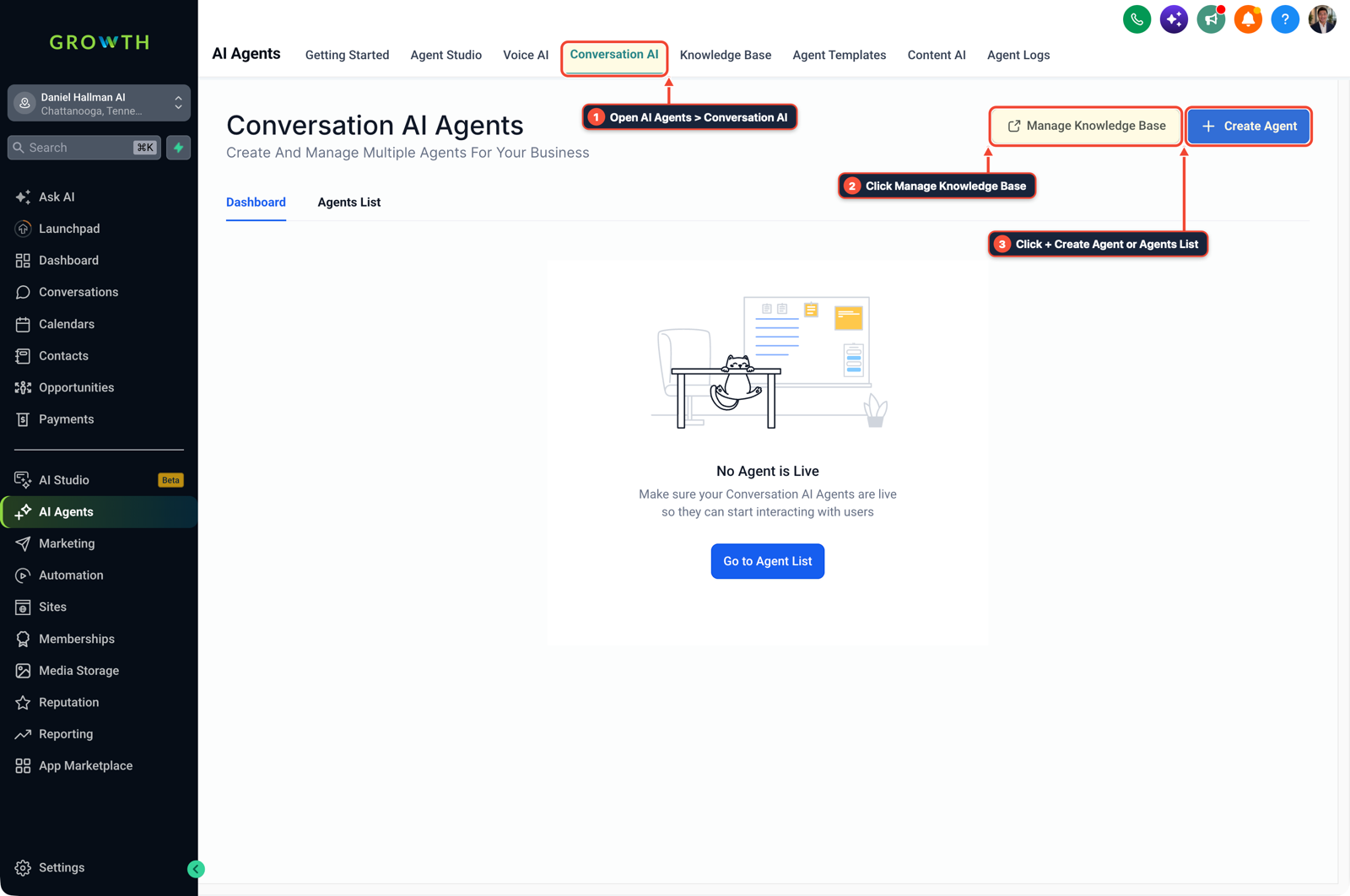
1Open AI Agents > Conversation AI 2Click Manage Knowledge Base 3Click + Create Agent or Agents List -
STEP 2In Automation > Workflows, cap chat history and isolate tool actions: Click + Create Workflow, select Conversation AI, and set the context limit to
3turns. Route calendar booking and contact updates toSonnetorPro($3.00/M tokens), and send frustrated callers straight to a human alert.
1Add If/Else Condition & Tag Guard 2Chain Email/SMS & Wait Steps 3Switch to Settings or Execution Logs -
STEP 3In AI Knowledge Base, store static company docs and move fixed rules to workflow branches: Upload pricing, business hours, and service policies to the Knowledge Base so they are cached instead of pasted into every prompt. Use standard If/Else workflow branches for business-hours checks and tag routing.
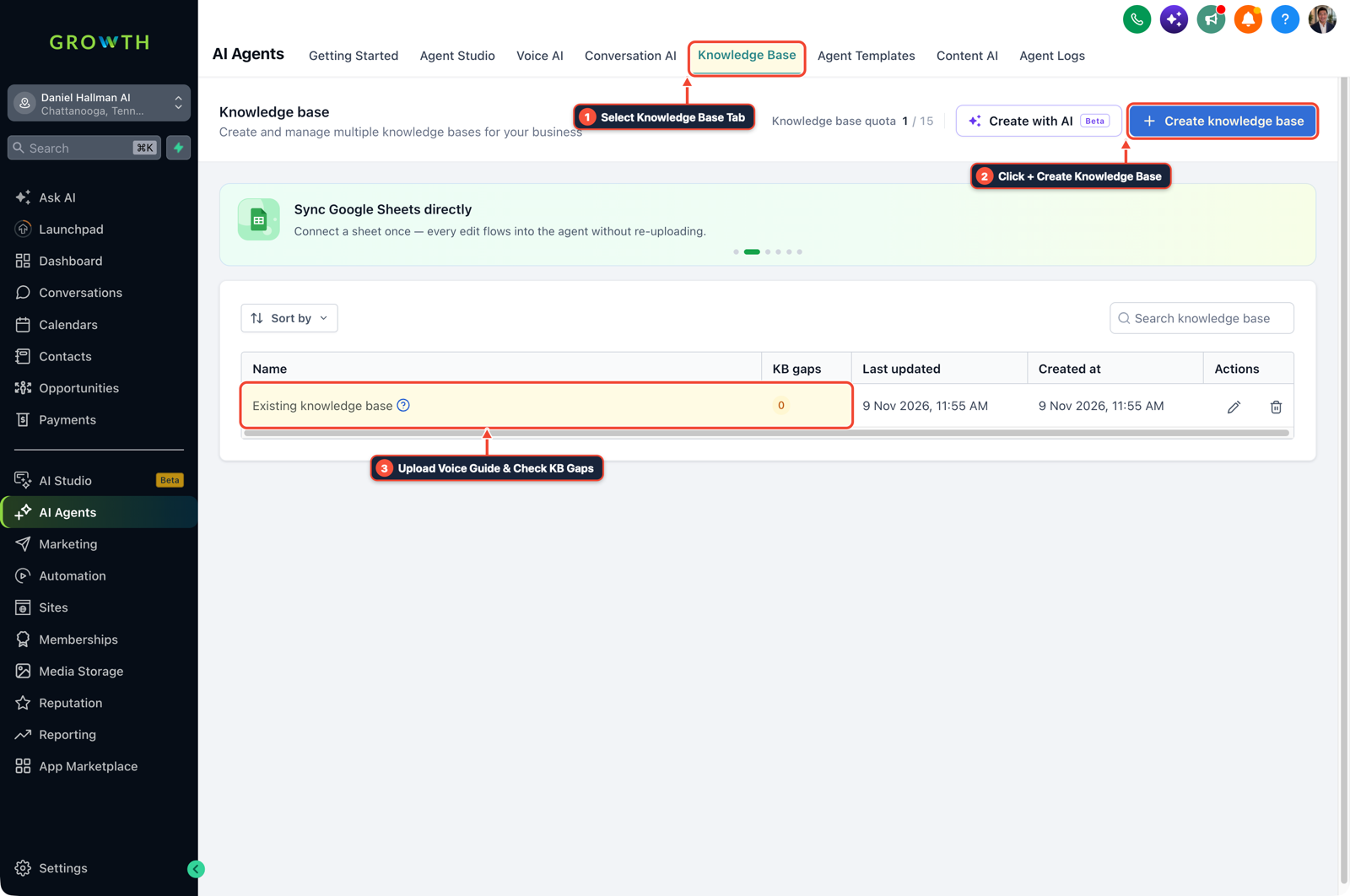
1Select Knowledge Base Tab 2Click + Create Knowledge Base 3Upload Voice Guide & Check KB Gaps
MODE: AGENT PROMPT
PASTE INTO CLAUDE CODE, CURSOR, CHATGPT, OR GOHIGHLEVEL ASK AI
AGENT PROMPT
Audit AI workflow token spend and configure dynamic model routing for sub-account <YOUR_LOCATION_ID>:
1. In Settings > Conversation AI, assign lightweight models to message classification and field extraction.
2. In Automation > Workflows, add 3-turn context limits and tool-calling action nodes.
3. In AI Knowledge Base, cache reference material and route complex escalations to team notifications.
GHL-TOOLS MCP SERVER & CLI (DANIELHALLMAN.COM/MCP)
BUILDER + SUB-ACCOUNT TOOLS
# Audit AI agent configurations and token usage via ghl-agency CLI
ghl-agency locations get --context <YOUR_CONTEXT> --location <YOUR_LOCATION_ID>
Official GHL MCP vs. ghl-tools: HighLevel’s official hosted MCP (services.leadconnectorhq.com/mcp) covers public v2 CRM records (contacts, opportunities, appointments, conversations). ghl-tools MCP complements it with workflow graph inspection & recipes, funnel/form builders, DNS/BIMI checks, and ghl-crm doctor audits.
Cause
- When teams connect an AI model to a workflow without routing rules, every 2-line text or JSON check runs on the most expensive model and sends the entire conversation history on every turn.
- Putting a flat monthly dollar cap on each seat just locks people out after a few days.
GoHighLevel Configuration
- Split your AI steps by job size.
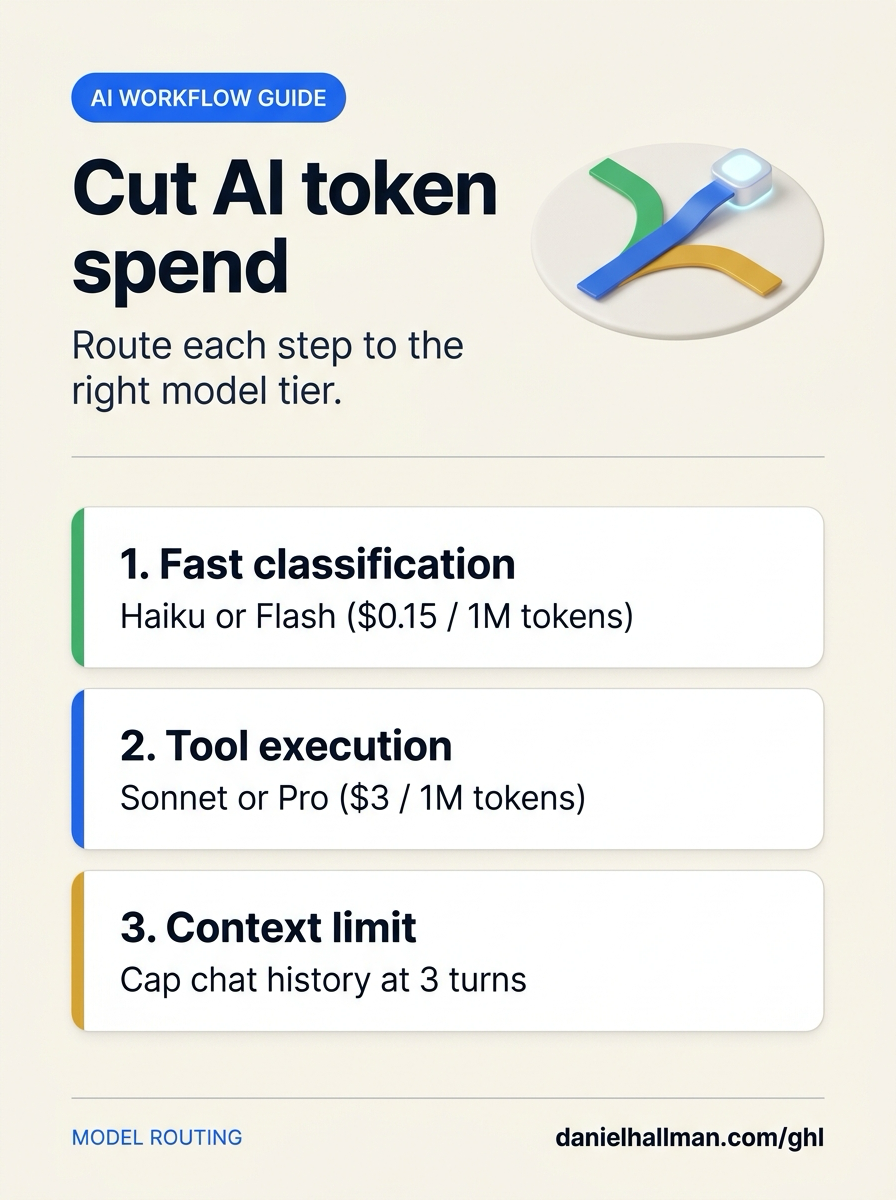
- Use a fast model like Haiku or Flash ($0.15/M tokens) for intent tagging and field extraction.
- Use a mid-tier model like Sonnet or Pro ($3.00/M tokens) only when the workflow needs to book a calendar or update CRM fields.
- Cap conversation history at 3 turns and keep static pricing and policies in the Knowledge Base.
GoHighLevel Menu Paths
| Step | Menu Path in GHL | Action |
|---|---|---|
| Step 1 | Settings > Conversation AI | Set a fast model for message classification: Assign Flash or Haiku ($0.15/M tokens) to handle initial intent detection, sentiment checks, and basic field extraction. |
| Step 2 | Automation > Workflows | Cap chat history and isolate tool actions: Click + Create Workflow, select Conversation AI, and set the context limit to 3 turns. |
| Step 3 | AI Knowledge Base | Store static company docs and move fixed rules to workflow branches: Upload pricing, business hours, and service policies to the Knowledge Base so they are cached instead of pasted into every prompt. |
DEFAULT SETUP VS. AUTOMATED WORKFLOW
Operational Comparison
Speed to Lead & Callback Safety
Caller Reply & Booking Rate
Related Questions
- Why are AI agents unreliable in production workflows and how do you fix them in GoHighLevel?
- How do you connect Claude Code or Cursor to GoHighLevel using MCP?
- How do you use Model Context Protocol (MCP) and AI to build and audit GoHighLevel workflows?
- How do you stop GoHighLevel Conversation AI from making up prices or looping on SMS?
BUILD FASTER IN GOHIGHLEVEL · FREE TRIAL BONUSES + MCP SERVER
Build this directly inside your GoHighLevel sub-account
Connect Claude Code, Cursor, or OpenAI Codex to our ghl-tools MCP Server & Rust CLI to build workflows, forms, and funnels from your editor, or start your GoHighLevel plan through our partner link to unlock $612+ in ready-to-import kits (including GHL Workflow Architect Pack) and weekly live clinics.