GOHIGHLEVEL ANSWERS & PROMPTS: PLAYBOOK T19 · DATABASE REACTIVATION
AUTHOR: DANIEL HALLMAN
KEYWORD: REACTIVATE
STEP-BY-STEP INSTRUCTIONS + ANNOTATED GHL SCREENSHOTS
Steps in GoHighLevel
-
STEP 1Filter Eligible Past Leads in Smart Lists: In Contacts > Smart Lists, filter by
Last Activity > 90 days,Phone is not empty,DND is Off, andOpportunity Status is not Won.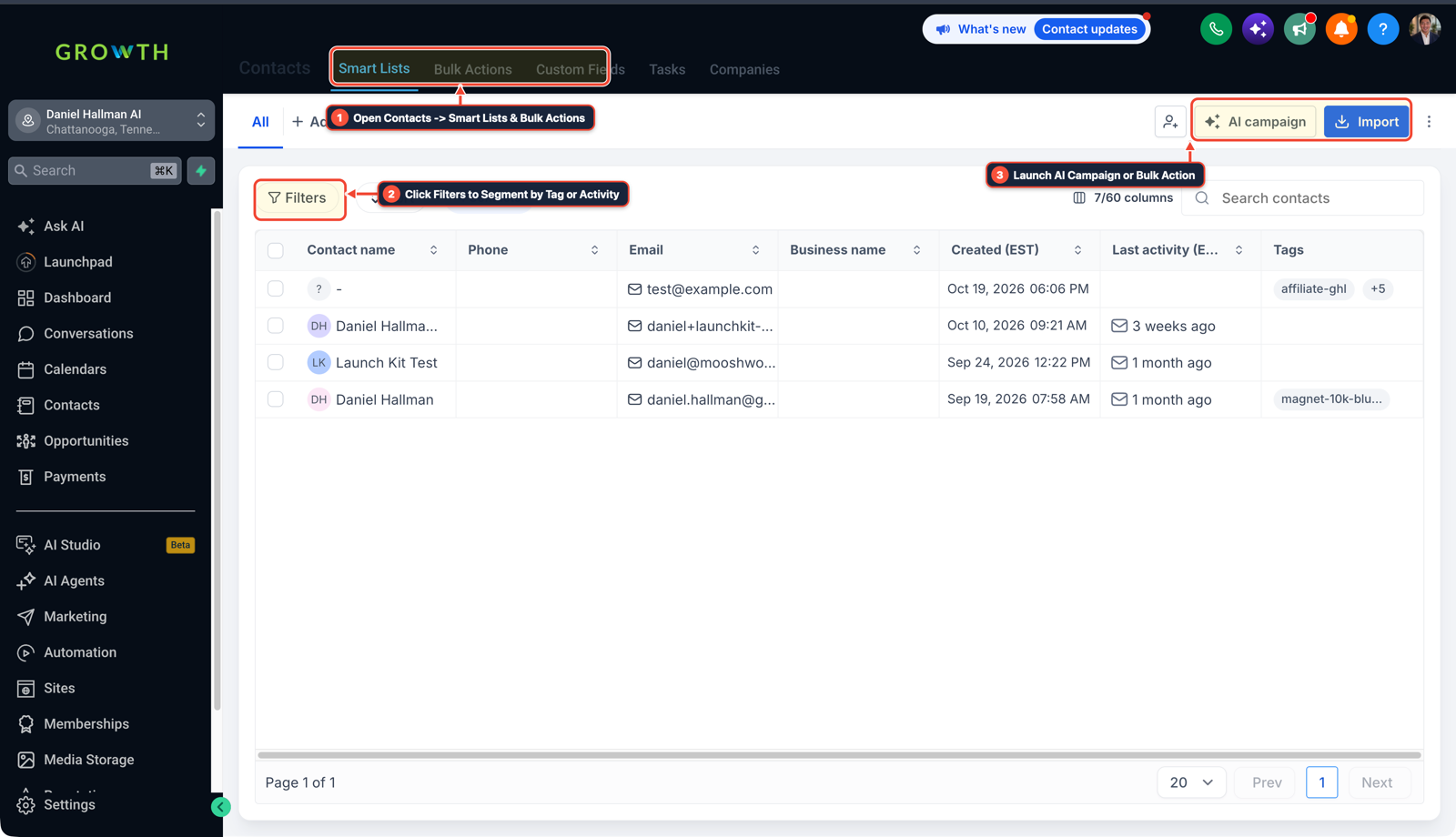
1Open Contacts > Smart Lists & Bulk Actions 2Click Filters to Segment by Tag or Activity 3Launch AI Campaign or Import List -
STEP 2Enroll in Drip Mode During Business Hours: In Contacts > Smart Lists, click Add to Workflow > Add in Drip Mode set to
50contacts per hour between10:00 AMand3:00 PMMonday–Friday.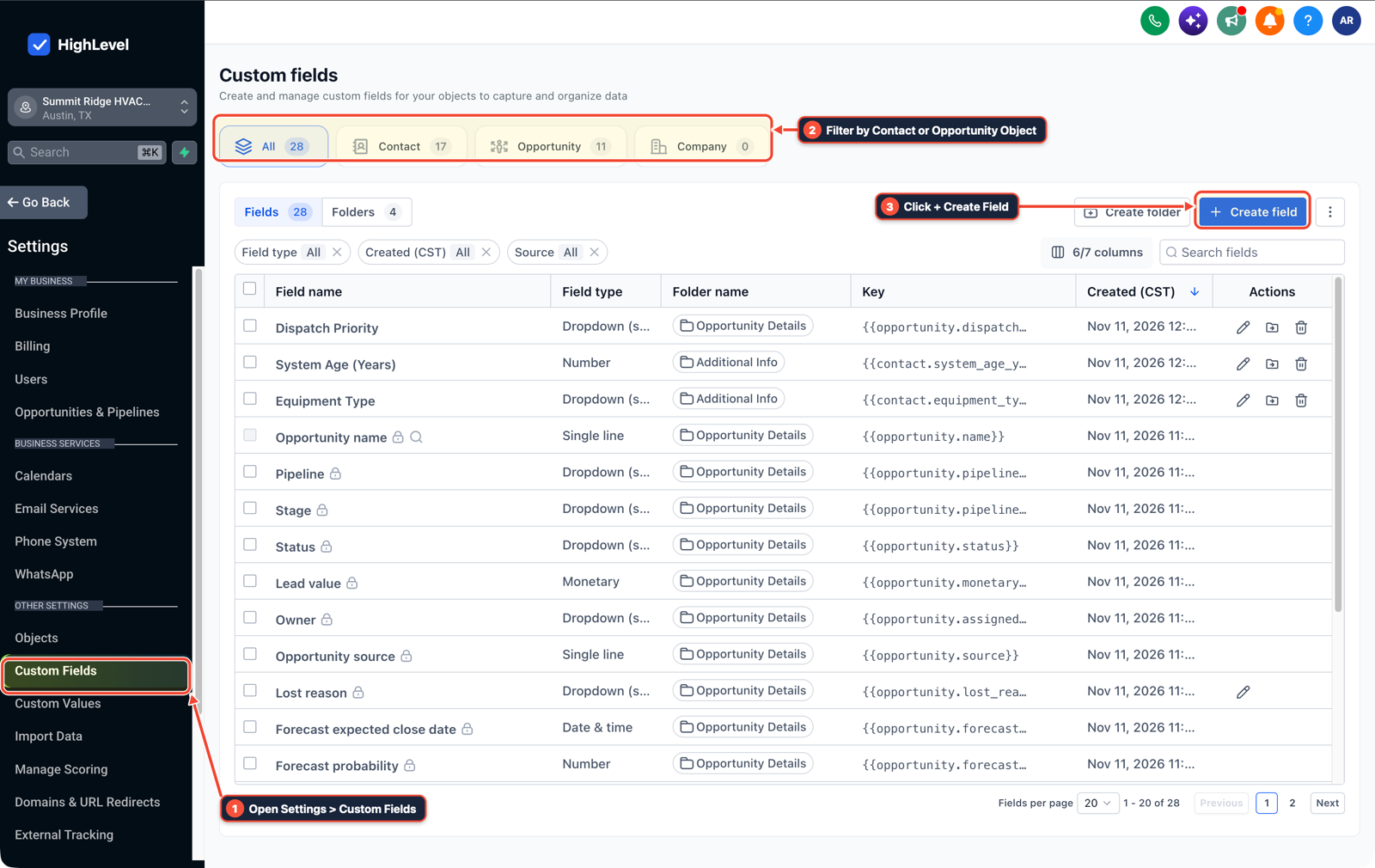
1Open Settings > Custom Fields 2Filter by Contact or Opportunity Object 3Click + Create Field -
STEP 3Send a Link-Free Question and Stop on Reply: In Automation > Workflows, send a 9-word plain-text check-in with zero links, enable Stop on Response, and branch on Customer Replied to create an opportunity.

1Add If/Else Condition & Tag Guard 2Chain Priority & Wait Steps 3Switch to Settings or Execution Logs
MODE: AGENT PROMPT
PASTE INTO CLAUDE CODE, CURSOR, CHATGPT, OR GOHIGHLEVEL ASK AI
AGENT PROMPT
Create a safe SmartList Database Reactivation campaign in our GoHighLevel sub-account:
1. Build a SmartList filtering for contacts with Last Activity > 90 days, valid mobile phone, DND = off, and no active open opportunity.
2. Configure a Database Reactivation workflow with Drip Mode capped at 40 contacts/hour between 10:00 AM and 3:00 PM local time.
3. Draft a link-free 9-word conversational SMS check-in and verify that Opt-Out Guard (STOP / remove me) and Stop on Response are active.
GHL-TOOLS MCP SERVER & CLI (DANIELHALLMAN.COM/MCP)
BUILDER + SUB-ACCOUNT TOOLS
# 1. MCP Tool Call (ghl-crm-mcp)
{
  "tool": "workflows_create_from_recipe",
  "arguments": {
    "location_id": "<YOUR_LOCATION_ID>",
    "recipe": "smartlist_database_reactivation_drip",
    "drip_per_hour": 40,
    "allow_links": false
  }
}

# 2. Or run via ghl-crm Rust CLI
ghl-crm workflows apply-recipe --location-id <YOUR_LOCATION_ID> --recipe dbr-drip-40hr
Official GHL MCP vs. ghl-tools: HighLevel’s official hosted MCP (services.leadconnectorhq.com/mcp) covers public v2 CRM records (contacts, opportunities, appointments, conversations). ghl-tools MCP complements it with workflow graph inspection & recipes, funnel/form builders, DNS/BIMI checks, and ghl-crm doctor audits.
Cause
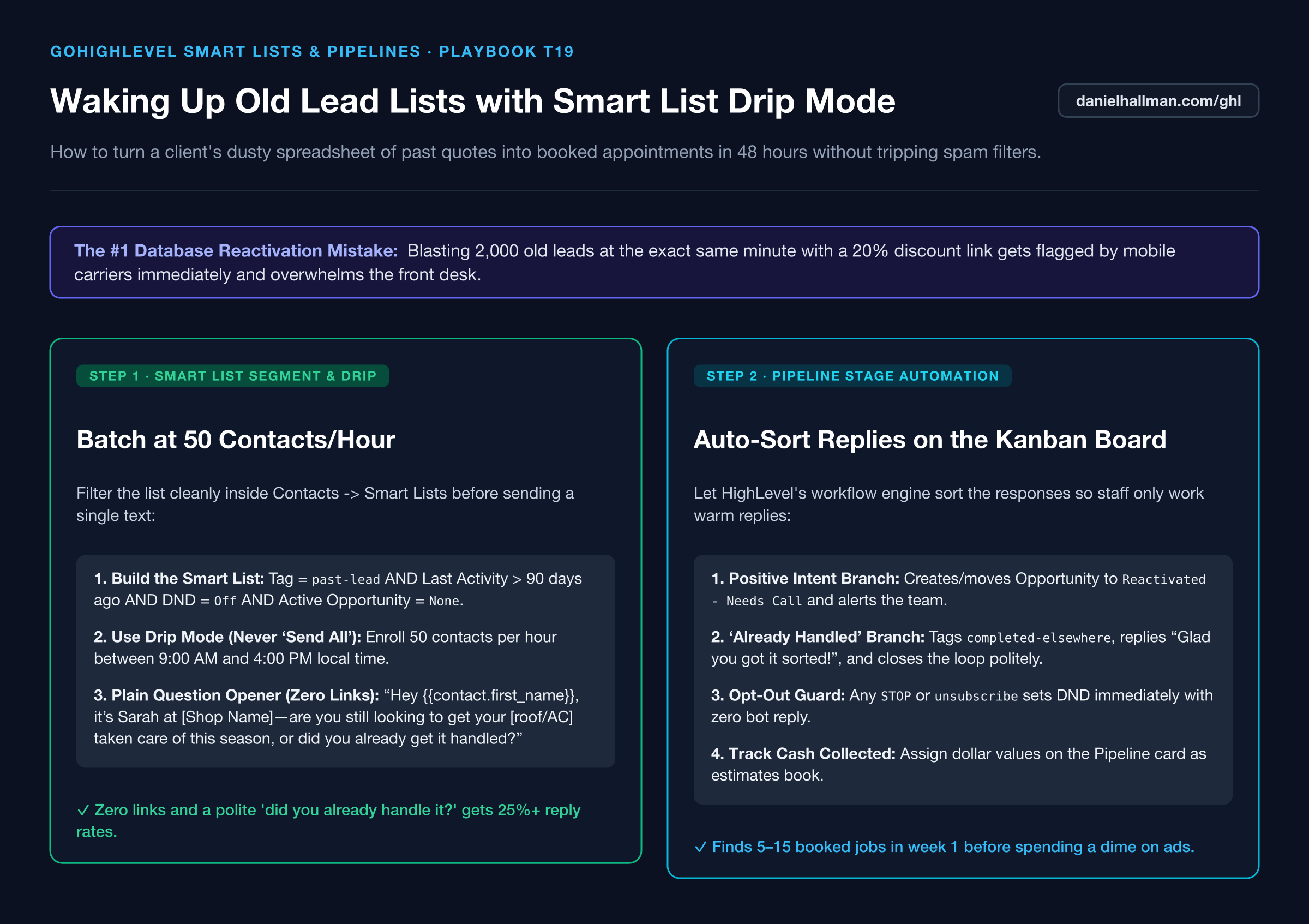
- Blasting 3,000 old leads at 9:00 AM with a marketing link and sales pitch triggers instant carrier spam blocks and overwhelms your staff.
GoHighLevel Configuration
- Build a clean SmartList filter, enroll contacts in workflow Drip Mode at 35
- 50 contacts per hour between 10 AM and 3 PM local time
- and ask a casual 1-sentence question ('Hey [First Name], are you still looking to get your [service] taken care of this season?') with zero URLs.
GoHighLevel Menu Paths
| Step | Menu Path in GHL | Action |
|---|---|---|
| Step 1 | Contacts > Smart Lists | Filter by Last Activity > 90 days, Phone is not empty, DND is Off, and Opportunity Status is not Won. |
| Step 2 | Contacts > Smart Lists | Click Add to Workflow > Add in Drip Mode set to 50 contacts per hour between 10:00 AM and 3:00 PM Monday–Friday. |
| Step 3 | Automation > Workflows | Send a 9-word plain-text check-in with zero links, enable Stop on Response, and branch on Customer Replied to create an opportunity. |
DEFAULT SETUP VS. AUTOMATED WORKFLOW
Operational Comparison
Manual Admin Work Per Client
Lead-to-Booked-Job Conversion
Related Questions
- How do you stop GoHighLevel chat bots from replying after a customer texts STOP?
- How do you get GoHighLevel A2P 10DLC campaign registration approved on the first try?
- How do you keep cold email separate from your main business domain in GoHighLevel?
- How do you get more 5-star Google reviews in GoHighLevel without annoying unhappy customers?
BUILD FASTER IN GOHIGHLEVEL · FREE TRIAL BONUSES + MCP SERVER
Build this directly inside your GoHighLevel sub-account
Connect Claude Code, Cursor, or OpenAI Codex to our ghl-tools MCP Server & Rust CLI to build workflows, forms, and funnels from your editor, or start your GoHighLevel plan through our partner link to unlock $612+ in ready-to-import kits (including GHL Workflow Recipe Pack ($47 — or Free with Trial)) and weekly live clinics.