GOHIGHLEVEL ANSWERS & PROMPTS: PLAYBOOK T05 · DELIVERABILITY & DNS
AUTHOR: DANIEL HALLMAN
KEYWORD: A2P
STEP-BY-STEP INSTRUCTIONS + ANNOTATED GHL SCREENSHOTS
Steps in GoHighLevel
-
STEP 1Add an Unchecked SMS Consent Checkbox: In Sites > Forms > Builder, add an optional, unchecked consent checkbox stating:
I agree to receive SMS notifications and appointment updates from [Legal Business Name]. Msg & data rates may apply. Reply STOP to opt out.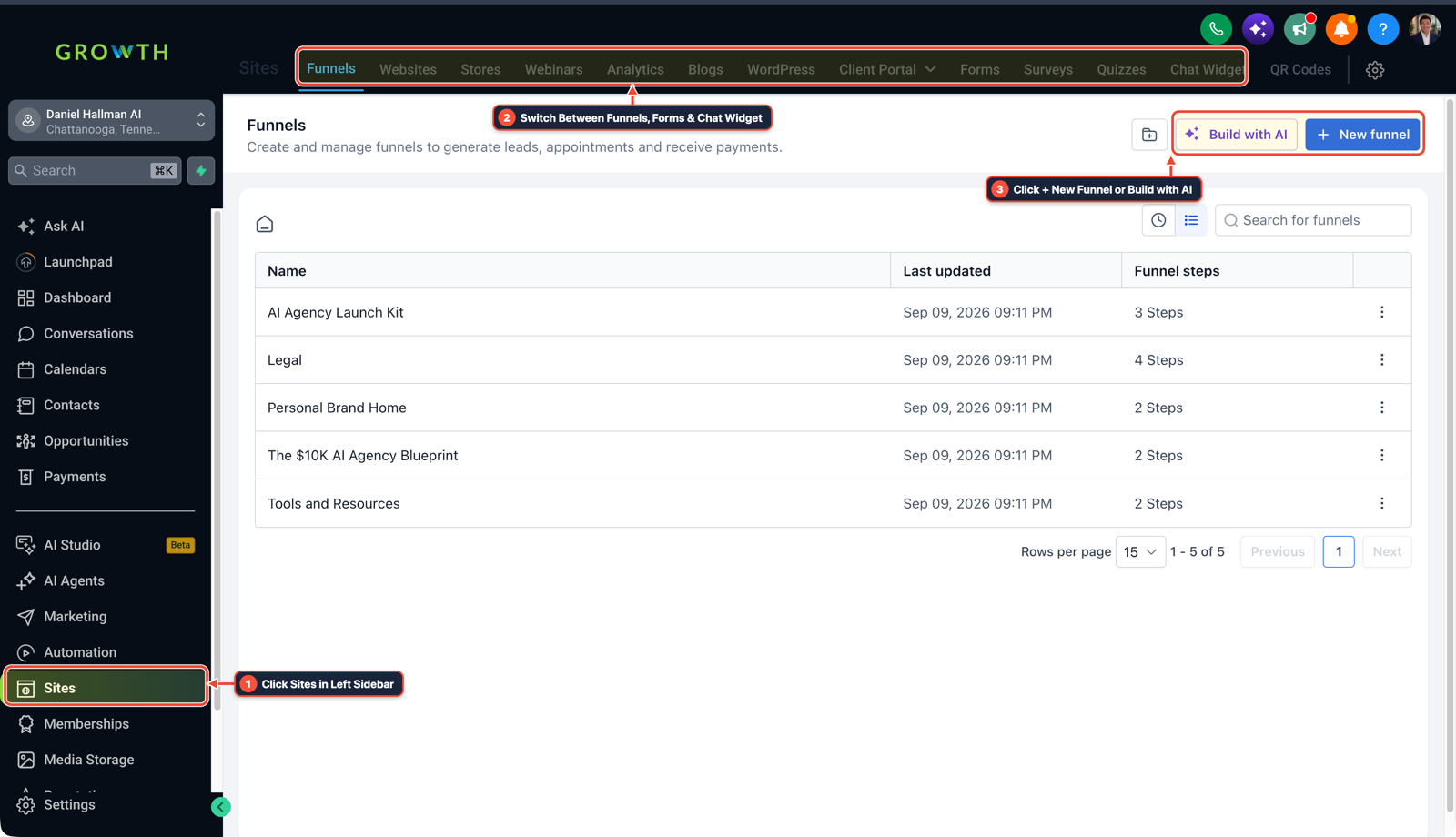
1Click Sites in Left Sidebar 2Switch Between Funnels, Forms & Chat Widget 3Click + New Funnel or Build with AI -
STEP 2Publish a Direct Privacy Policy Link: In Sites > Funnels (or your website), verify the Privacy Policy URL loads with a direct
HTTP 200and includes the clause stating mobile opt-in data is never shared with third parties for marketing.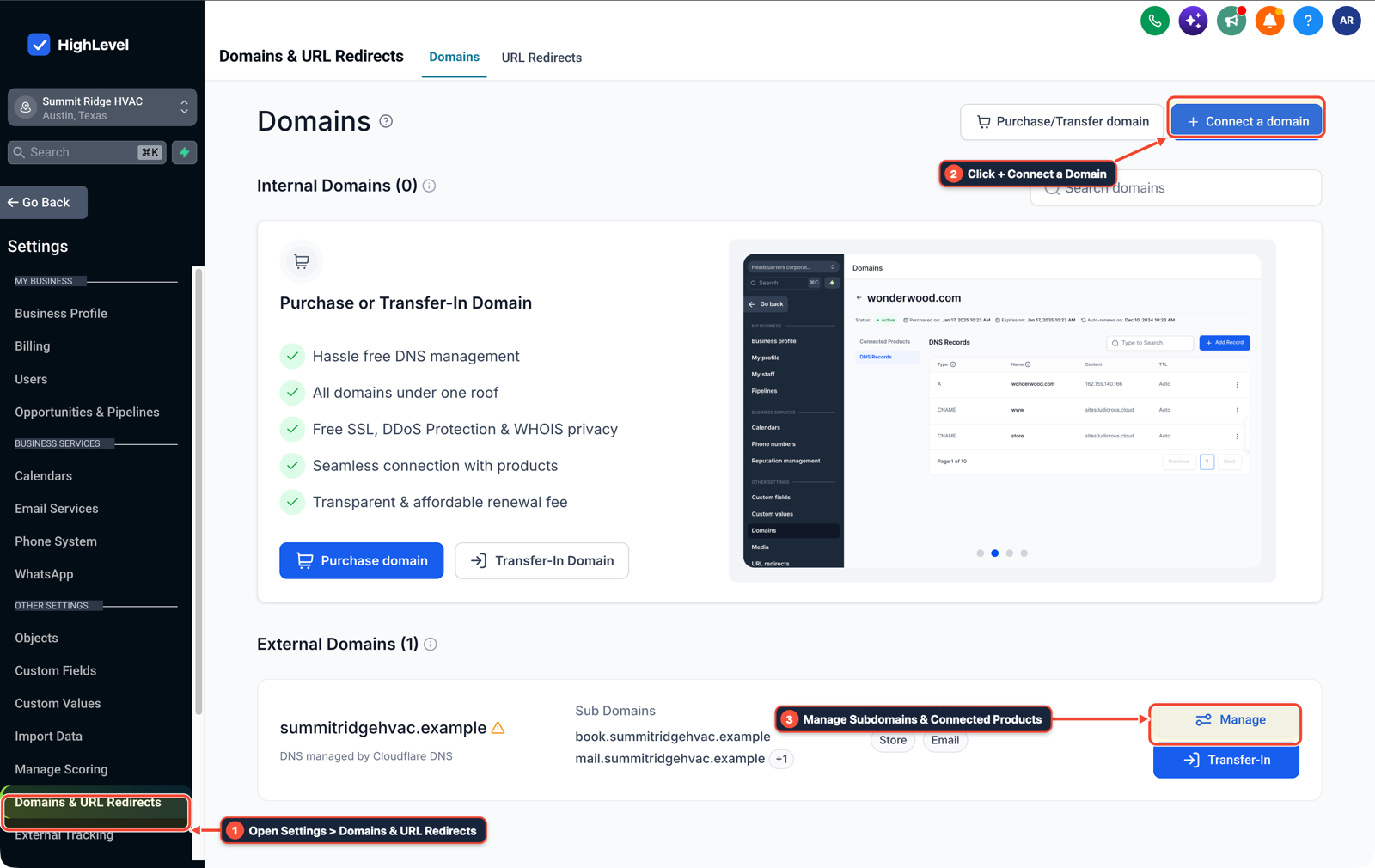
1Open Settings > Domains & URL Redirects 2Click + Connect a Domain 3Manage Subdomains & Connected Products -
STEP 3Match Your IRS CP-575 EIN Letter: In Settings > Phone Numbers > Trust Center, enter your legal business name, EIN, and street address character-for-character as printed on your IRS CP-575 notice.
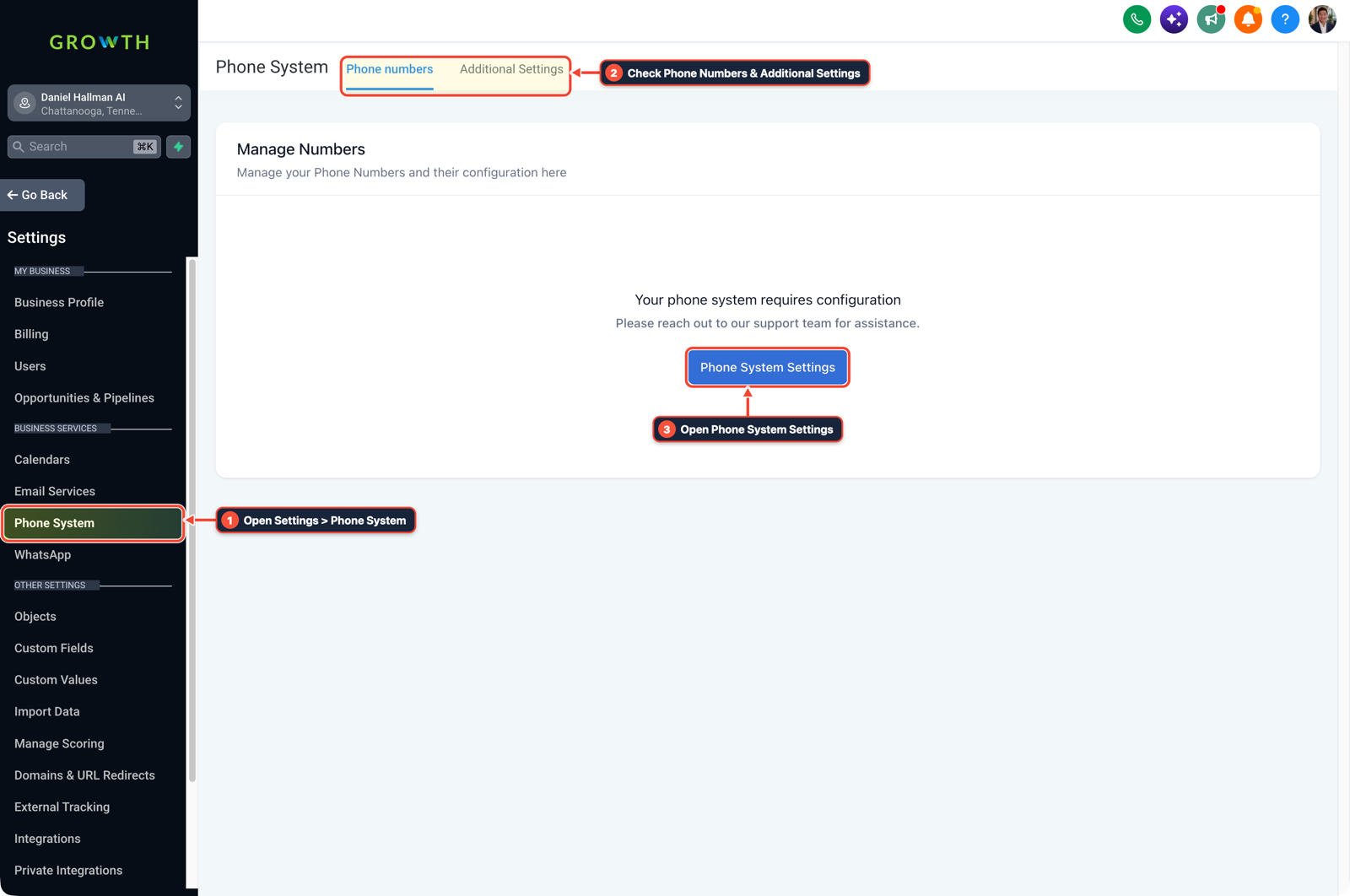
1Open Settings > Phone System 2Check Phone Numbers & Additional Settings 3Open Phone System Settings
MODE: AGENT PROMPT
PASTE INTO CLAUDE CODE, CURSOR, CHATGPT, OR GOHIGHLEVEL ASK AI
AGENT PROMPT
Run an A2P 10DLC compliance check on our GoHighLevel sub-account and opt-in funnel before we submit to carriers:
1. Inspect the public opt-in form URL to confirm it returns HTTP 200 without Cloudflare Bot Fight blocks or redirect loops.
2. Verify the SMS consent checkbox is optional, unchecked by default, and includes the exact legal business name, message frequency, "Msg & data rates may apply", and "Reply STOP to opt out".
3. Check the linked Privacy Policy and Terms URLs to ensure they include the required carrier clause stating mobile opt-in data will not be shared with third parties.
GHL-TOOLS MCP SERVER & CLI (DANIELHALLMAN.COM/MCP)
BUILDER + SUB-ACCOUNT TOOLS
# 1. MCP Tool Call (ghl-onboard-mcp)
{
  "tool": "audit_a2p_10dlc_compliance",
  "arguments": {
    "location_id": "<YOUR_LOCATION_ID>",
    "optin_form_url": "https://clientdomain.com/contact",
    "privacy_policy_url": "https://clientdomain.com/privacy"
  }
}

# 2. Or run via ghl-crm doctor CLI
ghl-crm doctor --location-id <YOUR_LOCATION_ID> --pillar deliverability
Official GHL MCP vs. ghl-tools: HighLevel’s official hosted MCP (services.leadconnectorhq.com/mcp) covers public v2 CRM records (contacts, opportunities, appointments, conversations). ghl-tools MCP complements it with workflow graph inspection & recipes, funnel/form builders, DNS/BIMI checks, and ghl-crm doctor audits.
Cause
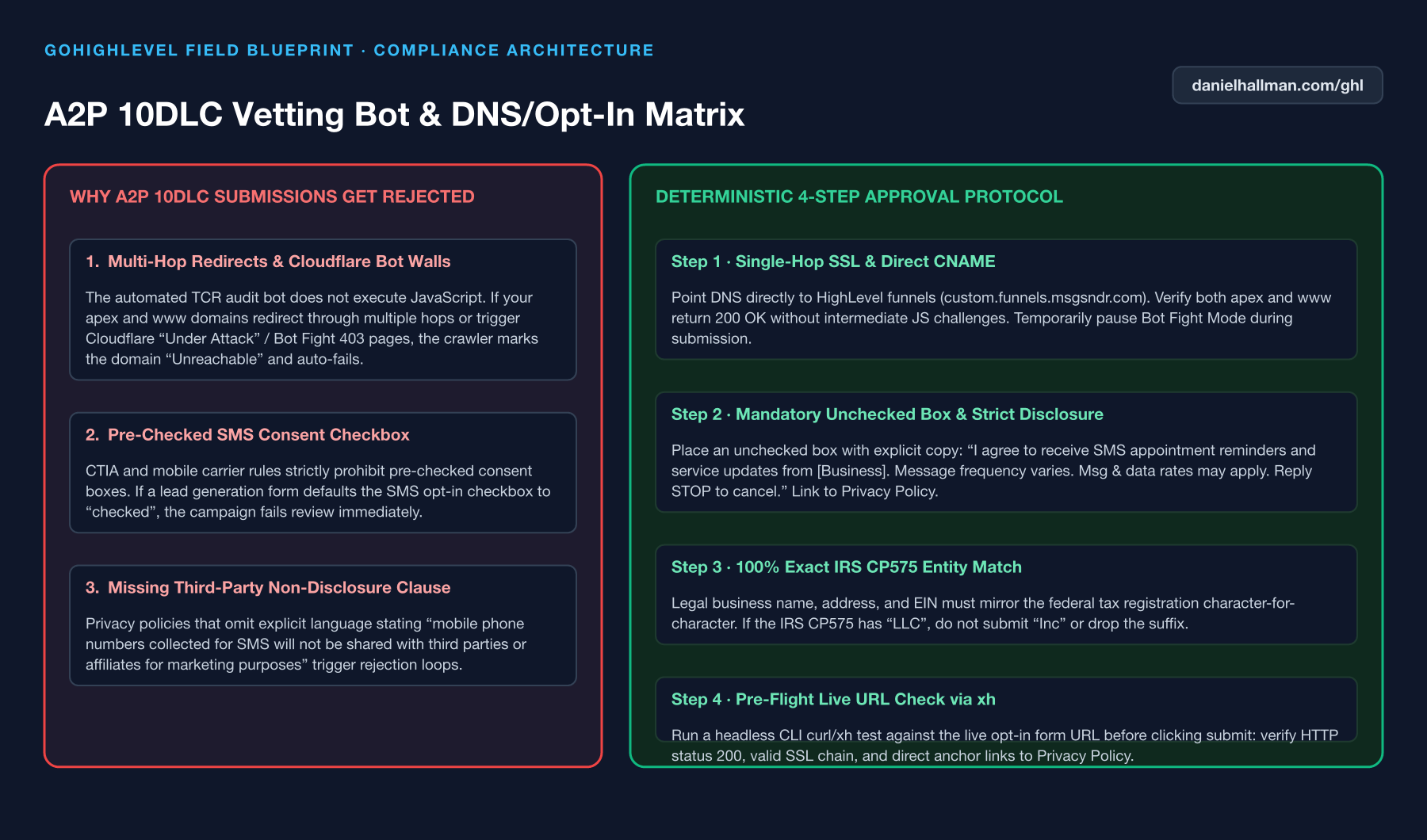
- Most A2P 10DLC campaign rejections happen because the automated carrier crawler hits a Cloudflare bot block or redirect loop ('Website Unreachable'), the SMS opt-in checkbox starts pre-checked
- or the form is missing explicit STOP/HELP and frequency disclosures.
GoHighLevel Configuration
- Verify your public opt-in URL before submitting in Trust Center: pause Cloudflare Bot Fight Mode during review, keep the consent box unchecked by default, include the exact legal business name in the checkbox label
- and link directly to a Privacy Policy page with an anti-sharing clause.
GoHighLevel Menu Paths
| Step | Menu Path in GHL | Action |
|---|---|---|
| Step 1 | Sites > Forms > Builder | Add an optional, unchecked consent checkbox stating: `I agree to receive SMS notifications and appointment updates from [Legal Business Name]. |
| Step 2 | Sites > Funnels | Verify the Privacy Policy URL loads with a direct HTTP 200 and includes the clause stating mobile opt-in data is never shared with third parties for marketing. |
| Step 3 | Settings > Phone Numbers > Trust Center | Enter your legal business name, EIN, and street address character-for-character as printed on your IRS CP-575 notice. |
DEFAULT SETUP VS. AUTOMATED WORKFLOW
Operational Comparison
Manual Admin Work Per Client
Lead-to-Booked-Job Conversion
Related Questions
- Why won't my GoDaddy DNS CNAME record or DMARC verify in GoHighLevel?
- How do you stop GoHighLevel chat bots from replying after a customer texts STOP?
- How do you keep cold email separate from your main business domain in GoHighLevel?
- How do you isolate custom tracking domains in GoHighLevel so links don't trigger spam filters?
BUILD FASTER IN GOHIGHLEVEL · FREE TRIAL BONUSES + MCP SERVER
Build this directly inside your GoHighLevel sub-account
Connect Claude Code, Cursor, or OpenAI Codex to our ghl-tools MCP Server & Rust CLI to build workflows, forms, and funnels from your editor, or start your GoHighLevel plan through our partner link to unlock $612+ in ready-to-import kits (including Deliverability, DNS & Apple Branded Mail Pack ($47 — or Free with Trial)) and weekly live clinics.