GOHIGHLEVEL ANSWERS & PROMPTS: PLAYBOOK T03 · UNIFIED INBOX & CHAT
AUTHOR: DANIEL HALLMAN
KEYWORD: INBOX
STEP-BY-STEP INSTRUCTIONS + ANNOTATED GHL SCREENSHOTS
Steps in GoHighLevel
-
STEP 1Trigger on Opt-Out Phrases: In Automation > Workflows, create a workflow triggered on Customer Replied containing
STOP,UNSUBSCRIBE,CANCEL,wrong number, orremove me.
1Add If/Else Condition & Tag Guard 2Chain Priority & Wait Steps 3Switch to Settings or Execution Logs -
STEP 2Enable DND and Pause AI: In Automation > Workflows, add three immediate actions: Enable/Disable DND (
Enable DND for SMS & Calls), Add Contact Tag (ai-conv-paused), and Remove from Workflow (All Workflows).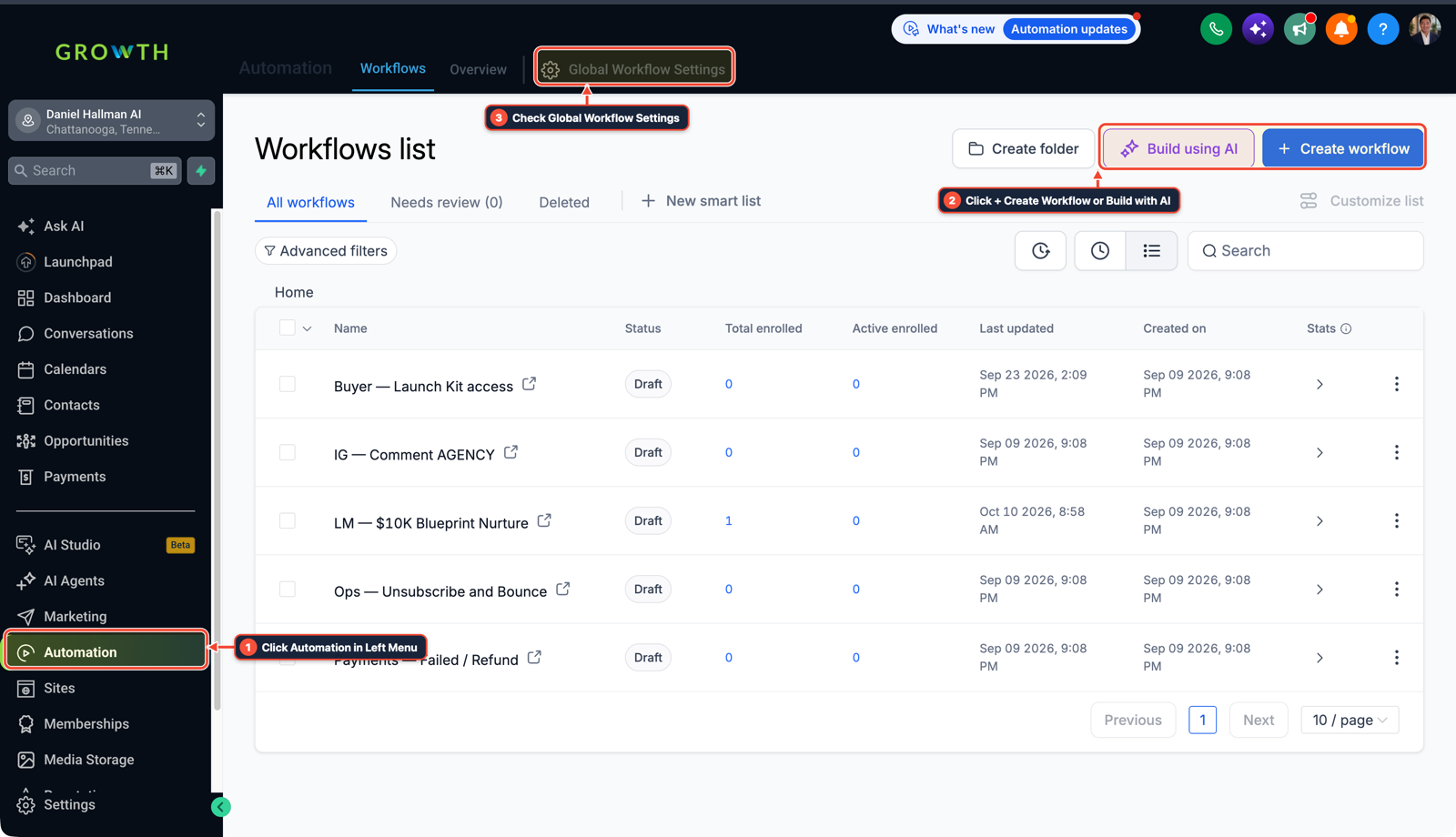
1Click Automation in Left Menu 2Click + Create Workflow or Build with AI 3Check Global Workflow Settings -
STEP 3Guard Every AI Reply Node: In Automation > Workflows, place an If/Else check (
Tags does not include ai-conv-pausedandDND is not enabled) directly above every Conversation AI action.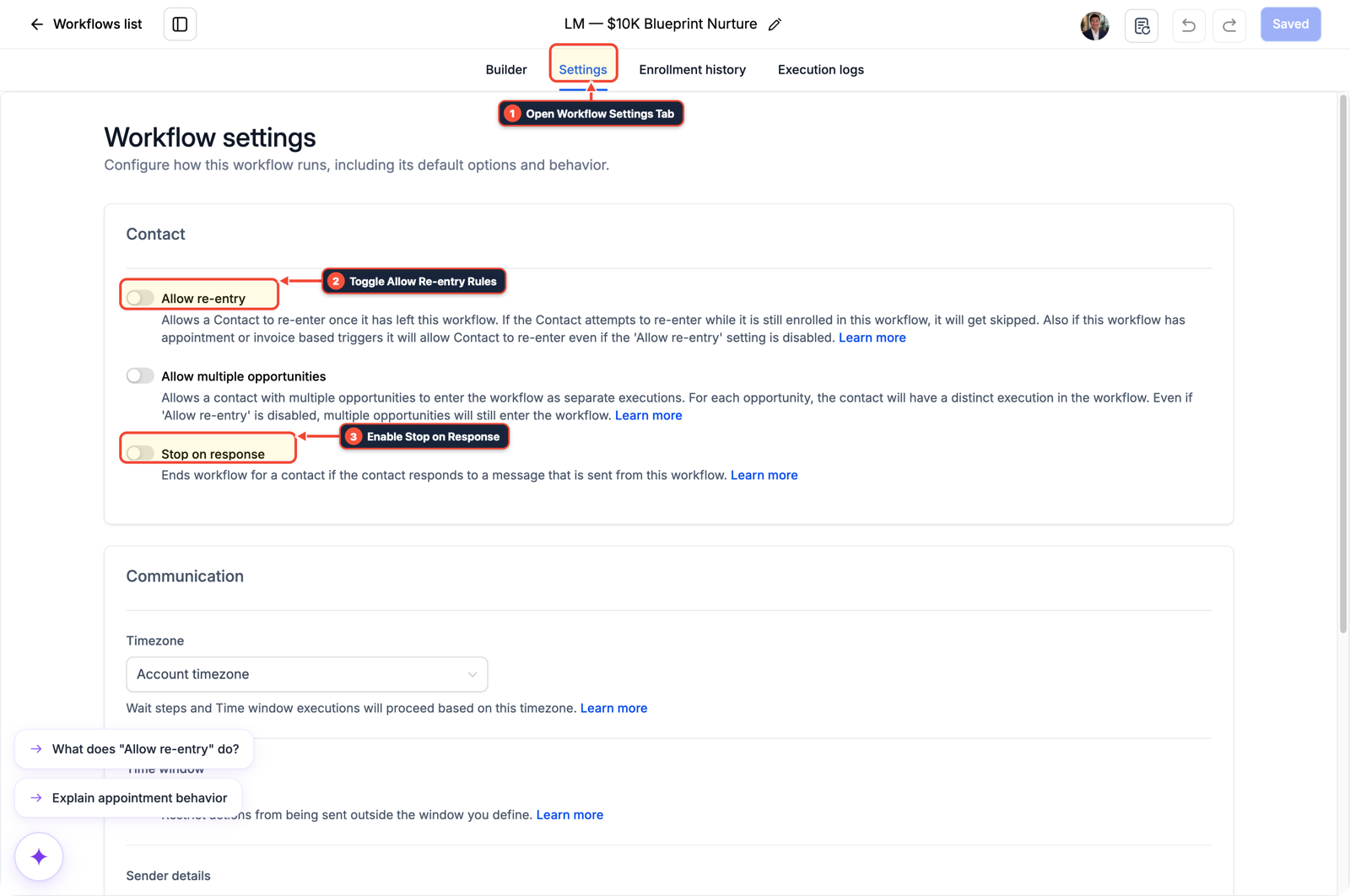
1Open Workflow Settings Tab 2Toggle Allow Re-entry Rules 3Enable Stop on Response
MODE: AGENT PROMPT
PASTE INTO CLAUDE CODE, CURSOR, CHATGPT, OR GOHIGHLEVEL ASK AI
AGENT PROMPT
Audit all SMS and Conversation AI workflows in our GoHighLevel sub-account for strict opt-out compliance:
1. Verify that an Opt-Out Guard workflow immediately sets DND, adds tag "ai-conv-paused", and removes the contact from all workflows when they text STOP, CANCEL, UNSUBSCRIBE, or "remove me".
2. Inspect every workflow with a Conversation AI or automated SMS action to confirm it checks for DND = false and tag != "ai-conv-paused" before sending.
3. Ensure zero follow-up messages fire after the standard carrier opt-out confirmation.
GHL-TOOLS MCP SERVER & CLI (DANIELHALLMAN.COM/MCP)
BUILDER + SUB-ACCOUNT TOOLS
# 1. MCP Tool Call (ghl-crm-mcp)
{
  "tool": "workflows_enforce_optout_guard",
  "arguments": {
    "location_id": "<YOUR_LOCATION_ID>",
    "pause_tag": "ai-conv-paused",
    "enforce_dnd_check": true
  }
}

# 2. Or run via ghl-crm Rust CLI
ghl-crm doctor --location-id <YOUR_LOCATION_ID> --pillar workflow_safety
Official GHL MCP vs. ghl-tools: HighLevel’s official hosted MCP (services.leadconnectorhq.com/mcp) covers public v2 CRM records (contacts, opportunities, appointments, conversations). ghl-tools MCP complements it with workflow graph inspection & recipes, funnel/form builders, DNS/BIMI checks, and ghl-crm doctor audits.
Cause
- When a contact texts STOP or 'Take me off your list', an unguarded AI workflow can fire one more conversational reply ('Sorry to see you go!'), violating carrier 10DLC rules and risking number suspension.
GoHighLevel Configuration
- Create a dedicated Opt-Out Guard workflow triggered on inbound opt-out keywords and natural phrases ('stop texting me', 'wrong number') that enables DND for SMS, applies
ai-conv-paused - and removes the contact from all active workflows.
GoHighLevel Menu Paths
| Step | Menu Path in GHL | Action |
|---|---|---|
| Step 1 | Automation > Workflows | Create a workflow triggered on Customer Replied containing STOP, UNSUBSCRIBE, CANCEL, wrong number, or remove me. |
| Step 2 | Automation > Workflows | Add three immediate actions: Enable/Disable DND (Enable DND for SMS & Calls), Add Contact Tag (ai-conv-paused), and Remove from Workflow (All Workflows). |
| Step 3 | Automation > Workflows | Place an If/Else check (Tags does not include ai-conv-paused and DND is not enabled) directly above every Conversation AI action. |
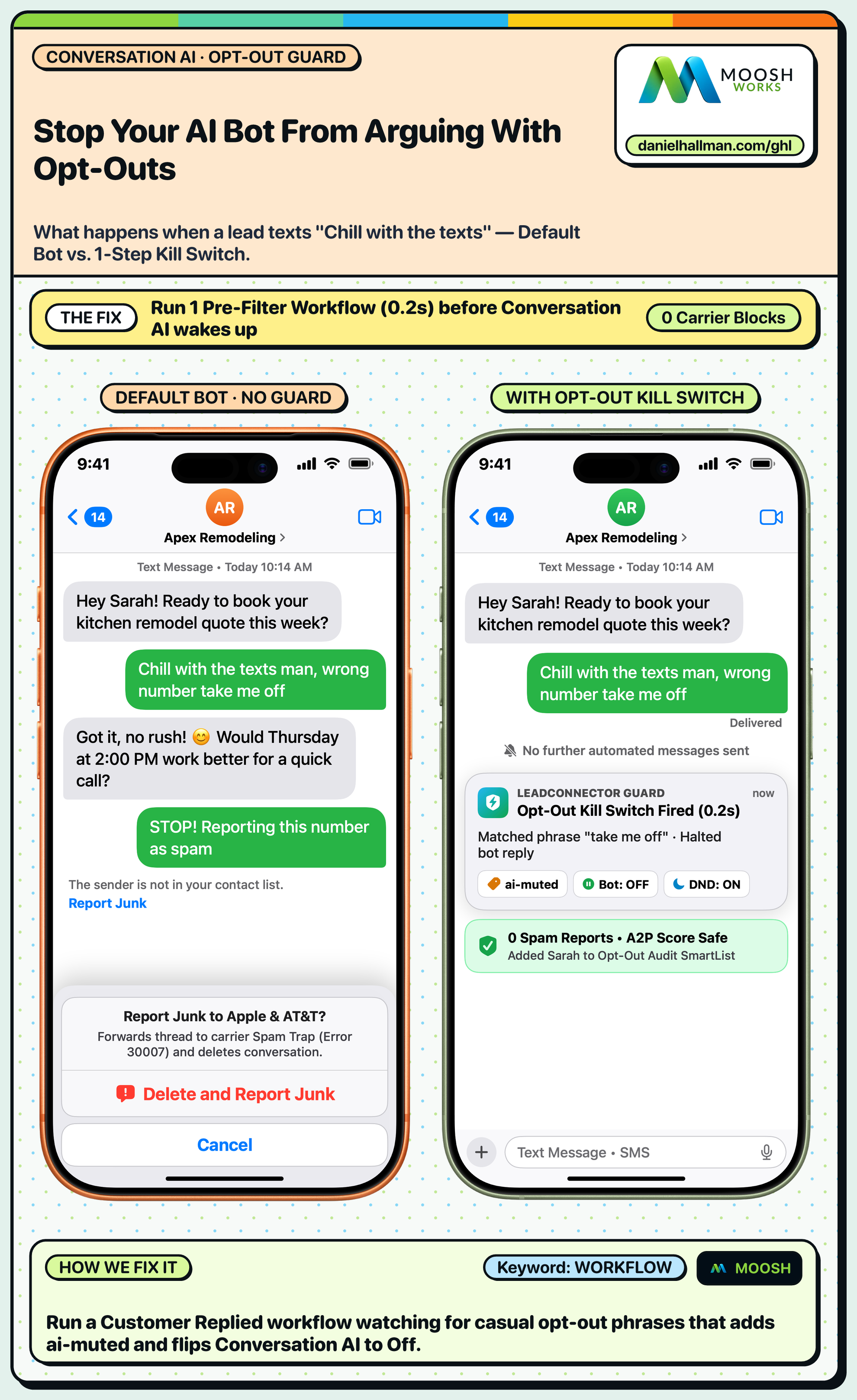
DEFAULT SETUP VS. AUTOMATED WORKFLOW
Operational Comparison
Manual Admin Work Per Client
Lead-to-Booked-Job Conversion
Related Questions
- How do you stop GoHighLevel Conversation AI from making up prices or looping on SMS?
- How do you get GoHighLevel A2P 10DLC campaign registration approved on the first try?
- How do you run a Database Reactivation campaign in GoHighLevel without getting blocked?
- How do you set up Instagram and Facebook Comment-to-DM in GoHighLevel?
BUILD FASTER IN GOHIGHLEVEL · FREE TRIAL BONUSES + MCP SERVER
Build this directly inside your GoHighLevel sub-account
Connect Claude Code, Cursor, or OpenAI Codex to our ghl-tools MCP Server & Rust CLI to build workflows, forms, and funnels from your editor, or start your GoHighLevel plan through our partner link to unlock $612+ in ready-to-import kits (including Voice, Conversation & Knowledge Base Kit ($47)) and weekly live clinics.