GOHIGHLEVEL ANSWERS & PROMPTS: PLAYBOOK T15 · REPUTATION & REVIEWS
AUTHOR: DANIEL HALLMAN
KEYWORD: REVIEWS
What Usually Happens
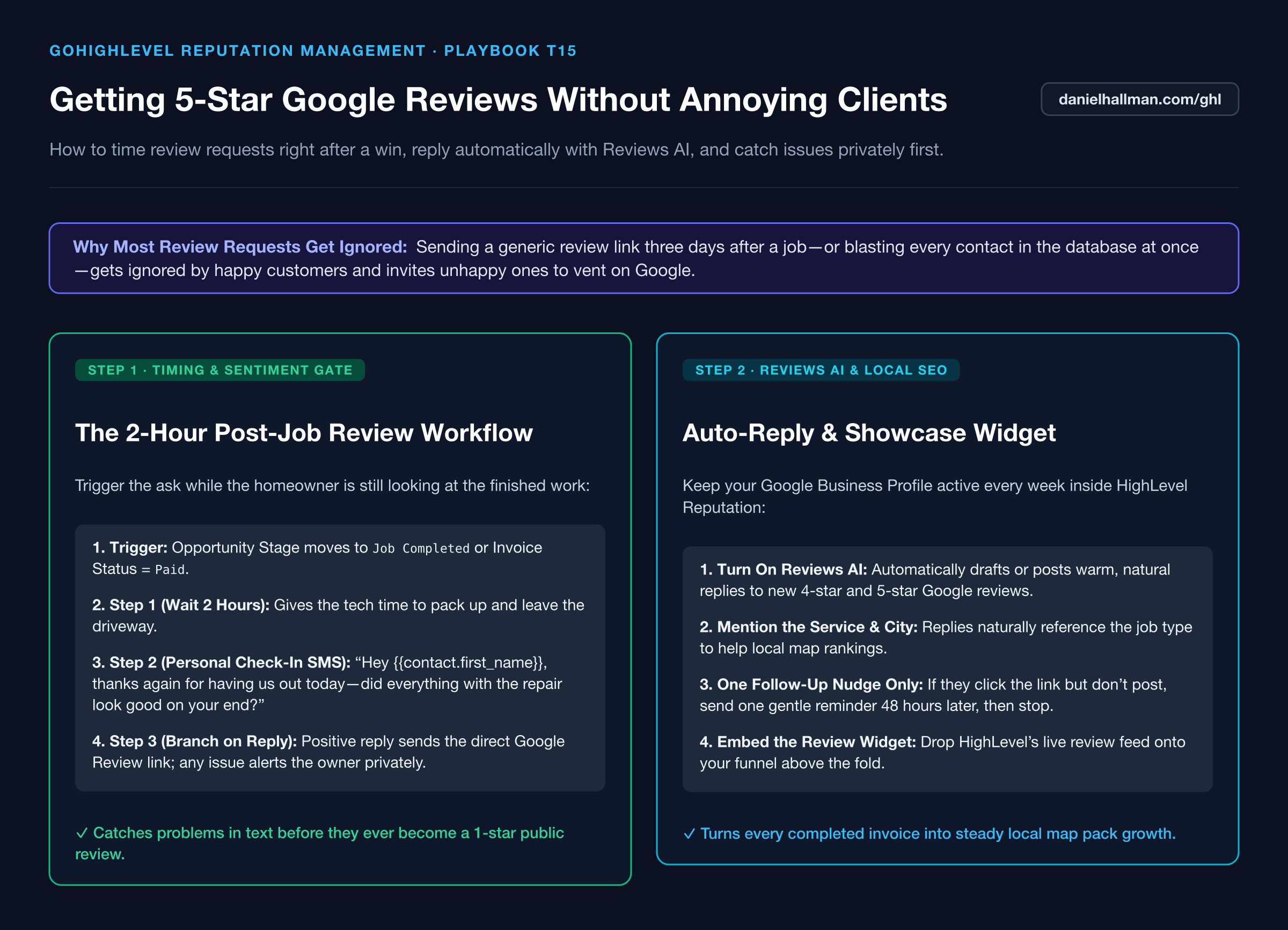
Blasting a cold Google review link 3 days after service gets ignored by busy homeowners, while sending an automated review link to an unhappy customer invites a public 1-star review before the owner even knows something went wrong.
How We Fix It in HighLevel
Trigger a 2-hour post-invoice or post-appointment check-in text asking how the service went. Branch on their reply: positive replies automatically get the direct Google review link (plus Reviews AI auto-response), while any complaint alerts the owner privately.
3-Step Implementation Checklist
- Trigger a workflow when Opportunity Stage moves to 'Job Completed' or Invoice Status changes to 'Paid', and wait 2 hours.
- Send a conversational check-in SMS: 'Hey {{contact.first_name}}, thanks again for choosing us today! Did everything look good with the work?'
- Add a Customer Replied branch: if positive, text the direct Google review link and turn on HighLevel Reviews AI to reply to the posted review; if negative, pause automation and alert the owner immediately.
MODE: AGENT PROMPT
PASTE THIS PROMPT INTO CLAUDE CODE, CURSOR, CHATGPT, OR YOUR GHL ASSISTANT
SAFE READ-FIRST WORKFLOW
Create a 2-hour post-job Google Review workflow in our GoHighLevel sub-account:
1. Trigger when an Opportunity moves to "Completed" or an Invoice is marked "Paid", followed by a 2-hour Wait step.
2. Send a personal SMS check-in asking if everything looked great with today's service.
3. Add a reply sentiment branch: if positive, send the direct Google Review link ({{custom_values.google_review_link}}); if negative or hesitant, tag "service-recovery-needed" and send an urgent internal alert to the owner.
RUN WITH OUR GHL-TOOLS MCP SERVER OR RUST CLI (DANIELHALLMAN.COM/MCP)
SUPPORTS --DRY-RUN PREVIEW
# 1. MCP Tool Call (ghl-crm-mcp)
{
  "tool": "workflows_create_from_recipe",
  "arguments": {
    "location_id": "<YOUR_LOCATION_ID>",
    "recipe": "reputation_2h_sentiment_gate",
    "wait_hours": 2,
    "dry_run": true
  }
}

# 2. Or run via ghl-crm Rust CLI
ghl-crm workflows apply-recipe --location-id <YOUR_LOCATION_ID> --recipe google-reviews-gate --dry-run
Similar GoHighLevel Questions & Fixes
PLAYBOOK T18 · Estimates & Text2Pay
How do you turn 2 job photos into a paid Apple Pay deposit using GoHighLevel Text2Pay?
Ask homeowners to text 2 photos of the job area, send back a mobile HighLevel Estimate connected to a 20% Text2Pay Stripe/Apple Pay deposit link, and unlock the dispatch calendar automatically upon payment.
PLAYBOOK T02 · SaaS Mode & SnapshotsHow do you pitch GoHighLevel to local contractors using a Saturday 6 PM missed-call check?
Skip the $2,500 AI buzzword pitch: call local plumbers, roofers, or HVAC shops on Saturday at 6 PM, note which ones go to voicemail, and show them how a $297–$497/month Missed-Call Text-Back setup saves their next weekend repair job.
PLAYBOOK T19 · Database ReactivationHow do you wake up old lead lists in GoHighLevel using SmartList Drip Mode (50/hr)?
Filter past contacts in a SmartList (90+ days inactive, DND off, valid mobile), drip a 9-word plain-text check-in with zero links at 35–50 contacts/hour during business hours, and route positive replies into your pipeline.
PLAYBOOK T07 · Workflows & AutomationHow do you stop GoHighLevel Missed-Call Text-Back from texting while a rep is calling back?
Disable the 0-second built-in missed-call checkbox and replace it with a 5-step workflow that waits 45 seconds and exits automatically if an outbound call or text happens first.
RUN THIS IN 30 SECONDS · GHL-TOOLS MCP + OPERATOR COMMUNITY
Want your AI agent to inspect and build this inside GoHighLevel automatically?
Connect Claude Code, Cursor, or OpenAI Codex to our ghl-tools MCP Server & Rust CLI for 30-second sub-account doctor checks, --dry-run previews, and snapshot diffs—or start/upgrade your GoHighLevel plan through our partner link to unlock up to $612+ in implementation kits (including GHL Workflow Recipe Pack ($47 — or Free with Trial)) and our weekly live engineering clinics.