GOHIGHLEVEL ANSWERS & PROMPTS: PLAYBOOK T03 · UNIFIED INBOX & CHAT
AUTHOR: DANIEL HALLMAN
KEYWORD: KB
STEP-BY-STEP INSTRUCTIONS + ANNOTATED GHL SCREENSHOTS
Steps in GoHighLevel
-
STEP 1Load Pricing into the Knowledge Base: In AI Agents > Knowledge Base, move all service menus and prices into
20+customer-worded Q&A pairs and keep Conversation AI > Bot Settings under150words.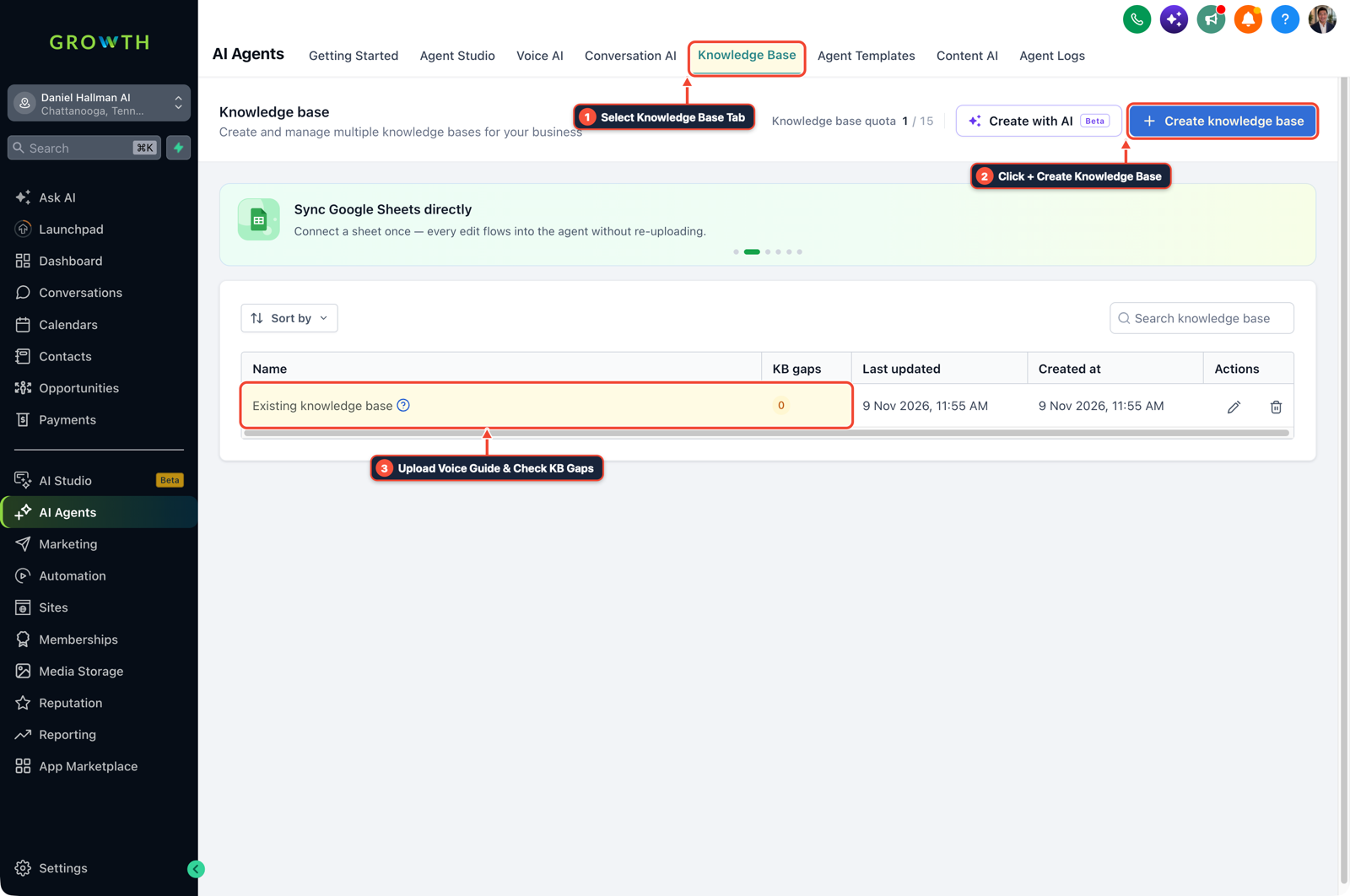
1Select Knowledge Base Tab 2Click + Create Knowledge Base 3Review Industry FAQ & Check KB Gaps -
STEP 2Set an Unlisted-Price Handoff Rule: In AI Agents > Conversation AI > Bot Training, add the instruction:
If the exact price is not in the Knowledge Base, do not guess—say you will have the manager text a quote right away.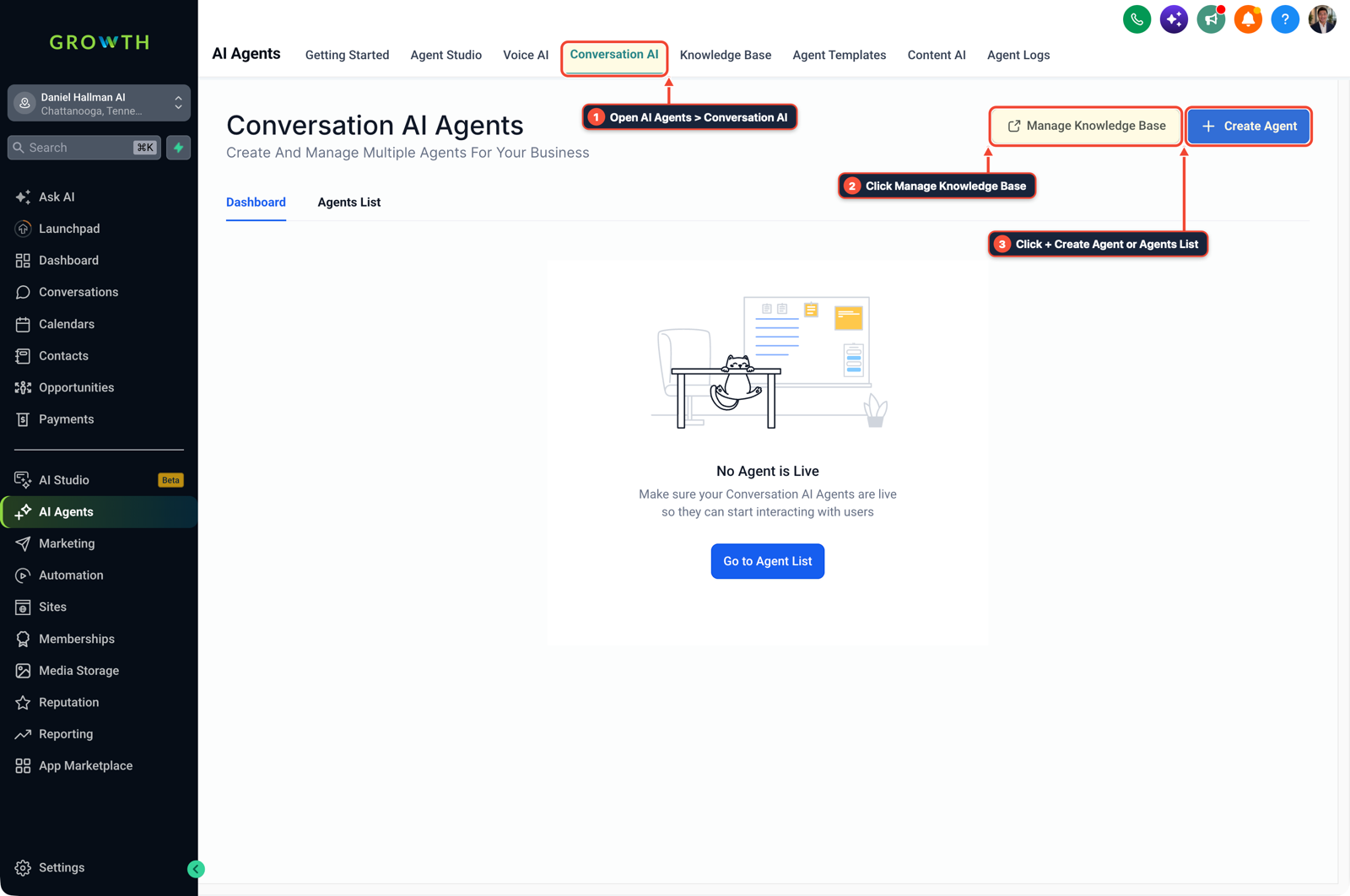
1Open AI Agents > Conversation AI 2Click Manage Knowledge Base 3Click + Create Agent or Agents List -
STEP 3Add an If/Else Tag Guard Before AI Steps: In Automation > Workflows, insert an If/Else condition before the Conversation AI action that exits if Contact Tag includes
ai-conv-paused,vip-human-only, orangry.
1Add If/Else Condition & Tag Guard 2Chain Priority & Wait Steps 3Switch to Settings or Execution Logs
MODE: AGENT PROMPT
PASTE INTO CLAUDE CODE, CURSOR, CHATGPT, OR GOHIGHLEVEL ASK AI
AGENT PROMPT
Audit and fix our GoHighLevel Conversation AI setup so it never guesses prices or loops on SMS/Instagram:
1. Separate the prompt into a short routing prompt (under 150 words) and move all pricing, hours, and policies into a 20-pair Knowledge Base.
2. Add an explicit workflow guard before the Conversation AI node that exits immediately if the contact has any of these tags: "ai-conv-paused", "vip-human-only", or "human-requested".
3. Add a 3-turn maximum counter so if a lead replies 3 times without booking, the bot pauses itself and alerts a human rep.
GHL-TOOLS MCP SERVER & CLI (DANIELHALLMAN.COM/MCP)
BUILDER + SUB-ACCOUNT TOOLS
# 1. MCP Tool Call (ghl-crm-mcp)
{
  "tool": "kb_audit_and_guard",
  "arguments": {
    "location_id": "<YOUR_LOCATION_ID>",
    "min_faq_pairs": 20,
    "pause_tags": ["ai-conv-paused", "vip-human-only", "angry"]
  }
}

# 2. Or run via ghl-crm Rust CLI
ghl-crm doctor --location-id <YOUR_LOCATION_ID> --pillar voice_sms_prompts
Official GHL MCP vs. ghl-tools: HighLevel’s official hosted MCP (services.leadconnectorhq.com/mcp) covers public v2 CRM records (contacts, opportunities, appointments, conversations). ghl-tools MCP complements it with workflow graph inspection & recipes, funnel/form builders, DNS/BIMI checks, and ghl-crm doctor audits.
Cause
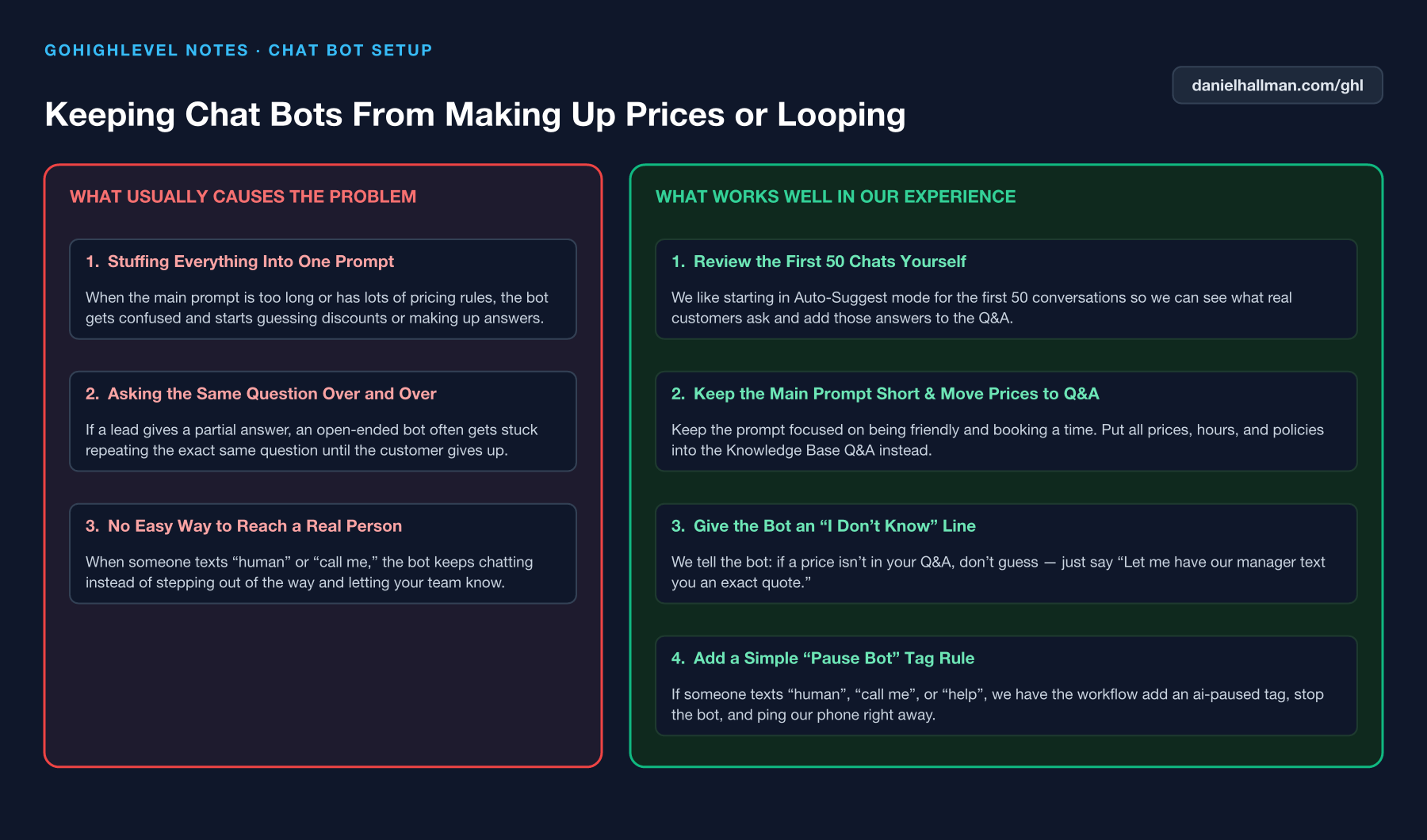
- When an SMS or Instagram chat bot invents a 50% discount or repeats the same booking question three times in a row, the main prompt is overloaded with facts and lacks a human handoff exit.
GoHighLevel Configuration
- Keep the bot's main prompt focused strictly on intent routing, load 20+ real customer Q&A pairs into separated Knowledge Bases
- and run a workflow check before every AI step that halts the bot immediately when a contact is tagged
ai-conv-pausedor asks for a human.
GoHighLevel Menu Paths
| Step | Menu Path in GHL | Action |
|---|---|---|
| Step 1 | AI Agents > Knowledge Base | Move all service menus and prices into 20+ customer-worded Q&A pairs and keep Conversation AI > Bot Settings under 150 words. |
| Step 2 | AI Agents > Conversation AI > Bot Training | Add the instruction: If the exact price is not in the Knowledge Base, do not guess—say you will have the manager text a quote right away. |
| Step 3 | Automation > Workflows | Insert an If/Else condition before the Conversation AI action that exits if Contact Tag includes ai-conv-paused, vip-human-only, or angry. |
DEFAULT SETUP VS. AUTOMATED WORKFLOW
Operational Comparison
Manual Admin Work Per Client
Lead-to-Booked-Job Conversion
Related Questions
- How do you stop GoHighLevel chat bots from replying after a customer texts STOP?
- How do you set up Instagram and Facebook Comment-to-DM in GoHighLevel?
- How do you make GoHighLevel Voice AI calls feel fast and natural without awkward pauses?
- How do you format data and run math in GoHighLevel Workflows without paying for n8n or Make?
BUILD FASTER IN GOHIGHLEVEL · FREE TRIAL BONUSES + MCP SERVER
Build this directly inside your GoHighLevel sub-account
Connect Claude Code, Cursor, or OpenAI Codex to our ghl-tools MCP Server & Rust CLI to build workflows, forms, and funnels from your editor, or start your GoHighLevel plan through our partner link to unlock $612+ in ready-to-import kits (including Voice, Conversation & Knowledge Base Kit ($47)) and weekly live clinics.