GOHIGHLEVEL ANSWERS & PROMPTS: PLAYBOOK T47 · AI SALES AGENT DISCOUNT & QUOTE APPROVAL GUARD
AUTHOR: DANIEL HALLMAN
KEYWORD: DISCOUNT GUARD
STEP-BY-STEP INSTRUCTIONS + ANNOTATED GHL SCREENSHOTS
Steps in GoHighLevel
-
STEP 1In Settings > Custom Values (and Settings > Custom Fields), store your approved package prices and
{{custom_values.max_discount_percent}}(15) alongside a numeric contact field forRequested Discount Percentso the bot never calculates custom quotes in free text.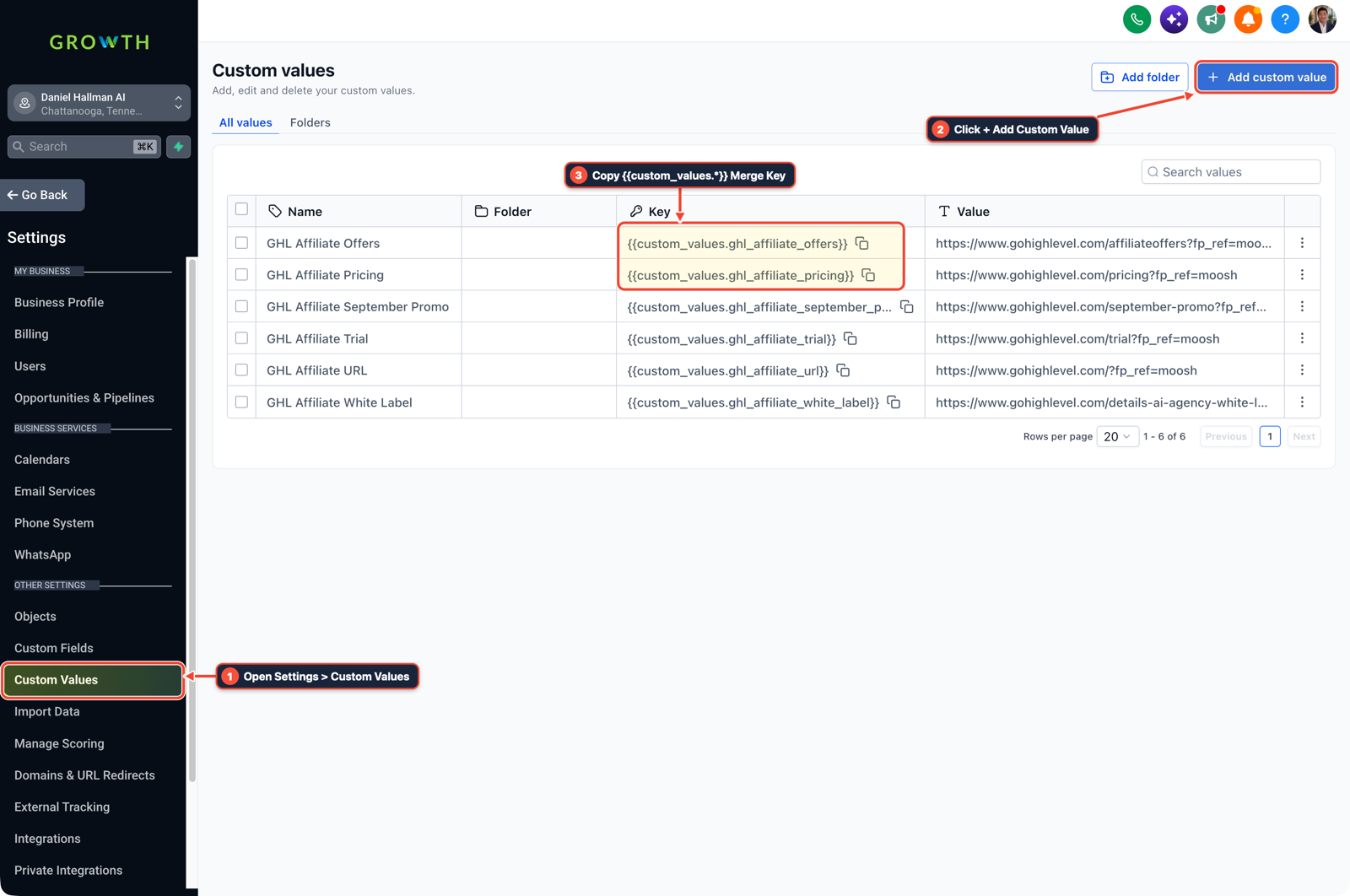
1Open Settings > Custom Values 2Click + Add Custom Value 3Copy {{custom_values.*}} Merge Key -
STEP 2In Automation > Workflow Builder, place a Math Operation and If/Else step ahead of your quote action: only send the standard payment or proposal link when
Requested Discount Percent <= 15.
1Add If/Else Condition & Tag Guard 2Chain Priority & Wait Steps 3Switch to Settings or Execution Logs -
STEP 3In Conversations > Team Inbox (Manual Actions), route the
> 15%branch to apply adiscount-approval-neededtag, turn off bot replies for that contact, and assign a manual approval task to the sales manager.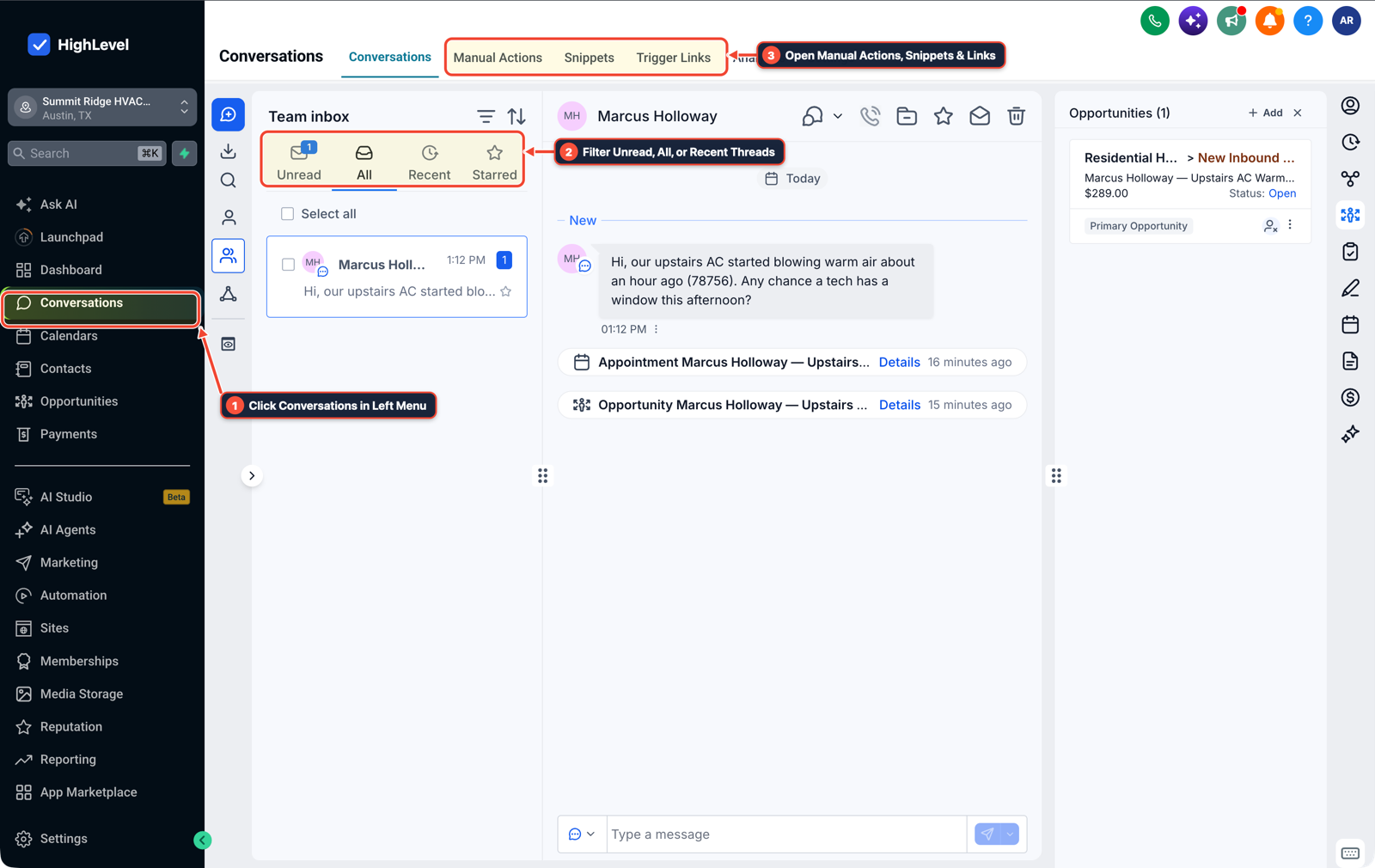
1Click Conversations in Left Menu 2Filter Unread, All, or Recent Threads 3Open Manual Actions, Snippets & Links
MODE: AGENT PROMPT
PASTE INTO CLAUDE CODE, CURSOR, CHATGPT, OR GOHIGHLEVEL ASK AI
AGENT PROMPT
Enforce a 15% maximum discount rule on AI sales workflows in sub-account <YOUR_LOCATION_ID>:
1. In Settings > Custom Values, set max_discount_percent to 15 and create a numeric Requested Discount Percent field in Settings > Custom Fields.
2. In Automation > Workflow Builder, add an If/Else check before any quote or payment link step that verifies Requested Discount Percent <= 15.
3. In Conversations > Team Inbox, route any > 15% request to pause the AI agent, apply the discount-approval-needed tag, and create a Manual Action for the sales manager.
GHL-TOOLS MCP SERVER & CLI (DANIELHALLMAN.COM/MCP)
BUILDER + SUB-ACCOUNT TOOLS
# Audit custom values, custom fields, and quote approval workflows
ghl-agency custom-values-audit --context <YOUR_CONTEXT> --location <YOUR_LOCATION_ID>
ghl-crm custom-fields list --context <YOUR_CONTEXT> --location <YOUR_LOCATION_ID>
Official GHL MCP vs. ghl-tools: HighLevel’s official hosted MCP (services.leadconnectorhq.com/mcp) covers public v2 CRM records (contacts, opportunities, appointments, conversations). ghl-tools MCP complements it with workflow graph inspection & recipes, funnel/form builders, DNS/BIMI checks, and ghl-crm doctor audits.
Cause
- Teams testing AI sales agents often put pricing rules like 'never discount more than 15%' inside the prompt instructions.
- When a prospect asks for 18% off to sign today, the model agrees and generates an unauthorized quote because no workflow rule checked the number before sending.
GoHighLevel Configuration
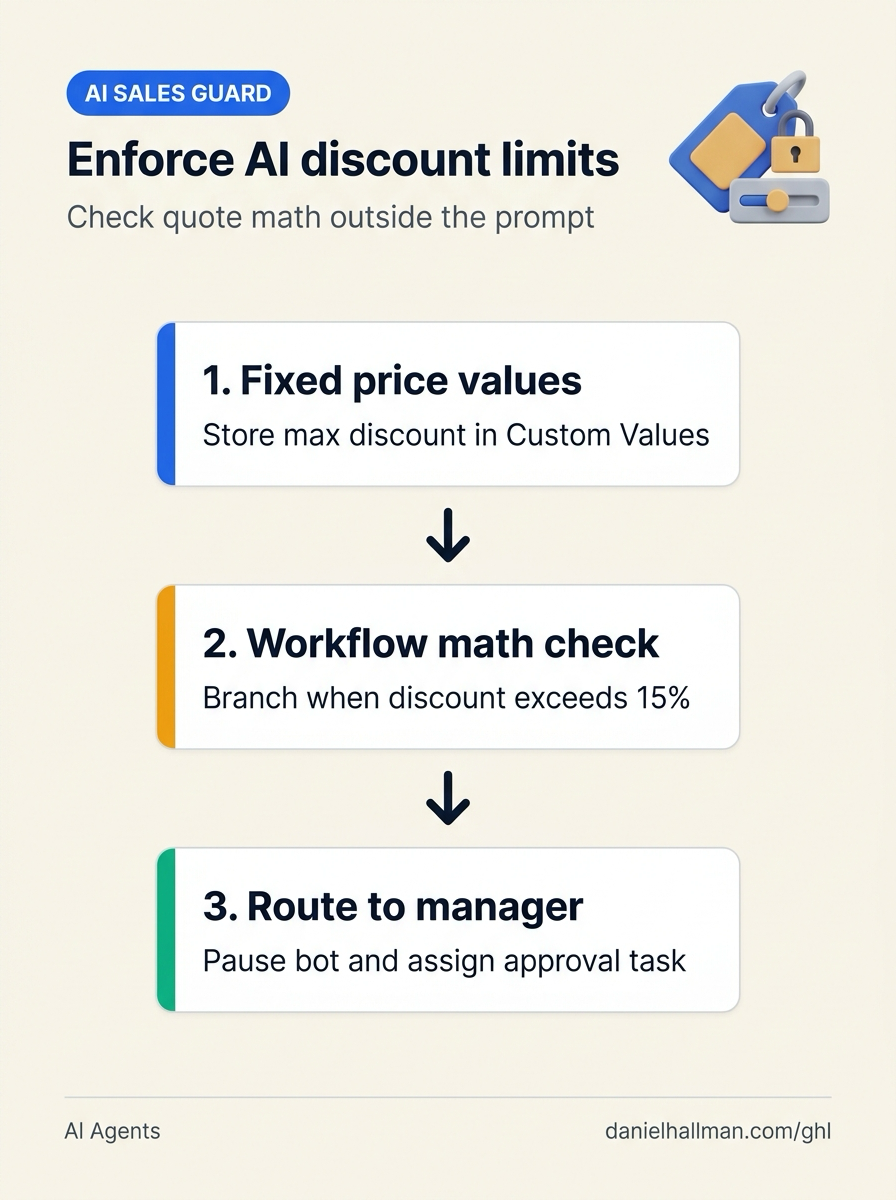
- Keep price calculations out of the prompt by storing approved rates in Settings > Custom Values, evaluating
Requested Discount Percentwith an If/Else condition in Automation > Workflow Builder - and pausing the bot to create a manual review task in Conversations > Team Inbox whenever a buyer asks for more than
15%.
GoHighLevel Menu Paths
| Step | Menu Path in GHL | Action |
|---|---|---|
| Step 1 | Settings > Custom Values | Store your approved package prices and {{custom_values.max_discount_percent}} (15) alongside a numeric contact field for Requested Discount Percent so the bot never calculates custom quotes in free text. |
| Step 2 | Automation > Workflow Builder | Place a Math Operation and If/Else step ahead of your quote action: only send the standard payment or proposal link when Requested Discount Percent <= 15. |
| Step 3 | Conversations > Team Inbox | Route the > 15% branch to apply a discount-approval-needed tag, turn off bot replies for that contact, and assign a manual approval task to the sales manager. |
DEFAULT SETUP VS. AUTOMATED WORKFLOW
Operational Comparison
Speed to Lead & Callback Safety
Caller Reply & Booking Rate
Related Questions
- How do you stop GoHighLevel Conversation AI from making up prices or looping on SMS?
- How Do You Let Non-Engineers Approve Risky AI Agent Actions in GoHighLevel Without Slowing the Team?
- How Do You Use Rule-Based Approval Gates for AI Triage Agents in n8n and GoHighLevel?
- Why are AI agents unreliable in production workflows and how do you fix them in GoHighLevel?
BUILD FASTER IN GOHIGHLEVEL · FREE TRIAL BONUSES + MCP SERVER
Build this directly inside your GoHighLevel sub-account
Connect Claude Code, Cursor, or OpenAI Codex to our ghl-tools MCP Server & Rust CLI to build workflows, forms, and funnels from your editor, or start your GoHighLevel plan through our partner link to unlock $612+ in ready-to-import kits (including GHL AI Sales Guard & Quote Approval Kit) and weekly live clinics.