GOHIGHLEVEL ANSWERS & PROMPTS: PLAYBOOK T03 · AI SCHEDULING & APPROVAL GUARDRAILS
AUTHOR: DANIEL HALLMAN
KEYWORD: BOOKING GUARD
STEP-BY-STEP INSTRUCTIONS + ANNOTATED GHL SCREENSHOTS
Steps in GoHighLevel
-
STEP 1In Calendars > Calendar Settings > Connections, link your primary Google or Outlook calendar with two-way conflict checking: Select your master calendar under Linked Calendar and check every personal, family, or work sub-calendar under Check for Conflicts so busy blocks immediately hide those hours.
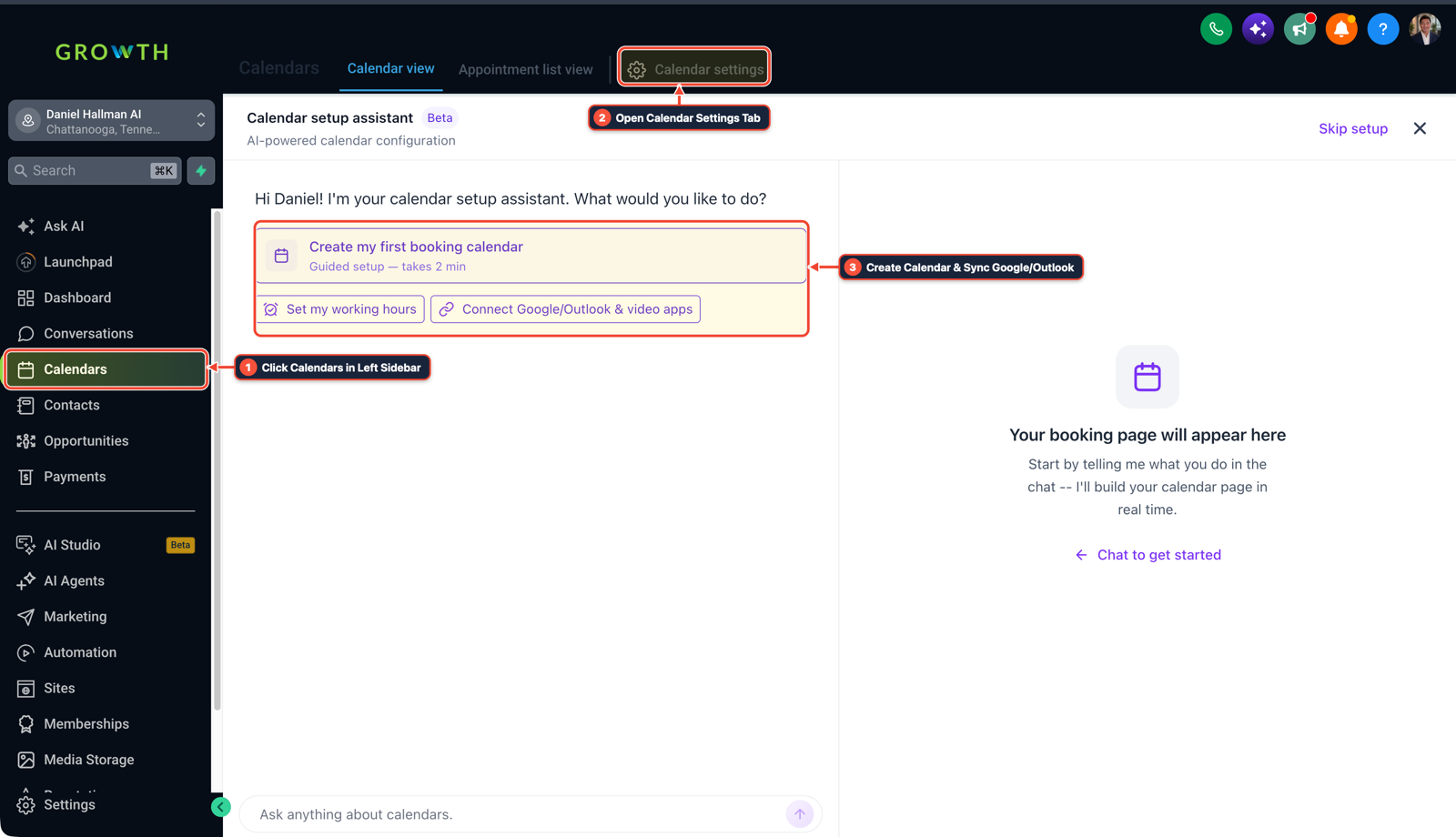
1Click Calendars in Left Sidebar 2Switch Calendar View, List & Settings 3Review Confirmed Bookings or Click + New -
STEP 2In AI Agents > Conversation AI, instruct the assistant to collect preferred times without auto-confirming paid bookings: Configure your booking prompt to gather the contact's name, appointment purpose, and preferred time window while leaving new calendar holds in
Unconfirmedstatus.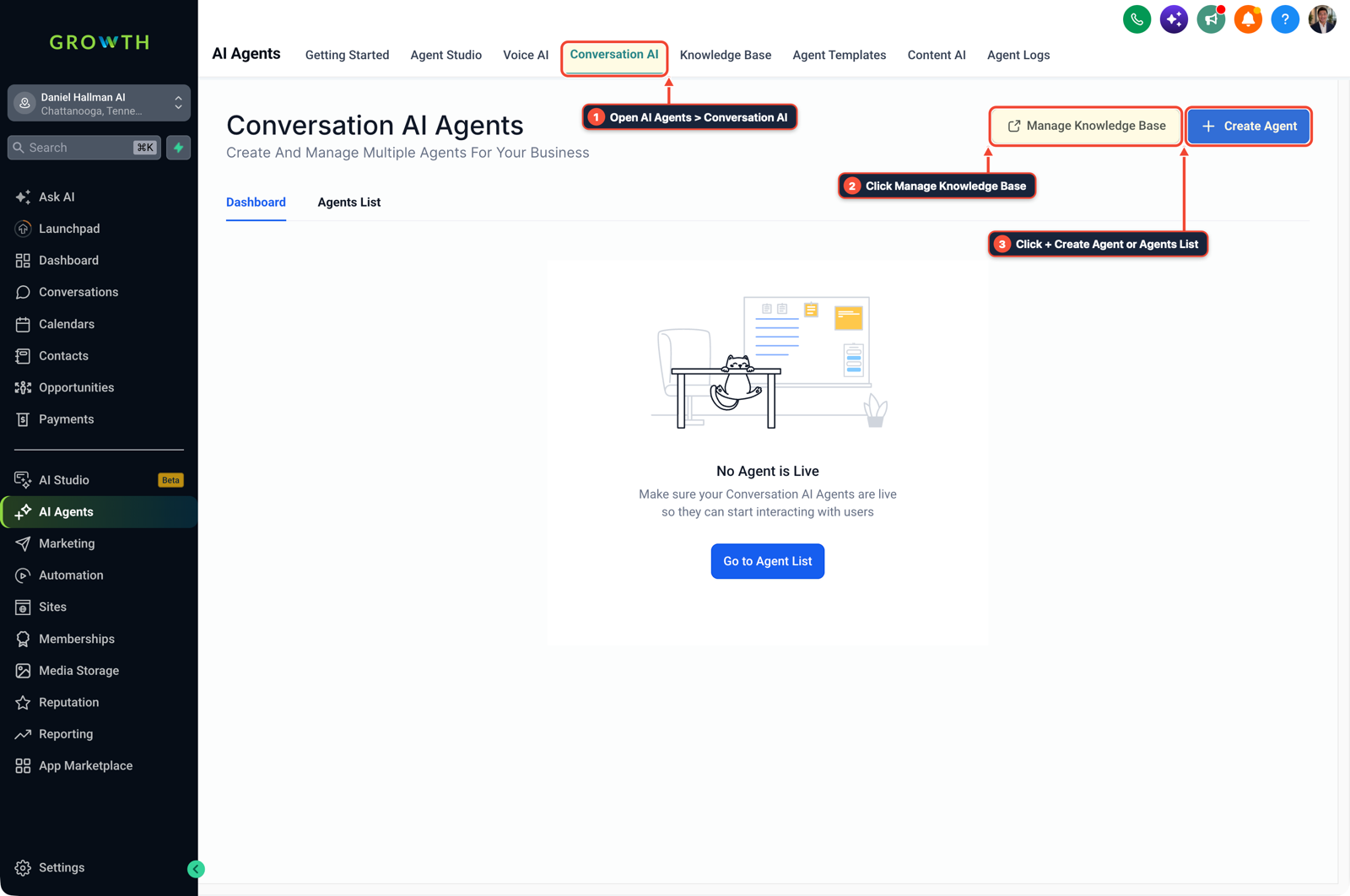
1Open AI Agents > Conversation AI 2Click Manage Knowledge Base 3Click + Create Agent or Agents List -
STEP 3In Automation > Workflows, require an owner SMS confirmation before marking the appointment Confirmed: Trigger a workflow on Customer Booked Appointment (
Appointment Status = Unconfirmed), send an Internal Notification SMS to your phone with the proposed slot, and wait for your confirmation before updating the status toConfirmed.
1Add If/Else Condition & Tag Guard 2Chain Priority & Wait Steps 3Switch to Settings or Execution Logs
MODE: AGENT PROMPT
PASTE INTO CLAUDE CODE, CURSOR, CHATGPT, OR GOHIGHLEVEL ASK AI
AGENT PROMPT
Configure two-way calendar conflict blocking and SMS approval guardrails for AI scheduling in sub-account <YOUR_LOCATION_ID>:
1. In Calendars > Calendar Settings > Connections, connect the master Google or Outlook calendar and select all sub-calendars under Check for Conflicts.
2. In AI Agents > Conversation AI and Calendar Settings, save AI-requested slots with Appointment Status = Unconfirmed and no automatic card charge.
3. In Automation > Workflows, trigger on Unconfirmed bookings, text the owner the proposed slot details, and update status to Confirmed only after approval.
GHL-TOOLS MCP SERVER & CLI (DANIELHALLMAN.COM/MCP)
BUILDER + SUB-ACCOUNT TOOLS
# Inspect sub-account calendars and appointment confirmation workflows via ghl-crm
ghl-crm workflows list --context <YOUR_CONTEXT> --location <YOUR_LOCATION_ID>
Official GHL MCP vs. ghl-tools: HighLevel’s official hosted MCP (services.leadconnectorhq.com/mcp) covers public v2 CRM records (contacts, opportunities, appointments, conversations). ghl-tools MCP complements it with workflow graph inspection & recipes, funnel/form builders, DNS/BIMI checks, and ghl-crm doctor audits.
Cause
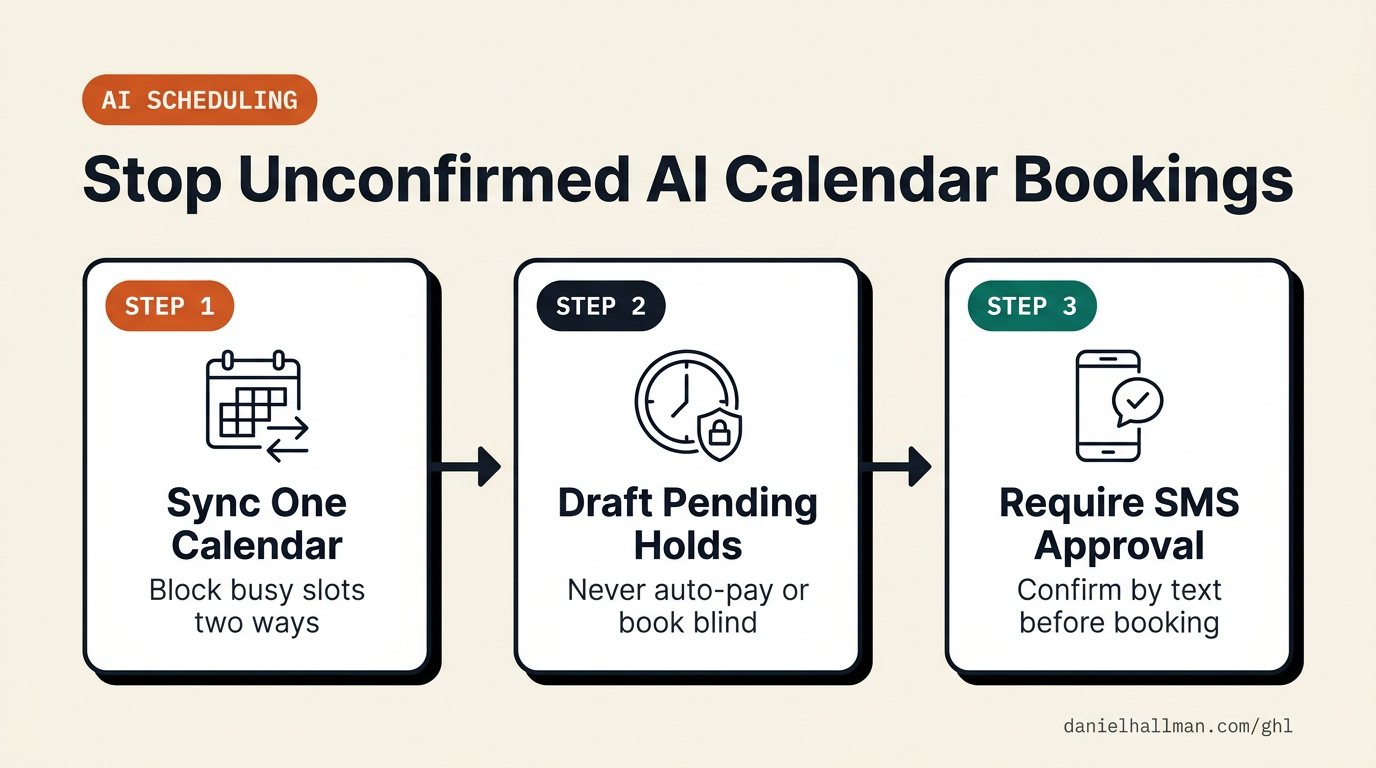
- When busy households or small teams pay for four separate AI tools across email, calendars, and reminders, monthly subscriptions stack up and at least one assistant eventually books an unapproved slot or misses a conflict on a secondary calendar.
- Undoing bad bookings and apologizing to contacts eats more time than scheduling the appointment manually.
GoHighLevel Configuration
- Connect every personal and work sub-calendar to one master Google or Outlook connection in GoHighLevel Calendars so busy slots block availability automatically, restrict your AI assistant to proposing unconfirmed holds without charging cards
- and use a Workflow approval text so nothing is finalized until you reply YES.
GoHighLevel Menu Paths
| Step | Menu Path in GHL | Action |
|---|---|---|
| Step 1 | Calendars > Calendar Settings > Connections | Link your primary Google or Outlook calendar with two-way conflict checking: Select your master calendar under Linked Calendar and check every personal, family, or work sub-calendar under Check for Conflicts so busy blocks immediately hide those hours. |
| Step 2 | AI Agents > Conversation AI | Instruct the assistant to collect preferred times without auto-confirming paid bookings: Configure your booking prompt to gather the contact's name, appointment purpose, and preferred time window while leaving new calendar holds in Unconfirmed status. |
| Step 3 | Automation > Workflows | Require an owner SMS confirmation before marking the appointment Confirmed: Trigger a workflow on Customer Booked Appointment (Appointment Status = Unconfirmed), send an Internal Notification SMS to your phone with the proposed slot, and wait for your confirmation before updating the status to Confirmed. |
DEFAULT SETUP VS. AUTOMATED WORKFLOW
Operational Comparison
Appointment No-Show Rate
Calendar Slot Utilization
Related Questions
- What Should an AI Support Bot Do When Your Business Doesn't Have an Answer?
- How do you reduce appointment no-shows and stop double bookings in GoHighLevel?
- How to Stop Runaway AI Costs in Business Workflows Without Killing Team Adoption
- How Do You Prevent Prompt Injection and Free-Text Memory Bugs in GoHighLevel AI Agents?
BUILD FASTER IN GOHIGHLEVEL · FREE TRIAL BONUSES + MCP SERVER
Build this directly inside your GoHighLevel sub-account
Connect Claude Code, Cursor, or OpenAI Codex to our ghl-tools MCP Server & Rust CLI to build workflows, forms, and funnels from your editor, or start your GoHighLevel plan through our partner link to unlock $612+ in ready-to-import kits (including AI Scheduling & Guardrail Pack) and weekly live clinics.