GOHIGHLEVEL ANSWERS & PROMPTS: PLAYBOOK T107 · FIELD-SPECIFIC VALIDATION CHECKS, HUMAN RULE PROMOTION & 14-DAY TEMPORARY RULE EXPIRY
AUTHOR: DANIEL HALLMAN
KEYWORD: STANDING RULES
STEP-BY-STEP INSTRUCTIONS + ANNOTATED GHL SCREENSHOTS
Steps in GoHighLevel
-
STEP 1In Automation > Workflow Builder, replace broad prompt bans (
never use this date column) with an If/Else field check on the parsed payload (for example, checking thatreport_datefalls within the last24hours) so the next run uses the source whenever the date is fresh and flags only stale rows.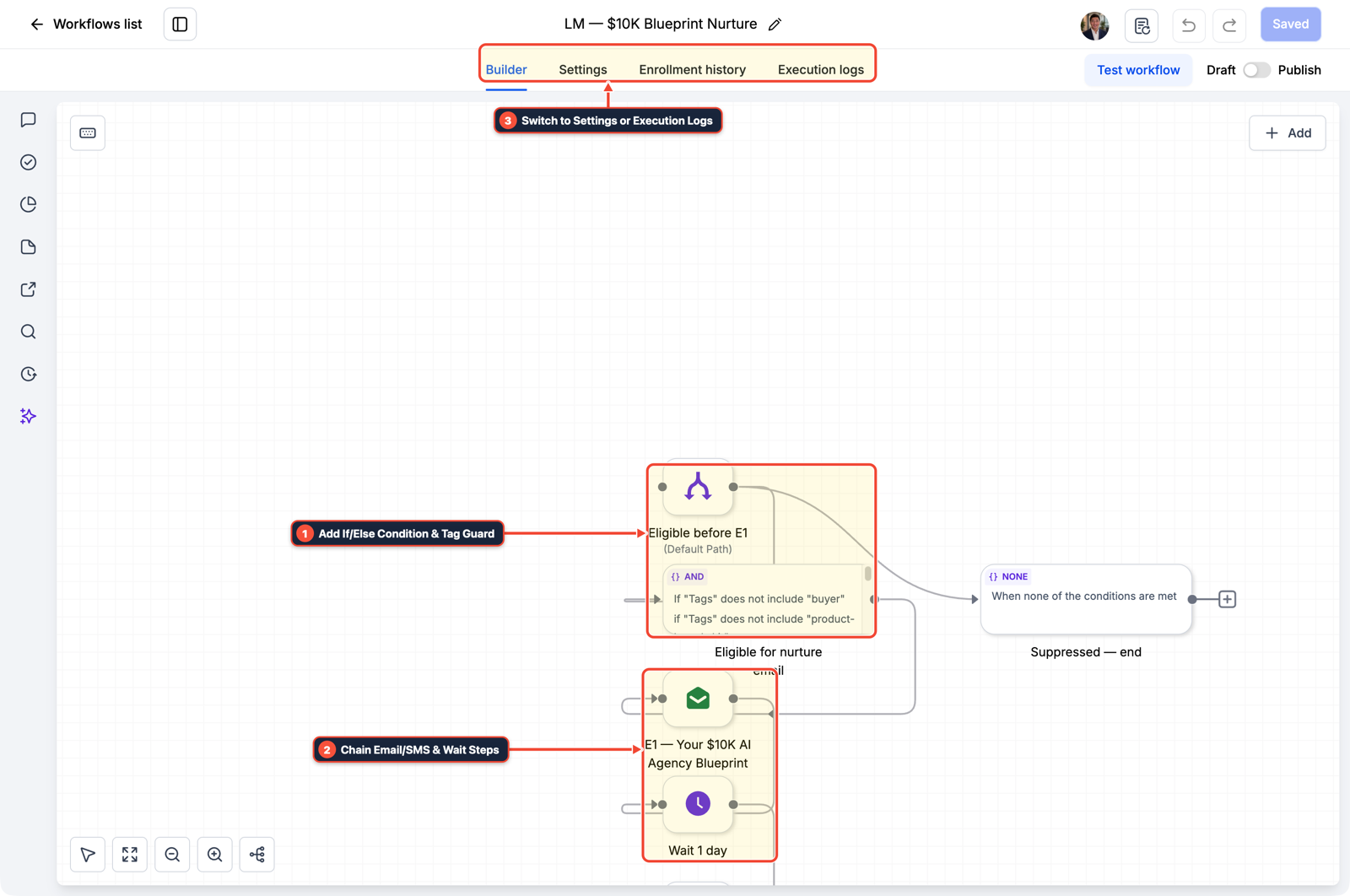
1Add If/Else Condition & Tag Guard 2Chain Priority & Wait Steps 3Switch to Settings or Execution Logs -
STEP 2In Conversations > Team Inbox, log single-run anomalies as incident notes and create a human promotion task only when the same failure repeats twice, keeping the agent from promoting its own note into a standing rule across future runs.
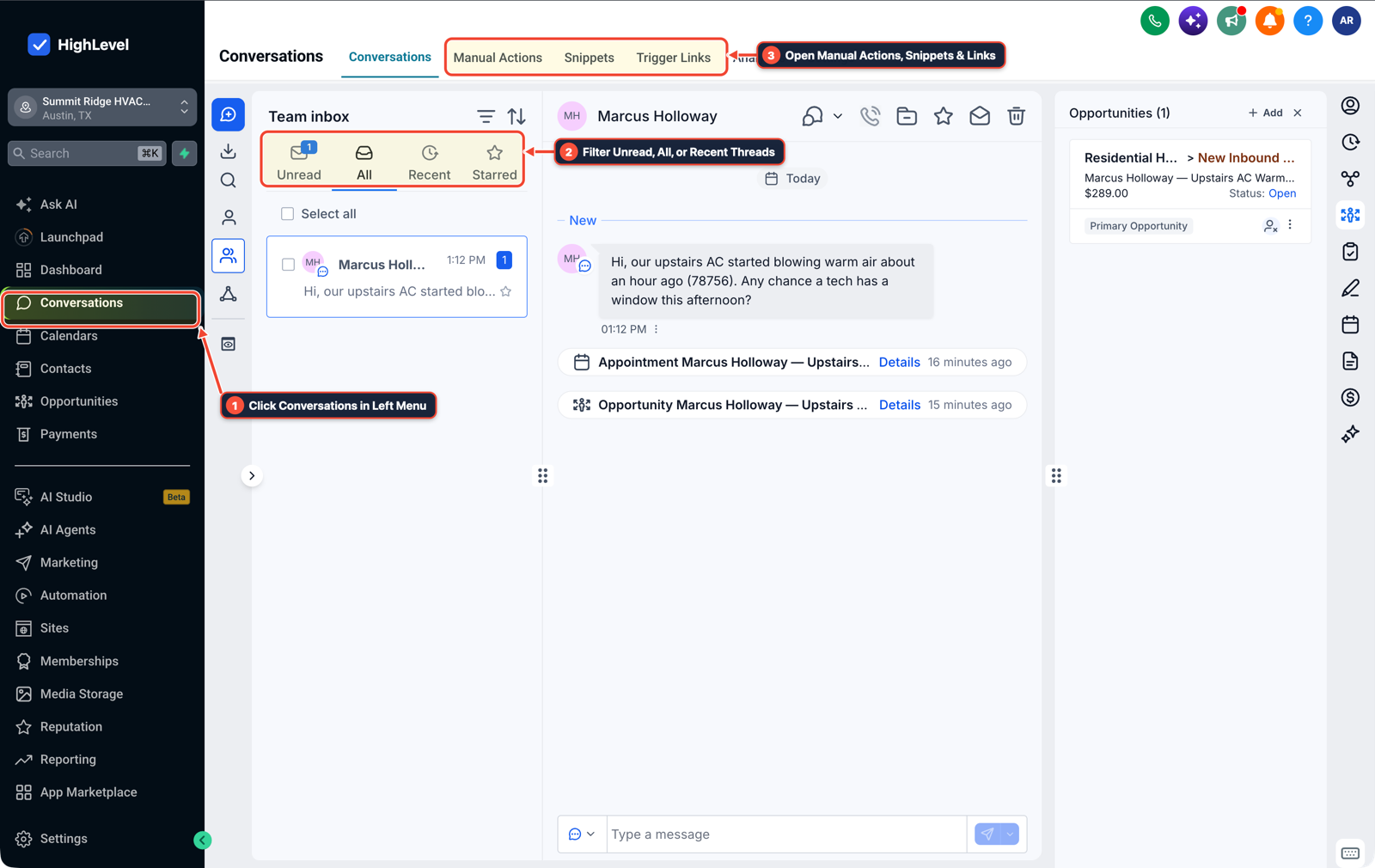
1Click Conversations in Left Menu 2Filter Unread, All, or Recent Threads 3Open Manual Actions, Snippets & Links -
STEP 3In Settings > Custom Fields (and Settings > Custom Values), pair every temporary workaround rule with a
Rule Review Dateset14days out so your morning summary flags expired workarounds for removal once the upstream source is fixed.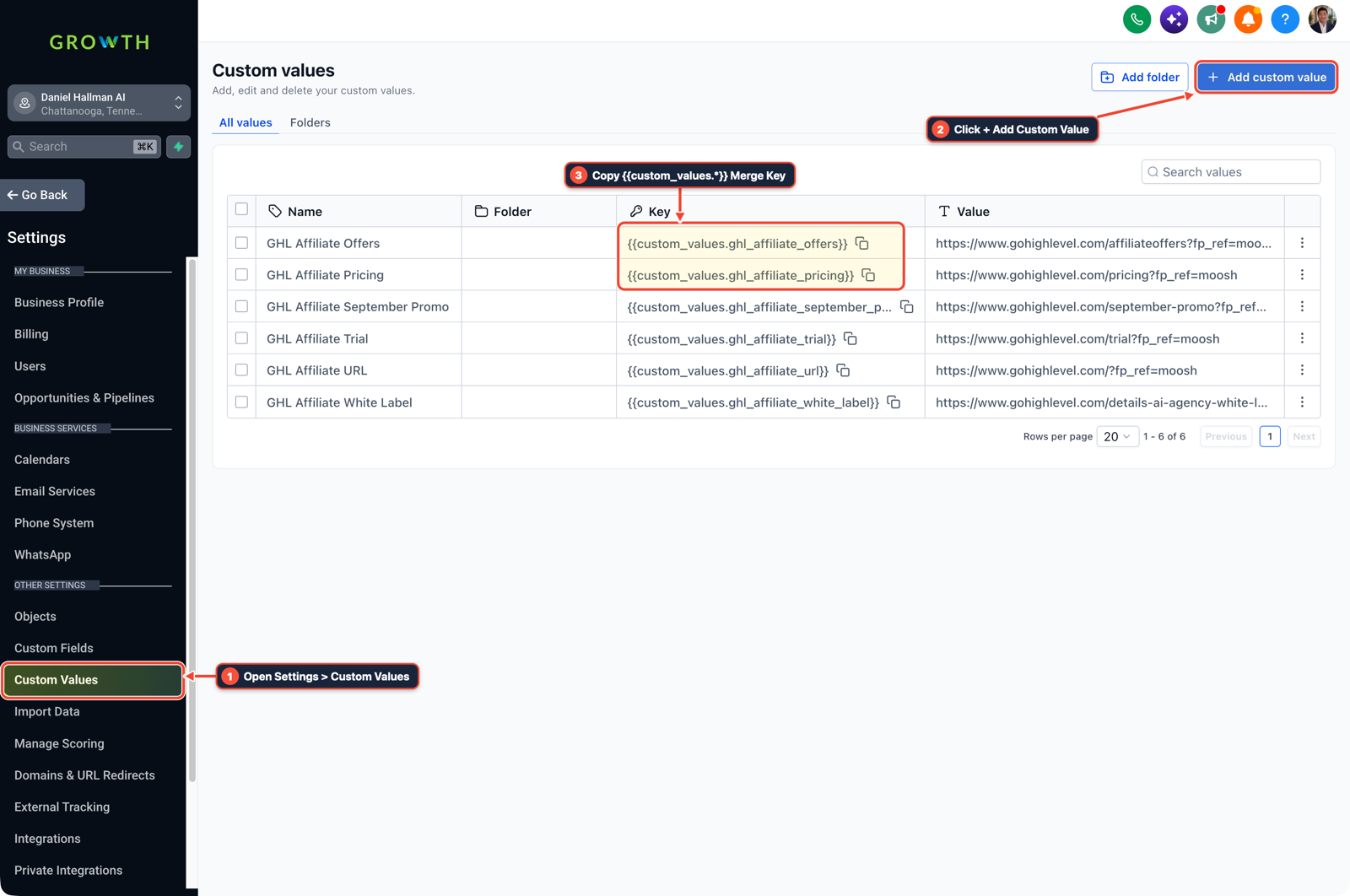
1Open Settings > Custom Values 2Click + Add Custom Value 3Copy {{custom_values.*}} Merge Key
MODE: AGENT PROMPT
PASTE INTO CLAUDE CODE, CURSOR, CHATGPT, OR GOHIGHLEVEL ASK AI
AGENT PROMPT
Set up an AI agent rule-promotion and temporary-workaround expiry flow in sub-account <YOUR_LOCATION_ID>:
1. In Automation > Workflow Builder, add an If/Else check on inbound n8n summary payloads that validates report_date age rather than skipping the entire source.
2. In Conversations > Team Inbox, route a rule-promotion review task only after an incident tag appears twice on the same source.
3. In Settings > Custom Fields, add a 14-day Rule Review Date field so temporary workaround rules are reviewed and retired on schedule.
GHL-TOOLS MCP SERVER & CLI (DANIELHALLMAN.COM/MCP)
BUILDER + SUB-ACCOUNT TOOLS
# Inspect workflow validation branches and rule-tracking custom fields in the sub-account
ghl-crm workflows list --context <YOUR_CONTEXT> --location <YOUR_LOCATION_ID>
ghl-crm custom-fields list --context <YOUR_CONTEXT> --location <YOUR_LOCATION_ID>
Official GHL MCP vs. ghl-tools: HighLevel’s official hosted MCP (services.leadconnectorhq.com/mcp) covers public v2 CRM records (contacts, opportunities, appointments, conversations). ghl-tools MCP complements it with workflow graph inspection & recipes, funnel/form builders, DNS/BIMI checks, and ghl-crm doctor audits.
Cause
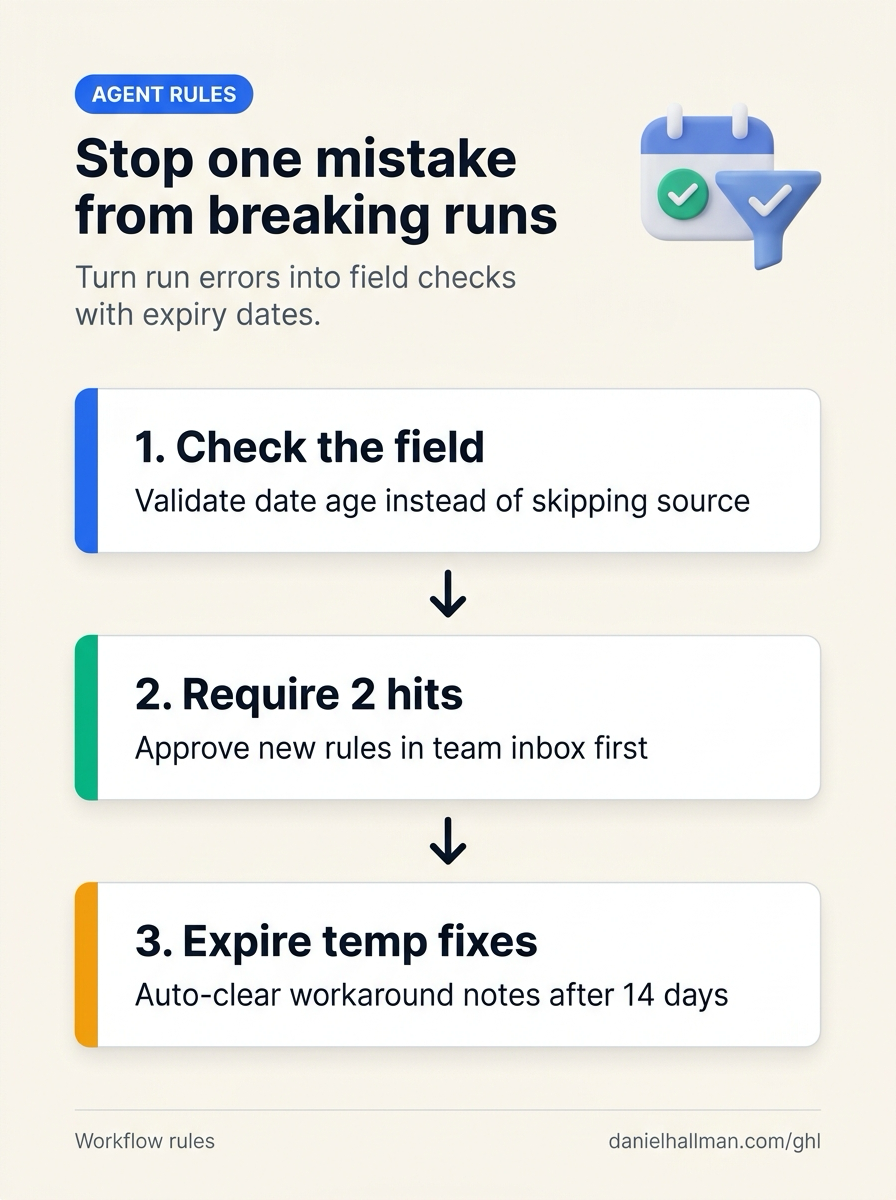
- If an agent promotes its own error note into a permanent prompt instruction after one bad run
- or if temporary workaround notes sit in your prompt file without an expiration date, a one-week data hiccup keeps steering future runs and producing half-empty reports months after the upstream source is healthy again.
GoHighLevel Configuration
- Check the specific field condition in Automation > Workflow Builder rather than banning the data source, route proposed rule promotions to Conversations > Team Inbox after two matching incidents
- and store an expiration date on temporary rules in Settings > Custom Fields.
GoHighLevel Menu Paths
| Step | Menu Path in GHL | Action |
|---|---|---|
| Step 1 | Automation > Workflow Builder | Replace broad prompt bans (never use this date column) with an If/Else field check on the parsed payload (for example, checking that report_date falls within the last 24 hours) so the next run uses the source whenever the date is fresh and flags only stale rows. |
| Step 2 | Conversations > Team Inbox | Log single-run anomalies as incident notes and create a human promotion task only when the same failure repeats twice, keeping the agent from promoting its own note into a standing rule across future runs. |
| Step 3 | Settings > Custom Fields | Pair every temporary workaround rule with a Rule Review Date set 14 days out so your morning summary flags expired workarounds for removal once the upstream source is fixed. |
DEFAULT SETUP VS. AUTOMATED WORKFLOW
Operational Comparison
Speed to Lead & Callback Safety
Caller Reply & Booking Rate
Related Questions
- How Do You Prevent AI Agents from Repeating the Same Mistakes and Tool Call Loops in GoHighLevel?
- Why Do AI Agents Need State-Bound Expiration Rules for Approvals and Decisions (Not Just Bigger Context Windows) in GoHighLevel?
- Does AI Agent Long-Term Memory Actually Make Agents Smarter (And How Do You Structure Memory in GoHighLevel)?
- How Do You Keep Unattended n8n and GoHighLevel Workflows From Failing Silently or Double-Posting on Retries?
BUILD FASTER IN GOHIGHLEVEL · FREE TRIAL BONUSES + MCP SERVER
Build this directly inside your GoHighLevel sub-account
Connect Claude Code, Cursor, or OpenAI Codex to our ghl-tools MCP Server & Rust CLI to build workflows, forms, and funnels from your editor, or start your GoHighLevel plan through our partner link to unlock $612+ in ready-to-import kits (including GHL & n8n Agent Rule Graduation & Expiry Kit) and weekly live clinics.