GOHIGHLEVEL ANSWERS & PROMPTS: PLAYBOOK T105 · GOAL-SCOPED CUSTOM FIELD MEMORY, LIVE CRM FACT LOOKUPS & STAGE-CHANGE INVALIDATION
AUTHOR: DANIEL HALLMAN
KEYWORD: AGENT MEMORY
STEP-BY-STEP INSTRUCTIONS + ANNOTATED GHL SCREENSHOTS
Steps in GoHighLevel
-
STEP 1In Settings > Custom Fields, store goal-specific contact preferences in typed fields (
Preferred Contact Channel,Do Not Pitch Topics,Approved Budget Range, andPrimary Goal) instead of feeding raw multi-week chat transcripts back into the prompt.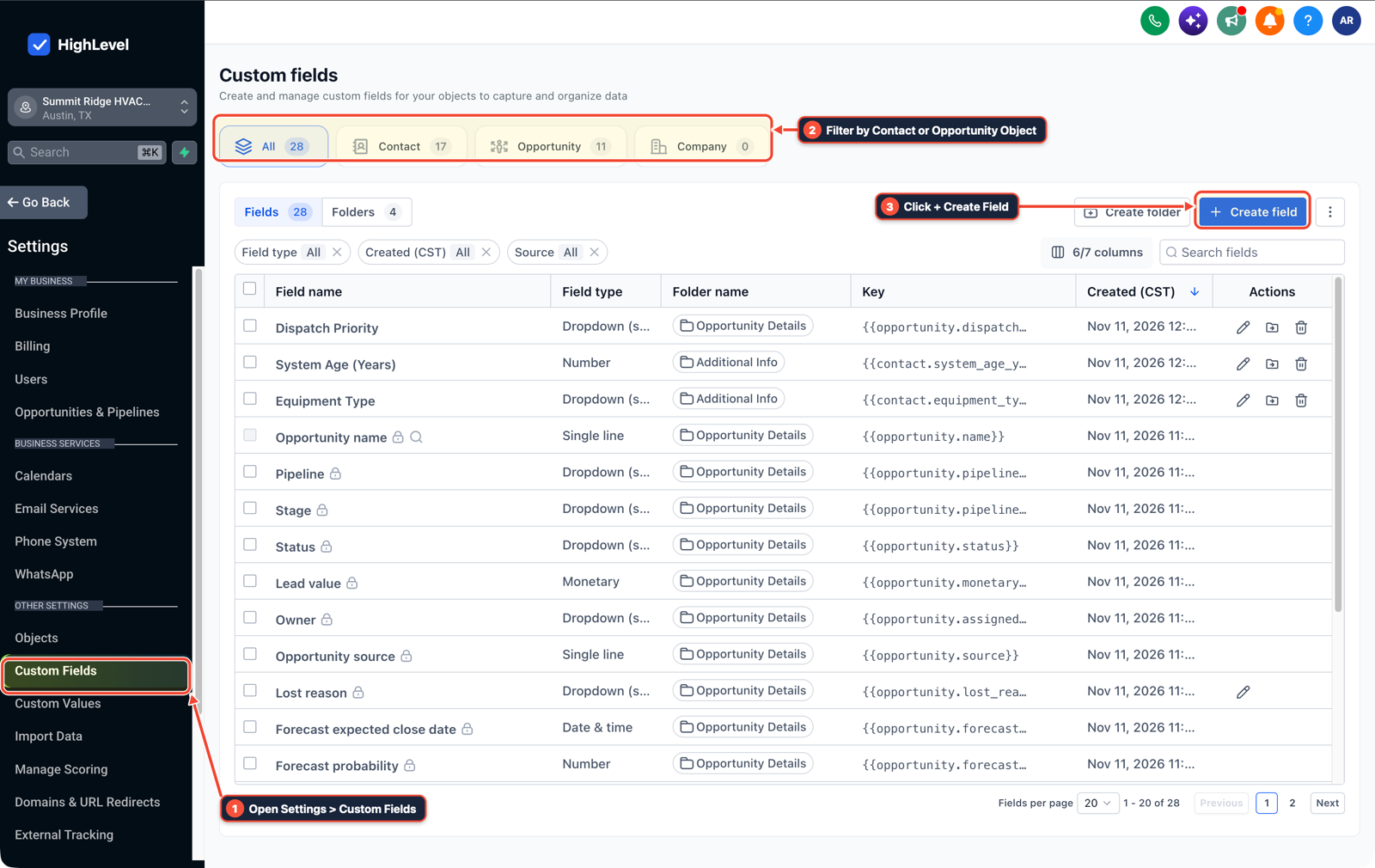
1Open Settings > Custom Fields 2Filter by Contact or Opportunity Object 3Click + Create Field -
STEP 2In AI Agents > Knowledge Base (and Calendars > Calendar Settings), require the agent to look up changeable facts (such as open appointment times, current service pricing, and active policy rules) at the moment the customer asks, never storing the agent's own unverified output as a memory fact.
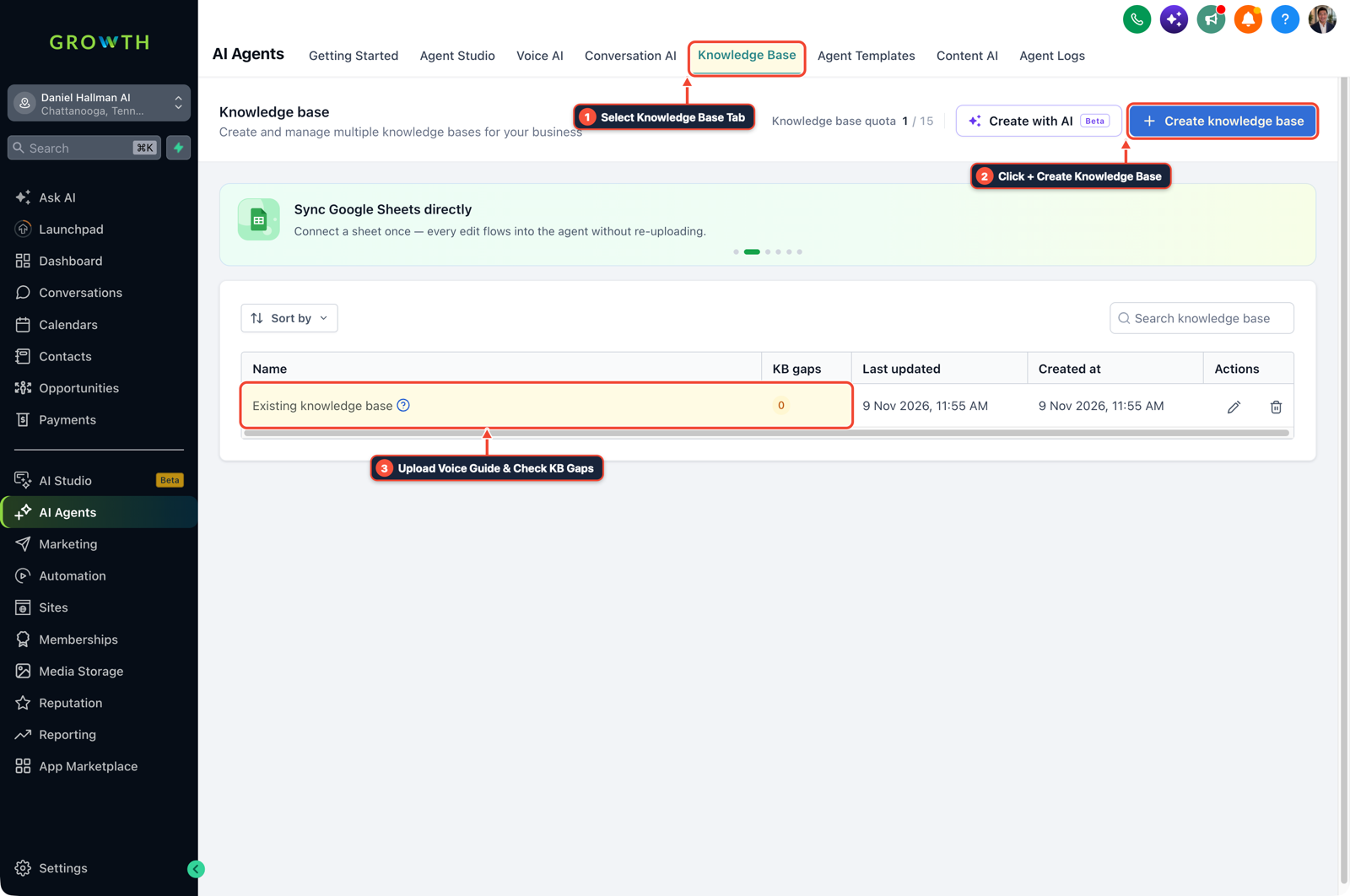
1Select Knowledge Base Tab 2Click + Create Knowledge Base 3Review Industry FAQ & Check KB Gaps -
STEP 3In Automation > Workflow Builder, trigger a memory-cleanup rule on Pipeline Stage Changed that clears or updates stage-bound fields (
Current Blocker,Pending Offer Terms,Last Suggested Slot) so the agent never acts on last month's context after a deal moves forward.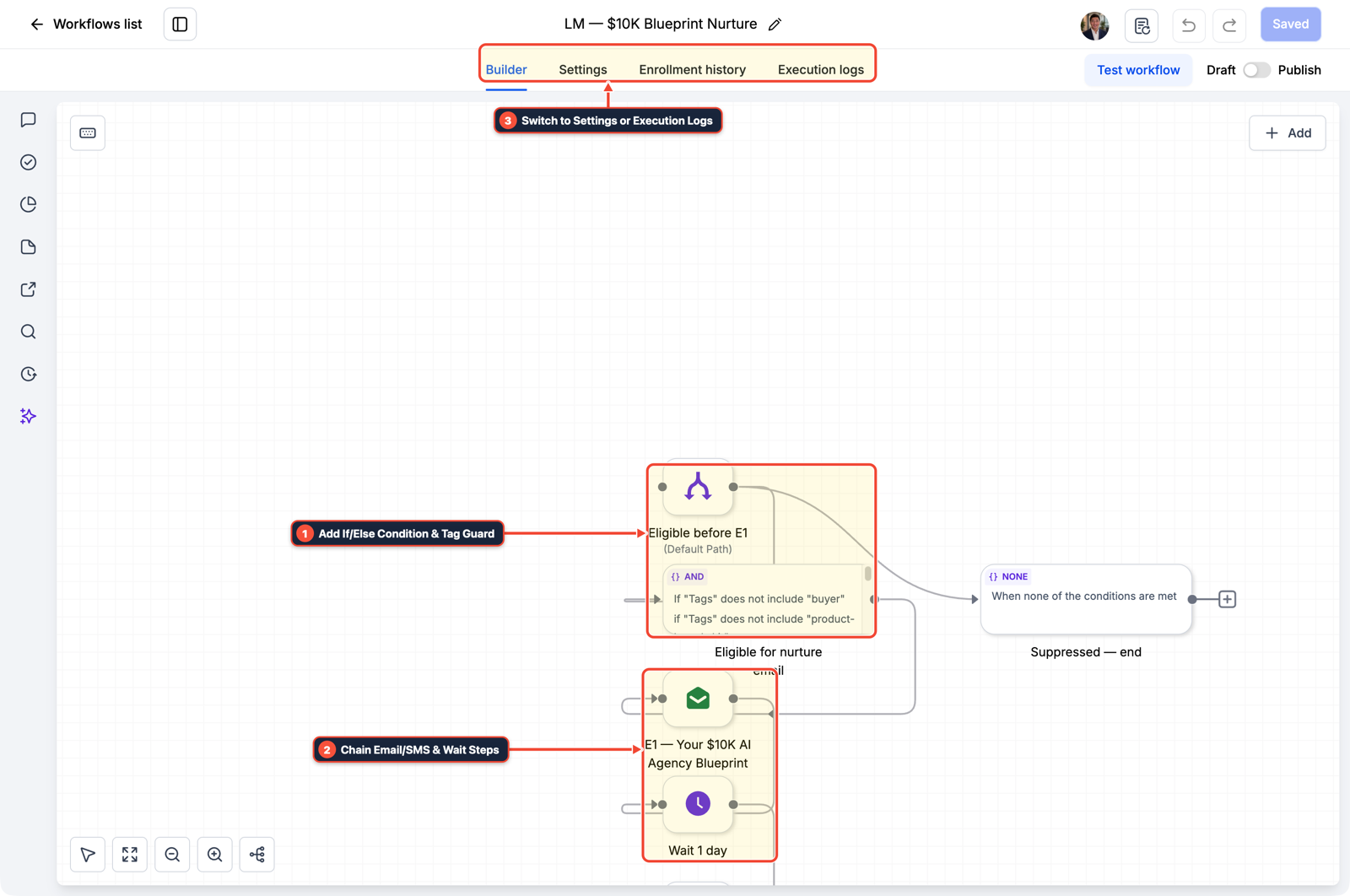
1Add If/Else Condition & Tag Guard 2Chain Priority & Wait Steps 3Switch to Settings or Execution Logs
MODE: AGENT PROMPT
PASTE INTO CLAUDE CODE, CURSOR, CHATGPT, OR GOHIGHLEVEL ASK AI
AGENT PROMPT
Configure structured AI agent memory and stage-change invalidation in sub-account <YOUR_LOCATION_ID>:
1. In Settings > Custom Fields, create typed fields for Preferred Contact Channel, Do Not Pitch Topics, Approved Budget Range, and Primary Goal.
2. In AI Agents > Knowledge Base and Conversation AI, instruct the assistant to query live calendar slots and pricing tables on each turn rather than relying on cached transcript summaries.
3. In Automation > Workflow Builder, clear stage-specific memory fields (Pending Offer Terms, Last Suggested Slot) whenever Pipeline Stage Changed fires.
GHL-TOOLS MCP SERVER & CLI (DANIELHALLMAN.COM/MCP)
BUILDER + SUB-ACCOUNT TOOLS
# Inspect structured memory custom fields and stage-cleanup workflows in the sub-account
ghl-crm custom-fields list --context <YOUR_CONTEXT> --location <YOUR_LOCATION_ID>
ghl-crm workflows list --context <YOUR_CONTEXT> --location <YOUR_LOCATION_ID>
Official GHL MCP vs. ghl-tools: HighLevel’s official hosted MCP (services.leadconnectorhq.com/mcp) covers public v2 CRM records (contacts, opportunities, appointments, conversations). ghl-tools MCP complements it with workflow graph inspection & recipes, funnel/form builders, DNS/BIMI checks, and ghl-crm doctor audits.
Cause
- When an agent stores unstructured chat summaries or caches its own prior replies as long-term memory, two failures show up within weeks: the context fills up with irrelevant chit-chat
- and the agent keeps repeating a rule or price that was true three weeks ago even after the deal moved to a new stage.
GoHighLevel Configuration
- Save only structured preference and goal tags in Settings > Custom Fields, query changeable facts live from AI Agents > Knowledge Base and Calendars
- and reset stage-dependent memory fields in Automation > Workflow Builder whenever an opportunity advances.
GoHighLevel Menu Paths
| Step | Menu Path in GHL | Action |
|---|---|---|
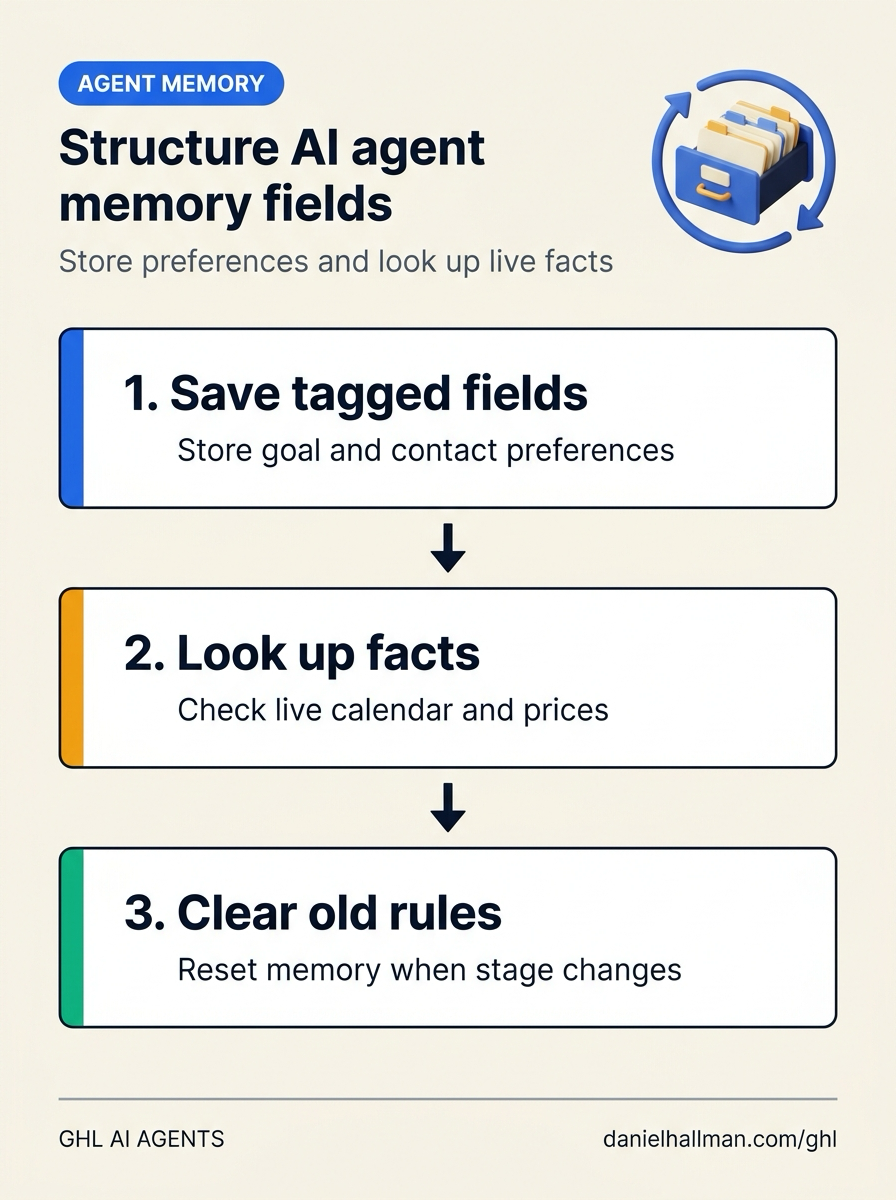
| Step 1 | Settings > Custom Fields | Store goal-specific contact preferences in typed fields (Preferred Contact Channel, Do Not Pitch Topics, Approved Budget Range, and Primary Goal) instead of feeding raw multi-week chat transcripts back into the prompt. |
| Step 2 | AI Agents > Knowledge Base | Require the agent to look up changeable facts (such as open appointment times, current service pricing, and active policy rules) at the moment the customer asks, never storing the agent's own unverified output as a memory fact. |
| Step 3 | Automation > Workflow Builder | Trigger a memory-cleanup rule on Pipeline Stage Changed that clears or updates stage-bound fields (Current Blocker, Pending Offer Terms, Last Suggested Slot) so the agent never acts on last month's context after a deal moves forward. |
DEFAULT SETUP VS. AUTOMATED WORKFLOW
Operational Comparison
Speed to Lead & Callback Safety
Caller Reply & Booking Rate
Related Questions
- Why Do AI Agents Need State-Bound Expiration Rules for Approvals and Decisions (Not Just Bigger Context Windows) in GoHighLevel?
- When You Start a New AI Chat for an Ongoing Project, What Do You Paste In to Keep Project Context and GoHighLevel Agent State?
- Why Do Some AI Agents Fail Even When They Have Access to Powerful Tools in GoHighLevel and MCP?
- How Do You Prevent Prompt Injection and Free-Text Memory Bugs in GoHighLevel AI Agents?
BUILD FASTER IN GOHIGHLEVEL · FREE TRIAL BONUSES + MCP SERVER
Build this directly inside your GoHighLevel sub-account
Connect Claude Code, Cursor, or OpenAI Codex to our ghl-tools MCP Server & Rust CLI to build workflows, forms, and funnels from your editor, or start your GoHighLevel plan through our partner link to unlock $612+ in ready-to-import kits (including GHL Structured AI Memory & Knowledge Base Kit) and weekly live clinics.