GOHIGHLEVEL ANSWERS & PROMPTS: PLAYBOOK T96 · 24-HOUR FETCH-VS-DONE HEARTBEAT CHECKS, PENDING-TO-DONE IDEMPOTENCY LOCKS & HUMAN APPROVAL GATES
AUTHOR: DANIEL HALLMAN
KEYWORD: UNATTENDED FLOWS
STEP-BY-STEP INSTRUCTIONS + ANNOTATED GHL SCREENSHOTS
Steps in GoHighLevel
-
STEP 1In Settings > Custom Fields, create fields for
Last Fetch Status(answered_with_rows,answered_zero_rows,source_unreachable),Outbound Publish State(pending,done), andOutbound Request Keyso your workflow records whether the source answered separately from whether downstream publishing finished.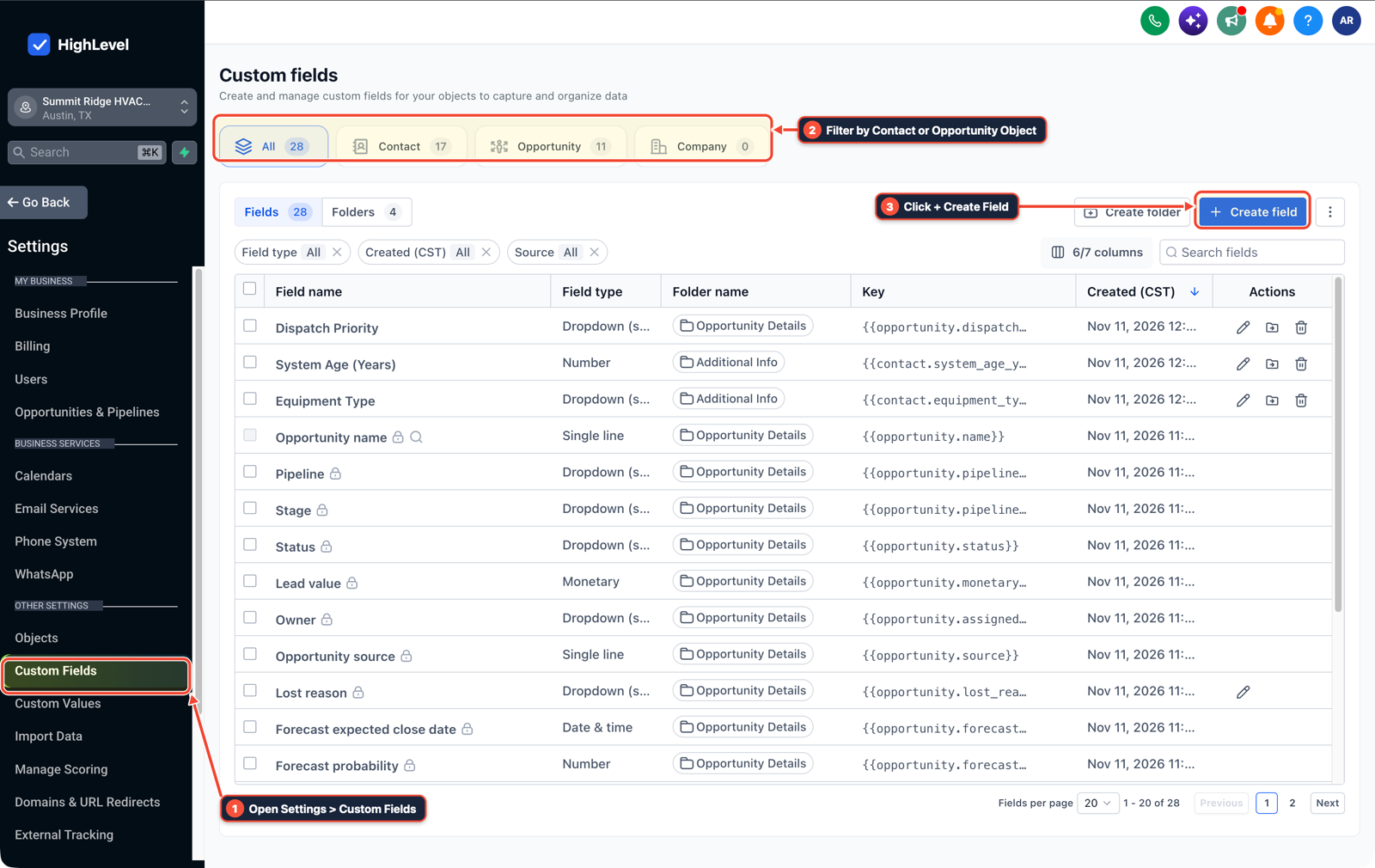
1Open Settings > Custom Fields 2Filter by Contact or Opportunity Object 3Click + Create Field -
STEP 2In Automation > Workflow Builder, set
Outbound Publish Statetopendingwith a uniqueOutbound Request Keybefore calling any external publish or messaging action, flip it todoneon response, and check the target before retrying anypendingrecord older than10minutes so timeout retries never double-post.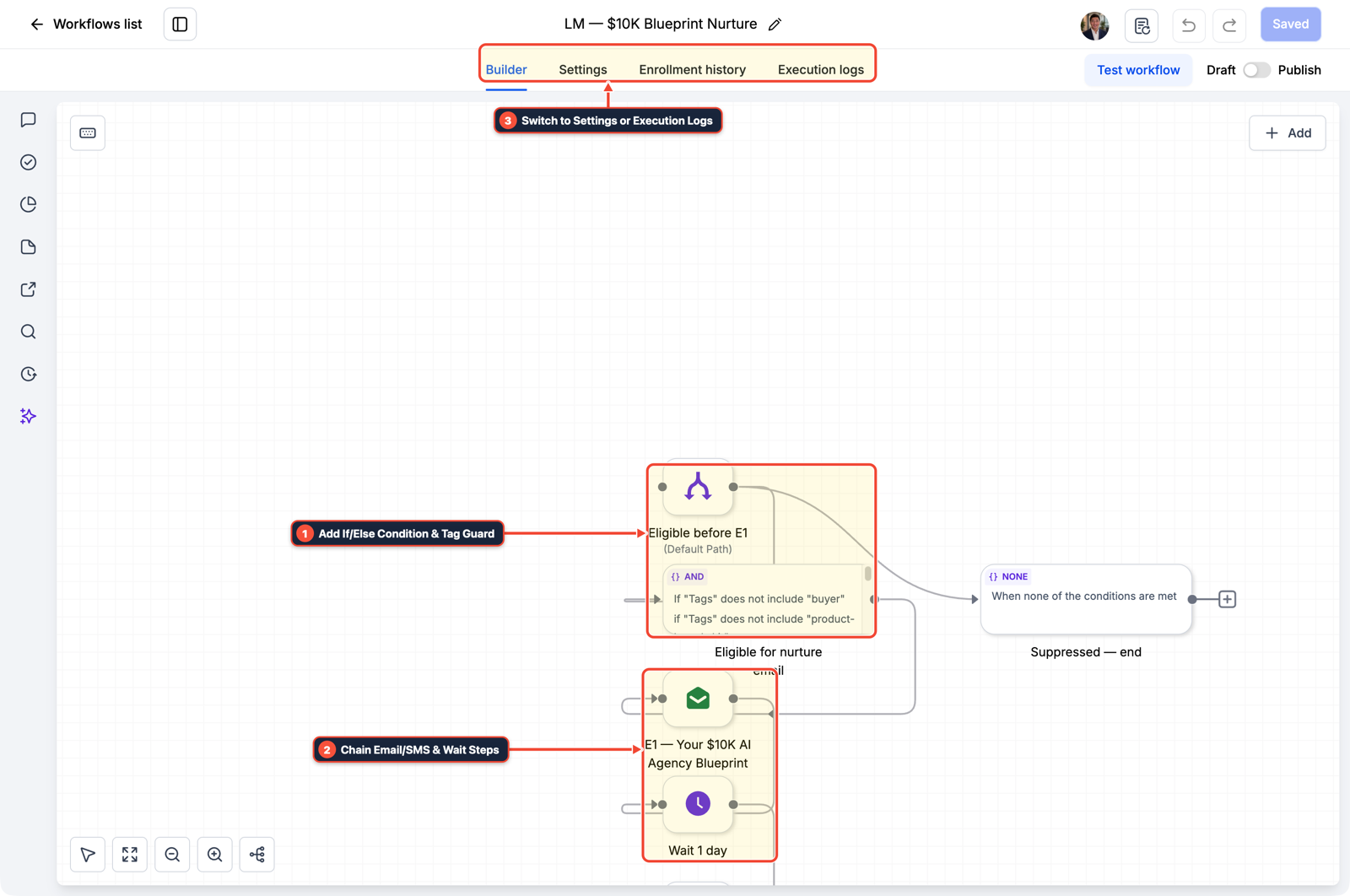
1Add If/Else Condition & Tag Guard 2Chain Priority & Wait Steps 3Switch to Settings or Execution Logs -
STEP 3In Automation > Workflow > Execution Logs, schedule a daily 24-hour heartbeat workflow that alerts your team in Conversations > Team Inbox whenever a critical workflow has no fetch log in the last 24 hours or reports
answered_zero_rowstwice in a row.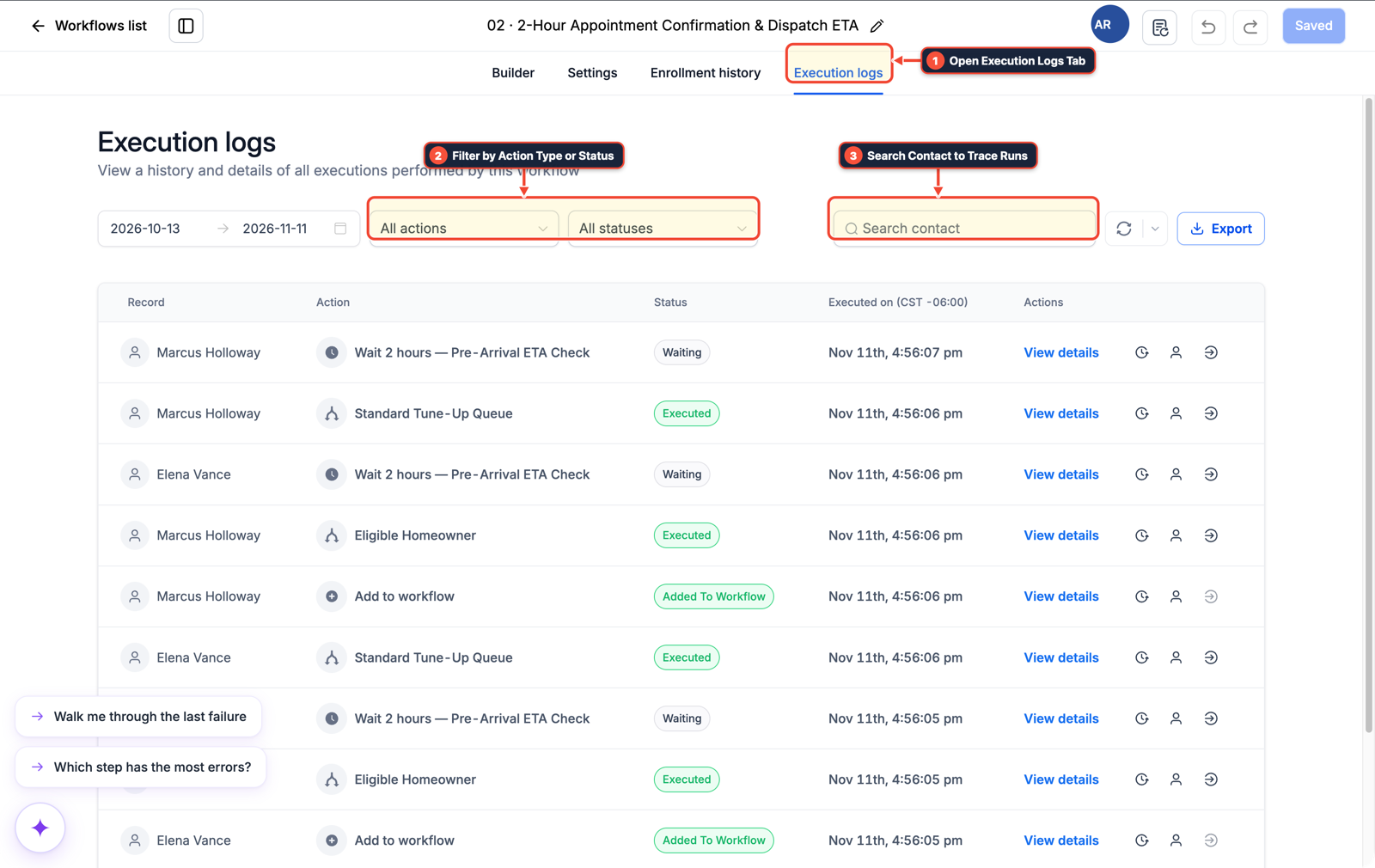
1Open Execution Logs Tab 2Filter by Action Type or Status 3Search Contact to Trace Runs
MODE: AGENT PROMPT
PASTE INTO CLAUDE CODE, CURSOR, CHATGPT, OR GOHIGHLEVEL ASK AI
AGENT PROMPT
Add a fetch-vs-done heartbeat and pending-to-done idempotency lock to unattended workflows in sub-account <YOUR_LOCATION_ID>:
1. In Settings > Custom Fields, create Last Fetch Status (answered_with_rows, answered_zero_rows, source_unreachable), Outbound Publish State (pending, done), and Outbound Request Key fields.
2. In Automation > Workflow Builder, write Outbound Publish State = pending before any external publish or message step, update to done on completion, and verify target state before retrying pending records older than 10 minutes.
3. In Automation > Workflow > Execution Logs, run a daily 24-hour heartbeat check that alerts staff when a scheduled workflow fails to log a clean fetch.
GHL-TOOLS MCP SERVER & CLI (DANIELHALLMAN.COM/MCP)
BUILDER + SUB-ACCOUNT TOOLS
# Audit custom fields and unattended webhook workflows in the sub-account
ghl-crm custom-fields list --context <YOUR_CONTEXT> --location <YOUR_LOCATION_ID>
ghl-crm workflows list --context <YOUR_CONTEXT> --location <YOUR_LOCATION_ID>
Official GHL MCP vs. ghl-tools: HighLevel’s official hosted MCP (services.leadconnectorhq.com/mcp) covers public v2 CRM records (contacts, opportunities, appointments, conversations). ghl-tools MCP complements it with workflow graph inspection & recipes, funnel/form builders, DNS/BIMI checks, and ghl-crm doctor audits.
Cause
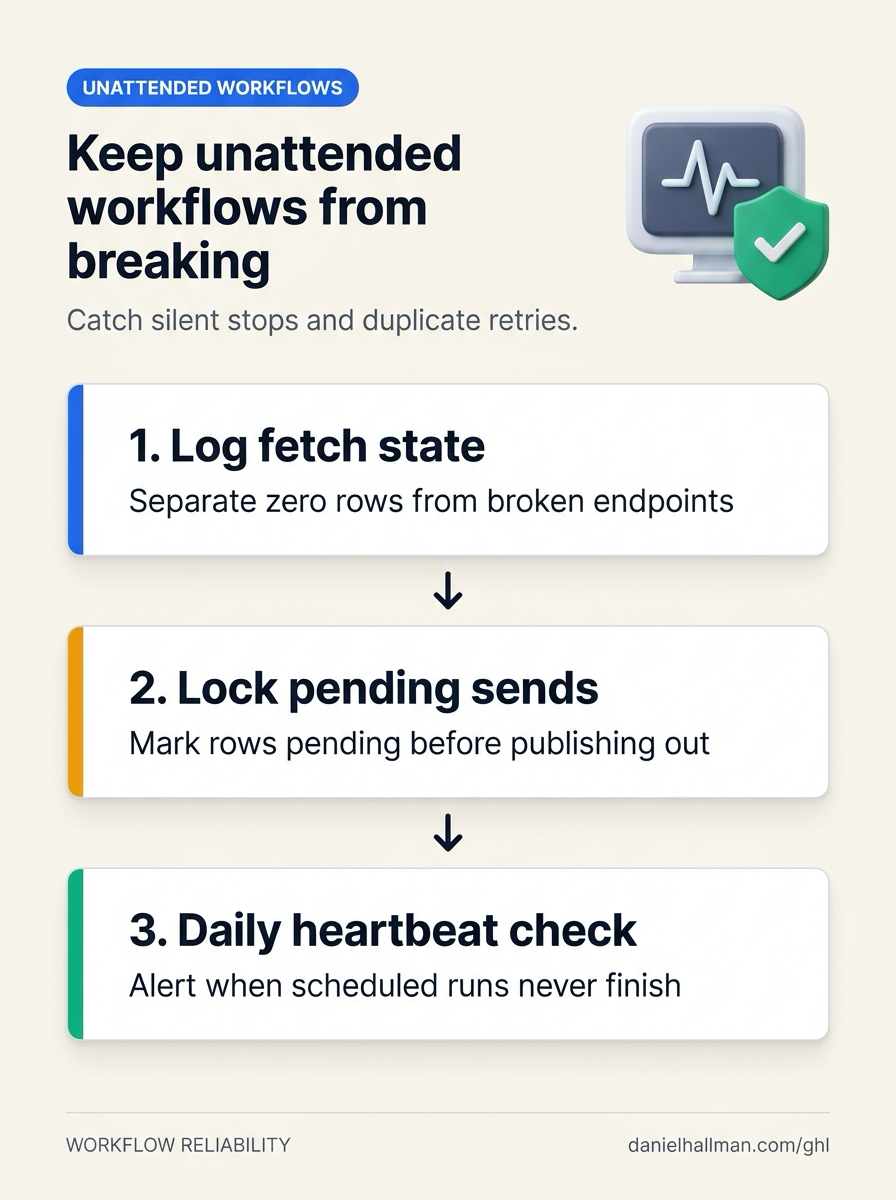
- Adding basic HTTP retry rules and a completion log sheet still leaves two production blind spots: when an upstream source never answers or changes its HTML/JSON structure, zero returned rows look just like a quiet day with no new leads
- and when a publish step times out waiting for a response, an automatic retry sends a duplicate message or creates a second record.
GoHighLevel Configuration
- Log the upstream fetch result (
answered_with_rows,answered_zero_rows,source_unreachable) separately from the completion timestamp in Settings > Custom Fields, lock outbound actions with apending>donestatus in Automation > Workflow Builder - and schedule a daily heartbeat audit in Automation > Workflow > Execution Logs.
GoHighLevel Menu Paths
| Step | Menu Path in GHL | Action |
|---|---|---|
| Step 1 | Settings > Custom Fields | Create fields for Last Fetch Status (answered_with_rows, answered_zero_rows, source_unreachable), Outbound Publish State (pending, done), and Outbound Request Key so your workflow records whether the source answered separately from whether downstream publishing finished. |
| Step 2 | Automation > Workflow Builder | Set Outbound Publish State to pending with a unique Outbound Request Key before calling any external publish or messaging action, flip it to done on response, and check the target before retrying any pending record older than 10 minutes so timeout retries never double-post. |
| Step 3 | Automation > Workflow > Execution Logs | Schedule a daily 24-hour heartbeat workflow that alerts your team in Conversations > Team Inbox whenever a critical workflow has no fetch log in the last 24 hours or reports answered_zero_rows twice in a row. |
DEFAULT SETUP VS. AUTOMATED WORKFLOW
Operational Comparison
Speed to Lead & Callback Safety
Caller Reply & Booking Rate
Related Questions
- How Do You Catch a Silently Failed n8n or GoHighLevel Webhook Node Before a Message Is Lost?
- How Do You Stop a Self-Hosted n8n Outage from Dropping Client Leads in GoHighLevel?
- What Causes Production AI Agents to Act on Stale Data or Double-Send (And How Do You Prevent It in GoHighLevel)?
- How Do You Stop Concurrent n8n Lead Webhooks From Overwriting Google Sheets Rows?
BUILD FASTER IN GOHIGHLEVEL · FREE TRIAL BONUSES + MCP SERVER
Build this directly inside your GoHighLevel sub-account
Connect Claude Code, Cursor, or OpenAI Codex to our ghl-tools MCP Server & Rust CLI to build workflows, forms, and funnels from your editor, or start your GoHighLevel plan through our partner link to unlock $612+ in ready-to-import kits (including GHL & n8n Unattended Workflow Heartbeat Kit) and weekly live clinics.