GOHIGHLEVEL ANSWERS & PROMPTS: PLAYBOOK T02 · SAAS MODE & SNAPSHOTS
AUTHOR: DANIEL HALLMAN
KEYWORD: AGENCY
STEP-BY-STEP INSTRUCTIONS + ANNOTATED GHL SCREENSHOTS
Steps in GoHighLevel
-
STEP 1Log Weekend Voicemail Drops: Call
20local trade shops (plumbing, HVAC, roofing, electrical, garage door) after 5:30 PM or on Saturday and record which numbers drop straight to generic voicemail.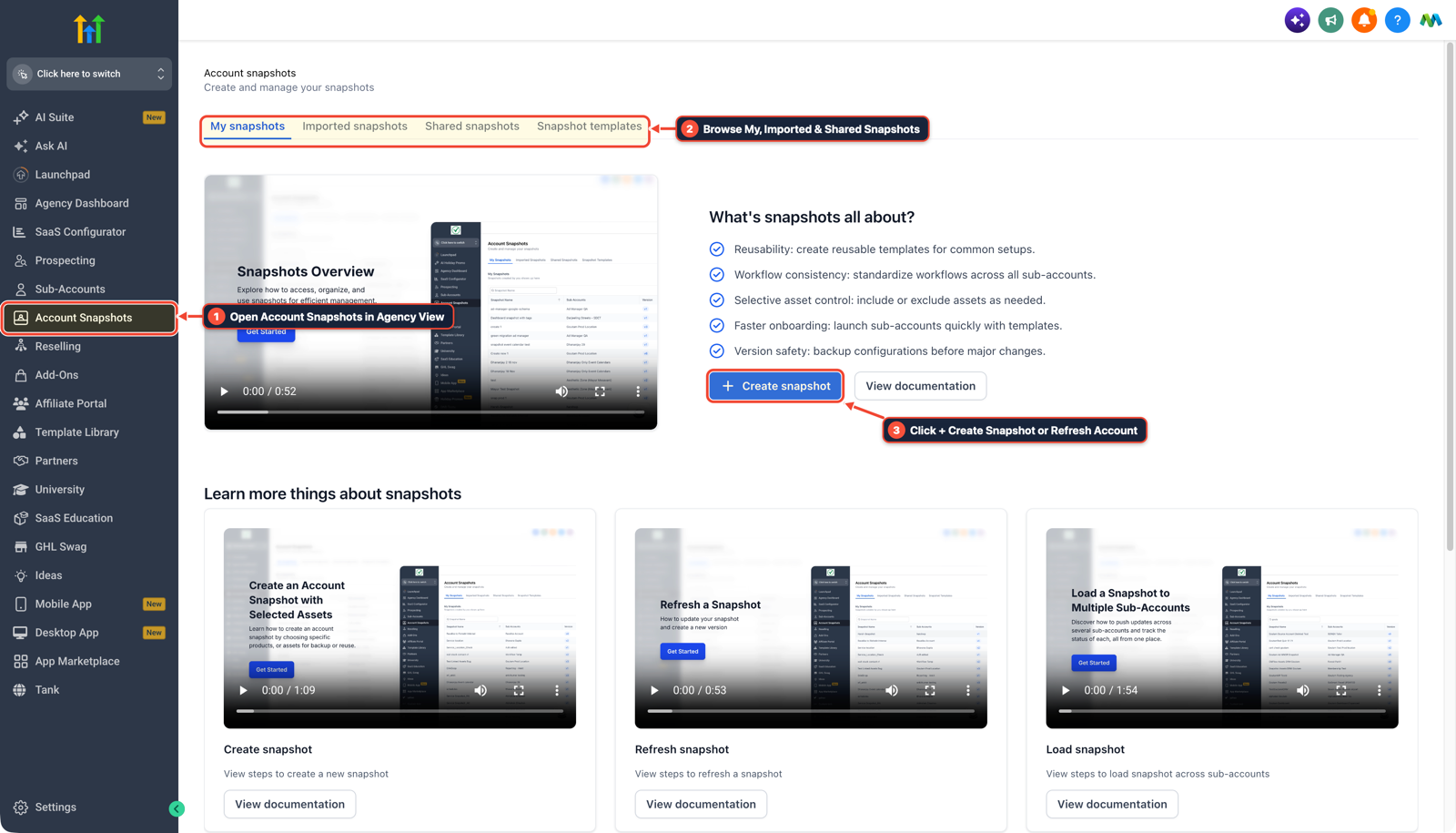
1Open Account Snapshots in Agency View 2Browse My, Imported & Shared Snapshots 3Click + Create Snapshot or Refresh Account -
STEP 2Demo the 45-Second Text-Back Flow: In Automation > Workflows, show the owner the 5-step Missed-Call Text-Back workflow that texts back in
45seconds to capture the caller's street address and repair issue.
1Add If/Else Condition & Tag Guard 2Chain Priority & Wait Steps 3Switch to Settings or Execution Logs -
STEP 3Provision the Starter Sub-Account: In Agency View > SaaS Configurator, activate the client on a
$297–$497/month starter plan bundling Missed-Call Text-Back and 2-hour Google Review Requests.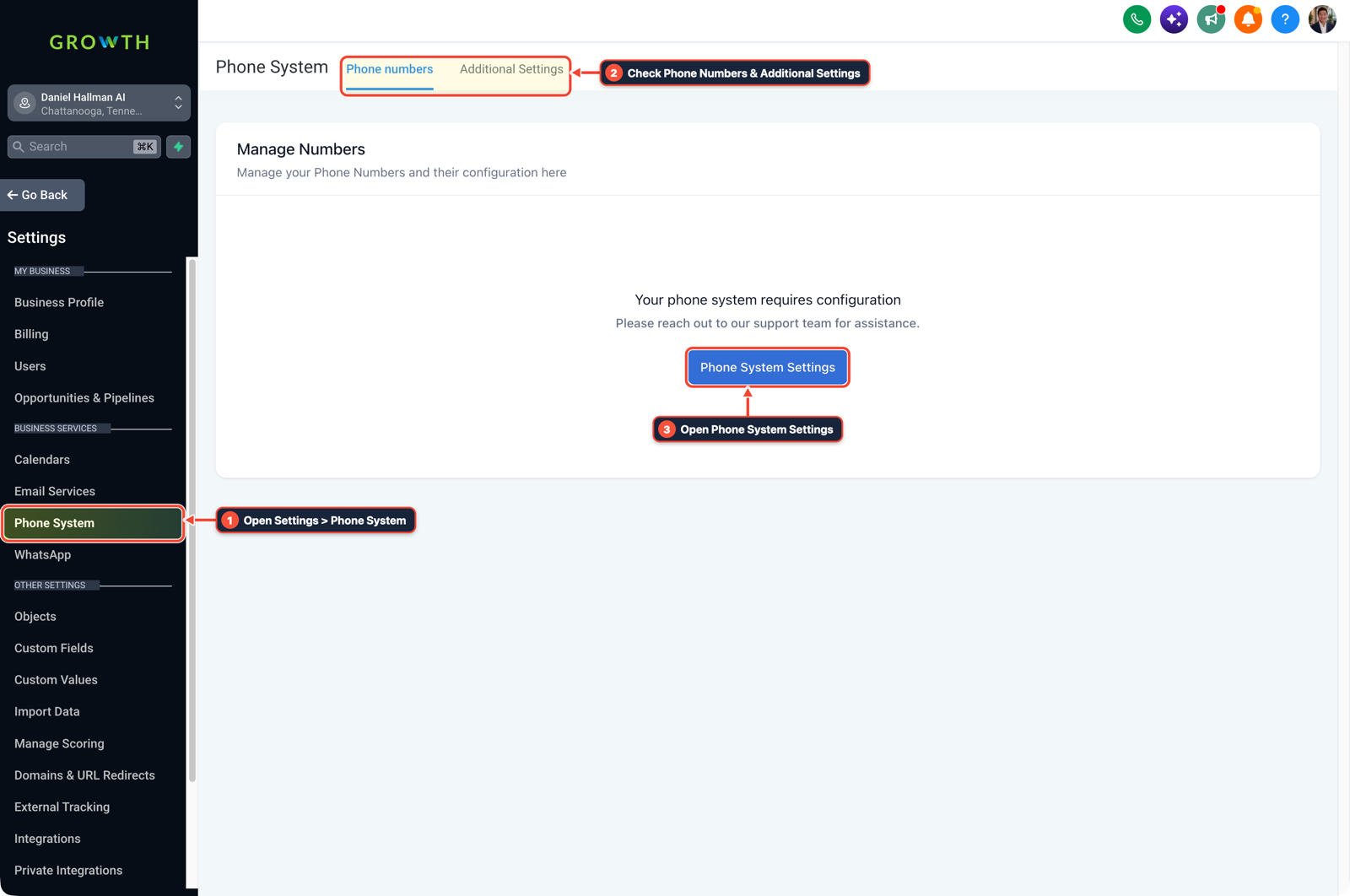
1Open Settings > Phone System 2Check Phone Numbers & Additional Settings 3Open Phone System Settings
MODE: AGENT PROMPT
PASTE INTO CLAUDE CODE, CURSOR, CHATGPT, OR GOHIGHLEVEL ASK AI
AGENT PROMPT
Help me prepare a local contractor outreach audit and starter sub-account deployment in GoHighLevel:
1. Generate a 1-page Missed-Call Call-Log summary for a local plumbing/HVAC shop showing how a 45-second text-back workflow captures weekend emergency callers before they call the next listing on Google.
2. Provision the starter sub-account with our 5-step Missed-Call Text-Back workflow and 2-hour post-job Google Review check-in flow.
3. Verify the forwarding timeout (15s) and A2P opt-in form.
GHL-TOOLS MCP SERVER & CLI (DANIELHALLMAN.COM/MCP)
BUILDER + SUB-ACCOUNT TOOLS
# 1. MCP Tool Call (ghl-agency-mcp)
{
  "tool": "subaccount_provision_starter",
  "arguments": {
    "context": "moosh-growth",
    "vertical": "home_services",
    "modules": ["mctb_45s_guard", "google_review_gate_2h"]
  }
}

# 2. Or run via ghl-agency Rust CLI
ghl-agency onboard-starter --vertical home-services
Official GHL MCP vs. ghl-tools: HighLevel’s official hosted MCP (services.leadconnectorhq.com/mcp) covers public v2 CRM records (contacts, opportunities, appointments, conversations). ghl-tools MCP complements it with workflow graph inspection & recipes, funnel/form builders, DNS/BIMI checks, and ghl-crm doctor audits.
Cause
- Local home service owners turn down complex $2,500/month AI agency retainers in cold outreach because they don't want another software login and don't trust an unproven bot with emergency calls.
GoHighLevel Configuration
- Lead with a concrete weekend missed-call test.
- Show the owner how callers who hit voicemail on Saturday evening dial the next competitor on Google Maps within 60 seconds, then install our 5-step Missed-Call Text-Back + Google Review foot-in-the-door setup in 48 hours.
GoHighLevel Menu Paths
| Step | Menu Path in GHL | Action |
|---|---|---|
| Step 1 | Agency View > Account Snapshots > + Create Snapshot | Call 20 local trade shops (plumbing, HVAC, roofing, electrical, garage door) after 5:30 PM or on Saturday and record which numbers drop straight to generic voicemail. |
| Step 2 | Automation > Workflows | Show the owner the 5-step Missed-Call Text-Back workflow that texts back in 45 seconds to capture the caller's street address and repair issue. |
| Step 3 | Agency View > SaaS Configurator | Activate the client on a $297–$497/month starter plan bundling Missed-Call Text-Back and 2-hour Google Review Requests. |
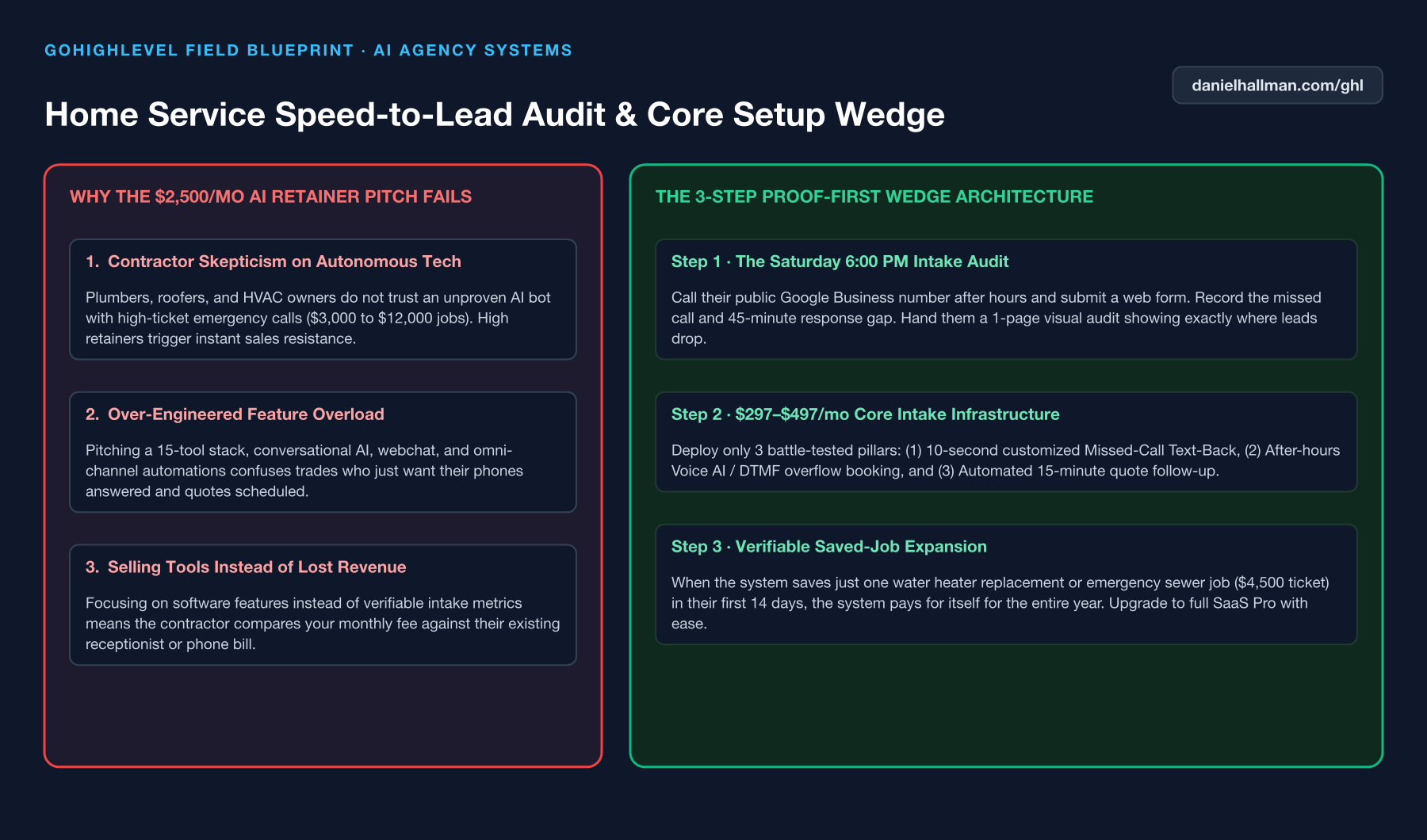
DEFAULT SETUP VS. AUTOMATED WORKFLOW
Operational Comparison
Manual Admin Work Per Client
Lead-to-Booked-Job Conversion
Related Questions
- How do you route weekend emergency repair calls in GoHighLevel so contractors never lose a job?
- How do you onboard a new GoHighLevel agency client fast?
- How do you stop GoHighLevel Missed-Call Text-Back from texting while a rep is calling back?
- How do you get more 5-star Google reviews in GoHighLevel without annoying unhappy customers?
BUILD FASTER IN GOHIGHLEVEL · FREE TRIAL BONUSES + MCP SERVER
Build this directly inside your GoHighLevel sub-account
Connect Claude Code, Cursor, or OpenAI Codex to our ghl-tools MCP Server & Rust CLI to build workflows, forms, and funnels from your editor, or start your GoHighLevel plan through our partner link to unlock $612+ in ready-to-import kits (including AI Agency Launch Kit ($197)) and weekly live clinics.