GOHIGHLEVEL ANSWERS & PROMPTS: PLAYBOOK T112 · TWO-WAY REMINDERS, 90-DAY REACTIVATION & JOB-COMPLETE REVIEW TRIGGERS
AUTHOR: DANIEL HALLMAN
KEYWORD: HOME SERVICE SAAS
STEP-BY-STEP INSTRUCTIONS + ANNOTATED GHL SCREENSHOTS
Steps in GoHighLevel
-
STEP 1In Calendars > Calendar Settings, enable appointment confirmation texts
24hours before the visit and add a workflow stage that sends an'On My Way'SMS with the technician's arrival window when the job moves to Dispatched.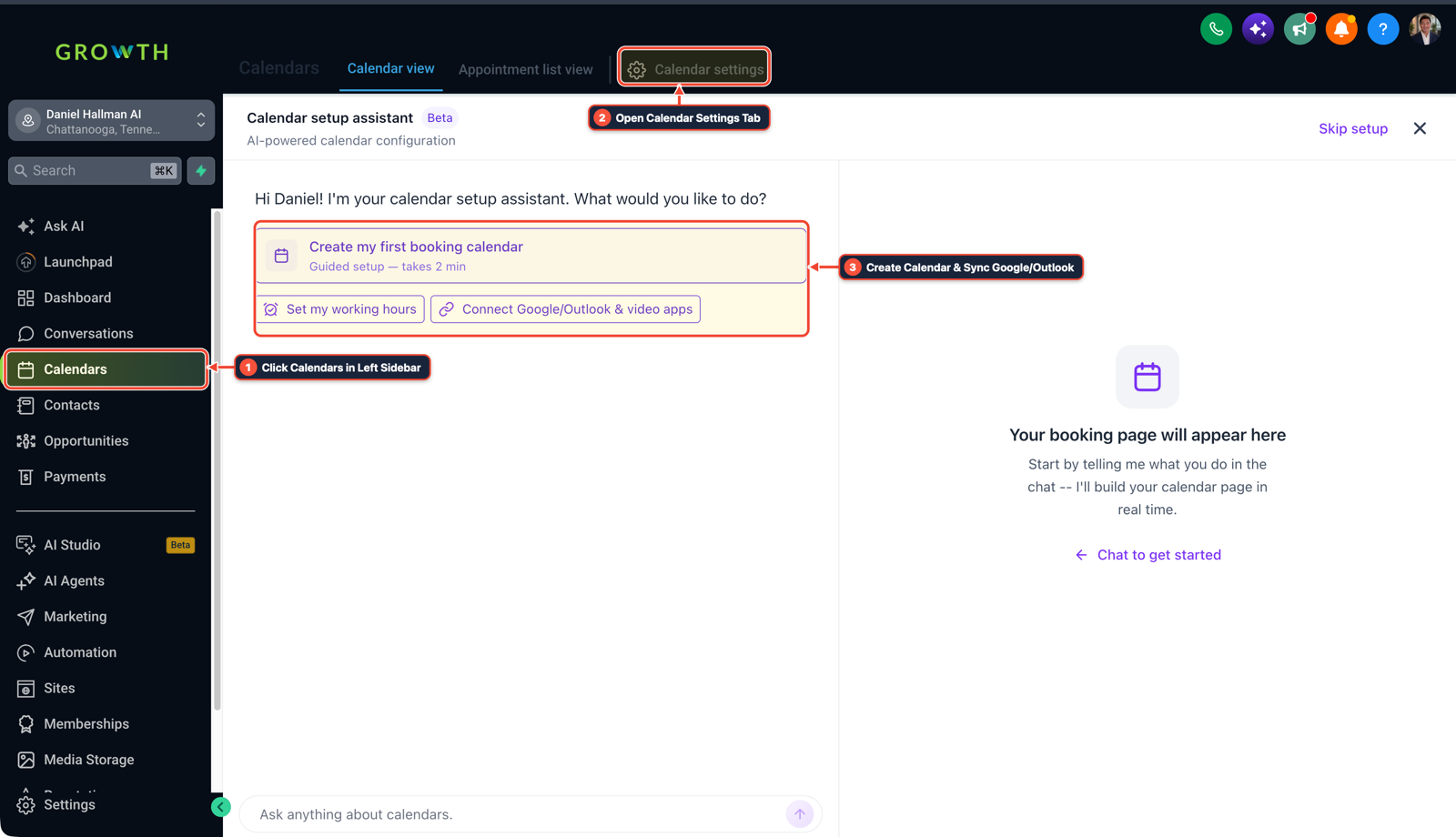
1Click Calendars in Left Sidebar 2Switch Calendar View, List & Settings 3Review Confirmed Bookings or Click + New -
STEP 2In Contacts > Smart Lists, create a saved segment for contacts tagged
job-completedwhose last visit was90days ago, and enroll them in a two-message SMS check-in offering seasonal maintenance or repeat service.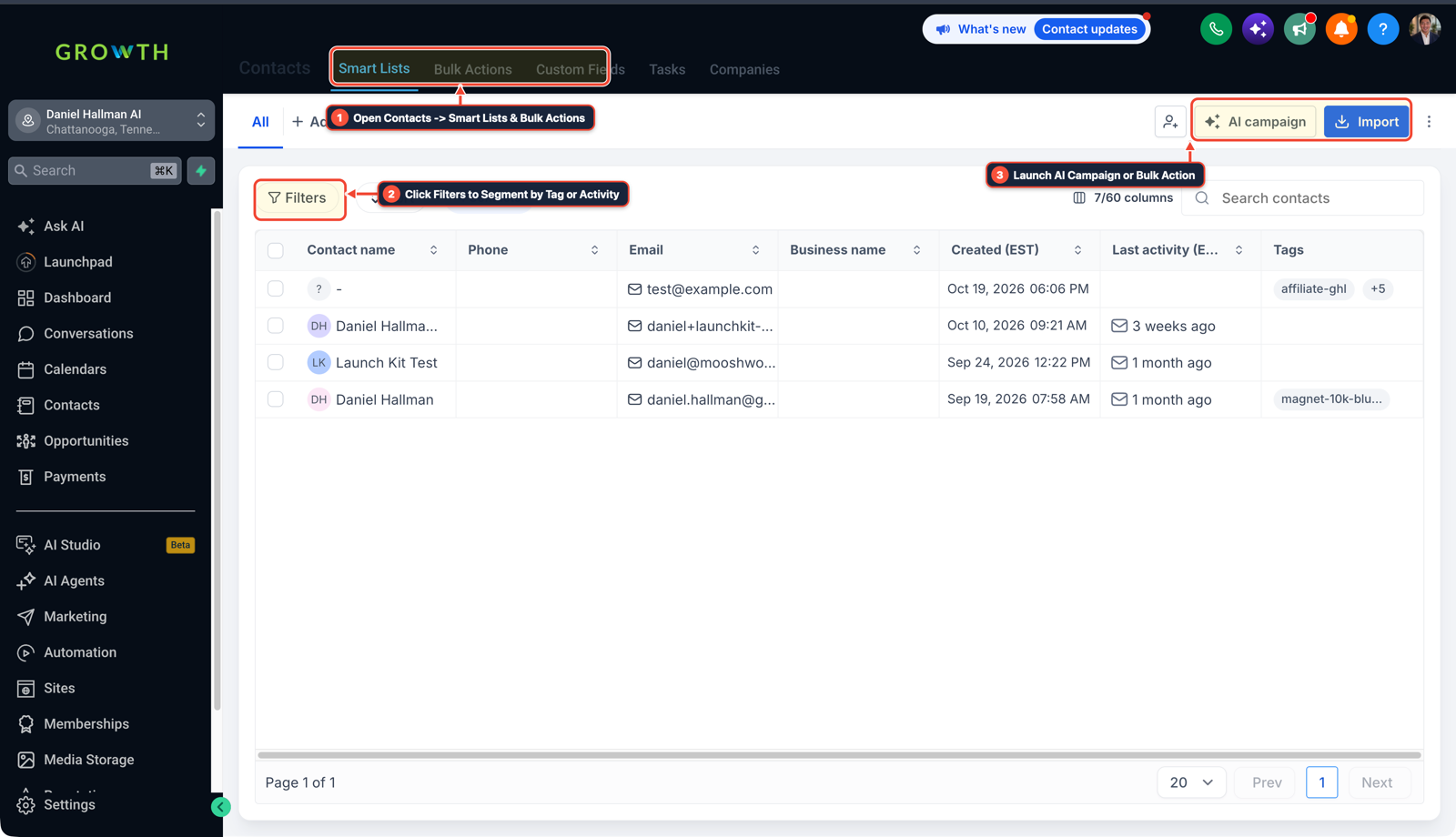
1Open Contacts > Smart Lists & Bulk Actions 2Click Filters to Segment by Tag or Activity 3Launch AI Campaign or Import List -
STEP 3In Reputation > Requests, trigger your Google review request SMS two hours after the pipeline stage changes to Job Completed (skipping contacts tagged
open-complaint) so happy repeat customers leave reviews while the visit is still fresh.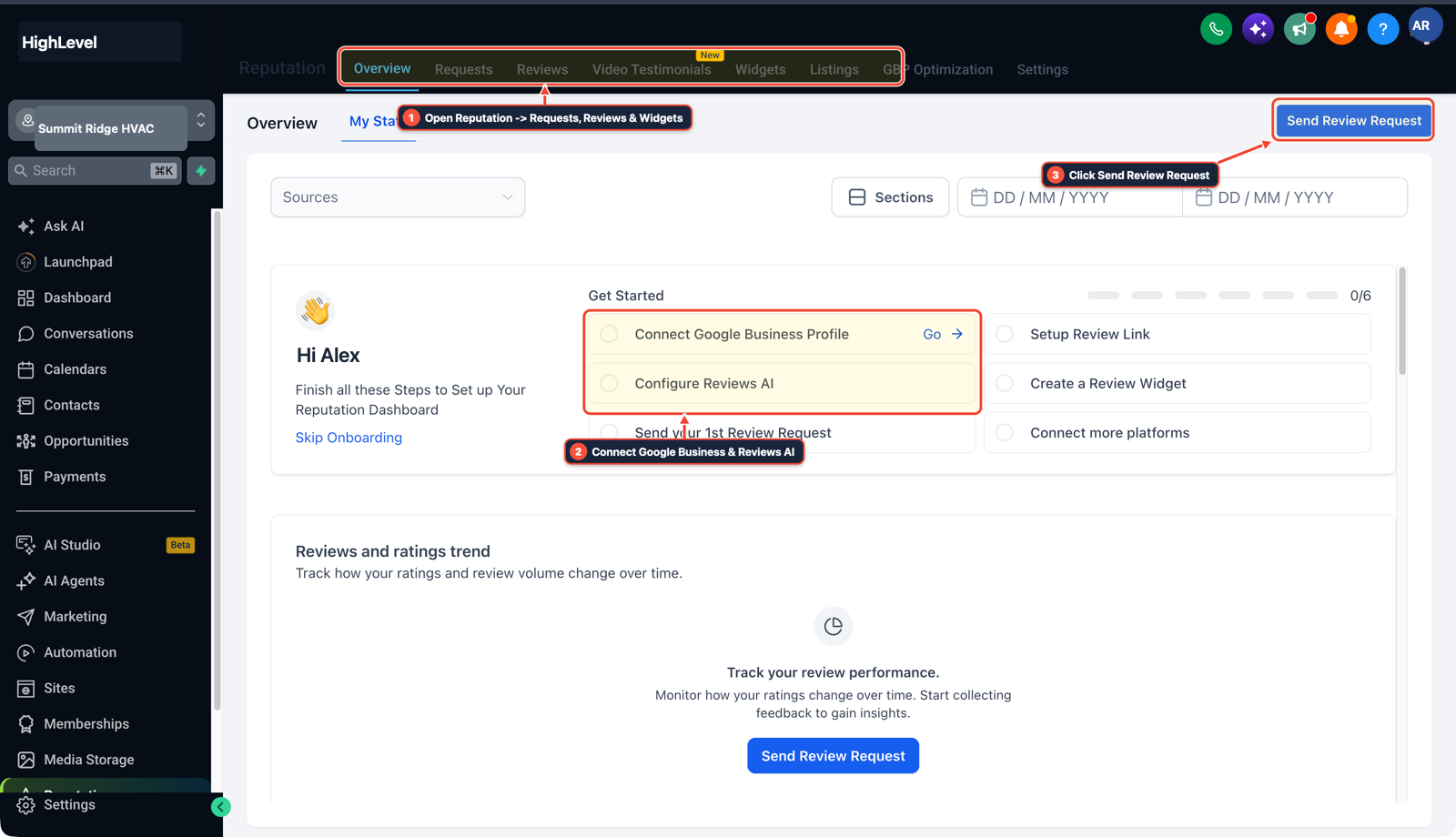
1Open Reputation > Requests, Reviews & Widgets 2Connect Google Business & Reviews AI 3Click Send Review Request
MODE: AGENT PROMPT
PASTE INTO CLAUDE CODE, CURSOR, CHATGPT, OR GOHIGHLEVEL ASK AI
AGENT PROMPT
Add high-volume home service retention workflows to sub-account <YOUR_LOCATION_ID>:
1. Configure 24-hour two-way SMS reminders and an On My Way arrival text tied to the Dispatched pipeline stage.
2. Build a 90-day past-customer Smart List and a two-step SMS reactivation sequence for repeat visits.
3. Trigger a Google review request SMS two hours after Job Completed, excluding contacts with an open-complaint tag.
GHL-TOOLS MCP SERVER & CLI (DANIELHALLMAN.COM/MCP)
BUILDER + SUB-ACCOUNT TOOLS
# Review sub-account workflows and saved Smart Lists
ghl-crm workflows list --context <YOUR_CONTEXT> --location <YOUR_LOCATION_ID>
ghl-crm views list --context <YOUR_CONTEXT> --location <YOUR_LOCATION_ID>
Official GHL MCP vs. ghl-tools: HighLevel’s official hosted MCP (services.leadconnectorhq.com/mcp) covers public v2 CRM records (contacts, opportunities, appointments, conversations). ghl-tools MCP complements it with workflow graph inspection & recipes, funnel/form builders, DNS/BIMI checks, and ghl-crm doctor audits.
Cause
- When a GoHighLevel SaaS bundle stops at a website, Google Business Profile setup
- and missed-call text-back, high-volume trades still lose hours every week to forgotten appointments and rarely follow up with customers who paid three months ago.
GoHighLevel Configuration
- Pair your base bundle with two-way appointment confirmations in Calendars > Calendar Settings, a 90-day past-customer reactivation filter in Contacts > Smart Lists
- and a job-complete review trigger in Reputation > Requests.
GoHighLevel Menu Paths
| Step | Menu Path in GHL | Action |
|---|---|---|
| Step 1 | Calendars > Calendar Settings | Enable appointment confirmation texts 24 hours before the visit and add a workflow stage that sends an 'On My Way' SMS with the technician's arrival window when the job moves to Dispatched. |
| Step 2 | Contacts > Smart Lists | Create a saved segment for contacts tagged job-completed whose last visit was 90 days ago, and enroll them in a two-message SMS check-in offering seasonal maintenance or repeat service. |
| Step 3 | Reputation > Requests | Trigger your Google review request SMS two hours after the pipeline stage changes to Job Completed (skipping contacts tagged open-complaint) so happy repeat customers leave reviews while the visit is still fresh. |
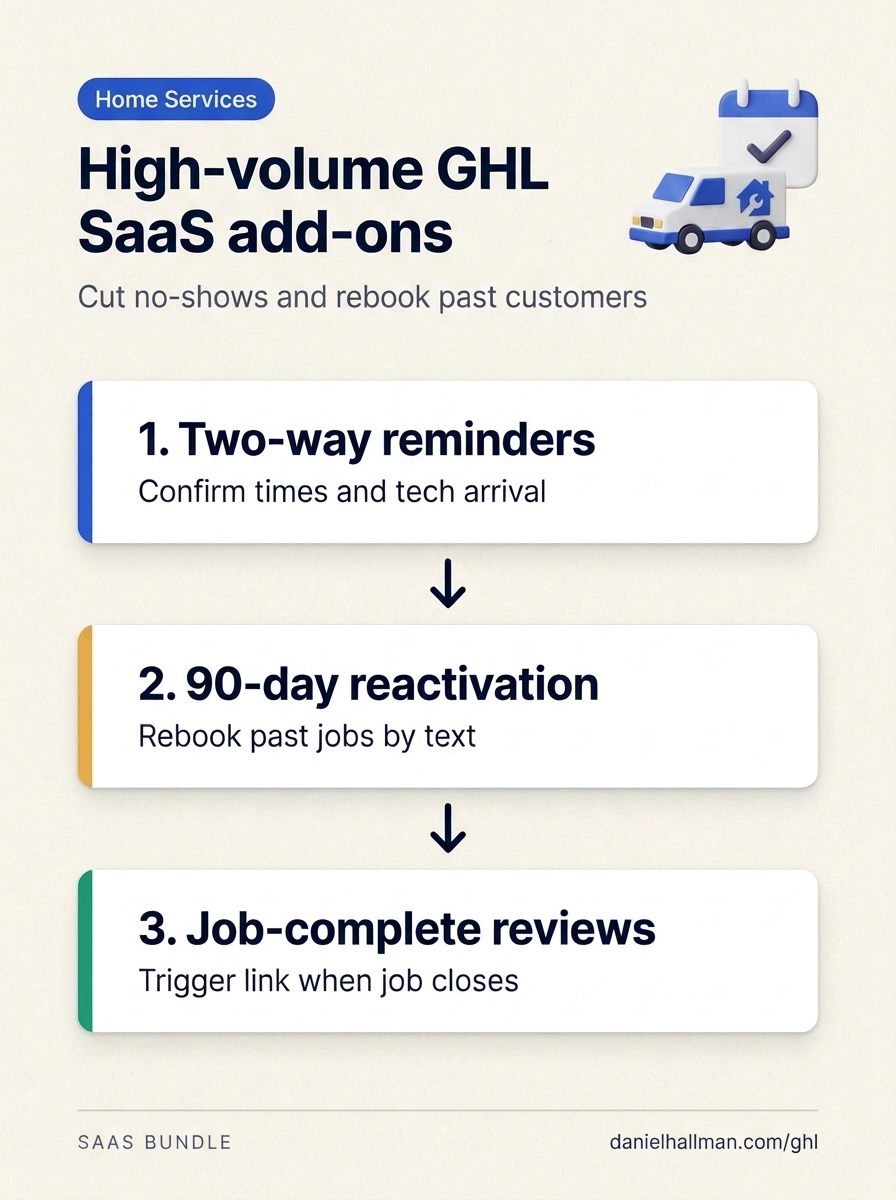
DEFAULT SETUP VS. AUTOMATED WORKFLOW
Operational Comparison
Manual Admin Work Per Client
Lead-to-Booked-Job Conversion
Related Questions
- How do you set up GoHighLevel for a solo home service business without bloated agency snapshots?
- How Do You Structure a $97/Month GoHighLevel DIY SaaS Offer That Local Businesses Actually Keep?
- How Do You Set Up Stripe Payments and Automated Google Reviews on the GoHighLevel $97 Starter Plan?
- How Do You Route 1-Star Google Reviews to Local Managers and Track the Actual Customer Fix in GoHighLevel?
BUILD FASTER IN GOHIGHLEVEL · FREE TRIAL BONUSES + MCP SERVER
Build this directly inside your GoHighLevel sub-account
Connect Claude Code, Cursor, or OpenAI Codex to our ghl-tools MCP Server & Rust CLI to build workflows, forms, and funnels from your editor, or start your GoHighLevel plan through our partner link to unlock $612+ in ready-to-import kits (including GHL Home Service SaaS Retention Kit) and weekly live clinics.