GOHIGHLEVEL ANSWERS & PROMPTS: PLAYBOOK T90 · 10-SECOND MISSED-CALL COLD OPENER & LIVE CALENDAR SLOT LOOKUP BEFORE SPEAKING
AUTHOR: DANIEL HALLMAN
KEYWORD: VOICE DEMO
STEP-BY-STEP INSTRUCTIONS + ANNOTATED GHL SCREENSHOTS
Steps in GoHighLevel
-
STEP 1In Settings > Phone System, provision a local area-code demo number and call the prospect's main business line at
12:30 PMor5:15 PMfirst so your 10-second opener names the exact voicemail gap you observed rather than pitching an AI builder platform.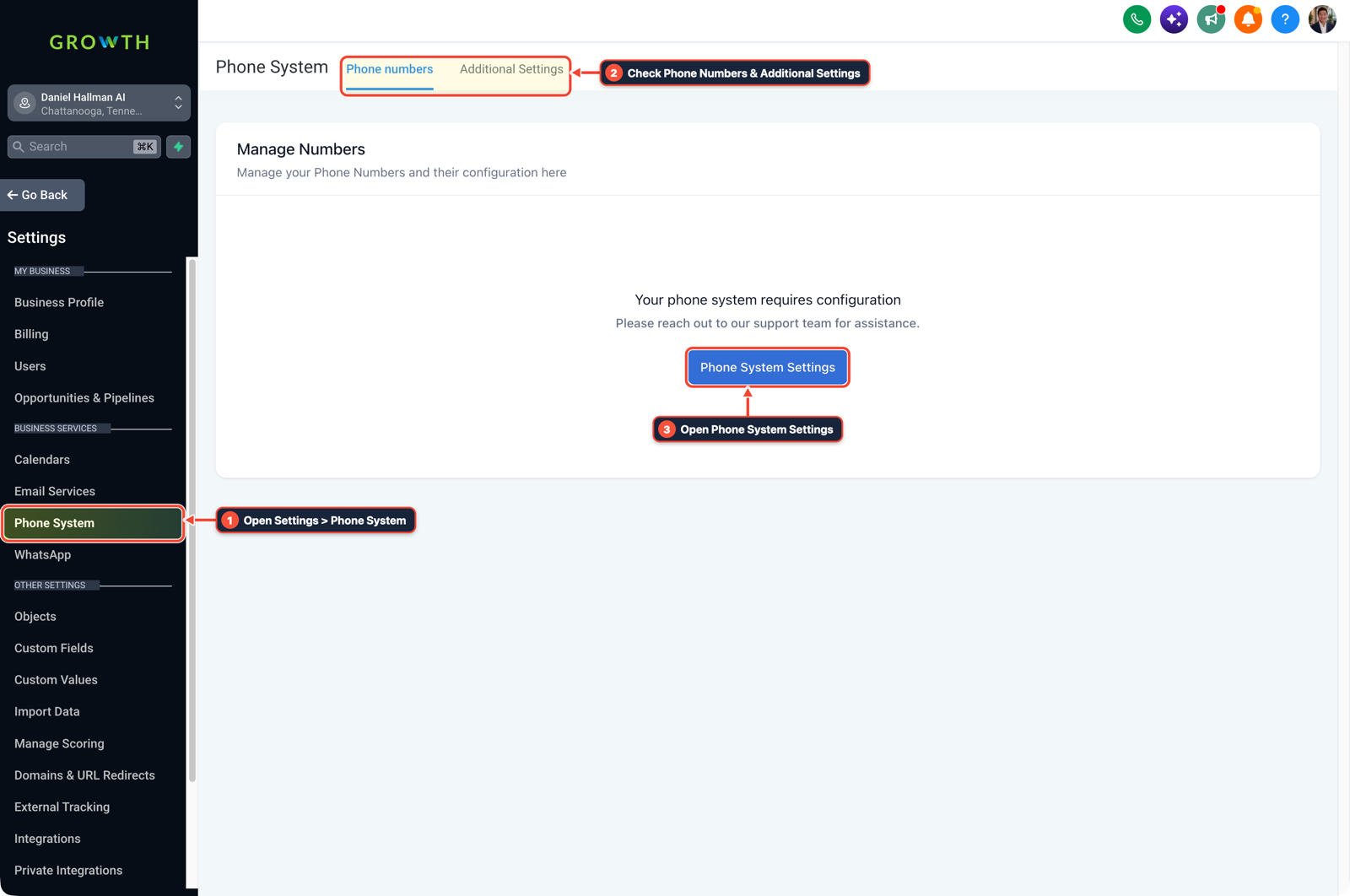
1Open Settings > Phone System 2Check Phone Numbers & Additional Settings 3Open Phone System Settings -
STEP 2In AI Agents > Voice AI and Calendars > Calendar Settings, connect the booking calendar directly to the agent's appointment action and add an explicit system prompt rule: never state that a time slot (such as
2:00 PM) is available until the calendar lookup tool returns free slots for that day.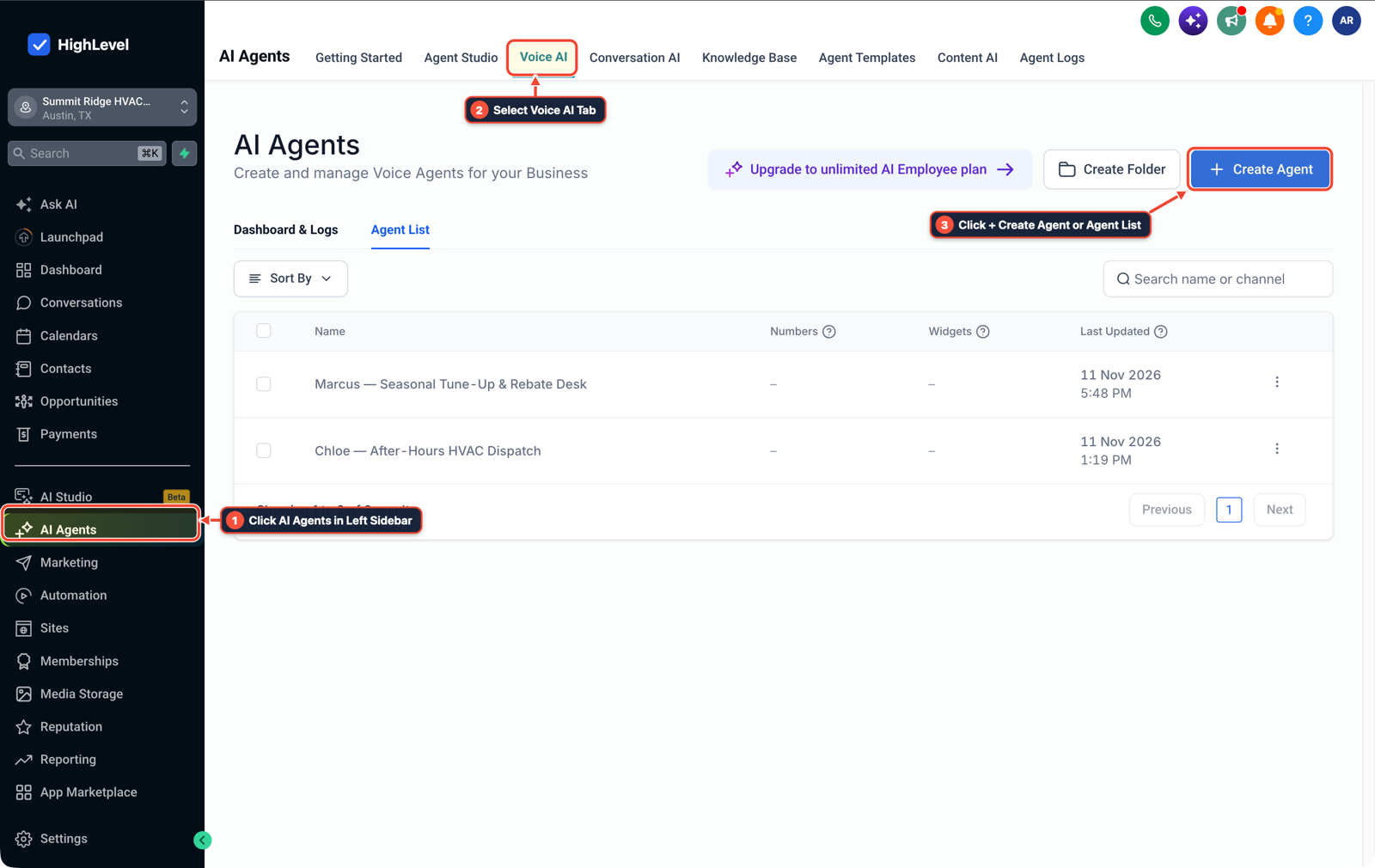
1Click AI Agents in Left Sidebar 2Select Voice AI Tab 3Click + Create Agent or Agent List -
STEP 3In Automation > Workflow Builder, trigger an immediate SMS confirmation on Appointment Status (
Confirmed) so the business owner watching your live in-office demo sees the booked time land on their phone within seconds.
1Add If/Else Condition & Tag Guard 2Chain Priority & Wait Steps 3Switch to Settings or Execution Logs
MODE: AGENT PROMPT
PASTE INTO CLAUDE CODE, CURSOR, CHATGPT, OR GOHIGHLEVEL ASK AI
AGENT PROMPT
Harden a live demo Voice AI receptionist against calendar slot hallucinations in sub-account <YOUR_LOCATION_ID>:
1. In Settings > Phone System, assign a local area-code number to the Voice AI demo agent and set call timeout and forwarding rules.
2. In AI Agents > Voice AI and Calendars > Calendar Settings, bind the booking calendar and instruct the prompt to never name a time slot before calling the live calendar availability check tool.
3. In Automation > Workflow Builder, send an immediate SMS booking receipt whenever the demo appointment is confirmed.
GHL-TOOLS MCP SERVER & CLI (DANIELHALLMAN.COM/MCP)
BUILDER + SUB-ACCOUNT TOOLS
# Inspect Voice AI calendar bindings and appointment confirmation workflows in the sub-account
ghl-crm workflows list --context <YOUR_CONTEXT> --location <YOUR_LOCATION_ID>
ghl-crm custom-fields list --context <YOUR_CONTEXT> --location <YOUR_LOCATION_ID>
Official GHL MCP vs. ghl-tools: HighLevel’s official hosted MCP (services.leadconnectorhq.com/mcp) covers public v2 CRM records (contacts, opportunities, appointments, conversations). ghl-tools MCP complements it with workflow graph inspection & recipes, funnel/form builders, DNS/BIMI checks, and ghl-crm doctor audits.
Cause
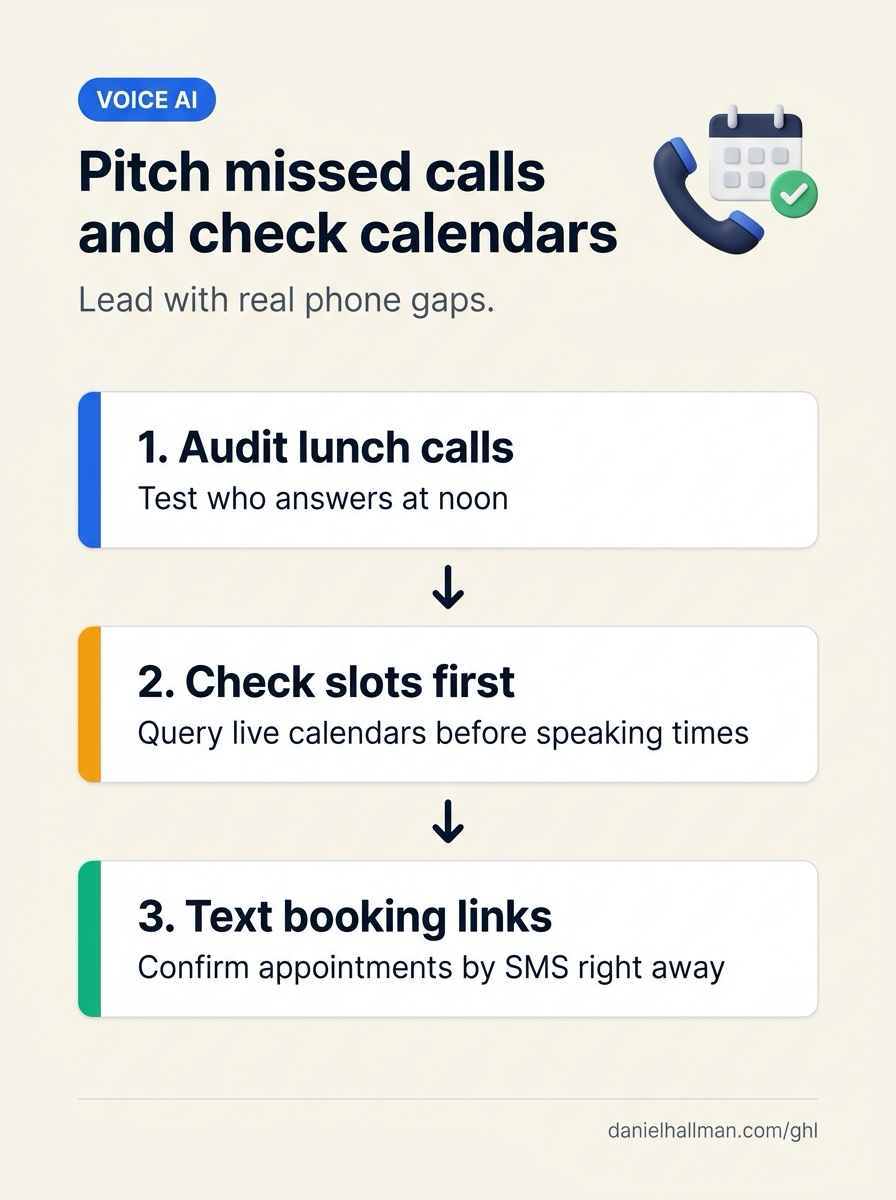
- Two failure modes kill AI receptionist sales in local shops and clinics: pitching a DIY voice-agent platform instead of the specific lunchtime or after-hours calls the owner is missing
- and running a live speakerphone demo where the voice agent guesses '2:00 PM is open' from conversation text before calling the live calendar availability lookup.
GoHighLevel Configuration
- Audit the prospect's phone line during lunch or after hours before calling, bind AI Agents > Voice AI directly to Calendars > Calendar Settings with a strict rule to query free slots before naming any time
- and send an instant SMS confirmation from Automation > Workflow Builder.
GoHighLevel Menu Paths
| Step | Menu Path in GHL | Action |
|---|---|---|
| Step 1 | Settings > Phone System | Provision a local area-code demo number and call the prospect's main business line at 12:30 PM or 5:15 PM first so your 10-second opener names the exact voicemail gap you observed rather than pitching an AI builder platform. |
| Step 2 | AI Agents > Voice AI | Connect the booking calendar directly to the agent's appointment action and add an explicit system prompt rule: never state that a time slot (such as 2:00 PM) is available until the calendar lookup tool returns free slots for that day. |
| Step 3 | Automation > Workflow Builder | Trigger an immediate SMS confirmation on Appointment Status (Confirmed) so the business owner watching your live in-office demo sees the booked time land on their phone within seconds. |
DEFAULT SETUP VS. AUTOMATED WORKFLOW
Operational Comparison
After-Hours & Missed Call Capture
Qualified Jobs Booked 24/7
Related Questions
- How Do You Get AI Receptionist Clients With GoHighLevel Voice AI Instead of Building From Scratch?
- What Stops Clients From Buying AI Voice Agents (And How Do You Build Call Audit Trails in GoHighLevel)?
- How Do You Stop an AI Voice Receptionist From Promising Doctor or Staff Availability During Emergency Calls in GoHighLevel?
- What Can't AI Receptionists Do on Live Calls (And How Do You Set Up SMS and Human Fallbacks in GoHighLevel)?
BUILD FASTER IN GOHIGHLEVEL · FREE TRIAL BONUSES + MCP SERVER
Build this directly inside your GoHighLevel sub-account
Connect Claude Code, Cursor, or OpenAI Codex to our ghl-tools MCP Server & Rust CLI to build workflows, forms, and funnels from your editor, or start your GoHighLevel plan through our partner link to unlock $612+ in ready-to-import kits (including GHL Voice AI Live Demo & Calendar Booking Kit) and weekly live clinics.