GOHIGHLEVEL ANSWERS & PROMPTS: PLAYBOOK T41 · VOICE AI TRUST & POST-CALL AUDIT TRAILS
AUTHOR: DANIEL HALLMAN
KEYWORD: VOICE AI TRUST
STEP-BY-STEP INSTRUCTIONS + ANNOTATED GHL SCREENSHOTS
Steps in GoHighLevel
-
STEP 1In Settings > Phone System > Manage Numbers, set Call Timeout to
15seconds (or enable*71conditional no-answer forwarding on the client's main line) so Voice AI only answers calls the staff misses or calls that arrive after hours.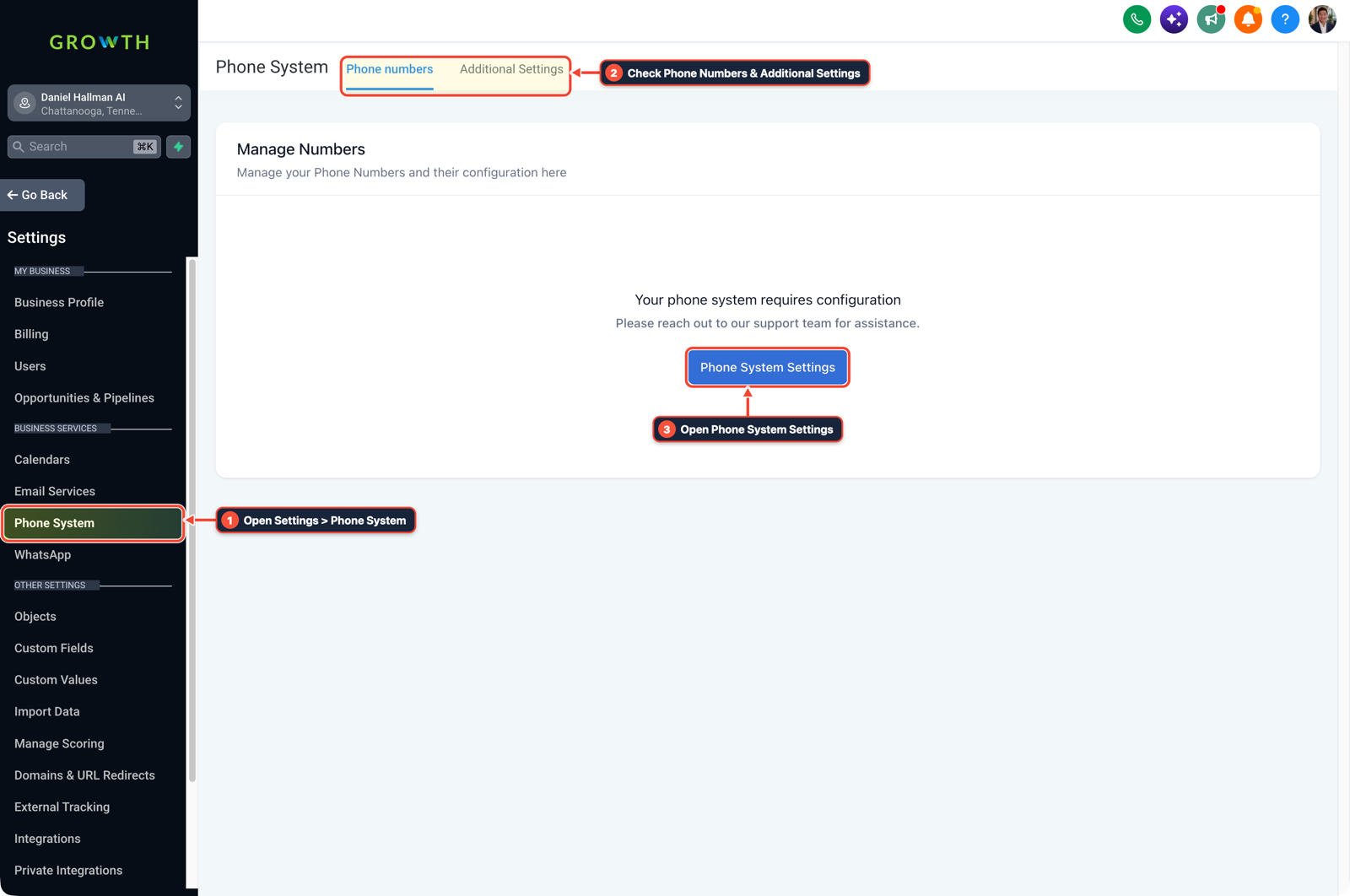
1Open Settings > Phone System 2Check Phone Numbers & Additional Settings 3Open Phone System Settings -
STEP 2In AI Agents > Voice AI (and AI Agents > Knowledge Base), load 20 verified trade FAQs (
Service Area ZIPs,Dispatch Fee,Hours) and configure a Call Transfer action so any caller asking for custom job quotes or warranty help transfers straight to the owner or on-call tech.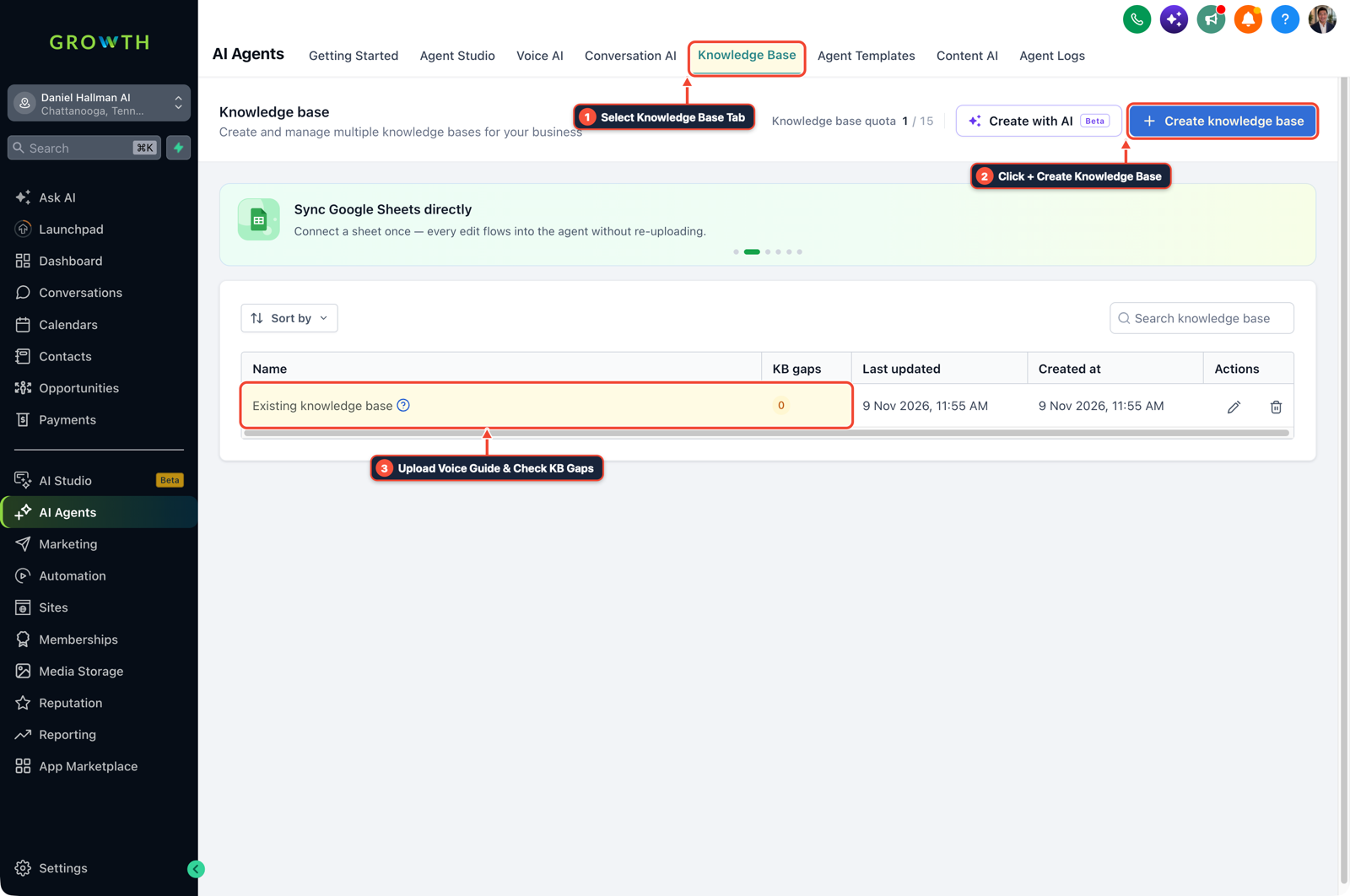
1Select Knowledge Base Tab 2Click + Create Knowledge Base 3Review Industry FAQ & Check KB Gaps -
STEP 3In Automation > Workflow Builder (and Conversations > Team Inbox), trigger on Call Status (
CompletedbyVoice AI) and send an Internal Notification SMS to the owner containing the caller's name, the AI call summary, and a direct link to the audio recording and transcript.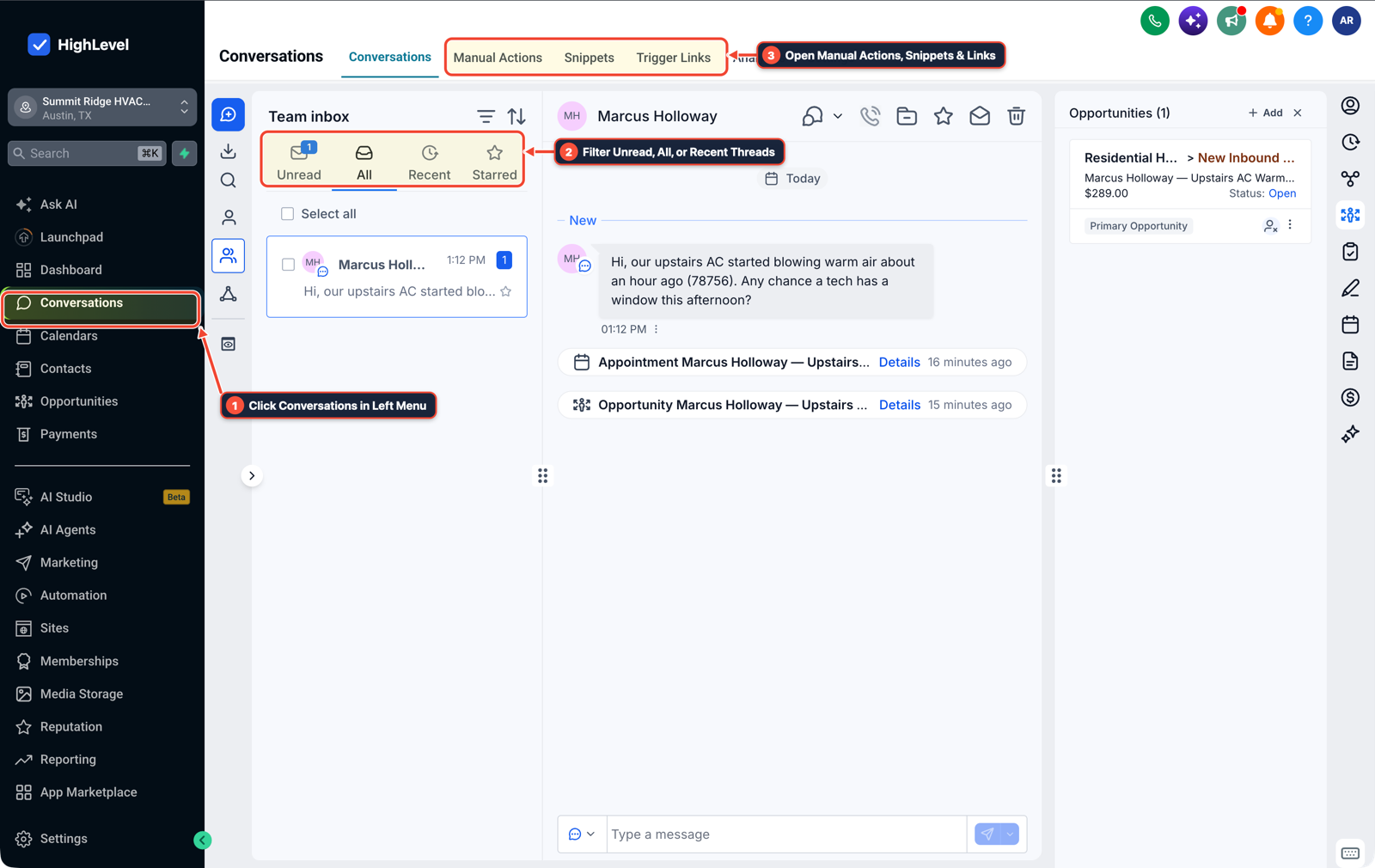
1Click Conversations in Left Menu 2Filter Unread, All, or Recent Threads 3Open Manual Actions, Snippets & Links
MODE: AGENT PROMPT
PASTE INTO CLAUDE CODE, CURSOR, CHATGPT, OR GOHIGHLEVEL ASK AI
AGENT PROMPT
Configure overflow Voice AI routing and owner post-call audit alerts in sub-account <YOUR_LOCATION_ID>:
1. In Settings > Phone System > Manage Numbers, set Call Timeout to 15 seconds so Voice AI only answers unanswered and after-hours calls.
2. In AI Agents > Voice AI and Knowledge Base, attach the 20-FAQ trade knowledge base and add a Call Transfer action to the owner's mobile number whenever a caller asks for custom pricing or unlisted services.
3. In Automation > Workflow Builder, trigger on Call Status (Completed) and send an Internal Notification SMS to the owner with the call summary, transcript, and recording link.
GHL-TOOLS MCP SERVER & CLI (DANIELHALLMAN.COM/MCP)
BUILDER + SUB-ACCOUNT TOOLS
# Audit phone numbers and Voice AI post-call workflows in the sub-account
ghl-agency phone-wallet-audit --context <YOUR_CONTEXT> --location <YOUR_LOCATION_ID>
ghl-crm workflows list --context <YOUR_CONTEXT> --location <YOUR_LOCATION_ID>
Official GHL MCP vs. ghl-tools: HighLevel’s official hosted MCP (services.leadconnectorhq.com/mcp) covers public v2 CRM records (contacts, opportunities, appointments, conversations). ghl-tools MCP complements it with workflow graph inspection & recipes, funnel/form builders, DNS/BIMI checks, and ghl-crm doctor audits.
Cause
- Pitching an AI voice agent as a full replacement for a business owner's front desk triggers immediate pushback.
- Contractors, clinics, and law firms worry that if the bot gets a question wrong, nobody on their team will know what happened until an angry customer leaves a 1-star review.
GoHighLevel Configuration
- Configure Settings > Phone System so the client's phone rings their staff for
15to20seconds before rolling unanswered calls to Voice AI, bind unknown pricing questions to a live Call Transfer action in AI Agents > Voice AI - and send an instant post-call summary and recording link to the owner's mobile inbox.
GoHighLevel Menu Paths
| Step | Menu Path in GHL | Action |
|---|---|---|
| Step 1 | Settings > Phone System > Manage Numbers | Set Call Timeout to 15 seconds (or enable *71 conditional no-answer forwarding on the client's main line) so Voice AI only answers calls the staff misses or calls that arrive after hours. |
| Step 2 | AI Agents > Voice AI | Load 20 verified trade FAQs (Service Area ZIPs, Dispatch Fee, Hours) and configure a Call Transfer action so any caller asking for custom job quotes or warranty help transfers straight to the owner or on-call tech. |
| Step 3 | Automation > Workflow Builder | Trigger on Call Status (Completed by Voice AI) and send an Internal Notification SMS to the owner containing the caller's name, the AI call summary, and a direct link to the audio recording and transcript. |
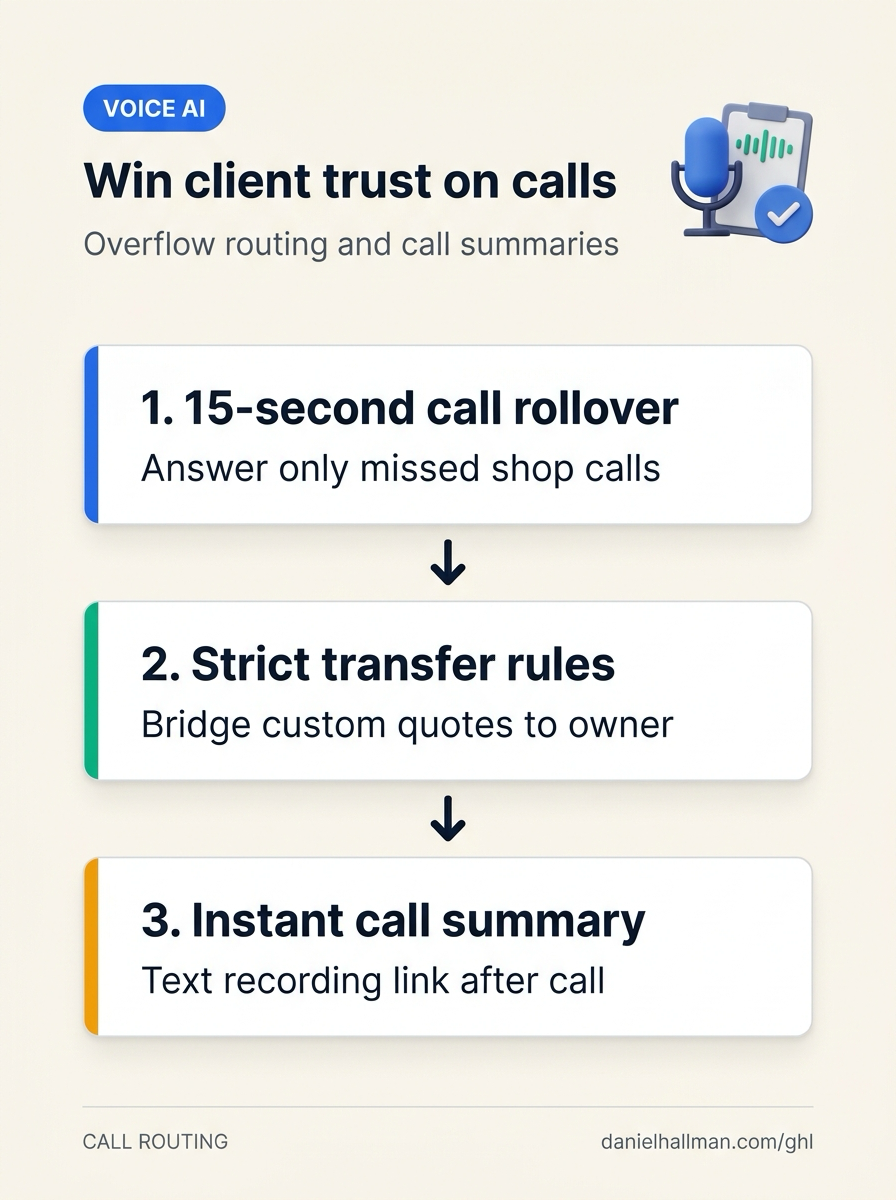
DEFAULT SETUP VS. AUTOMATED WORKFLOW
Operational Comparison
After-Hours & Missed Call Capture
Qualified Jobs Booked 24/7
Related Questions
- How Do You Get AI Receptionist Clients With GoHighLevel Voice AI Instead of Building From Scratch?
- Are White-Label AI Receptionist Margins Actually Worth It in GoHighLevel?
- What Skills and Stack Do You Actually Need to Start an AI Voice Receptionist Agency?
- How Do You Pitch AI Receptionists to Local Businesses Without Getting Rejected?
BUILD FASTER IN GOHIGHLEVEL · FREE TRIAL BONUSES + MCP SERVER
Build this directly inside your GoHighLevel sub-account
Connect Claude Code, Cursor, or OpenAI Codex to our ghl-tools MCP Server & Rust CLI to build workflows, forms, and funnels from your editor, or start your GoHighLevel plan through our partner link to unlock $612+ in ready-to-import kits (including GHL Voice AI Overflow & Audit Trail Kit) and weekly live clinics.