GOHIGHLEVEL ANSWERS & PROMPTS: PLAYBOOK T02 · MULTI-PHOTO FORM UPLOADS & OPPORTUNITY FOLDERS
AUTHOR: DANIEL HALLMAN
KEYWORD: PHOTO FOLDER
STEP-BY-STEP INSTRUCTIONS + ANNOTATED GHL SCREENSHOTS
Steps in GoHighLevel
-
STEP 1In Sites > Forms, add a File Upload field configured to allow multiple images and make sure external file access is enabled in your sub-account settings so your webhook worker can download each photo URL without a login prompt.
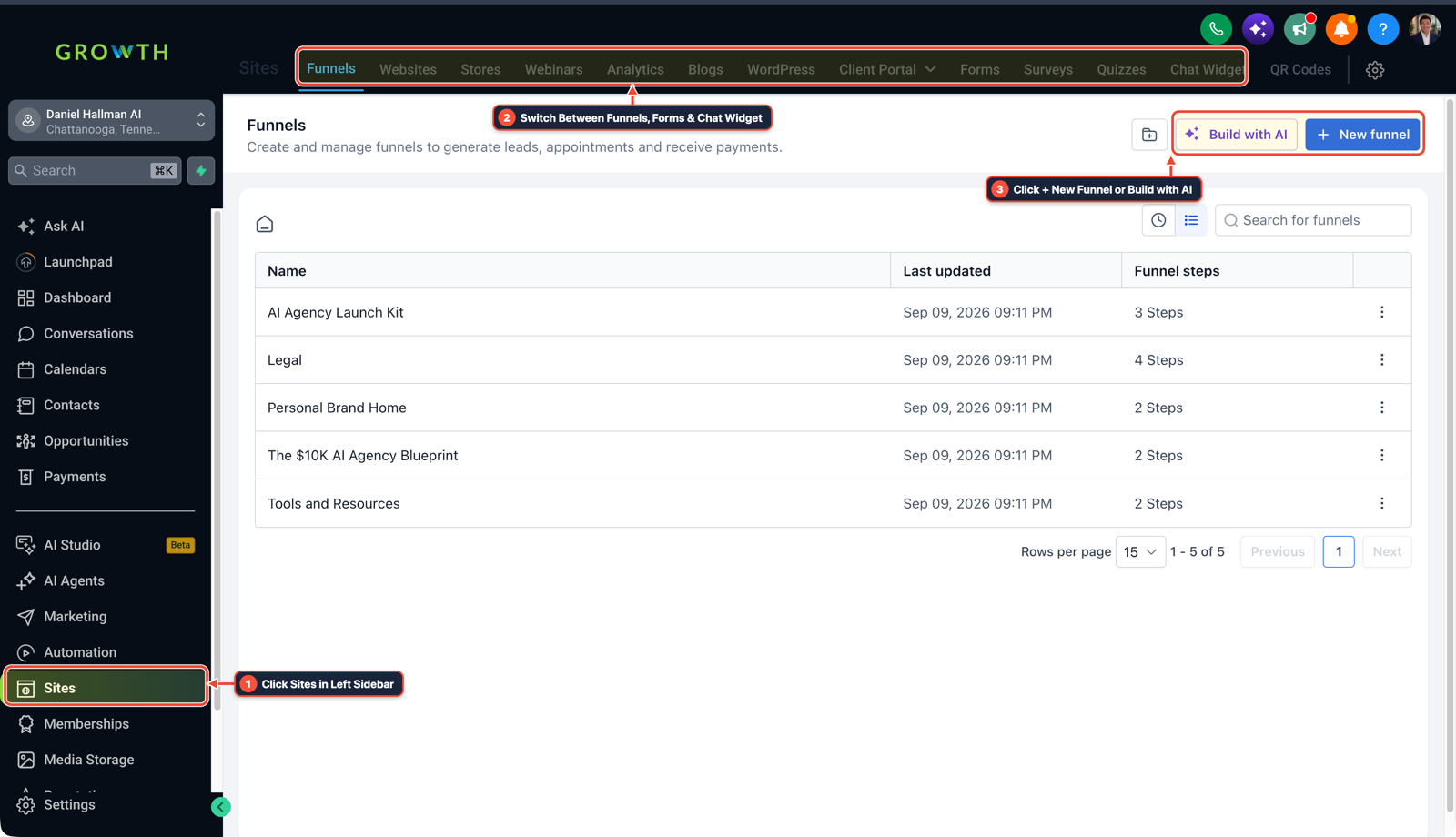
1Click Sites in Left Sidebar 2Switch Between Funnels, Forms & Chat Widget 3Click + New Funnel or Build with AI -
STEP 2In Automation > Workflows, trigger on Form Submitted, create or update the Opportunity, and fire an outbound Webhook action passing
{{contact.id}},{{opportunity.id}}, and the multi-file upload field to create a shared Drive folder, upload each photo, and verify the uploaded file count matches the submitted count.
1Add If/Else Condition & Tag Guard 2Chain Priority & Wait Steps 3Switch to Settings or Execution Logs -
STEP 3In Settings > Custom Fields (Object:
Opportunity) and Opportunities > Pipelines, store the returned Drive folder URL in{{opportunity.inspection_photos_folder_url}}and{{opportunity.photo_upload_status}}, then reference that single merge field inside your manager-approval email workflow.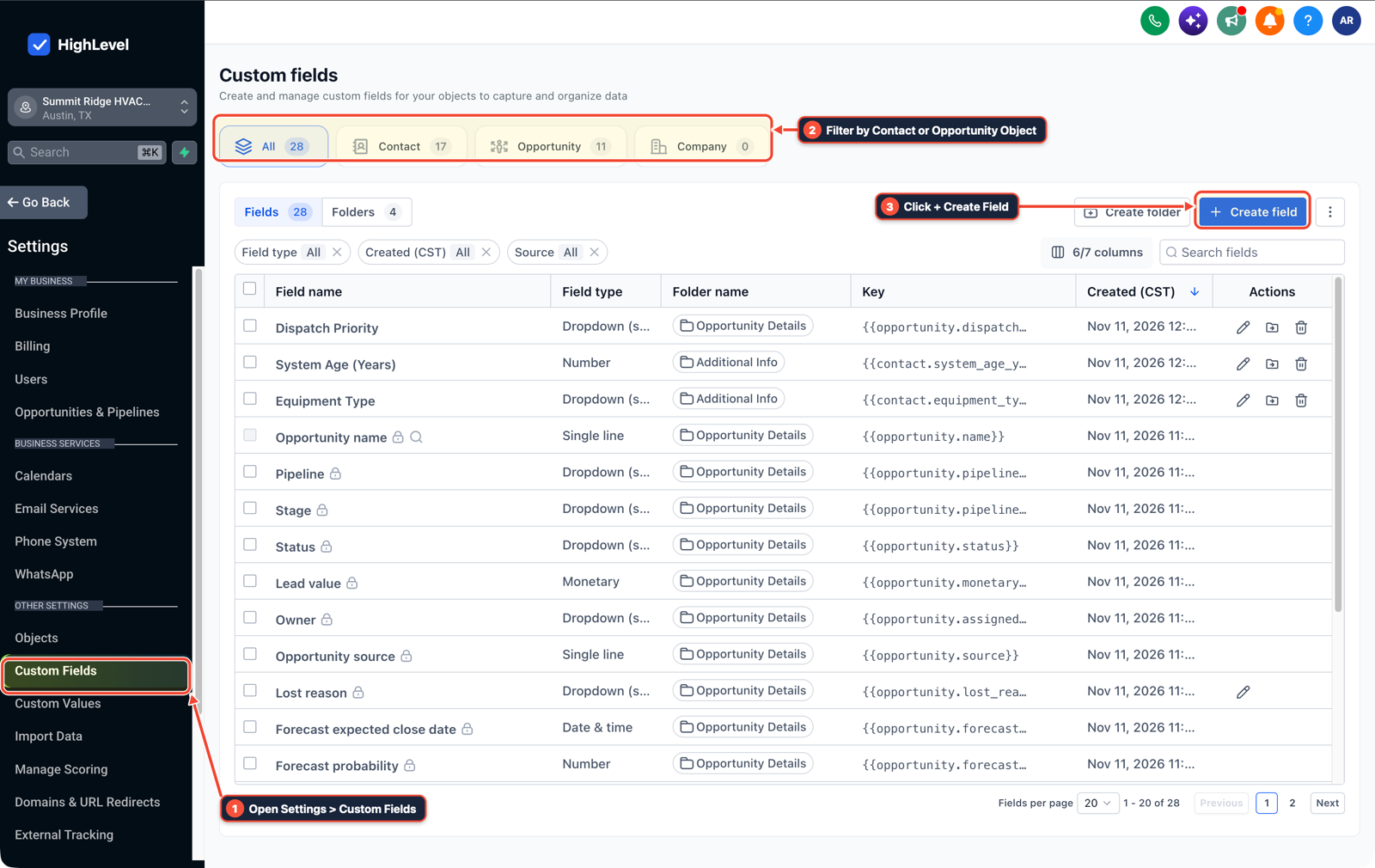
1Open Settings > Custom Fields 2Filter by Contact or Opportunity Object 3Click + Create Field
MODE: AGENT PROMPT
PASTE INTO CLAUDE CODE, CURSOR, CHATGPT, OR GOHIGHLEVEL ASK AI
AGENT PROMPT
Wire multi-photo form uploads to a single Opportunity folder URL in sub-account <YOUR_LOCATION_ID>:
1. In Settings > Custom Fields (Object: Opportunity), create URL field inspection_photos_folder_url and text field photo_upload_status.
2. In Sites > Forms, configure the inspection form with a multi-file upload field.
3. In Automation > Workflows, trigger on Form Submitted, send the file array and opportunity ID to the folder-creation webhook, write the shared folder URL back to opportunity.inspection_photos_folder_url, and gate the client approval email on photo_upload_status = Complete.
GHL-TOOLS MCP SERVER & CLI (DANIELHALLMAN.COM/MCP)
BUILDER + SUB-ACCOUNT TOOLS
# Inspect forms and opportunity workflows in the target sub-account via ghl-crm
ghl-crm forms list --context <YOUR_CONTEXT> --location <YOUR_LOCATION_ID>
ghl-crm workflows list --context <YOUR_CONTEXT> --location <YOUR_LOCATION_ID>
Official GHL MCP vs. ghl-tools: HighLevel’s official hosted MCP (services.leadconnectorhq.com/mcp) covers public v2 CRM records (contacts, opportunities, appointments, conversations). ghl-tools MCP complements it with workflow graph inspection & recipes, funnel/form builders, DNS/BIMI checks, and ghl-crm doctor audits.
Cause
- Inspection, restoration, and property teams often upload 15 to 30 photos per item using a GoHighLevel form and wait for a manager to approve the record before emailing the customer.
- Sending two dozen separate file URLs in an email looks unprofessional, and manually downloading and re-uploading photos into Google Drive for every ticket wastes hours every week.
GoHighLevel Configuration
- Pass the form's uploaded file URL array and Opportunity ID to a webhook workflow that creates one shared Google Drive folder per submission, verifies all files finished uploading
- and saves the folder link into a custom field on the Opportunity so your manager-approval email merges a clean gallery URL.
GoHighLevel Menu Paths
| Step | Menu Path in GHL | Action |
|---|---|---|
| Step 1 | Sites > Forms | Add a File Upload field configured to allow multiple images and make sure external file access is enabled in your sub-account settings so your webhook worker can download each photo URL without a login prompt. |
| Step 2 | Automation > Workflows | Trigger on Form Submitted, create or update the Opportunity, and fire an outbound Webhook action passing {{contact.id}}, {{opportunity.id}}, and the multi-file upload field to create a shared Drive folder, upload each photo, and verify the uploaded file count matches the submitted count. |
| Step 3 | Settings > Custom Fields | Opportunity) and Opportunities > Pipelines, store the returned Drive folder URL in {{opportunity.inspection_photos_folder_url}} and {{opportunity.photo_upload_status}}, then reference that single merge field inside your manager-approval email workflow. |
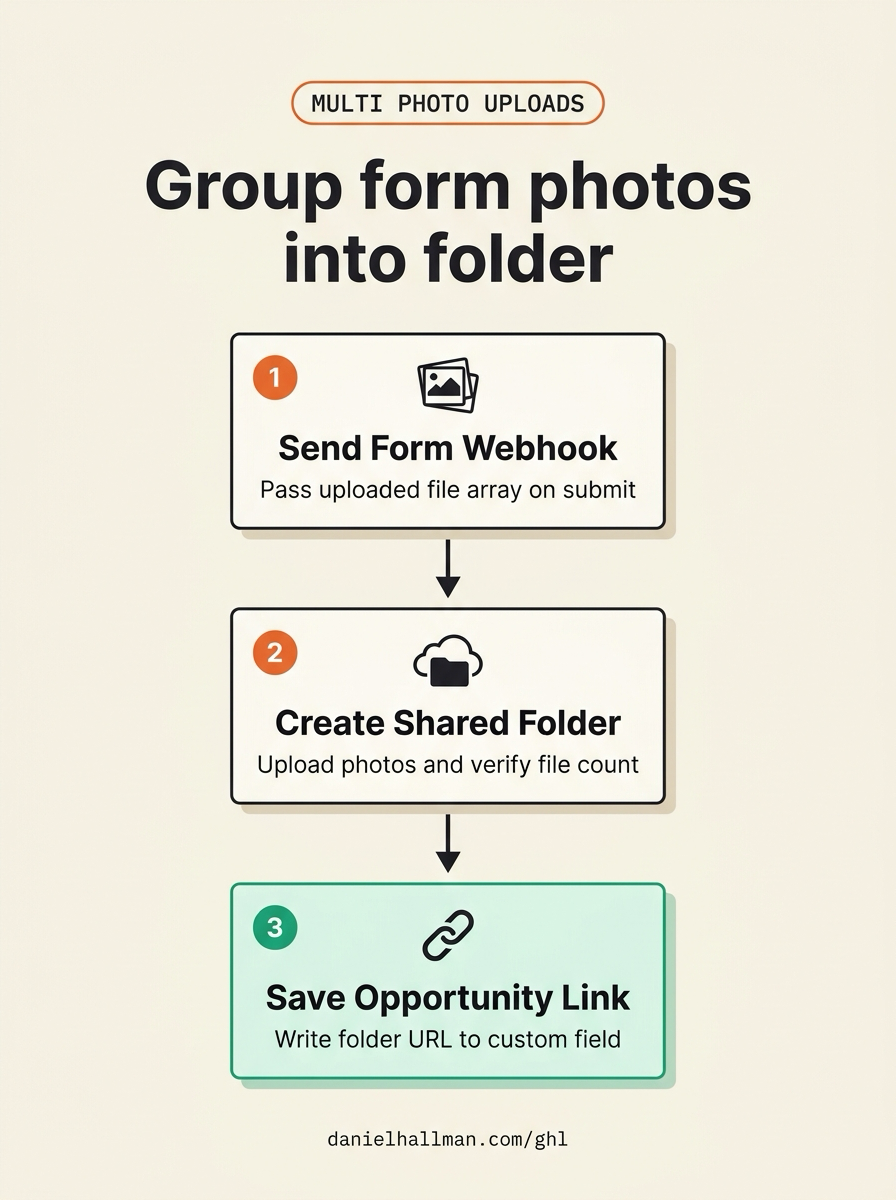
DEFAULT SETUP VS. AUTOMATED WORKFLOW
Operational Comparison
Speed to Lead & Callback Safety
Caller Reply & Booking Rate
Related Questions
- How do you format data and run math in GoHighLevel Workflows without paying for n8n or Make?
- How Do You Stop a Self-Hosted n8n Outage from Dropping Client Leads in GoHighLevel?
- Should You Use One Giant Workflow or Separate Stage Workflows for a GoHighLevel Pipeline?
- Why Is My GoHighLevel Workflow Not Sending Notifications When a Customer Replies?
BUILD FASTER IN GOHIGHLEVEL · FREE TRIAL BONUSES + MCP SERVER
Build this directly inside your GoHighLevel sub-account
Connect Claude Code, Cursor, or OpenAI Codex to our ghl-tools MCP Server & Rust CLI to build workflows, forms, and funnels from your editor, or start your GoHighLevel plan through our partner link to unlock $612+ in ready-to-import kits (including GHL Inspection Form & Opportunity Pack) and weekly live clinics.