GOHIGHLEVEL ANSWERS & PROMPTS: PLAYBOOK T88 · SUPPORT BOT SLOT-LOOP ESCAPE, AGENCY VIEW ESCALATION & 2-RETRY HUMAN HANDOFF
AUTHOR: DANIEL HALLMAN
KEYWORD: SUPPORT LOOP
STEP-BY-STEP INSTRUCTIONS + ANNOTATED GHL SCREENSHOTS
Steps in GoHighLevel
-
STEP 1In Agency View > Account Snapshots (signed in as an Agency Admin or Agency User, since Location-only logins cannot open direct support tickets), open the top-right support widget, enter your Location ID once, and reply
Live ChatorZoomat the existing-ticket prompt (or call1-888-732-4197) so a live agent splits off your new request.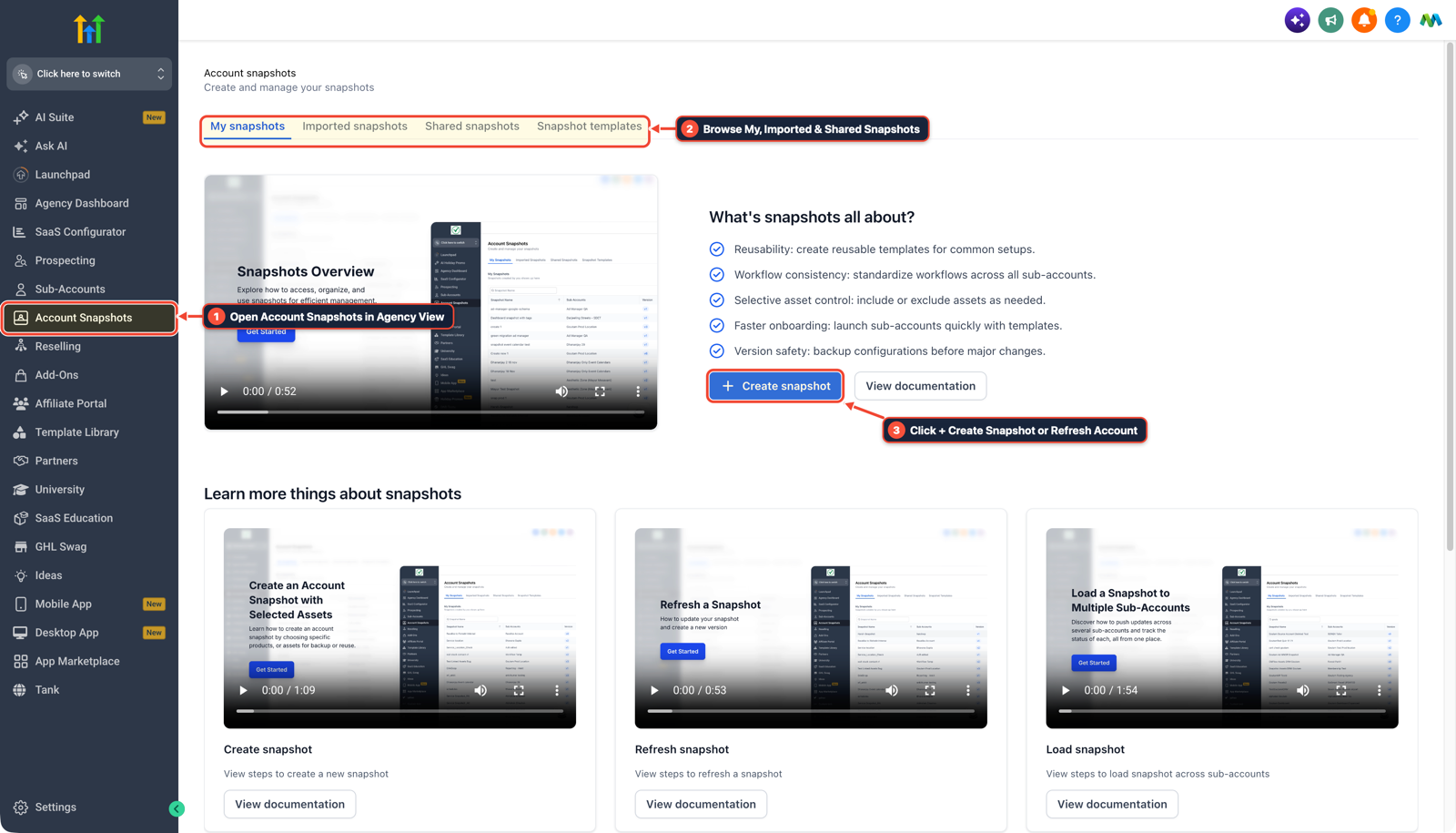
1Open Account Snapshots in Agency View 2Browse My, Imported & Shared Snapshots 3Click + Create Snapshot or Refresh Account -
STEP 2In AI Agents > Conversation AI, add an instruction in your own client support bots stating that if a customer does not supply a requested account ID, order number, or email after 2 prompts (or types
human,restart, ornew request), the bot must stop asking for the field and confirm that a team member is stepping in.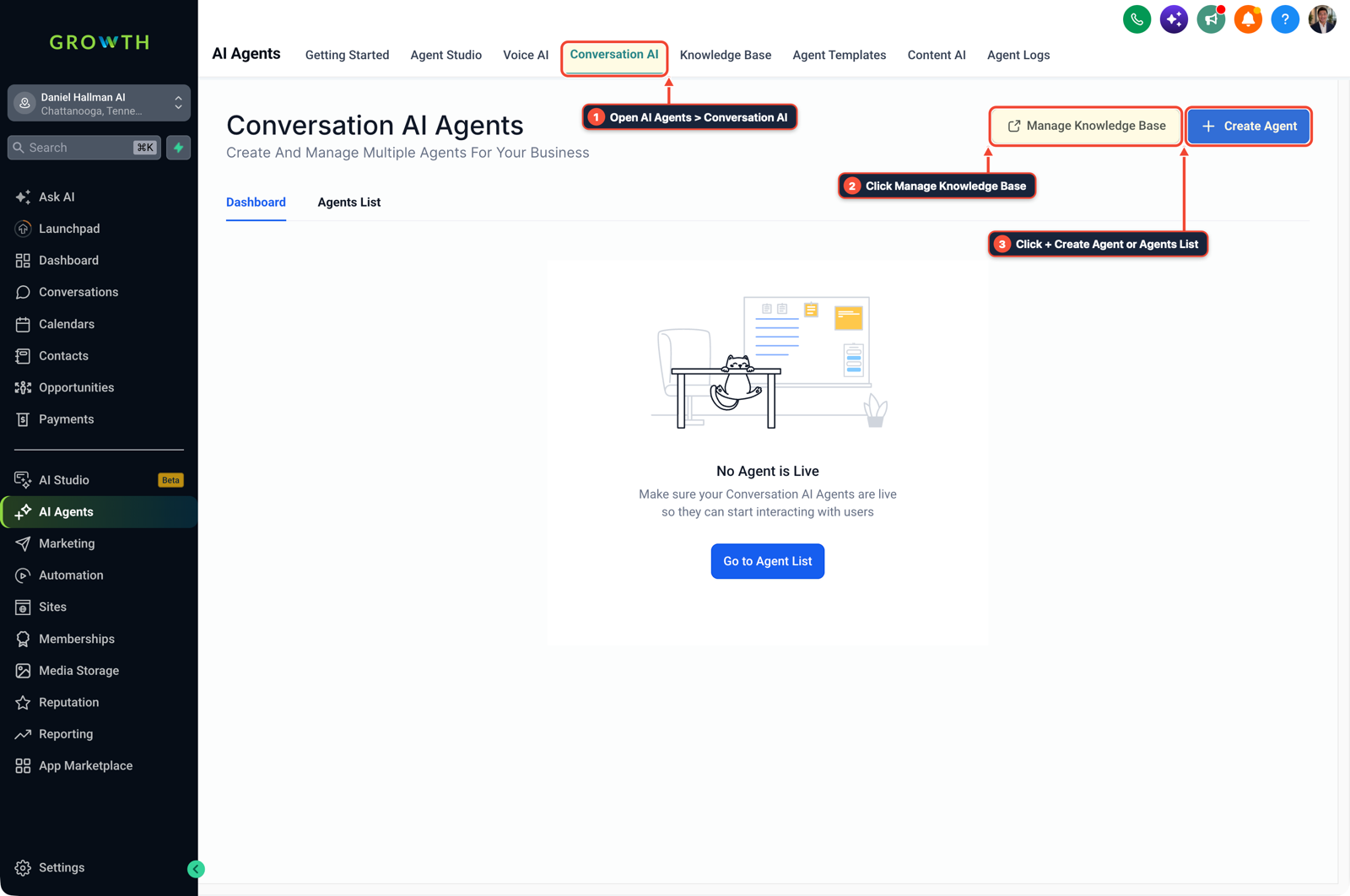
1Open AI Agents > Conversation AI 2Click Manage Knowledge Base 3Click + Create Agent or Agents List -
STEP 3In Automation > Workflow Builder, track consecutive unanswered slot prompts or frustration keywords with an If/Else branch that turns Conversation AI status to
Off, applies theneeds-humantag, and notifies staff in Conversations > Team Inbox.
1Add If/Else Condition & Tag Guard 2Chain Priority & Wait Steps 3Switch to Settings or Execution Logs
MODE: AGENT PROMPT
PASTE INTO CLAUDE CODE, CURSOR, CHATGPT, OR GOHIGHLEVEL ASK AI
AGENT PROMPT
Prevent slot-filling infinite loops in a customer support Conversation AI bot in sub-account <YOUR_LOCATION_ID>:
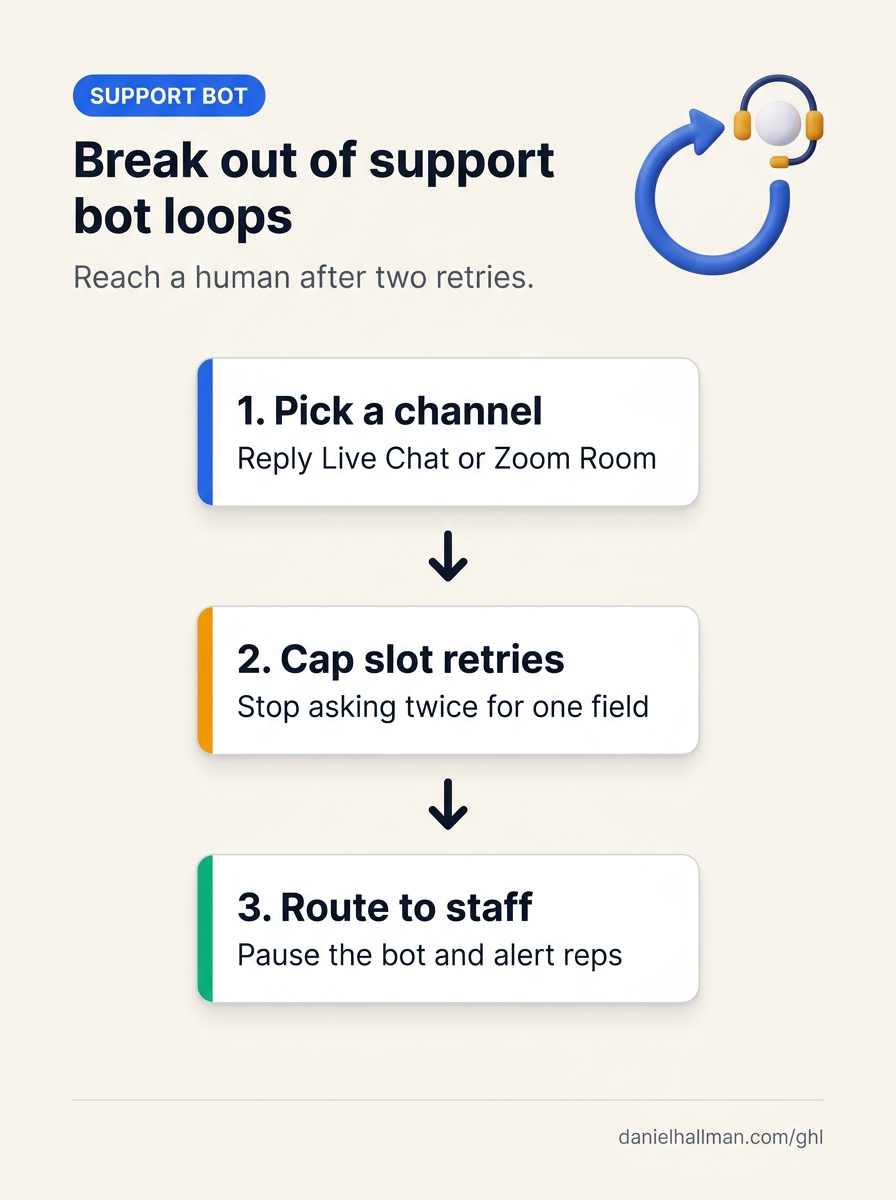
1. In AI Agents > Conversation AI, limit any required-field question (such as account ID, email, or order number) to at most 2 attempts and recognize escape phrases like 'new request', 'restart', or 'human'.
2. In Automation > Workflow Builder, add an If/Else check that sets Conversation AI to Off and applies the needs-human tag after 2 failed slot attempts.
3. In Conversations > Team Inbox, send an immediate internal notification with the chat transcript so a rep takes over the thread.
GHL-TOOLS MCP SERVER & CLI (DANIELHALLMAN.COM/MCP)
BUILDER + SUB-ACCOUNT TOOLS
# Audit Conversation AI fallback workflows and human handoff tags in the sub-account
ghl-crm workflows list --context <YOUR_CONTEXT> --location <YOUR_LOCATION_ID>
ghl-crm custom-fields list --context <YOUR_CONTEXT> --location <YOUR_LOCATION_ID>
Official GHL MCP vs. ghl-tools: HighLevel’s official hosted MCP (services.leadconnectorhq.com/mcp) covers public v2 CRM records (contacts, opportunities, appointments, conversations). ghl-tools MCP complements it with workflow graph inspection & recipes, funnel/form builders, DNS/BIMI checks, and ghl-crm doctor audits.
Cause
- Slot-filling chat bots trap users in infinite loops whenever a prompt requires an exact category or ID value before advancing and treats any unexpected answer ('I have a new request', 'NA', 'restart') as a reset back to step one.
- In HighLevel's own support widget, sub-account users without Agency Admin permissions or users with an open ticket on that Location ID get bounced back to 'Provide your subaccount ID' whenever they try to start a second topic.
GoHighLevel Configuration
- Open the support widget from Agency View > Account Snapshots (as an Agency Admin) and select
Live ChatorZoom Roomat the existing-ticket prompt - and configure your own AI Agents > Conversation AI and Automation > Workflow Builder flows to pause the bot and alert Conversations > Team Inbox after two failed attempts to collect an ID or field.
GoHighLevel Menu Paths
| Step | Menu Path in GHL | Action |
|---|---|---|
| Step 1 | Agency View > Account Snapshots | In Agency View > Account Snapshots (signed in as an Agency Admin or Agency User, since Location-only logins cannot open direct support tickets), open the top-right support widget, enter your Location ID once, and reply Live Chat or Zoom at the existing-ticket prompt (or call 1-888-732-4197) so a live agent splits off your new request. |
| Step 2 | AI Agents > Conversation AI | Add an instruction in your own client support bots stating that if a customer does not supply a requested account ID, order number, or email after 2 prompts (or types human, restart, or new request), the bot must stop asking for the field and confirm that a team member is stepping in. |
| Step 3 | Automation > Workflow Builder | Track consecutive unanswered slot prompts or frustration keywords with an If/Else branch that turns Conversation AI status to Off, applies the needs-human tag, and notifies staff in Conversations > Team Inbox. |
DEFAULT SETUP VS. AUTOMATED WORKFLOW
Operational Comparison
Speed to Lead & Callback Safety
Caller Reply & Booking Rate
Related Questions
- What Should an AI Support Bot Do When Your Business Doesn't Have an Answer?
- How Do You Prevent AI Agents From Sending Too Many Emails or Looping in GoHighLevel Workflows?
- Why are AI agents unreliable in production workflows and how do you fix them in GoHighLevel?
- Why Is My GoHighLevel Workflow Not Sending Notifications When a Customer Replies?
BUILD FASTER IN GOHIGHLEVEL · FREE TRIAL BONUSES + MCP SERVER
Build this directly inside your GoHighLevel sub-account
Connect Claude Code, Cursor, or OpenAI Codex to our ghl-tools MCP Server & Rust CLI to build workflows, forms, and funnels from your editor, or start your GoHighLevel plan through our partner link to unlock $612+ in ready-to-import kits (including GHL Conversation AI Loop Guard & Handoff Kit) and weekly live clinics.