GOHIGHLEVEL ANSWERS & PROMPTS: PLAYBOOK T97 · SCOPED ACTION TOOL BINDINGS, RULED-OUT DECISION LOGS & WORKFLOW EXECUTION RECEIPTS
AUTHOR: DANIEL HALLMAN
KEYWORD: AGENT EXECUTION
STEP-BY-STEP INSTRUCTIONS + ANNOTATED GHL SCREENSHOTS
Steps in GoHighLevel
-
STEP 1In Settings > Private Integrations, create a scoped Location token (
pit-...) granting access to the specific CRM objects the agent needs to update (Contacts, Opportunities, Calendars, and Workflows) and connect it to your MCP client so the model can run actions directly instead of describing manual clicks.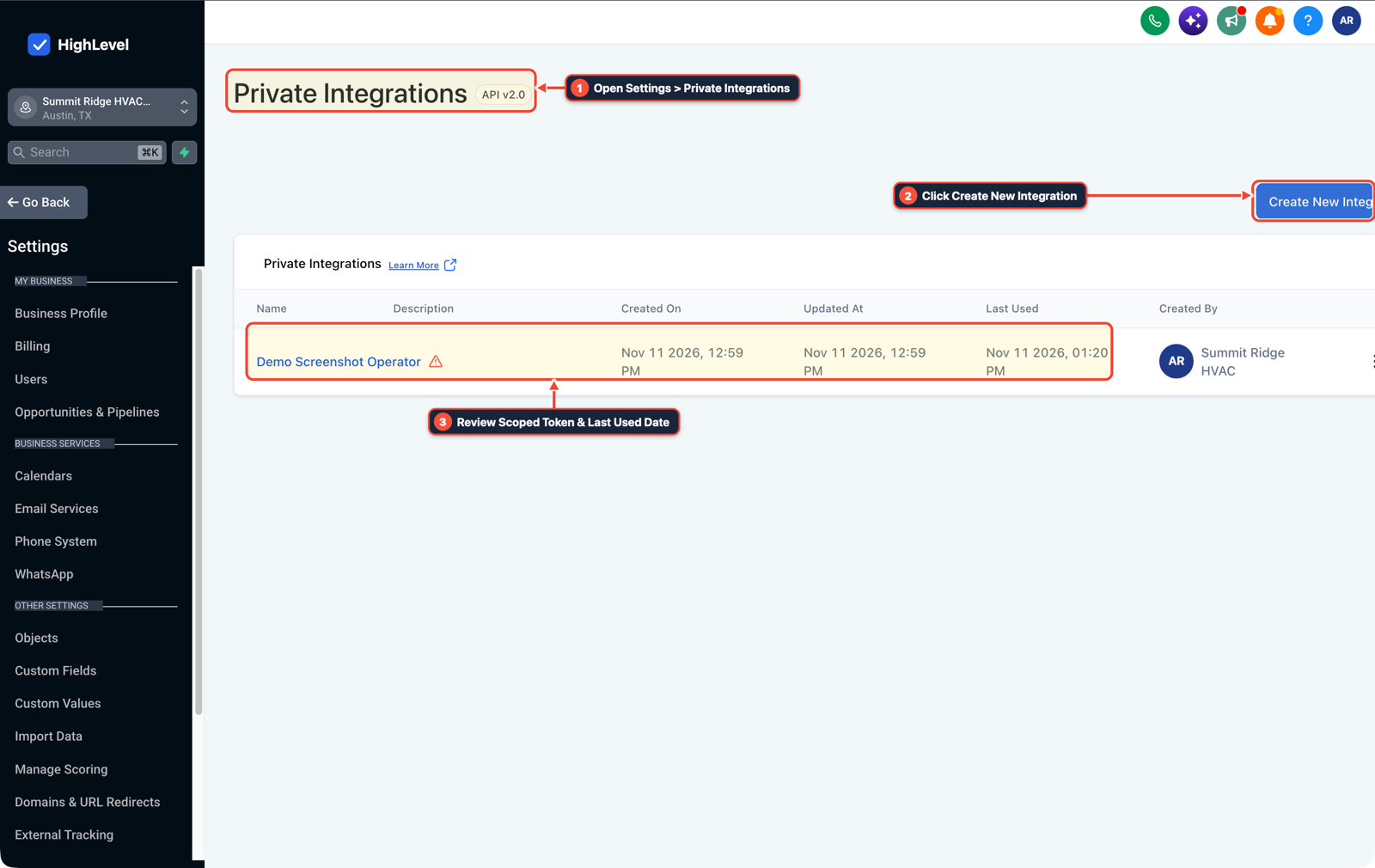
1Open Settings > Private Integrations 2Click Create New Integration 3Review Scoped Token & Last Used Date -
STEP 2In Settings > Custom Fields, store
Last Completed Step,Ruled-Out Approaches and Why, andCurrent Blockeron the contact or project record and pass those fields into the prompt so every session starts with what changed overnight and which options were already rejected.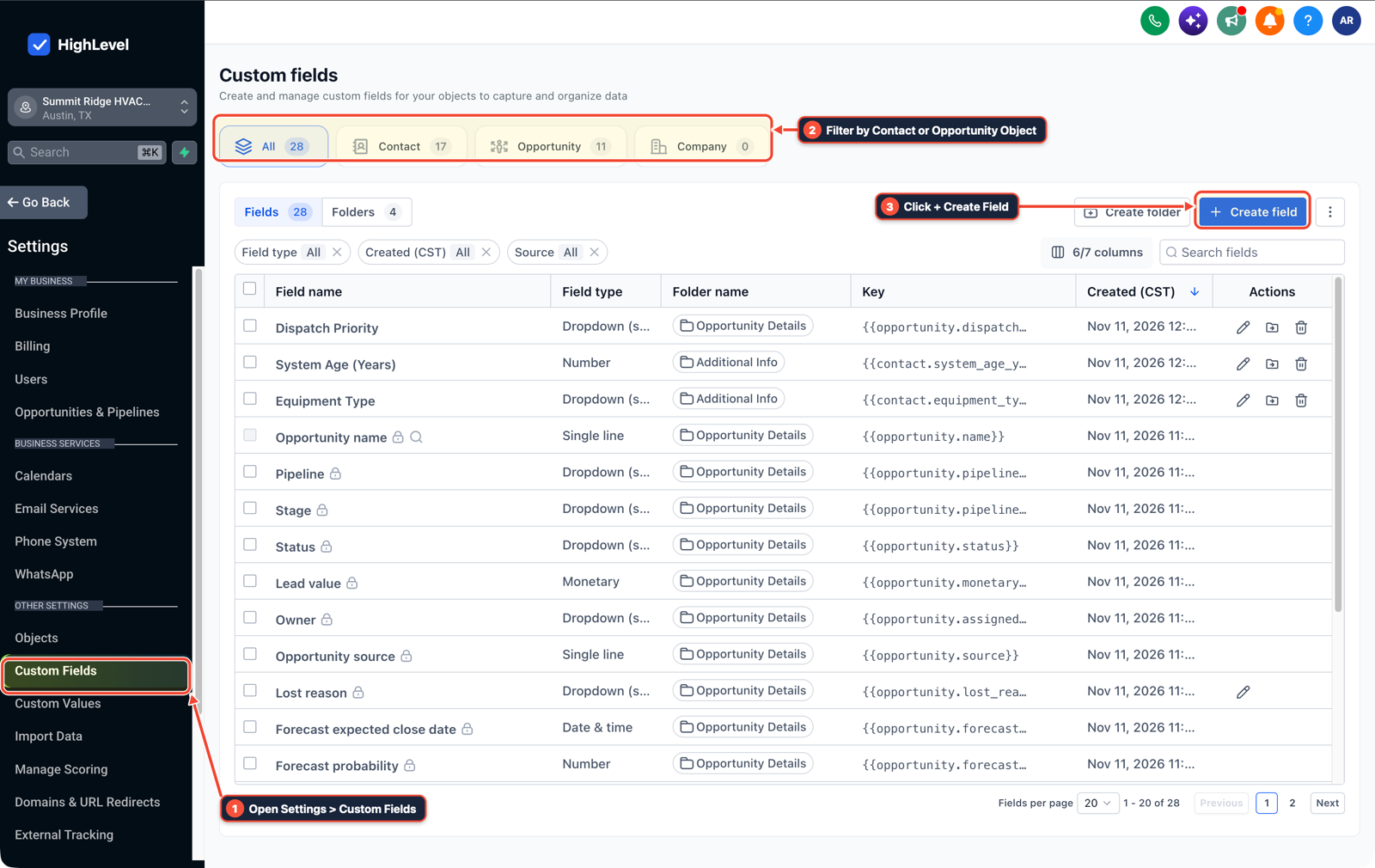
1Open Settings > Custom Fields 2Filter by Contact or Opportunity Object 3Click + Create Field -
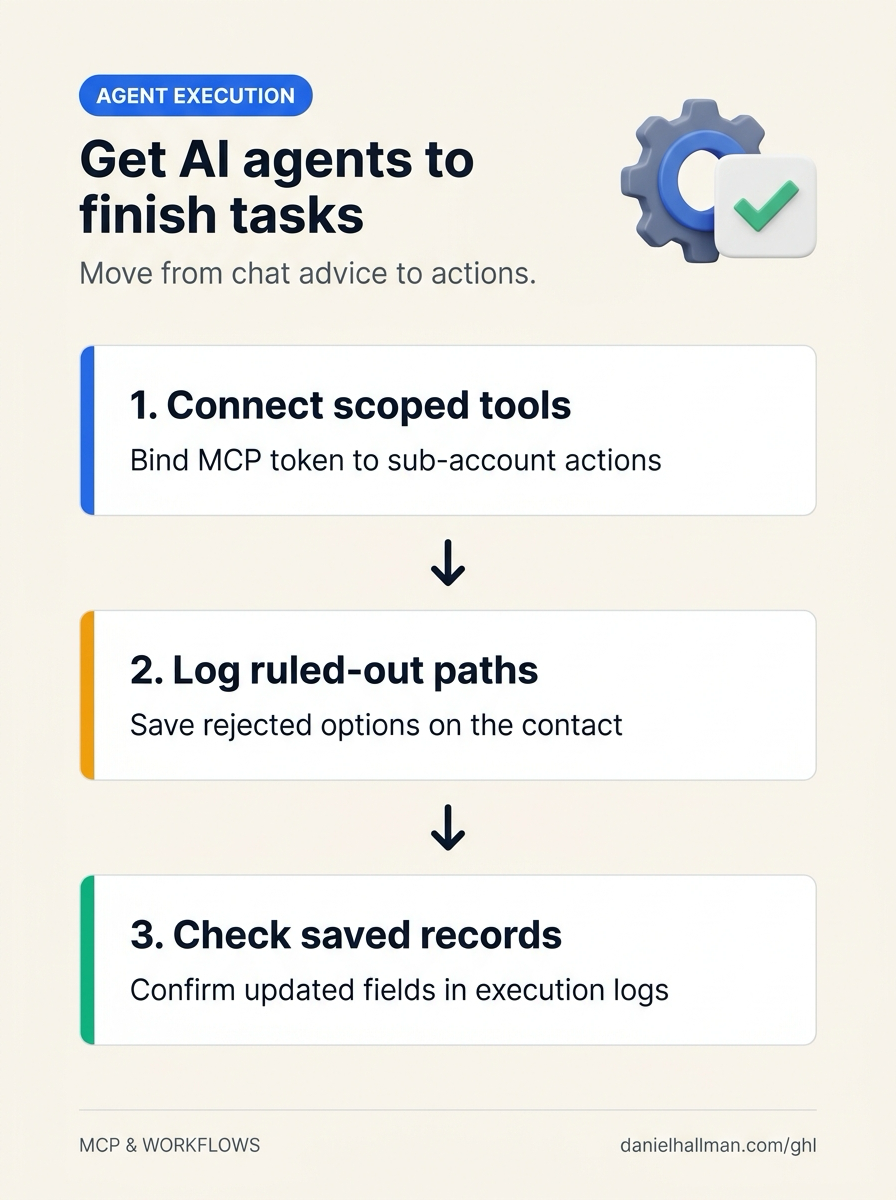
STEP 3In Automation > Workflow > Execution Logs, require every agent task to write a concrete CRM output (such as an updated custom field, a booked appointment ID, or a moved pipeline card) and check the saved record timestamp before marking the step complete.
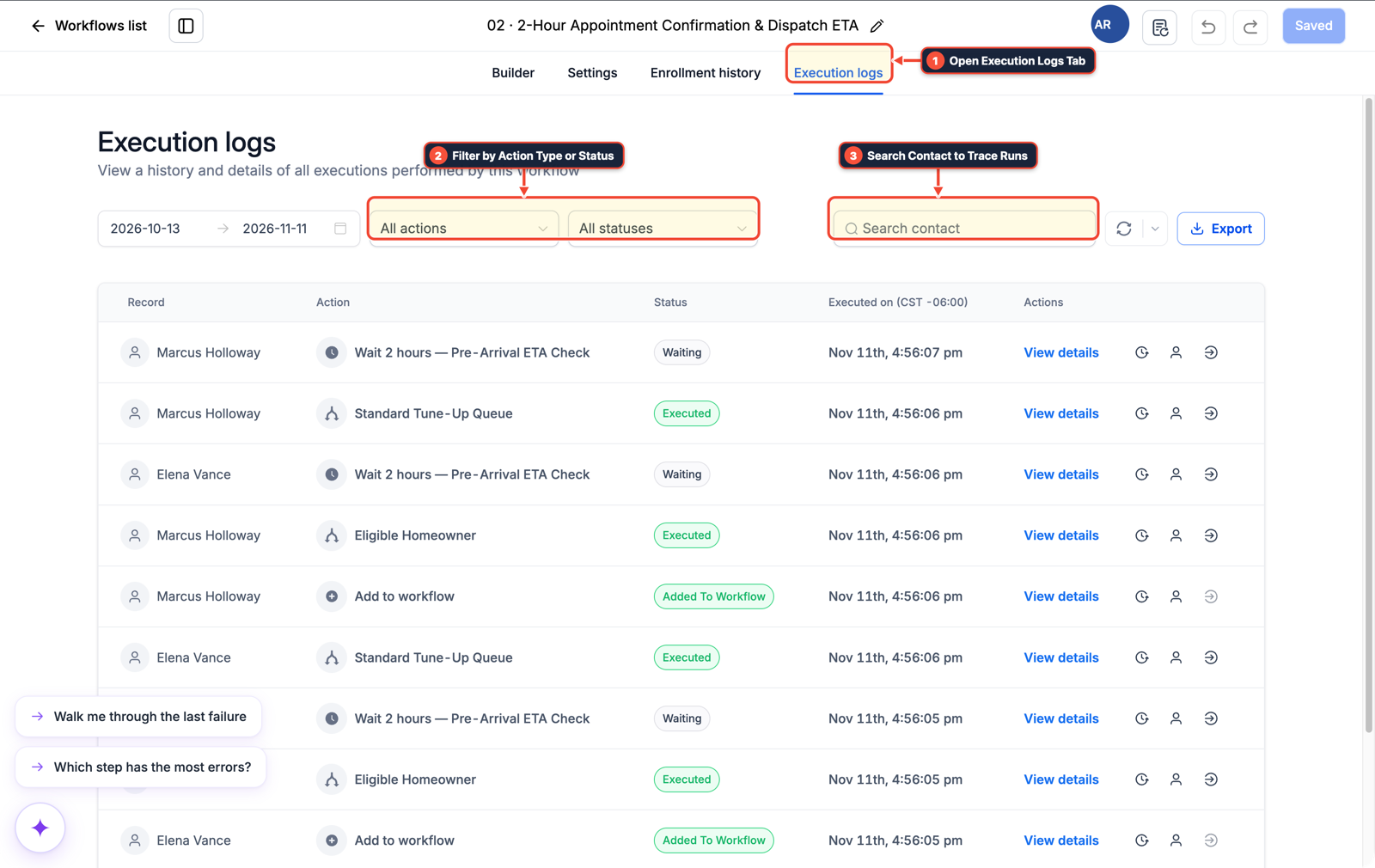
1Open Execution Logs Tab 2Filter by Action Type or Status 3Search Contact to Trace Runs
MODE: AGENT PROMPT
PASTE INTO CLAUDE CODE, CURSOR, CHATGPT, OR GOHIGHLEVEL ASK AI
AGENT PROMPT
Configure an execution-focused AI agent with persistent decision memory in sub-account <YOUR_LOCATION_ID>:
1. In Settings > Private Integrations, connect a scoped Location token to HighLevel MCP tools so the agent can read and update Contacts, Opportunities, and Workflows directly.
2. In Settings > Custom Fields, create Last Completed Step, Ruled-Out Approaches and Why, and Current Blocker fields so the agent never repeats rejected workarounds.
3. In Automation > Workflow > Execution Logs, verify that each agent tool call writes a saved record ID or field change rather than returning a text explanation.
GHL-TOOLS MCP SERVER & CLI (DANIELHALLMAN.COM/MCP)
BUILDER + SUB-ACCOUNT TOOLS
# Inspect sub-account custom fields and workflows via ghl-tools CLI / MCP
ghl-crm custom-fields list --context <YOUR_CONTEXT> --location <YOUR_LOCATION_ID>
ghl-crm workflows list --context <YOUR_CONTEXT> --location <YOUR_LOCATION_ID>
Official GHL MCP vs. ghl-tools: HighLevel’s official hosted MCP (services.leadconnectorhq.com/mcp) covers public v2 CRM records (contacts, opportunities, appointments, conversations). ghl-tools MCP complements it with workflow graph inspection & recipes, funnel/form builders, DNS/BIMI checks, and ghl-crm doctor audits.
Cause
- When you ask ChatGPT, Claude
- or a CRM assistant to build or troubleshoot a multi-step workflow without persistent project state and scoped action tools, each turn acts like a new colleague with zero memory of yesterday's work: it explains how the feature works in theory and suggests the exact dead ends you already tested and ruled out.
GoHighLevel Configuration
- Bind the assistant to live sub-account actions via Settings > Private Integrations (
services.leadconnectorhq.com/mcporghl-tools), persist completed steps and rejected approaches in Settings > Custom Fields - and confirm every tool call produced a real state change in Automation > Workflow > Execution Logs.
GoHighLevel Menu Paths
| Step | Menu Path in GHL | Action |
|---|---|---|
| Step 1 | Settings > Private Integrations | Create a scoped Location token (pit-...) granting access to the specific CRM objects the agent needs to update (Contacts, Opportunities, Calendars, and Workflows) and connect it to your MCP client so the model can run actions directly instead of describing manual clicks. |
| Step 2 | Settings > Custom Fields | Store Last Completed Step, Ruled-Out Approaches and Why, and Current Blocker on the contact or project record and pass those fields into the prompt so every session starts with what changed overnight and which options were already rejected. |
| Step 3 | Automation > Workflow > Execution Logs | Require every agent task to write a concrete CRM output (such as an updated custom field, a booked appointment ID, or a moved pipeline card) and check the saved record timestamp before marking the step complete. |
DEFAULT SETUP VS. AUTOMATED WORKFLOW
Operational Comparison
Manual Admin Work Per Client
Lead-to-Booked-Job Conversion
Related Questions
- When You Start a New AI Chat for an Ongoing Project, What Do You Paste In to Keep Project Context and GoHighLevel Agent State?
- How Do You Prevent AI Agents from Repeating the Same Mistakes and Tool Call Loops in GoHighLevel?
- How Do You Coordinate Codex, Claude Code, and a Planner Agent Without Copy-Pasting?
- How do you connect Claude Code or Cursor to GoHighLevel using MCP?
BUILD FASTER IN GOHIGHLEVEL · FREE TRIAL BONUSES + MCP SERVER
Build this directly inside your GoHighLevel sub-account
Connect Claude Code, Cursor, or OpenAI Codex to our ghl-tools MCP Server & Rust CLI to build workflows, forms, and funnels from your editor, or start your GoHighLevel plan through our partner link to unlock $612+ in ready-to-import kits (including GoHighLevel MCP Server & Agent Execution Kit) and weekly live clinics.