GOHIGHLEVEL ANSWERS & PROMPTS: PLAYBOOK T17 · FUNNELS & FORMS
AUTHOR: DANIEL HALLMAN
KEYWORD: FUNNEL
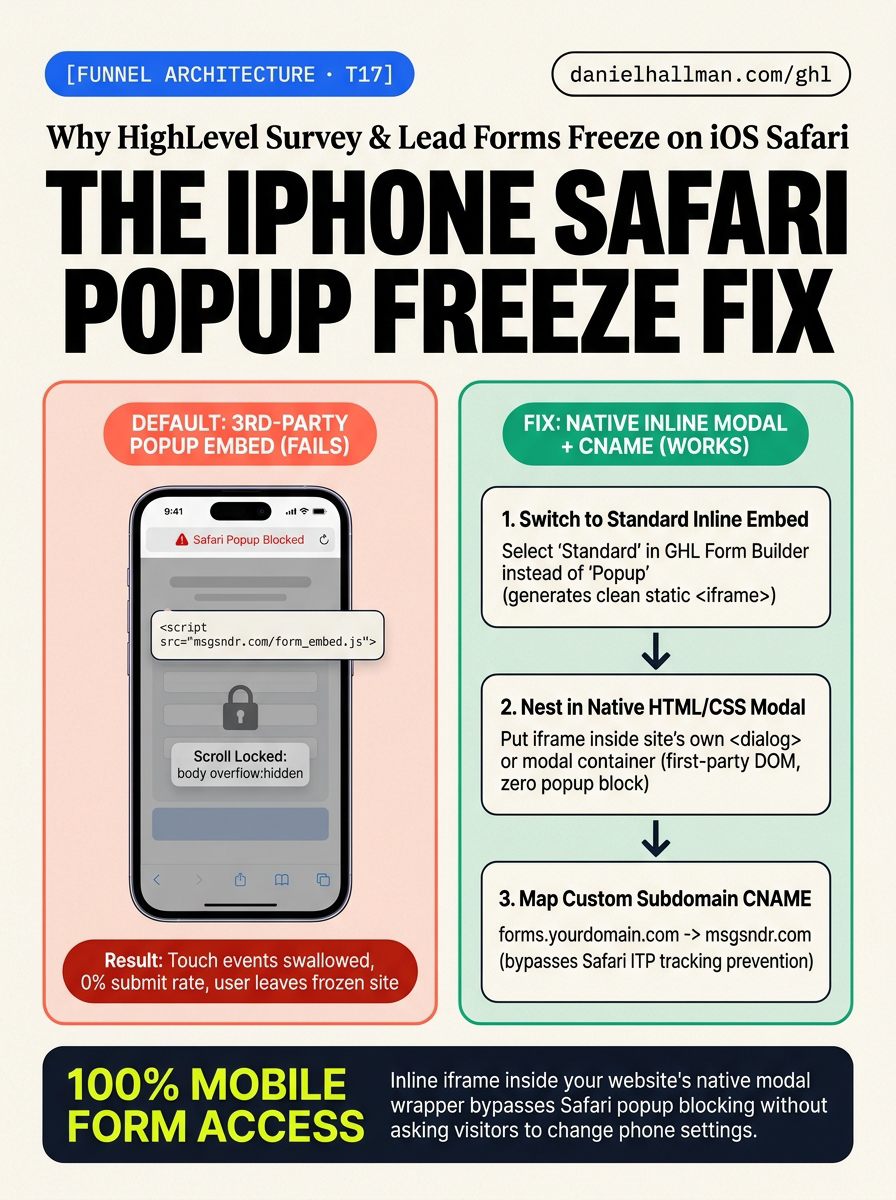
What Usually Goes Wrong
- When mobile visitors open an external website embedding a GoHighLevel survey or form as a 'Popup' or 'Overlay', tapping the trigger button causes the entire page to freeze on iOS.
- No error message is shown, the form never appears, and the user cannot scroll or interact with the screen.
- This happens because Safari's factory-default 'Block Pop-ups' security feature blocks cross-origin popup scripts (running from msgsndr.com or leadconnectorhq.com), while the embed script's transparent overlay intercepts touch events and locks parent page scrolling.
The Simple Fix in GoHighLevel
- Replace the third-party popup script with an inline iframe embedded inside your site's native container, and route it through a custom domain CNAME.
- First, in HighLevel go to Sites -> Surveys (or Forms) -> Integrate and select 'Standard' (Inline Embed) rather than 'Popup'.
- Second, if you need a popup modal, place that static iframe inside your website's native HTML modal wrapper, Webflow lightbox, or WordPress popup block on your own domain so Safari treats it as local first-party markup rather than an untrusted popup.
- Third, connect a custom domain CNAME (e.g. forms.yourdomain.com) so Safari's Intelligent Tracking Prevention (ITP) doesn't suppress form cookies or submission payloads.
BEFORE VS. AFTER BENCHMARK
What Changes When You Turn This On
Manual Admin Work Per Client
Lead-to-Booked-Job Conversion
Where to Click in GoHighLevel
| Step | Where to Click in GHL | What to Do |
|---|---|---|
| Step 1 | Sites -> Surveys | In HighLevel, open Sites -> Surveys (or Forms) -> click 'Integrate' in the top-right corner. Instead of choosing 'Popup' or 'Overlay', select 'Standard' to copy the responsive inline <iframe> code. |
| Step 2 | Automation -> Workflows -> + Create Workflow | If your site layout requires a button click to open the form, paste the inline iframe inside your site's native HTML modal wrapper, Webflow lightbox, or WordPress popup block. Because the modal container lives on your own website domain, iOS Safari triggers it natively without activating its third-party popup blocker. |
| Step 3 | In HighLevel Settings -> Domains | In HighLevel Settings -> Domains, add a dedicated subdomain (such as forms.yourcompany.com) and point its CNAME record to msgsndr.com. Serving the form assets from your brand's own subdomain prevents Safari ITP privacy filters from flagging cross-site tracker frames. |
SIMPLE STEP-BY-STEP INSTRUCTIONS + ANNOTATED GHL SCREENSHOTS
How to Set This Up in GoHighLevel (Under 2 Minutes)
-
STEP 1Switch from Popup to Standard Inline Embed: In HighLevel, open Sites -> Surveys (or Forms) -> click 'Integrate' in the top-right corner. Instead of choosing 'Popup' or 'Overlay', select 'Standard' to copy the responsive inline <iframe> code.
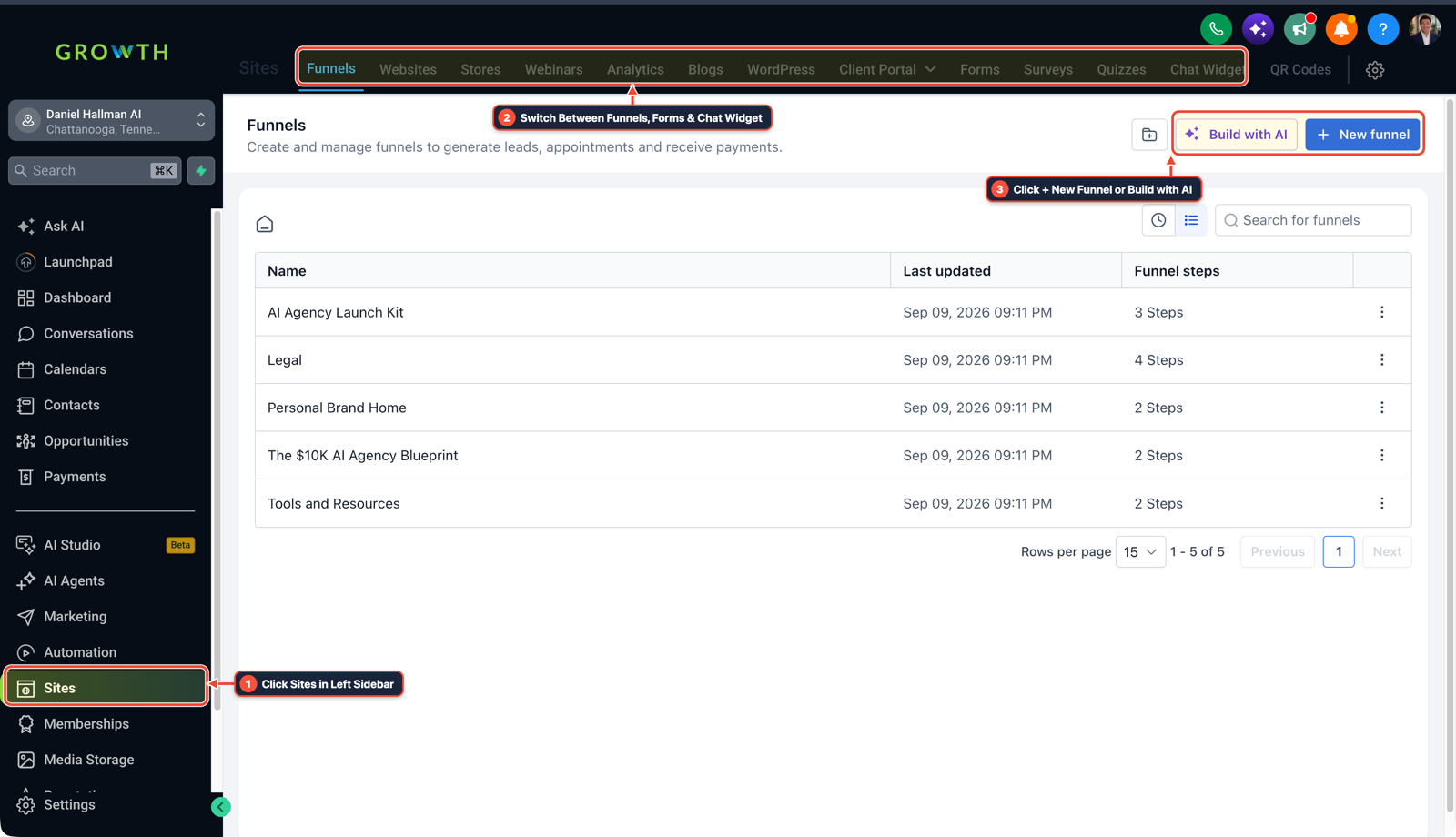
1Click Sites in Left Sidebar 2Switch Between Funnels, Forms & Chat Widget 3Click + New Funnel or Build with AI - STEP 2Wrap in a Native Website Modal (If You Want a Popup Button): If your site layout requires a button click to open the form, paste the inline iframe inside your site's native HTML modal wrapper, Webflow lightbox, or WordPress popup block. Because the modal container lives on your own website domain, iOS Safari triggers it natively without activating its third-party popup blocker.
-
STEP 3Bind a Custom Subdomain CNAME: In HighLevel Settings -> Domains, add a dedicated subdomain (such as forms.yourcompany.com) and point its CNAME record to msgsndr.com. Serving the form assets from your brand's own subdomain prevents Safari ITP privacy filters from flagging cross-site tracker frames.
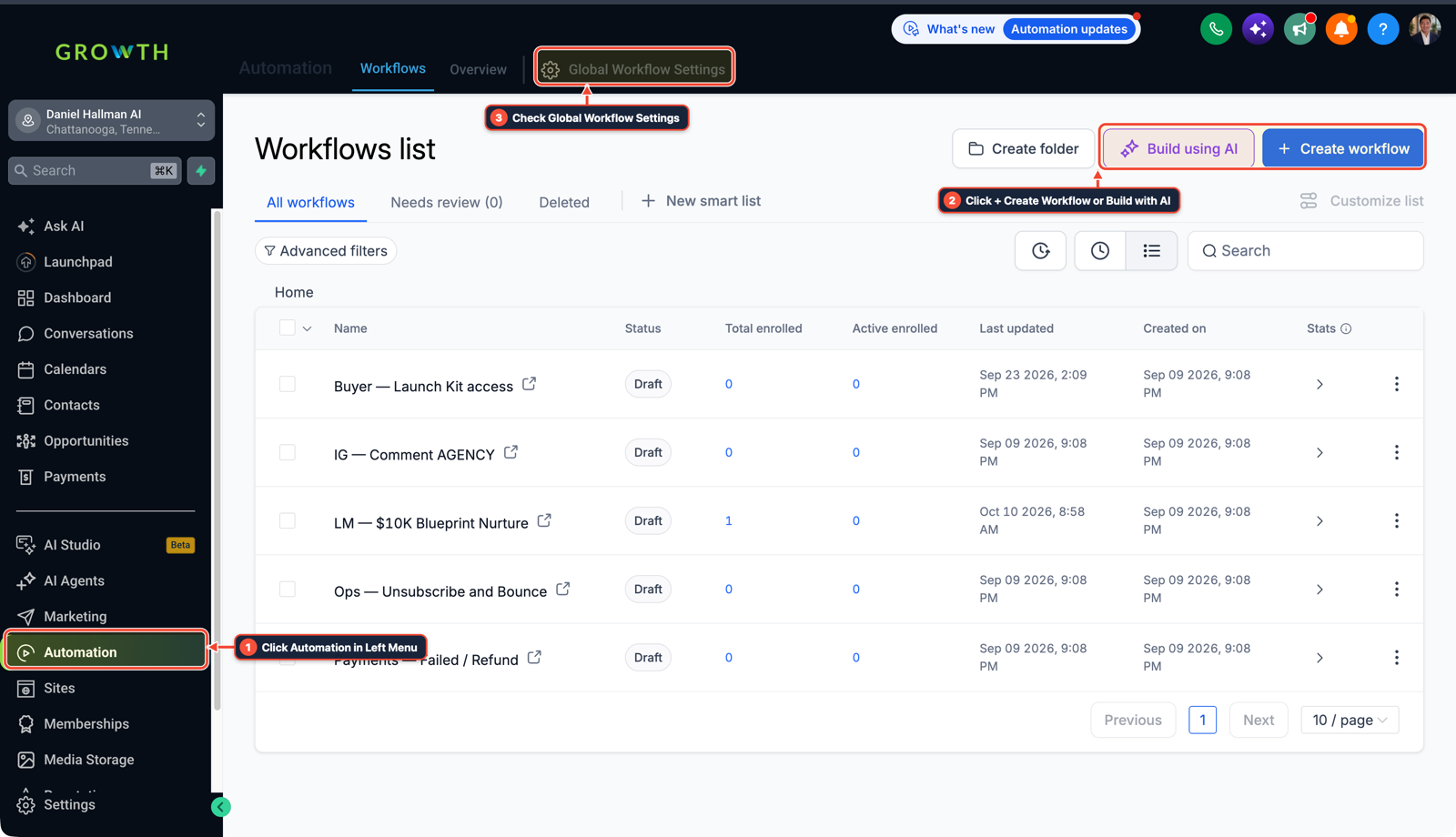
1Click Automation in Left Menu 2Click + Create Workflow or Build with AI 3Check Global Workflow Settings
MODE: AGENT PROMPT
PASTE THIS PROMPT INTO CLAUDE CODE, CURSOR, CHATGPT, OR YOUR GHL ASSISTANT
SAFE READ-FIRST WORKFLOW
Audit and update our GoHighLevel survey embed for iOS Safari compatibility:
1. Reconfigure the survey integration from 'Popup' or 'Overlay' script mode to 'Standard' (Inline iframe Embed) to prevent iOS Safari's default Block Pop-ups security trigger.
2. If a click-to-open modal is required, nest the static inline iframe inside our website's first-party HTML dialog or theme modal container rather than relying on cross-domain window.open calls.
3. Configure a custom subdomain CNAME (e.g., forms.ourdomain.com -> msgsndr.com) and assign it to the survey sub-account to bypass Safari ITP cross-site tracking drops.
RUN WITH OUR GHL-TOOLS MCP SERVER OR RUST CLI (DANIELHALLMAN.COM/MCP)
SUPPORTS --DRY-RUN PREVIEW
# 1. MCP Tool Call (ghl-crm-mcp)
{
  "tool": "forms_get_embed_code",
  "arguments": {
    "location_id": "<YOUR_LOCATION_ID>",
    "form_id": "<YOUR_SURVEY_OR_FORM_ID>",
    "embed_type": "standard_inline",
    "custom_domain": "forms.yourcompany.com"
  }
}

# 2. Or run via ghl-crm Rust CLI
ghl-crm forms get-embed --location-id <YOUR_LOCATION_ID> --form-id <YOUR_SURVEY_OR_FORM_ID> --type inline
Related GoHighLevel Questions & Fixes
PLAYBOOK T22 · Workflows & Automation
Why is my GoHighLevel Inbound Webhook not creating or updating contacts?
Fetch a real sample request inside your Inbound Webhook Trigger (never use the 'Test Workflow' button), add a native Format Data -> Format Phone Number (E.164) step first, and map the formatted phone and email into Create/Update Contact.
PLAYBOOK T08 · Voice AI & PhoneHow do you stop iPhone Live Voicemail from breaking GoHighLevel Missed-Call Text-Back?
Lower your GoHighLevel Incoming Call Timeout to 15 seconds and turn on Call Whisper ('Press 1 to accept') so Apple iOS 18+ cannot intercept the call at 18 seconds.
PLAYBOOK T24 · Workflows & AutomationWhy is GoHighLevel still sending messages after a customer replies?
The native 'Stop on Response' toggle only stops the specific workflow that sent the message—it never removes leads from overlapping nurture or blast campaigns. Fix it by building a dedicated global Safety Net workflow triggered on Customer Replied with an explicit Remove from Workflow action.
PLAYBOOK T18 · Estimates & Text2PayHow do you send estimates and collect Text2Pay deposits in GoHighLevel?
Ask homeowners to text 2 photos of the job area, send back a mobile HighLevel Estimate connected to a 20% Text2Pay Stripe/Apple Pay deposit link, and unlock the dispatch calendar automatically upon payment.
BUILD FASTER IN GOHIGHLEVEL · FREE TRIAL BONUSES + MCP SERVER
Want this built inside your GoHighLevel account automatically?
Connect Claude Code, Cursor, or OpenAI Codex to our ghl-tools MCP Server & Rust CLI for 30-second sub-account checks and --dry-run previews—or start/upgrade your GoHighLevel plan through our partner link to unlock up to $612+ in ready-to-import kits (including GHL Funnel & Form Architect Pack ($47 — or Free with Trial)) and our weekly live clinics.