GOHIGHLEVEL ANSWERS & PROMPTS: PLAYBOOK T116 · 60-DAY EXECUTION LOGS, OBJECT FILTERING & CSV EXPORT
AUTHOR: DANIEL HALLMAN
KEYWORD: EXECUTION LOGS
STEP-BY-STEP INSTRUCTIONS + ANNOTATED GHL SCREENSHOTS
Steps in GoHighLevel
-
STEP 1In Automation > Workflows, open the workflow and select Execution Logs (or Enrollment History), then switch the object dropdown to All objects, Contacts, Opportunities, or Tasks and search for the exact deal or task name.
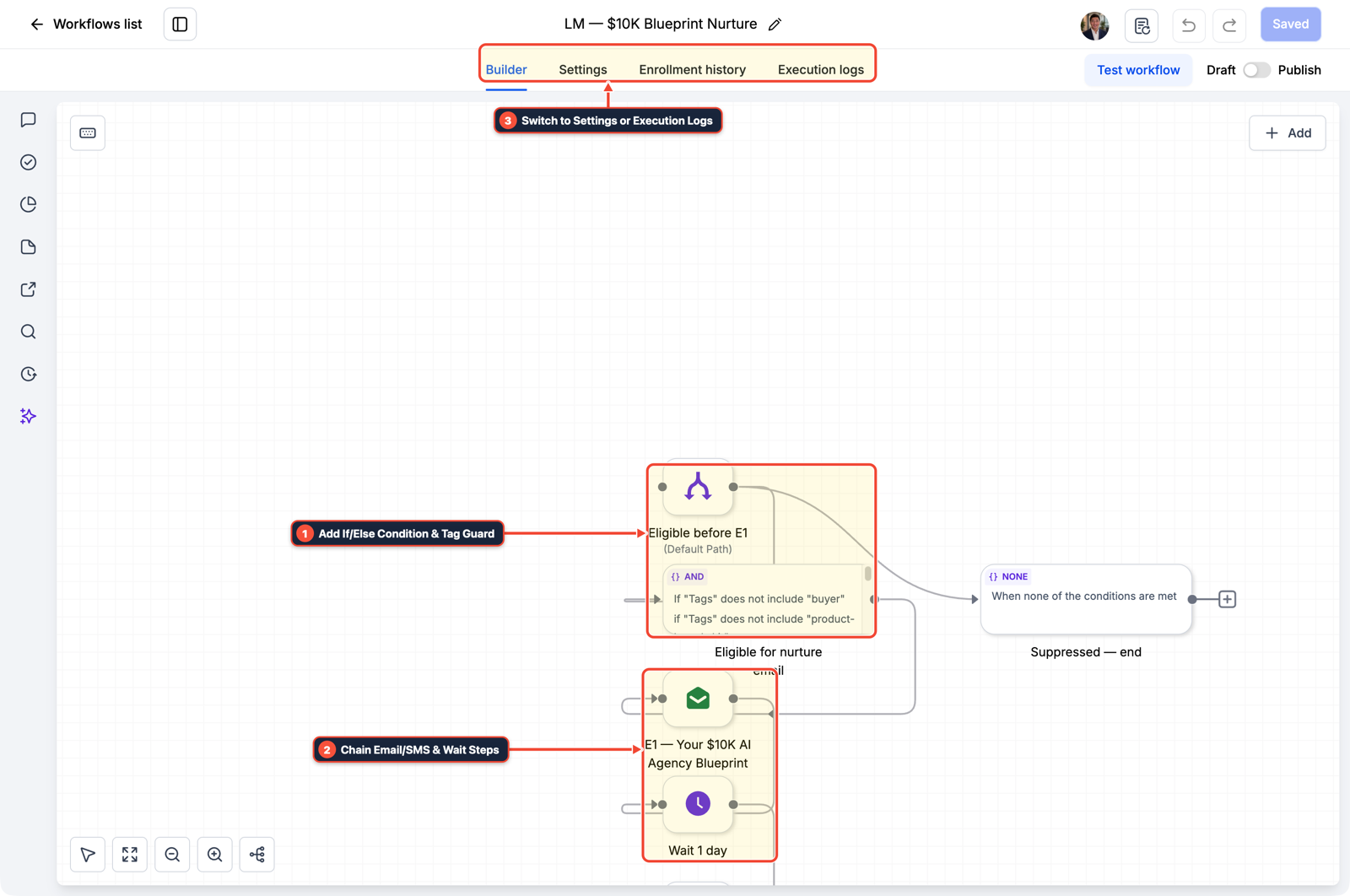
1Add If/Else Condition & Tag Guard 2Chain Priority & Wait Steps 3Switch to Settings or Execution Logs -
STEP 2Apply your status, action, and date filters (up to
60days back) in the Execution Logs toolbar, then click Export in the top right and review the filtered scope.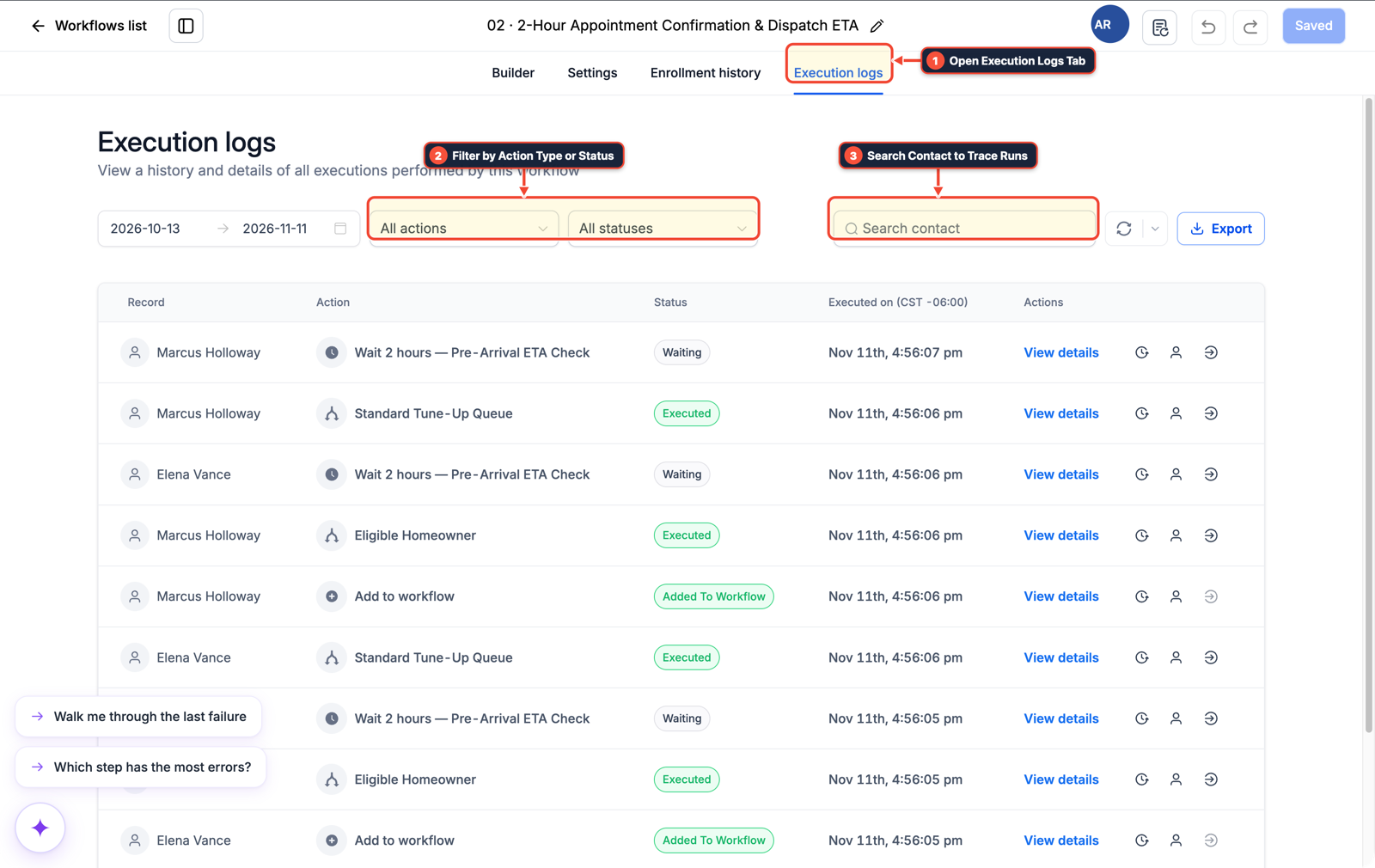
1Open Execution Logs Tab 2Filter by Action Type or Status 3Search Contact to Trace Runs -
STEP 3Select teammates or enter recipient email addresses and click Export to generate the CSV. Download the file from the email link within
7days (the export contains action and execution IDs only, with no PII).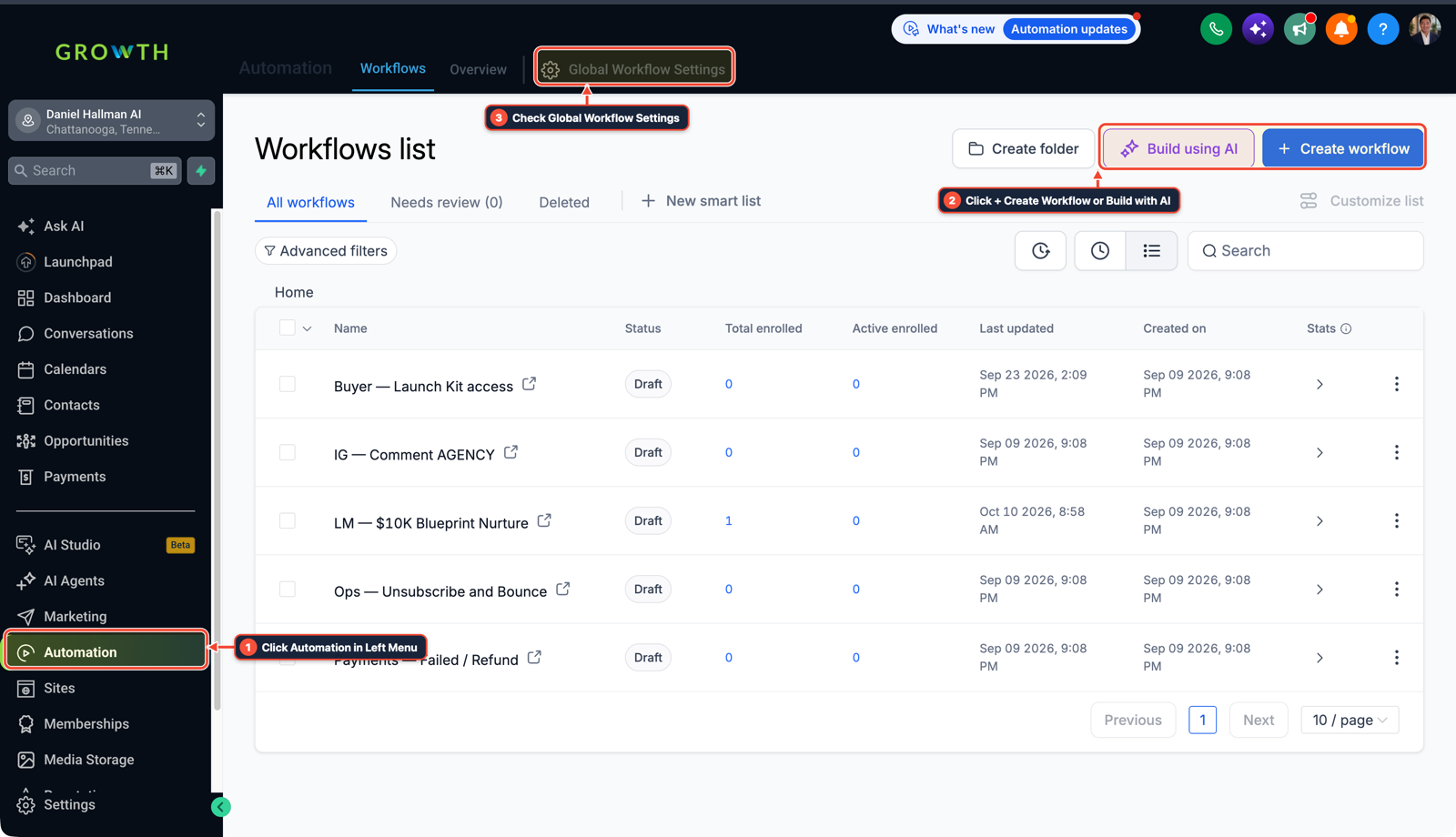
1Click Automation in Left Menu 2Click + Create Workflow or Build with AI 3Check Global Workflow Settings
MODE: AGENT PROMPT
PASTE INTO CLAUDE CODE, CURSOR, CHATGPT, OR GOHIGHLEVEL ASK AI
AGENT PROMPT
Audit recent workflow runs and missed actions in sub-account <YOUR_LOCATION_ID>:
1. Open Automation > Workflows > Execution Logs and filter by Opportunities and Tasks alongside Contacts over the past 60 days.
2. Filter by Failed or Skipped statuses and export the matching execution log CSV for spreadsheet review.
3. Cross-check recurring failures against Workflow Settings (Allow Re-entry and Stop on Response).
GHL-TOOLS MCP SERVER & CLI (DANIELHALLMAN.COM/MCP)
BUILDER + SUB-ACCOUNT TOOLS
# List workflows in the sub-account before auditing 60-day Execution Logs
ghl-crm workflows list --context <YOUR_CONTEXT> --location <YOUR_LOCATION_ID>
Official GHL MCP vs. ghl-tools: HighLevel’s official hosted MCP (services.leadconnectorhq.com/mcp) covers public v2 CRM records (contacts, opportunities, appointments, conversations). ghl-tools MCP complements it with workflow graph inspection & recipes, funnel/form builders, DNS/BIMI checks, and ghl-crm doctor audits.
Cause
- Previously, workflow logs expired after 30 days and could not be exported as a spreadsheet
- while opportunities and tasks that enrolled without an attached contact were hard to trace during a billing or missed-step audit.
GoHighLevel Configuration
- Filter Execution Logs and Enrollment History by Contacts, Opportunities, Tasks
- or All objects, apply your 60-day date window and status filters
- and email an ID-only CSV export to teammates before records age out.
GoHighLevel Menu Paths
| Step | Menu Path in GHL | Action |
|---|---|---|
| Step 1 | Automation > Workflows | Open the workflow and select Execution Logs (or Enrollment History), then switch the object dropdown to All objects, Contacts, Opportunities, or Tasks and search for the exact deal or task name. |
| Step 2 | Automation > Workflow > Execution Logs | Apply your status, action, and date filters (up to 60 days back) in the Execution Logs toolbar, then click Export in the top right and review the filtered scope. |
| Step 3 | Automation > Workflows > + Create Workflow | Select teammates or enter recipient email addresses and click Export to generate the CSV. |
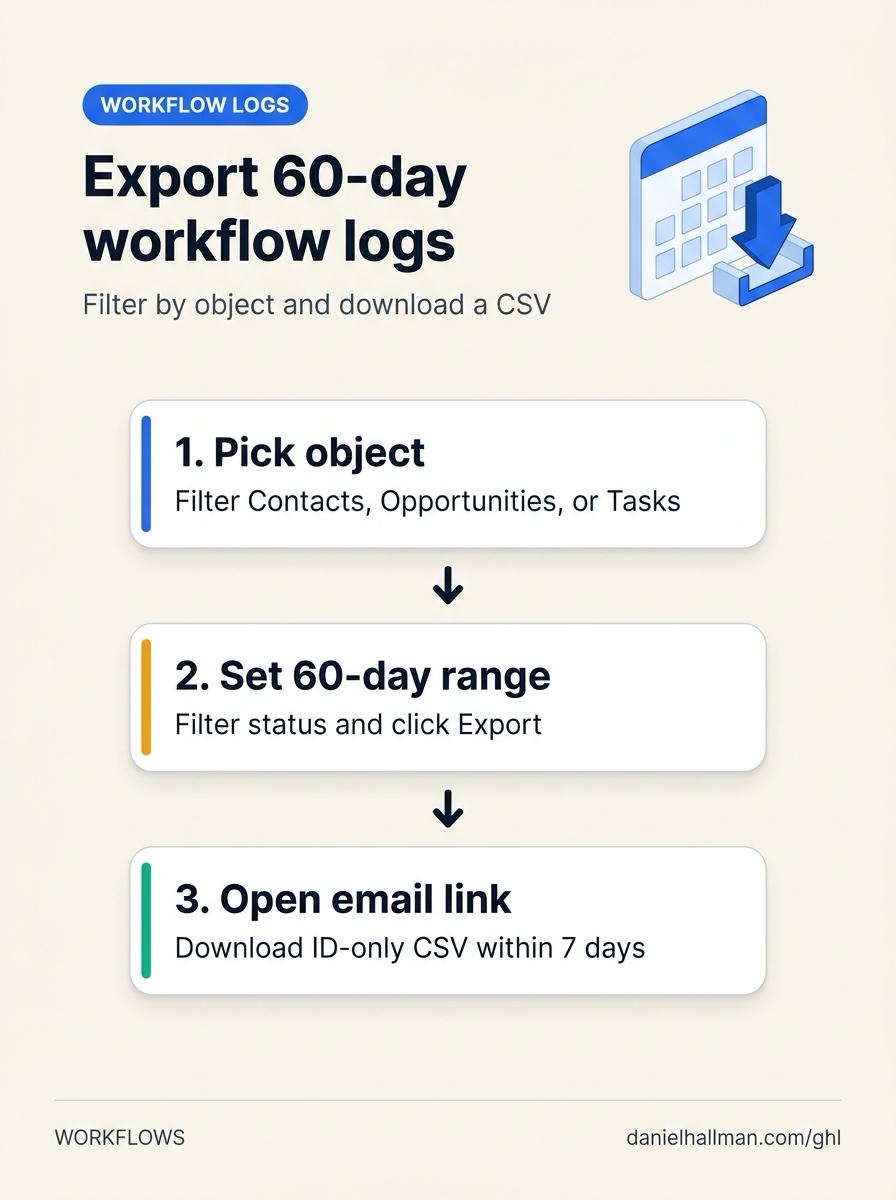
DEFAULT SETUP VS. AUTOMATED WORKFLOW
Operational Comparison
Speed to Lead & Callback Safety
Caller Reply & Booking Rate
Related Questions
- Why Is My GoHighLevel Send Document or Opportunity Workflow Firing Multiple Times in a Row?
- Why is GoHighLevel still sending messages after a customer replies?
- Why Is My GoHighLevel Workflow Not Sending Notifications When a Customer Replies?
- How Do You Catch a Silently Failed n8n or GoHighLevel Webhook Node Before a Message Is Lost?
FREE AGENCY BLUEPRINT & GHL CHECKLIST
Get the free $10K Agency Blueprint + GHL Setup Checklist
Enter your work email for the 7-part operating manual and GoHighLevel setup checklists (GHL Workflow Debugging & Execution Log Kit), or unlock the full bonus vault with your GoHighLevel partner bonus claim.