GOHIGHLEVEL ANSWERS & PROMPTS: PLAYBOOK T80 · EXTERNAL CART TO GOHIGHLEVEL INVOICE API CHECKOUT & PAID TRIGGER
AUTHOR: DANIEL HALLMAN
KEYWORD: CART CHECKOUT
STEP-BY-STEP INSTRUCTIONS + ANNOTATED GHL SCREENSHOTS
Steps in GoHighLevel
-
STEP 1In Settings > Private Integrations, create a server-side token scoped to
contacts.writeandinvoices.write(keeping the token on your backend or Cloudflare Worker, never in Webflow frontend code) and have your Webflow checkout button POST the shopper's email, item IDs, and quantities to your server endpoint.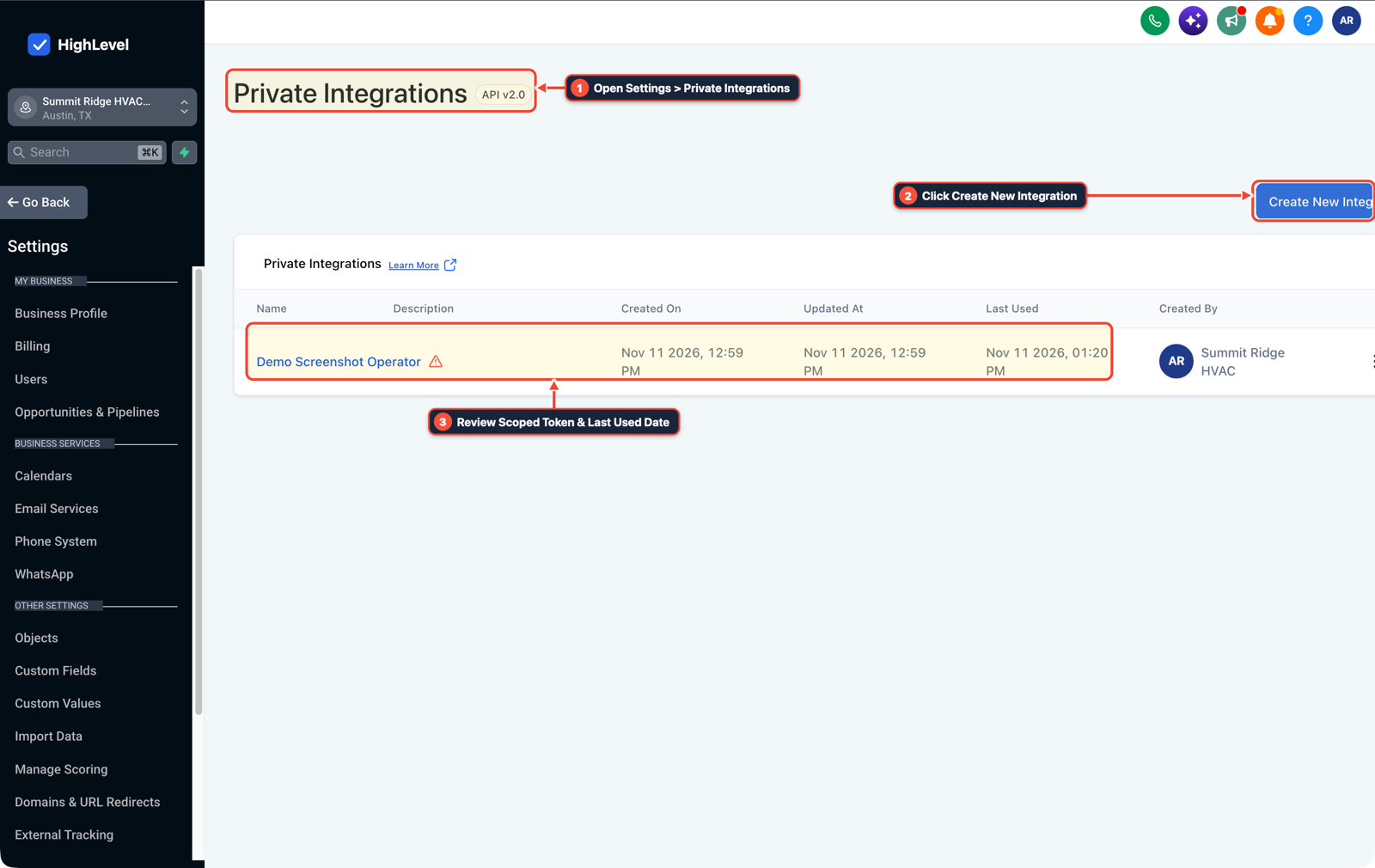
1Open Settings > Private Integrations 2Click Create New Integration 3Review Scoped Token & Last Used Date -
STEP 2In your backend endpoint (or Payments > Invoices API integration), upsert the customer contact ID, look up the authoritative item prices on the server, and call
POST /invoices/text2paywith each cart item initems[],liveMode: true, andaction: "send"so the returnedinvoiceUrlrenders the live card payment checkout instead of a draft preview.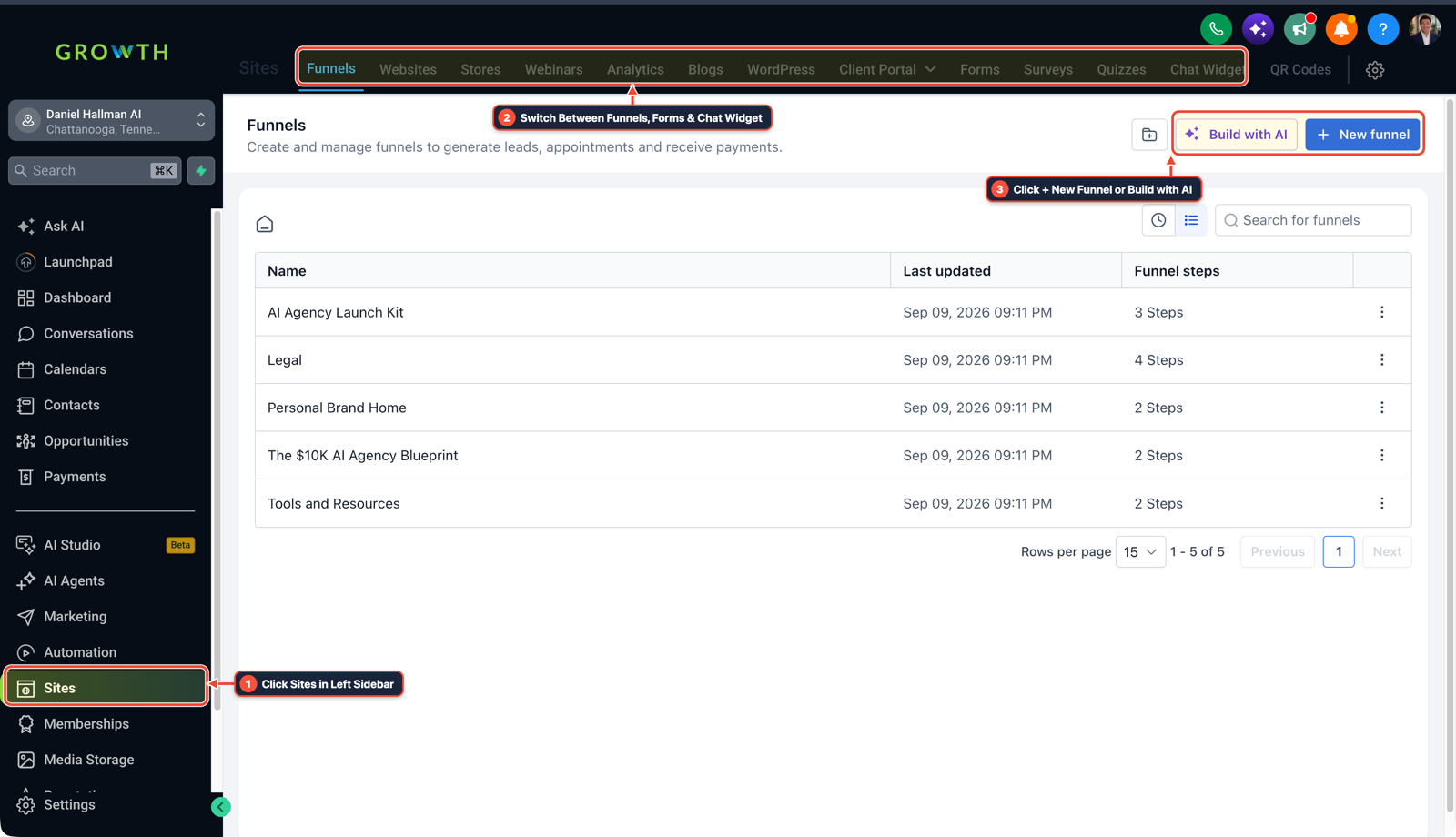
1Click Sites in Left Sidebar 2Switch Between Funnels, Forms & Chat Widget 3Click + New Funnel or Build with AI -
STEP 3In Automation > Workflow Builder, create a workflow triggered on Invoice (
Invoice Status = Paid) to tag the buyer, write the purchased line items to the contact or opportunity record, and send the order confirmation.
1Add If/Else Condition & Tag Guard 2Chain Priority & Wait Steps 3Switch to Settings or Execution Logs
MODE: AGENT PROMPT
PASTE INTO CLAUDE CODE, CURSOR, CHATGPT, OR GOHIGHLEVEL ASK AI
AGENT PROMPT
Configure a multi-item external cart to GoHighLevel invoice checkout and post-payment workflow in sub-account <YOUR_LOCATION_ID>:
1. In Settings > Private Integrations, verify a server-side token with contacts.write and invoices.write scopes for the backend cart-to-invoice handoff.
2. Have the backend upsert the contact and call POST /invoices/text2pay with items[], liveMode: true, and action: "send", then redirect the customer to the returned invoiceUrl.
3. In Automation > Workflow Builder, build a fulfillment workflow triggered by Invoice (Status = Paid) to update the opportunity stage and send the receipt.
GHL-TOOLS MCP SERVER & CLI (DANIELHALLMAN.COM/MCP)
BUILDER + SUB-ACCOUNT TOOLS
# Audit private integration scopes and invoice payment workflows in the sub-account
ghl-crm workflows list --context <YOUR_CONTEXT> --location <YOUR_LOCATION_ID>
ghl-crm custom-fields list --context <YOUR_CONTEXT> --location <YOUR_LOCATION_ID>
Official GHL MCP vs. ghl-tools: HighLevel’s official hosted MCP (services.leadconnectorhq.com/mcp) covers public v2 CRM records (contacts, opportunities, appointments, conversations). ghl-tools MCP complements it with workflow graph inspection & recipes, funnel/form builders, DNS/BIMI checks, and ghl-crm doctor audits.
Cause
- When a visitor selects multiple items in an external Webflow cart and clicks Continue to Payment, sending them to a static GoHighLevel funnel page forces them to pick their items all over again.
- Developers who look up the HighLevel Invoices API often get stuck on POST /invoices/text2pay because the API documentation describes invoiceUrl as a preview link, which happens whenever the invoice is created in draft status rather than sent status.
GoHighLevel Configuration
- Create a server-side checkout endpoint authenticated with a Settings > Private Integrations token (
invoices.write,contacts.write), callPOST /invoices/text2paywithaction: "send"andliveMode: truesoinvoiceUrlopens the live card payment form for all cart line items - and trigger post-purchase automation from Invoice (
Status = Paid) in Automation > Workflow Builder.
GoHighLevel Menu Paths
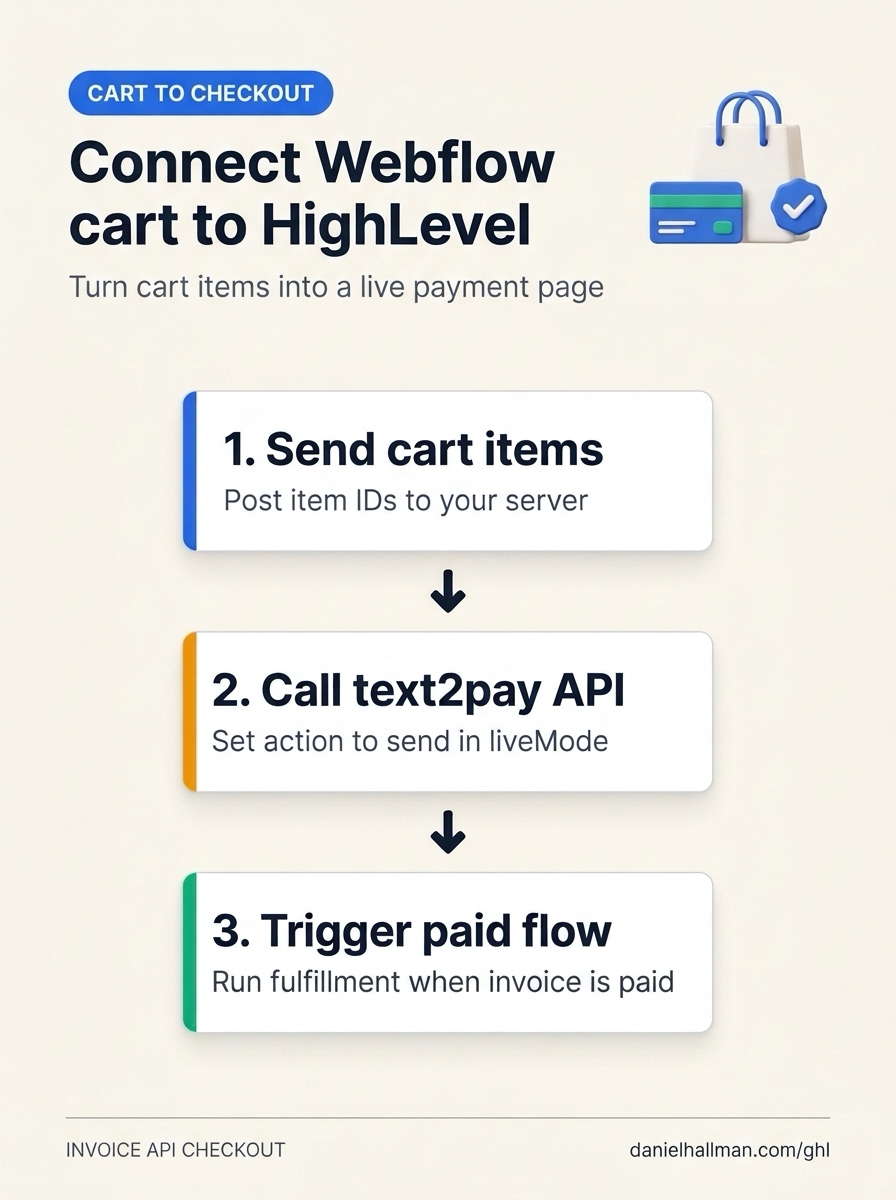
| Step | Menu Path in GHL | Action |
|---|---|---|
| Step 1 | Settings > Private Integrations | Create a server-side token scoped to contacts.write and invoices.write (keeping the token on your backend or Cloudflare Worker, never in Webflow frontend code) and have your Webflow checkout button POST the shopper's email, item IDs, and quantities to your server endpoint. |
| Step 2 | Payments > Invoices | Upsert the customer contact ID, look up the authoritative item prices on the server, and call POST /invoices/text2pay with each cart item in items[], liveMode: true, and action: "send" so the returned invoiceUrl renders the live card payment checkout instead of a draft preview. |
| Step 3 | Automation > Workflow Builder | Create a workflow triggered on Invoice (Invoice Status = Paid) to tag the buyer, write the purchased line items to the contact or opportunity record, and send the order confirmation. |
DEFAULT SETUP VS. AUTOMATED WORKFLOW
Operational Comparison
Manual Admin Work Per Client
Lead-to-Booked-Job Conversion
Related Questions
- How Do You Point a GoHighLevel Domain to an External Website Builder Without Losing SEO or CRM Leads?
- How Do You Stop GoHighLevel MCP From Constantly Disconnecting in Claude and ChatGPT?
- Why is my GoHighLevel Inbound Webhook not creating or updating contacts?
- How Do You Catch a Silently Failed n8n or GoHighLevel Webhook Node Before a Message Is Lost?
BUILD FASTER IN GOHIGHLEVEL · FREE TRIAL BONUSES + MCP SERVER
Build this directly inside your GoHighLevel sub-account
Connect Claude Code, Cursor, or OpenAI Codex to our ghl-tools MCP Server & Rust CLI to build workflows, forms, and funnels from your editor, or start your GoHighLevel plan through our partner link to unlock $612+ in ready-to-import kits (including GHL Invoice API Checkout & Payment Webhook Kit) and weekly live clinics.