GOHIGHLEVEL ANSWERS & PROMPTS: PLAYBOOK T04 · VOICE AI & PHONE
AUTHOR: DANIEL HALLMAN
KEYWORD: VOICE
STEP-BY-STEP INSTRUCTIONS + ANNOTATED GHL SCREENSHOTS
Steps in GoHighLevel
-
STEP 1Create an Incoming Call IVR Workflow: In Automation > Workflows, create a workflow triggered on Start IVR Trigger assigned to your public Google Business tracking number.
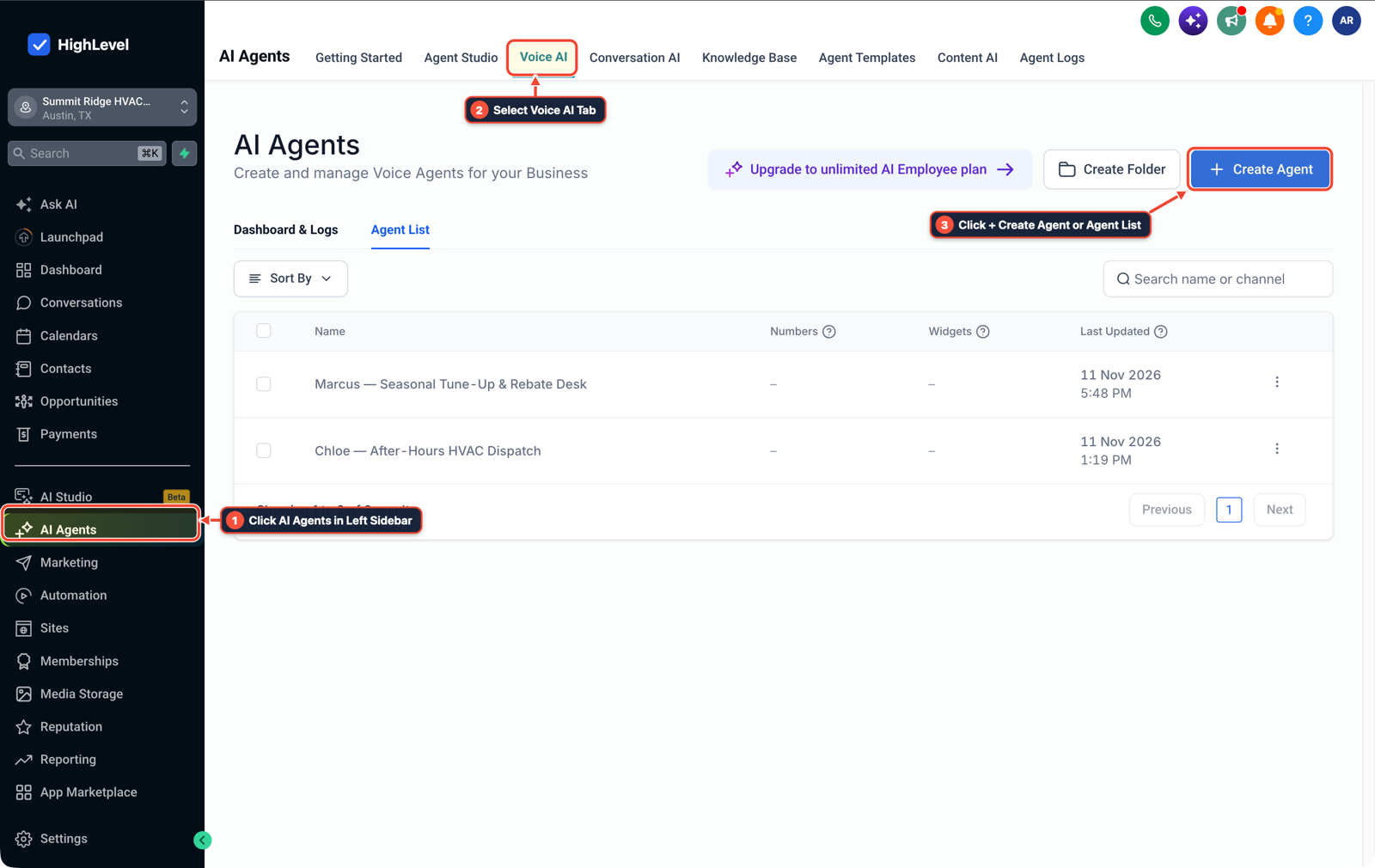
1Click AI Agents in Left Sidebar 2Select Voice AI Tab 3Click + Create Agent or Agent List -
STEP 2Add a 5-Second Gather Input Prompt: In Automation > Workflows, add a Gather Input on Call action with a
4second greeting (Thanks for calling {{location.name}}, press 1 to connect with our team) and a5second timeout.
1Add If/Else Condition & Tag Guard 2Chain Priority & Wait Steps 3Switch to Settings or Execution Logs -
STEP 3Route Digit 1 and Drop Timeouts: In Automation > Workflows, connect the
Key 1branch to Connect Call (or your Voice AI agent) and connect theTimeoutbranch to End Call.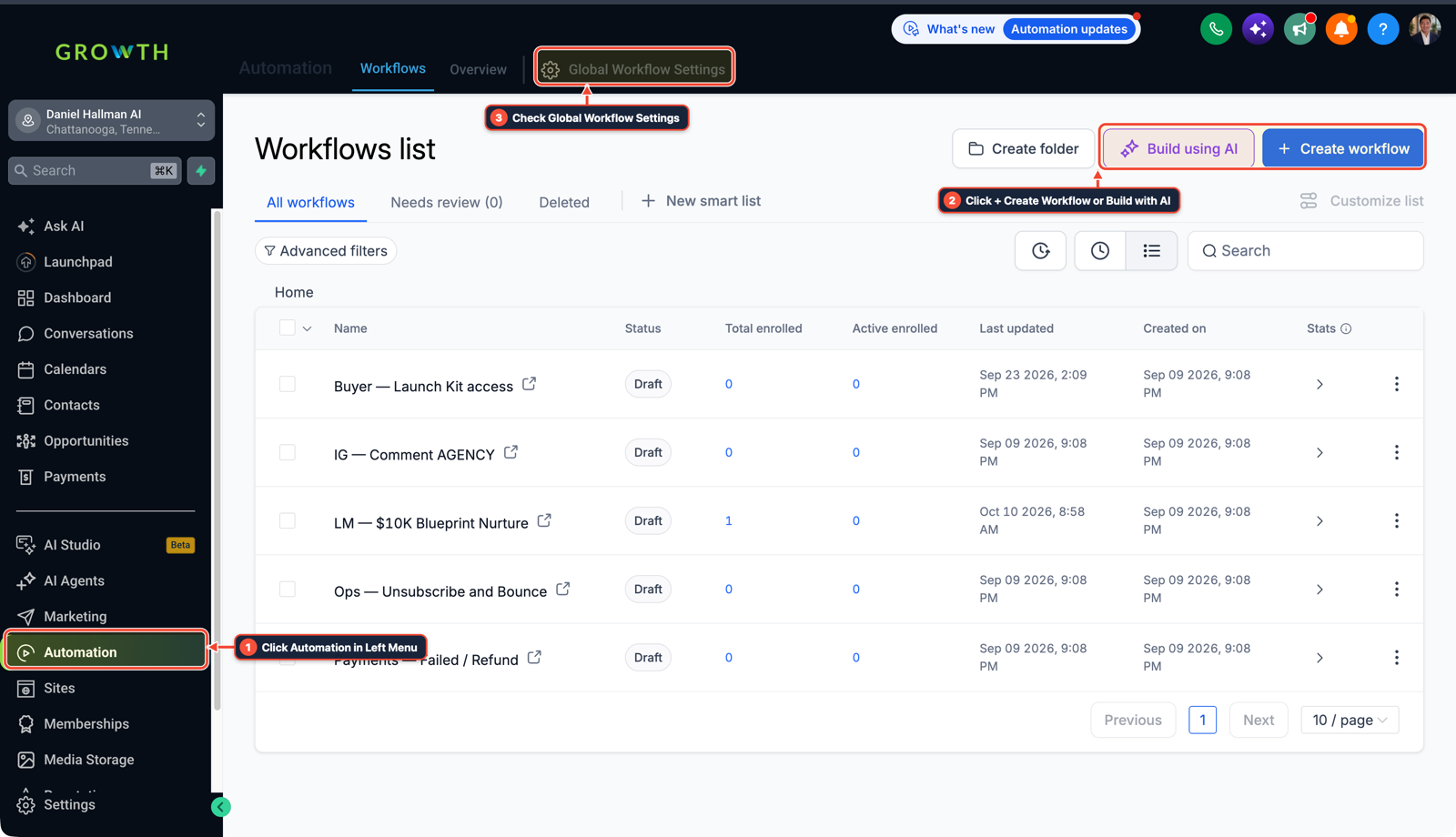
1Click Automation in Left Menu 2Click + Create Workflow or Build with AI 3Check Global Workflow Settings
MODE: AGENT PROMPT
PASTE INTO CLAUDE CODE, CURSOR, CHATGPT, OR GOHIGHLEVEL ASK AI
AGENT PROMPT
Protect our GoHighLevel tracking numbers from spam robocalls before they reach our Voice AI agent:
1. Create a 1-step DTMF Call-Screening IVR workflow on our public Google Business tracking number.
2. Play a 4-second greeting: "Thanks for calling {{location.name}}. Press 1 to connect with our team."
3. Wait 5 seconds for digit 1. If pressed, forward to our dispatch ring group / Voice AI receptionist; if no key is pressed, end the call without triggering Missed-Call Text-Back or Voice AI billing.
GHL-TOOLS MCP SERVER & CLI (DANIELHALLMAN.COM/MCP)
BUILDER + SUB-ACCOUNT TOOLS
# 1. MCP Tool Call (ghl-crm-mcp)
{
  "tool": "workflows_create_ivr",
  "arguments": {
    "location_id": "<YOUR_LOCATION_ID>",
    "prompt_text": "Thanks for calling, press 1 to connect with our team.",
    "valid_digit": "1",
    "timeout_seconds": 5
  }
}

# 2. Or run via ghl-crm Rust CLI
ghl-crm workflows create-ivr --location-id <YOUR_LOCATION_ID> --digit 1 --timeout 5
Official GHL MCP vs. ghl-tools: HighLevel’s official hosted MCP (services.leadconnectorhq.com/mcp) covers public v2 CRM records (contacts, opportunities, appointments, conversations). ghl-tools MCP complements it with workflow graph inspection & recipes, funnel/form builders, DNS/BIMI checks, and ghl-crm doctor audits.
Cause
- Connecting a public Google Business tracking number straight into Voice AI lets automated spam scrapers and robocallers talk to your bot for minutes at a time, burning paid AI usage and filling your CRM with junk leads.
GoHighLevel Configuration
- Use a 1-step HighLevel IVR workflow trigger before connecting to Voice AI or your ring group: play a friendly 4-second greeting asking the caller to press 1, wait 5 seconds for a keypress
- and hang up cleanly if no key is pressed.
GoHighLevel Menu Paths
| Step | Menu Path in GHL | Action |
|---|---|---|
| Step 1 | Automation > Workflows | Create a workflow triggered on Start IVR Trigger assigned to your public Google Business tracking number. |
| Step 2 | Automation > Workflows | Add a Gather Input on Call action with a 4 second greeting (Thanks for calling {{location.name}}, press 1 to connect with our team) and a 5 second timeout. |
| Step 3 | Automation > Workflows | Connect the Key 1 branch to Connect Call (or your Voice AI agent) and connect the Timeout branch to End Call. |
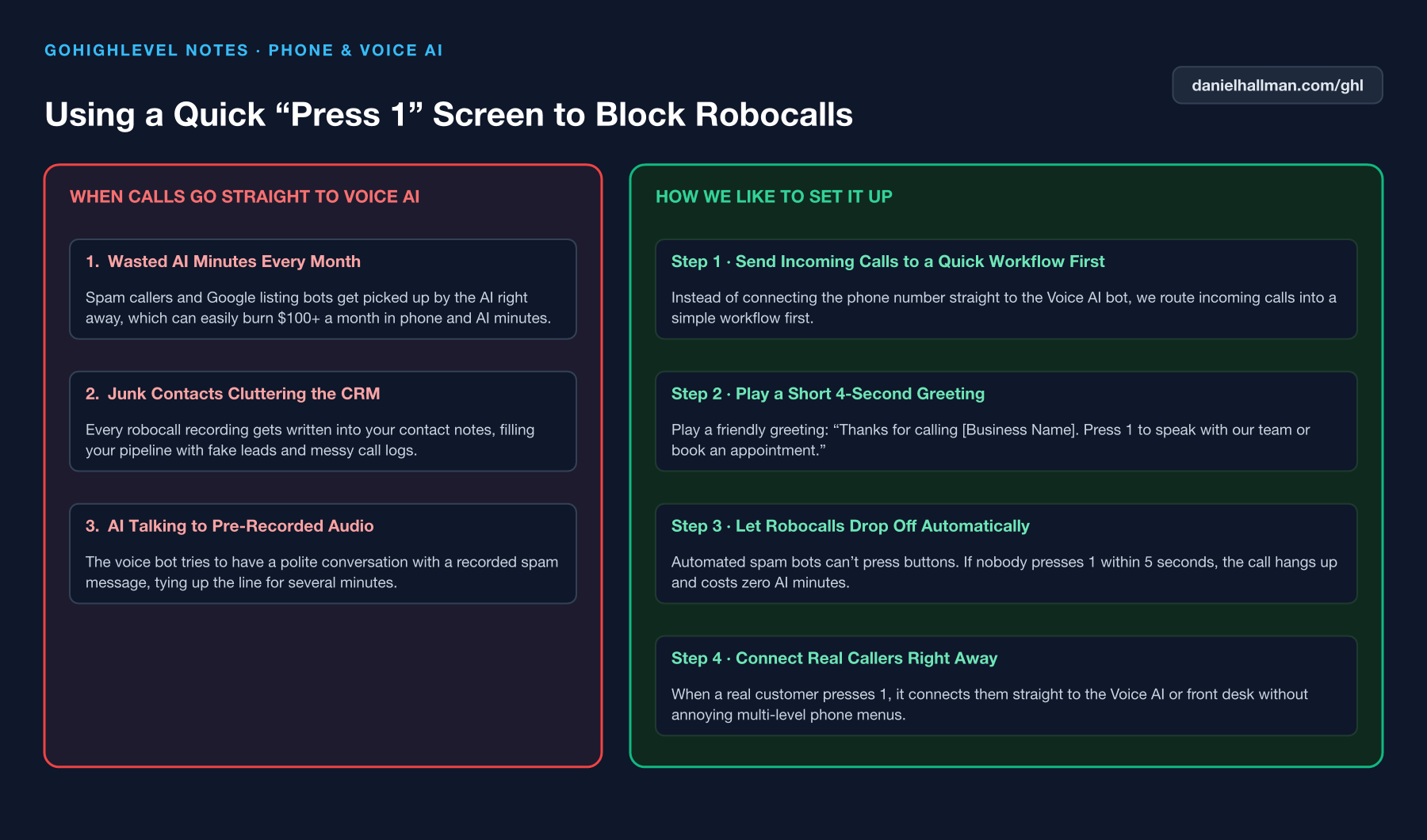
DEFAULT SETUP VS. AUTOMATED WORKFLOW
Operational Comparison
After-Hours & Missed Call Capture
Qualified Jobs Booked 24/7
Related Questions
- How do you stop iPhone Live Voicemail from breaking GoHighLevel Missed-Call Text-Back?
- How do you use GoHighLevel Voice AI with an existing office desk phone without swapping your main number?
- How do you make GoHighLevel Voice AI calls feel fast and natural without awkward pauses?
- How do you stop GoHighLevel Missed-Call Text-Back from texting while a rep is calling back?
BUILD FASTER IN GOHIGHLEVEL · FREE TRIAL BONUSES + MCP SERVER
Build this directly inside your GoHighLevel sub-account
Connect Claude Code, Cursor, or OpenAI Codex to our ghl-tools MCP Server & Rust CLI to build workflows, forms, and funnels from your editor, or start your GoHighLevel plan through our partner link to unlock $612+ in ready-to-import kits (including Voice, Conversation & Knowledge Base Kit ($47)) and weekly live clinics.