GOHIGHLEVEL ANSWERS & PROMPTS: PLAYBOOK T08 · WORKFLOWS & AUTOMATION
AUTHOR: DANIEL HALLMAN
KEYWORD: AI AGENT
MODE: AGENT PROMPT
PASTE INTO CLAUDE CODE, CURSOR, CHATGPT, OR GOHIGHLEVEL ASK AI
AGENT PROMPT
Set up our GoHighLevel inbound reply workflow in sub-account <YOUR_LOCATION_ID> using our writing style:
1. In Settings > Conversation AI, paste our 20-email style guide and cap replies at 60 words.
2. In Automation > Workflows, trigger on Customer Replied and add an If/Else check that skips contacts tagged 'human-takeover'.
3. Send basic hours and booking answers automatically, and send pricing questions to an Internal Notification push alert for quick approval.
GHL-TOOLS MCP SERVER & CLI (DANIELHALLMAN.COM/MCP)
BUILDER + SUB-ACCOUNT TOOLS
# List workflows and Conversation AI actions with ghl-crm
ghl-crm workflows list --context <YOUR_CONTEXT> --location <YOUR_LOCATION_ID>
Official GHL MCP vs. ghl-tools: HighLevel’s official hosted MCP (services.leadconnectorhq.com/mcp) covers public v2 CRM records (contacts, opportunities, appointments, conversations). ghl-tools MCP complements it with workflow graph inspection & recipes, funnel/form builders, DNS/BIMI checks, and ghl-crm doctor audits.
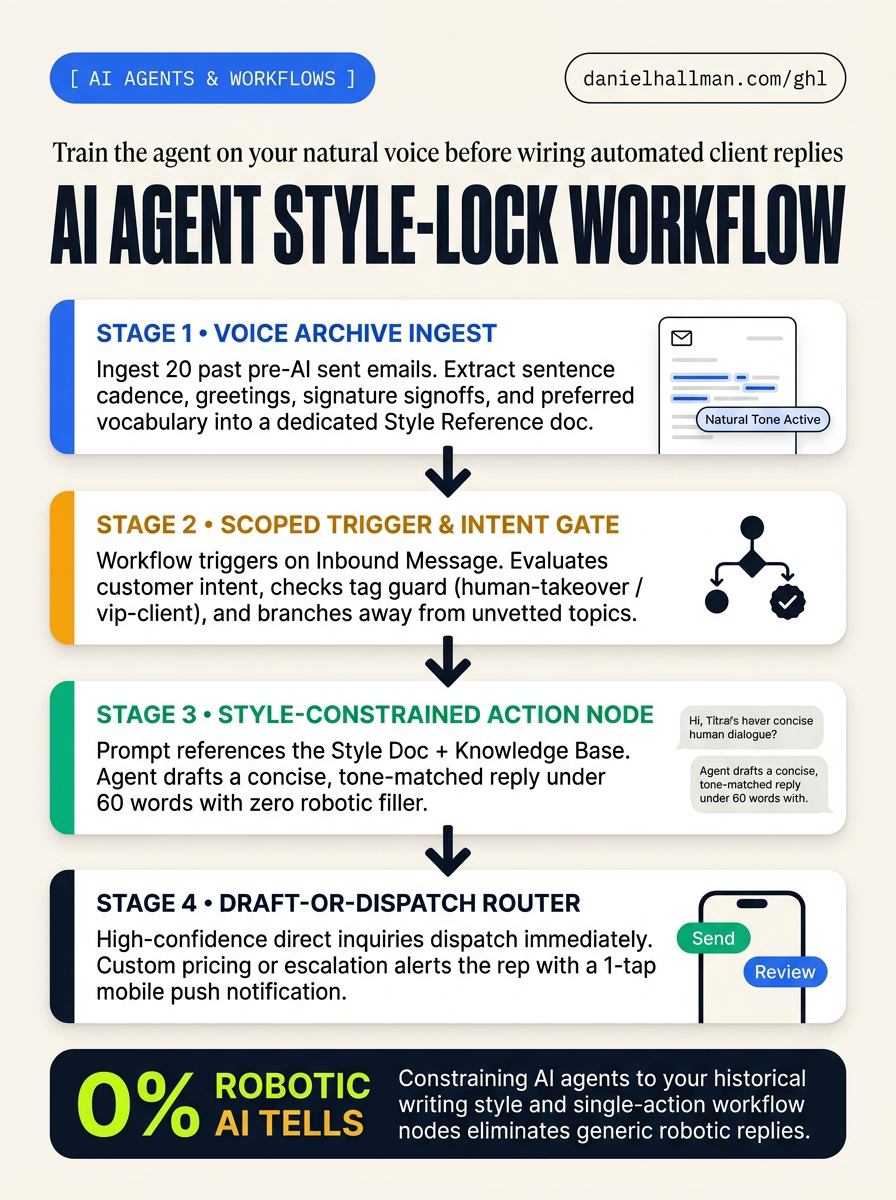
STEP-BY-STEP INSTRUCTIONS + ANNOTATED GHL SCREENSHOTS
Steps in GoHighLevel
-
STEP 1Load your writing samples: In Settings > Conversation AI, paste a style guide built from 20 emails or texts you wrote before using AI. Tell the bot to match your normal greetings and phrasing, skip filler words, and keep every reply under
60words.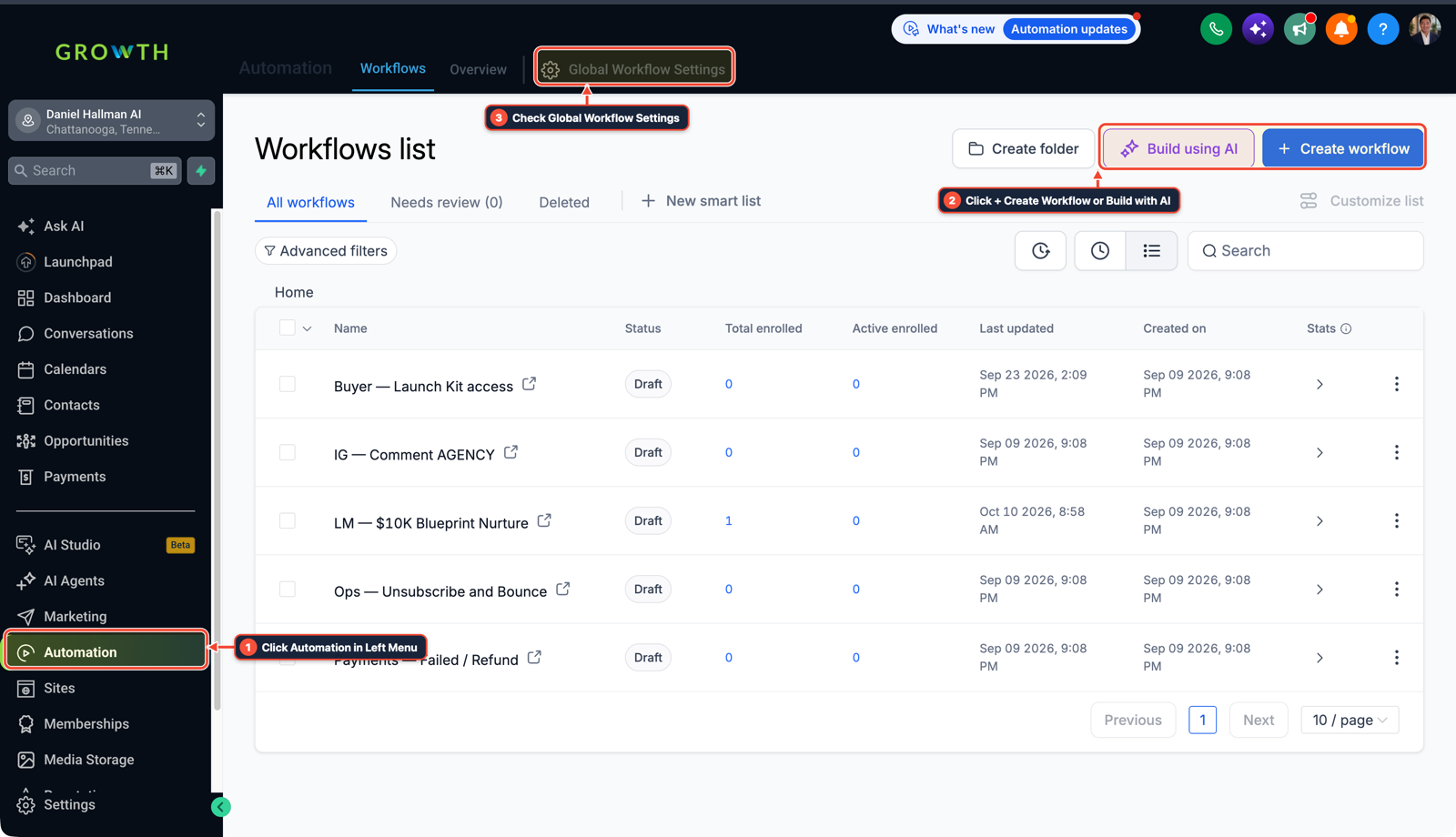
1Click Automation in Left Menu 2Click + Create Workflow or Build with AI 3Check Global Workflow Settings - STEP 2Skip active human threads: In Automation > Workflows, create a workflow on the Customer Replied trigger. Add an If/Else step first so contacts tagged
human-takeoverorvip-clientexit right away without an automated reply. -
STEP 3Send custom quotes to your phone first: Add the Conversation AI action, then branch with If/Else by topic. Let basic hours and booking questions send through Send SMS or Send Email, and route pricing questions to Internal Notification in the HighLevel mobile app so you can approve the draft.
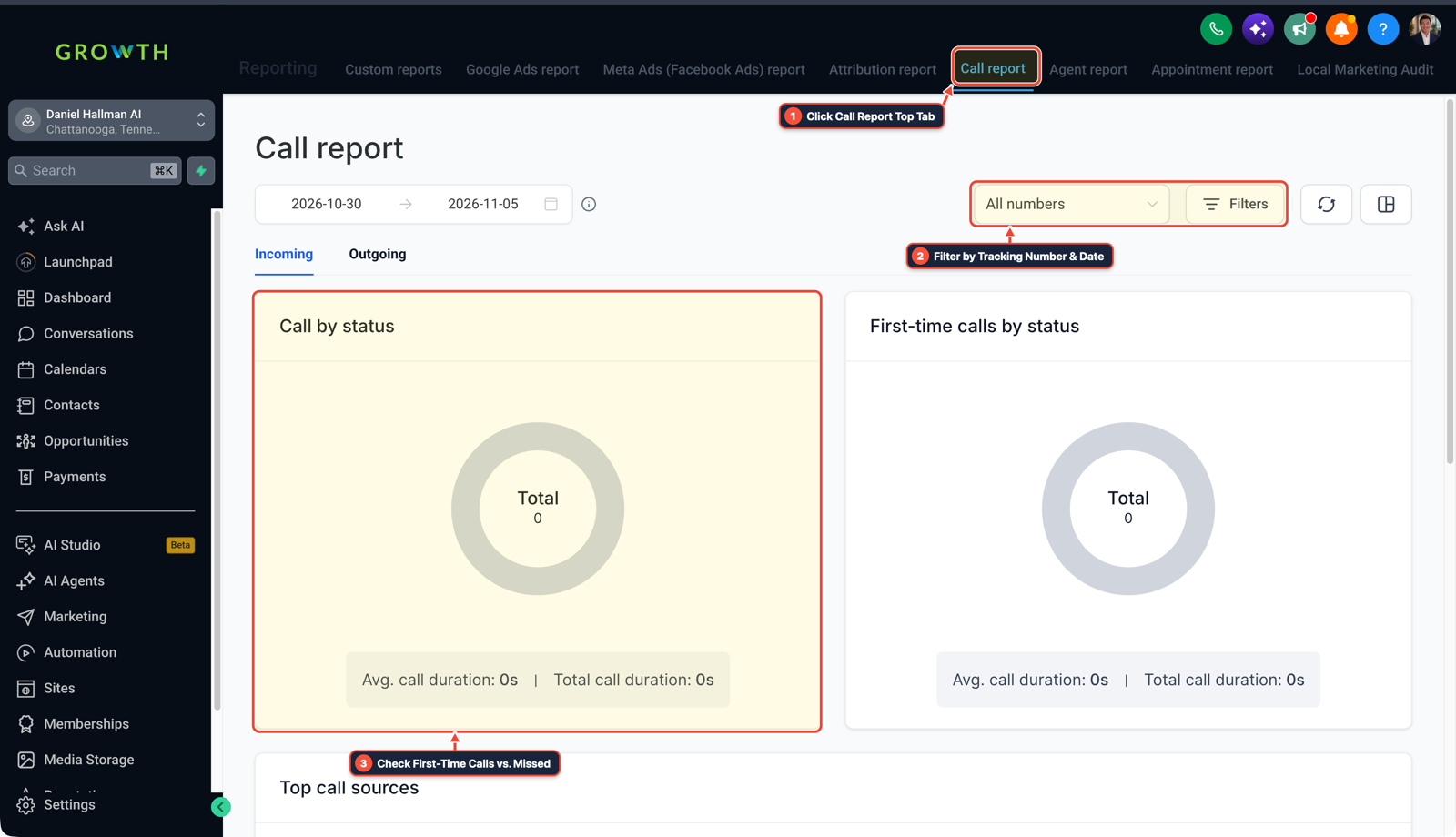
1Click Call Report Top Tab 2Filter by Tracking Number & Date 3Check First-Time Calls vs. Missed
Cause
- Out of the box, chatbots write stiff, wordy paragraphs full of filler phrases that clients spot right away.
- Letting an unfiltered bot answer your whole inbox risks interrupting active team threads or quoting the wrong price.
GoHighLevel Configuration
- Load a short style guide written from your own past emails and texts, cap replies at 60 words, skip any contact tagged for a teammate
- and send custom quotes to the HighLevel mobile app for approval before anything goes out.
GoHighLevel Menu Paths
| Step | Menu Path in GHL | Action |
|---|---|---|
| Step 1 | Settings > Conversation AI | Paste a style guide built from 20 emails or texts you wrote before using AI. |
| Step 2 | Automation > Workflows | Create a workflow on the Customer Replied trigger. |
| Step 3 | Reporting > Call Report > All Numbers Filter | Add the Conversation AI action, then branch with If/Else by topic. |
DEFAULT SETUP VS. AUTOMATED WORKFLOW
Operational Comparison
Speed to Lead & Callback Safety
Caller Reply & Booking Rate
Related Questions
- Why are AI agents unreliable in production workflows and how do you fix them in GoHighLevel?
- How do you stop GoHighLevel Conversation AI from making up prices or looping on SMS?
- How do you stop GoHighLevel chat bots from replying after a customer texts STOP?
- How do you connect Claude Code or Cursor to GoHighLevel using MCP?
BUILD FASTER IN GOHIGHLEVEL · FREE TRIAL BONUSES + MCP SERVER
Build this directly inside your GoHighLevel sub-account
Connect Claude Code, Cursor, or OpenAI Codex to our ghl-tools MCP Server & Rust CLI to build workflows, forms, and funnels from your editor, or start your GoHighLevel plan through our partner link to unlock $612+ in ready-to-import kits (including GHL Workflow Architect Pack) and weekly live clinics.