GOHIGHLEVEL ANSWERS & PROMPTS: PLAYBOOK T35 · CALENDLY MULTI-CALENDAR SYNC & TRIGGERS
AUTHOR: DANIEL HALLMAN
KEYWORD: CALENDLY TRIGGER
STEP-BY-STEP INSTRUCTIONS + ANNOTATED GHL SCREENSHOTS
Steps in GoHighLevel
-
STEP 1In Calendars > Calendar Settings > Connections, open your connected Calendly integration and check every active Calendly event type so bookings from all calendars create real appointment records inside GoHighLevel.
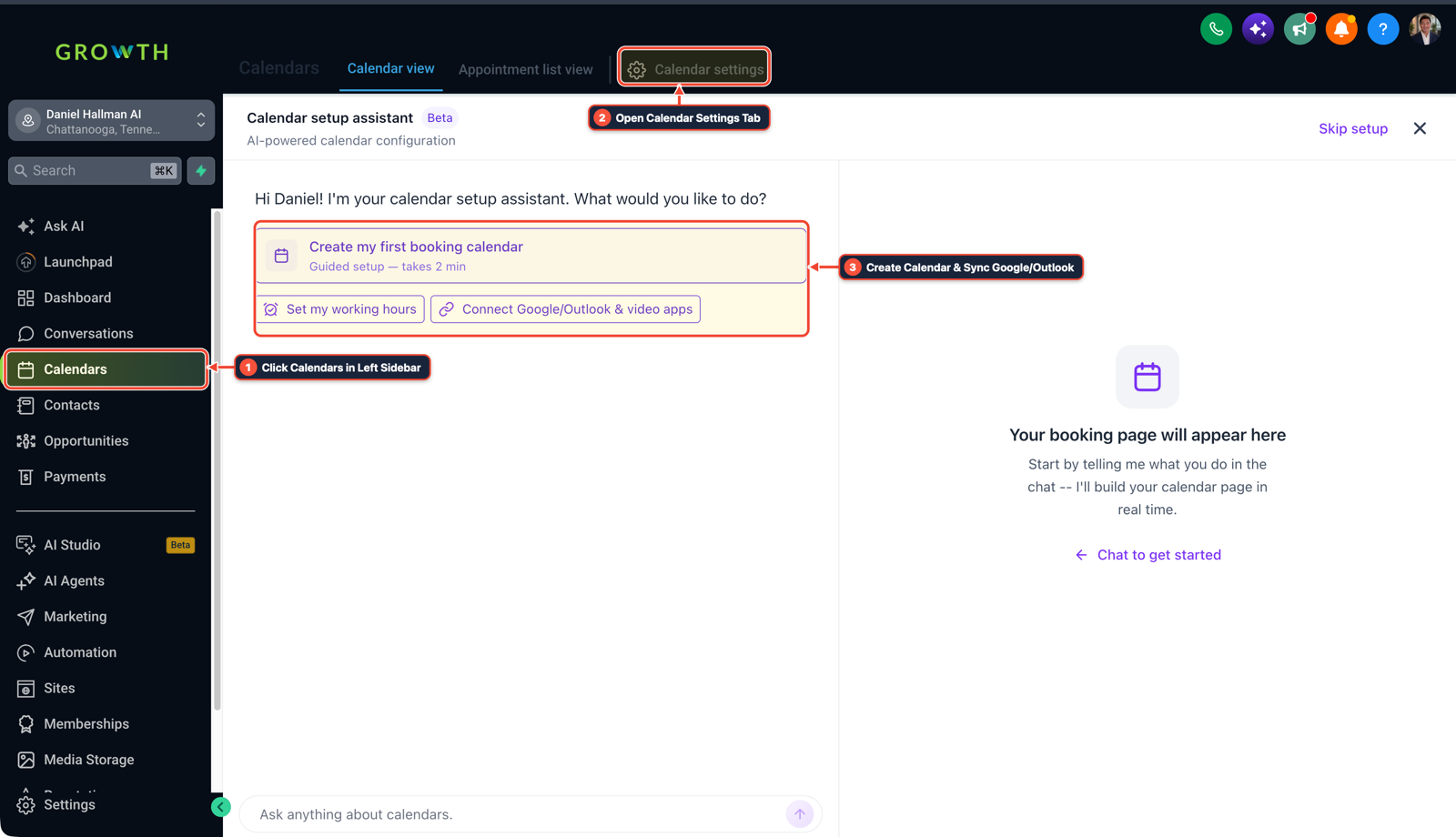
1Click Calendars in Left Sidebar 2Switch Calendar View, List & Settings 3Review Confirmed Bookings or Click + New -
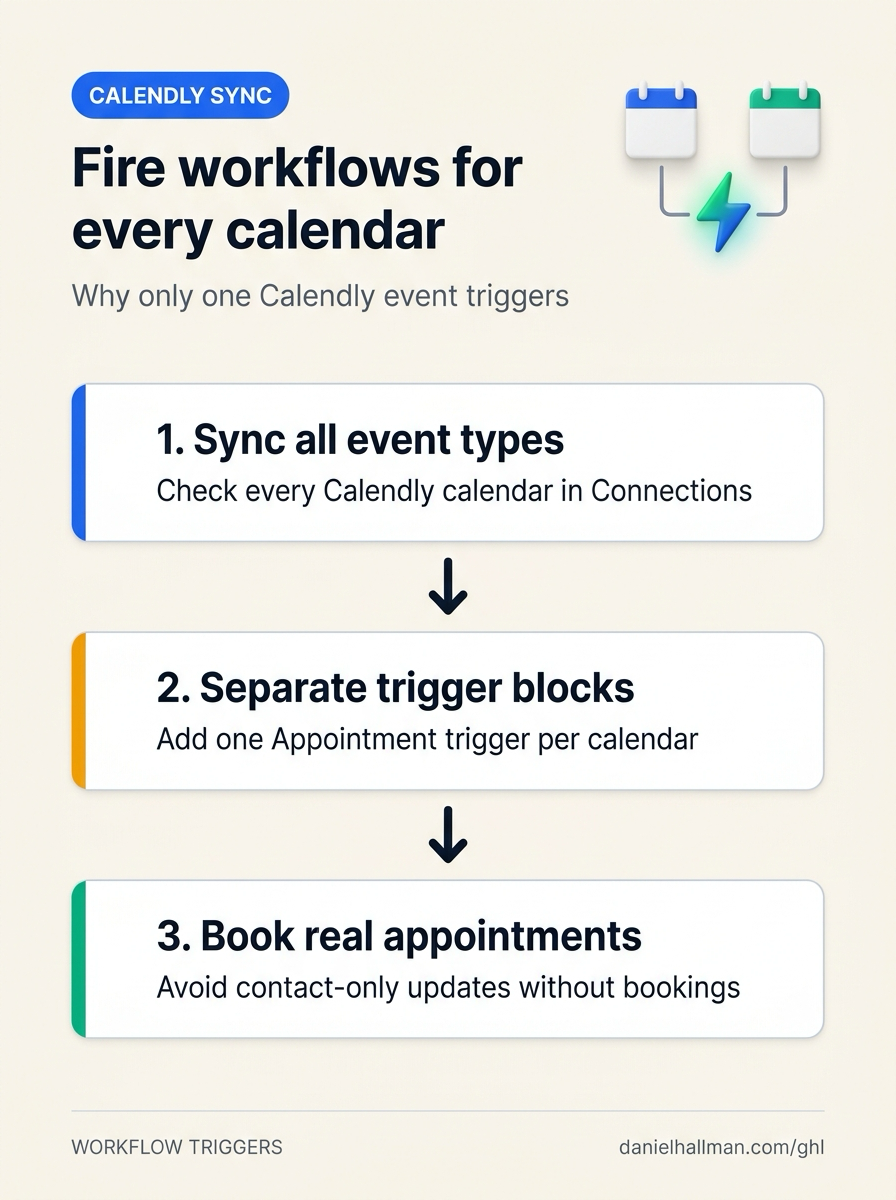
STEP 2In Automation > Workflow Builder, add a separate Appointment Status trigger block for each calendar (
Event Type = Normal,Appointment Status = Confirmed,In Calendar = Calendar Aon Trigger 1 andIn Calendar = Calendar Bon Trigger 2) instead of stacking multiple calendar filters inside one trigger.
1Add If/Else Condition & Tag Guard 2Chain Priority & Wait Steps 3Switch to Settings or Execution Logs -
STEP 3In Automation > Workflow > Execution Logs (and Workflow > Settings), enable Allow Re-entry and book a test slot on your second Calendly link to confirm the new appointment enrolls in the workflow.
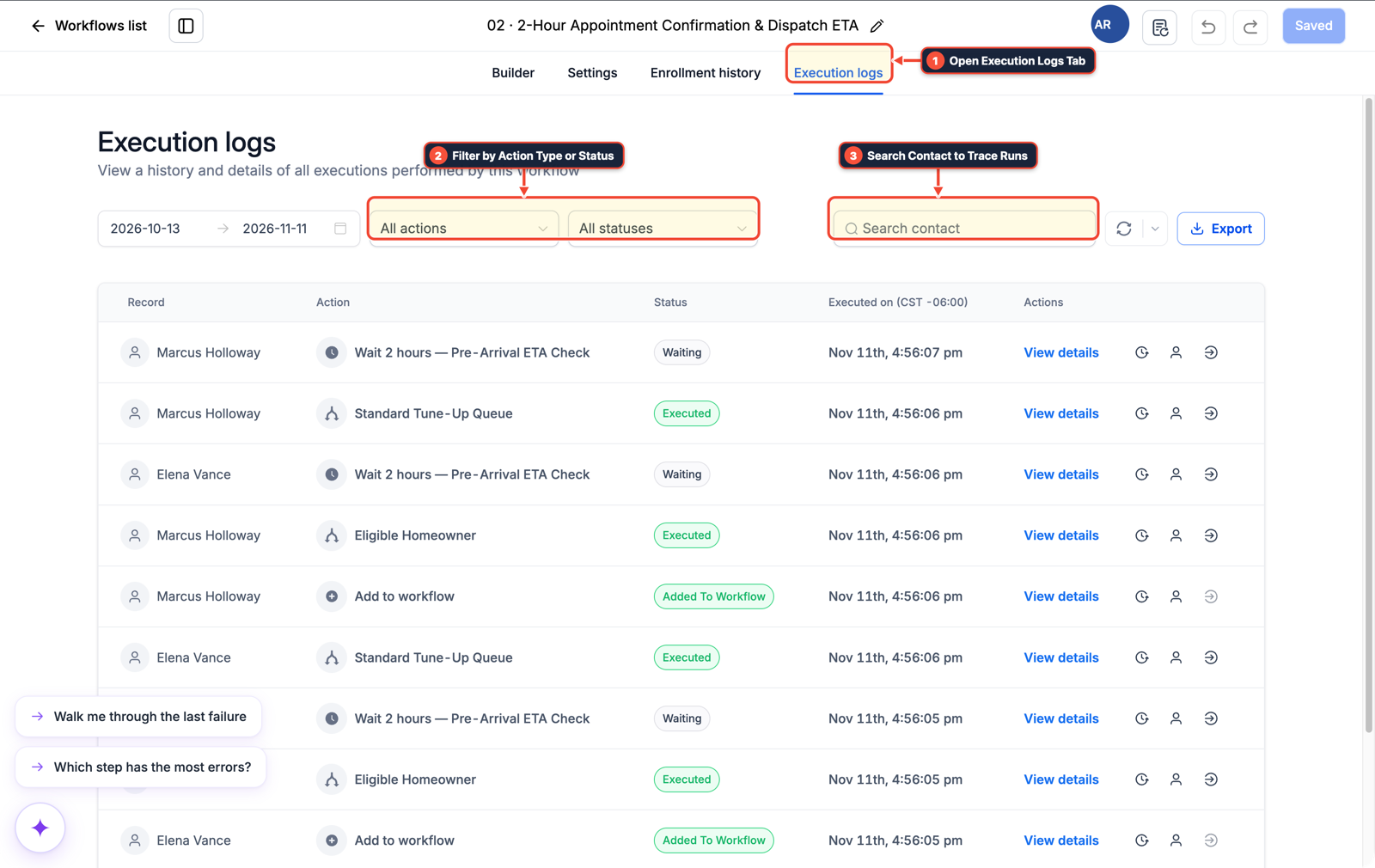
1Open Execution Logs Tab 2Filter by Action Type or Status 3Search Contact to Trace Runs
MODE: AGENT PROMPT
PASTE INTO CLAUDE CODE, CURSOR, CHATGPT, OR GOHIGHLEVEL ASK AI
AGENT PROMPT
Fix multi-calendar Calendly workflow triggering in sub-account <YOUR_LOCATION_ID>:
1. In Calendars > Calendar Settings > Connections, verify all target Calendly event types are selected and mapped to active GoHighLevel calendars.
2. In Automation > Workflow Builder, split multi-calendar filters into separate Appointment Status trigger blocks (one trigger per calendar) rather than combining In Calendar filters inside a single trigger.
3. In Automation > Workflow > Settings, enable Allow Re-entry and verify enrollment in Execution Logs.
GHL-TOOLS MCP SERVER & CLI (DANIELHALLMAN.COM/MCP)
BUILDER + SUB-ACCOUNT TOOLS
# Inspect calendars and appointment workflows in the sub-account
ghl-crm workflows list --context <YOUR_CONTEXT> --location <YOUR_LOCATION_ID>
Official GHL MCP vs. ghl-tools: HighLevel’s official hosted MCP (services.leadconnectorhq.com/mcp) covers public v2 CRM records (contacts, opportunities, appointments, conversations). ghl-tools MCP complements it with workflow graph inspection & recipes, funnel/form builders, DNS/BIMI checks, and ghl-crm doctor audits.
Cause
- Stacking two
In Calendarfilters inside one Customer Booked Appointment or Appointment Status trigger requires a single booking to belong to both calendars at once, or ignores the second calendar completely. - In addition, if a Zapier zap only runs
Create/Update Contactwhen someone books on Calendly without GoHighLevel's native Calendly connection syncing that specific event type into a sub-account calendar, no appointment event is created in HighLevel.
GoHighLevel Configuration
- Enable calendar import for every Calendly event type under Calendars > Calendar Settings > Connections, place each calendar in its own separate Appointment Status trigger block at the top of the workflow
- and turn on Allow Re-entry so repeat bookings fire every time.
GoHighLevel Menu Paths
| Step | Menu Path in GHL | Action |
|---|---|---|
| Step 1 | Calendars > Calendar Settings > Connections | Open your connected Calendly integration and check every active Calendly event type so bookings from all calendars create real appointment records inside GoHighLevel. |
| Step 2 | Automation > Workflow Builder | Add a separate Appointment Status trigger block for each calendar (Event Type = Normal, Appointment Status = Confirmed, In Calendar = Calendar A on Trigger 1 and In Calendar = Calendar B on Trigger 2) instead of stacking multiple calendar filters inside one trigger. |
| Step 3 | Automation > Workflow > Execution Logs | In Automation > Workflow > Execution Logs (and Workflow > Settings), enable Allow Re-entry and book a test slot on your second Calendly link to confirm the new appointment enrolls in the workflow. |
DEFAULT SETUP VS. AUTOMATED WORKFLOW
Operational Comparison
Appointment No-Show Rate
Calendar Slot Utilization
Related Questions
- How do you replace Zapier, Calendly, and ManyChat with native GoHighLevel Workflows?
- Why are GoHighLevel appointment start and end times blank in my webhook?
- How do you reduce appointment no-shows and stop double bookings in GoHighLevel?
- How Do You Fix British Columbia and Daylight Saving Time Zone Notifications in GoHighLevel?
BUILD FASTER IN GOHIGHLEVEL · FREE TRIAL BONUSES + MCP SERVER
Build this directly inside your GoHighLevel sub-account
Connect Claude Code, Cursor, or OpenAI Codex to our ghl-tools MCP Server & Rust CLI to build workflows, forms, and funnels from your editor, or start your GoHighLevel plan through our partner link to unlock $612+ in ready-to-import kits (including GHL Calendar Sync & Trigger Pack) and weekly live clinics.