GOHIGHLEVEL ANSWERS & PROMPTS: PLAYBOOK T34 · CALENDAR TIME ZONES & DST REMINDERS
AUTHOR: DANIEL HALLMAN
KEYWORD: BC TIMEZONE FIX
STEP-BY-STEP INSTRUCTIONS + ANNOTATED GHL SCREENSHOTS
Steps in GoHighLevel
-
STEP 1In Settings > Users (and Settings > Business Profile > General Information), set the location Time Zone and every staff member's User Availability time zone to
GMT-07:00 America/Phoenix (MST), then check Disable Contact Timezone.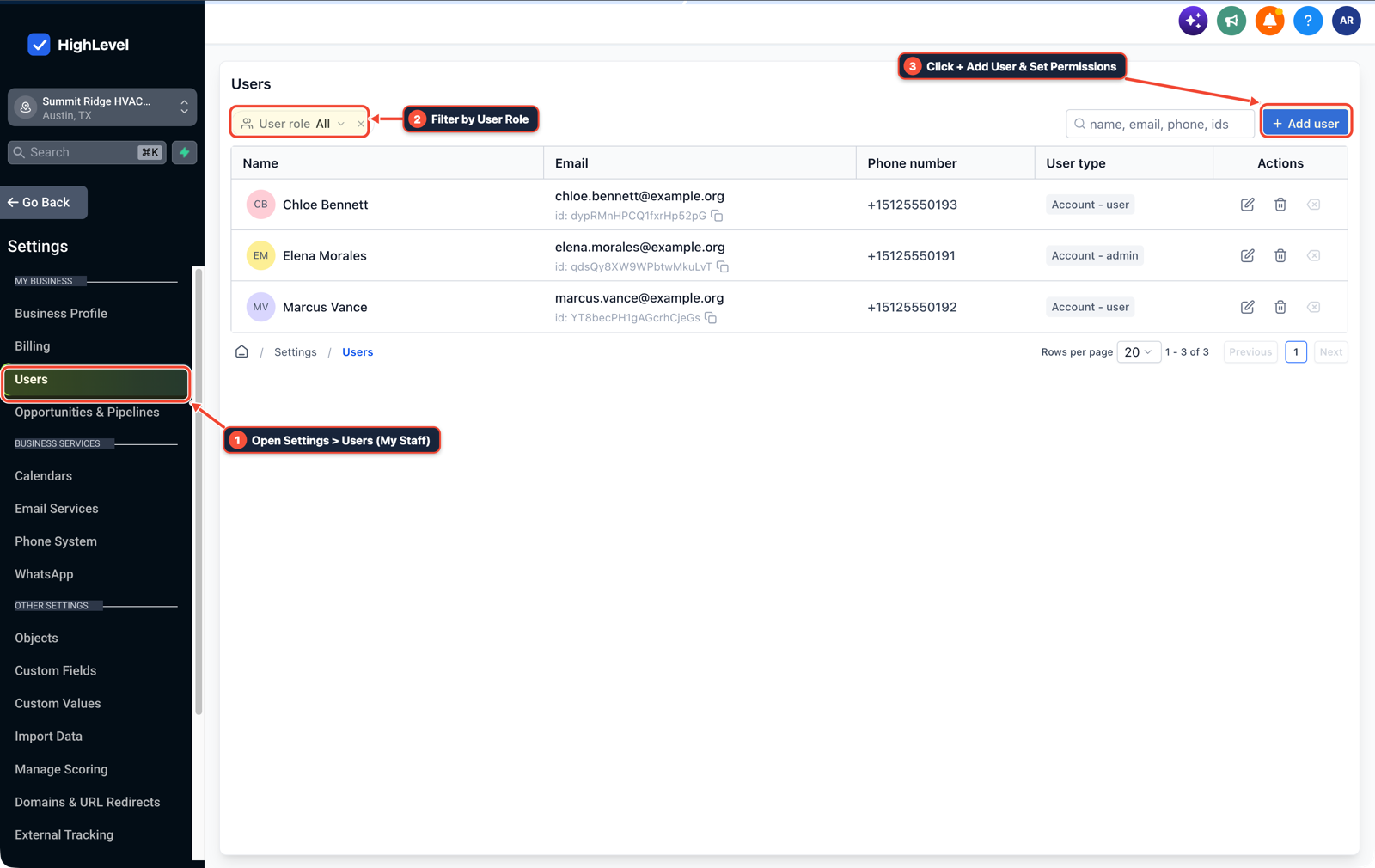
1Open Settings > Users (My Staff) 2Filter by User Role 3Click + Add User & Set Permissions -
STEP 2In Calendars > Calendar Settings, open each booking calendar and confirm its calendar-level time zone and availability hours match
GMT-07:00 America/Phoenix (MST).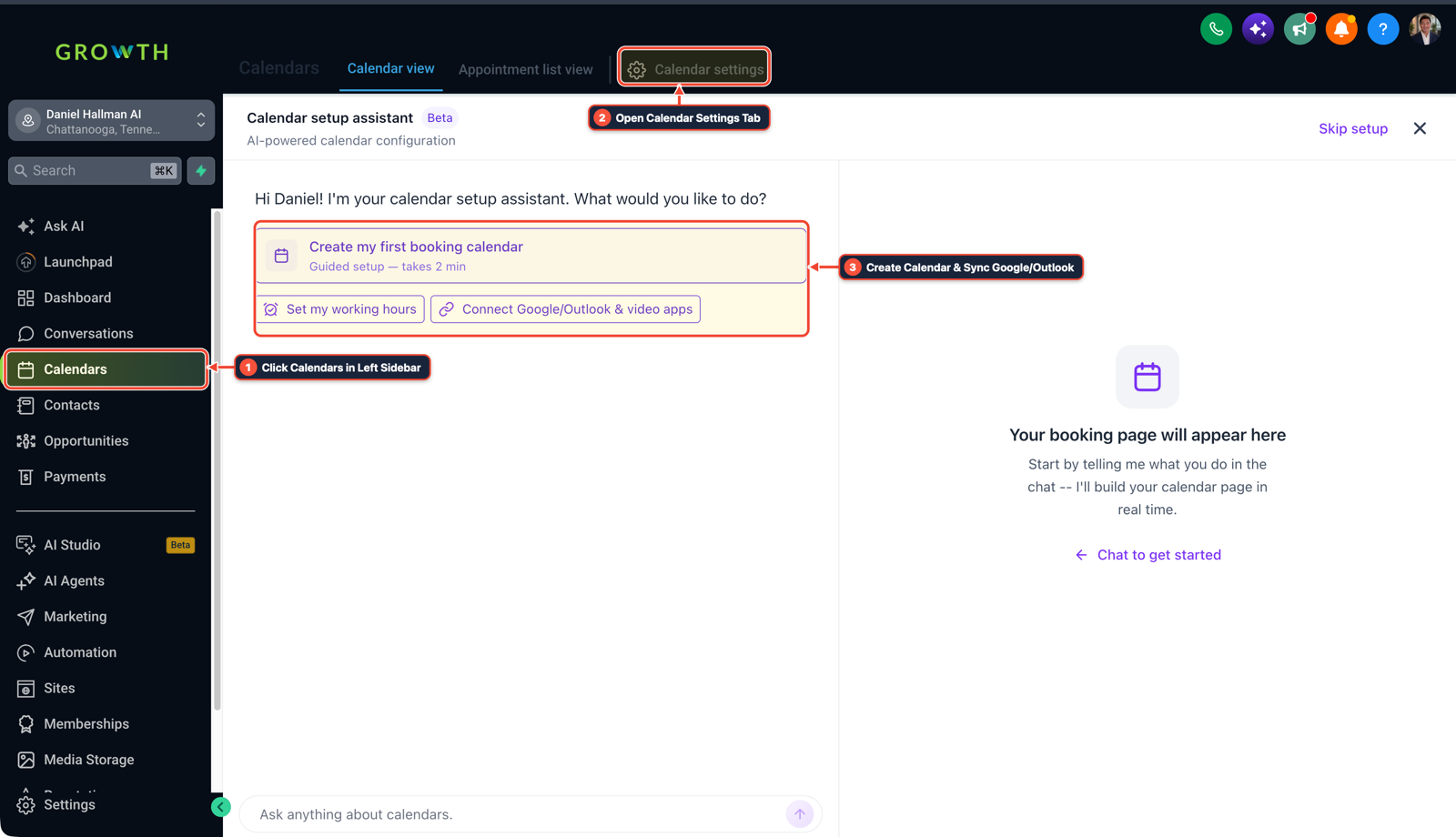
1Click Calendars in Left Sidebar 2Switch Calendar View, List & Settings 3Review Confirmed Bookings or Click + New -
STEP 3In Automation > Workflow > Settings, set Time Window to
Account Timezoneand re-enroll contacts waiting on pre-switch appointment timers so their reminder timestamps recalculate onUTC-7.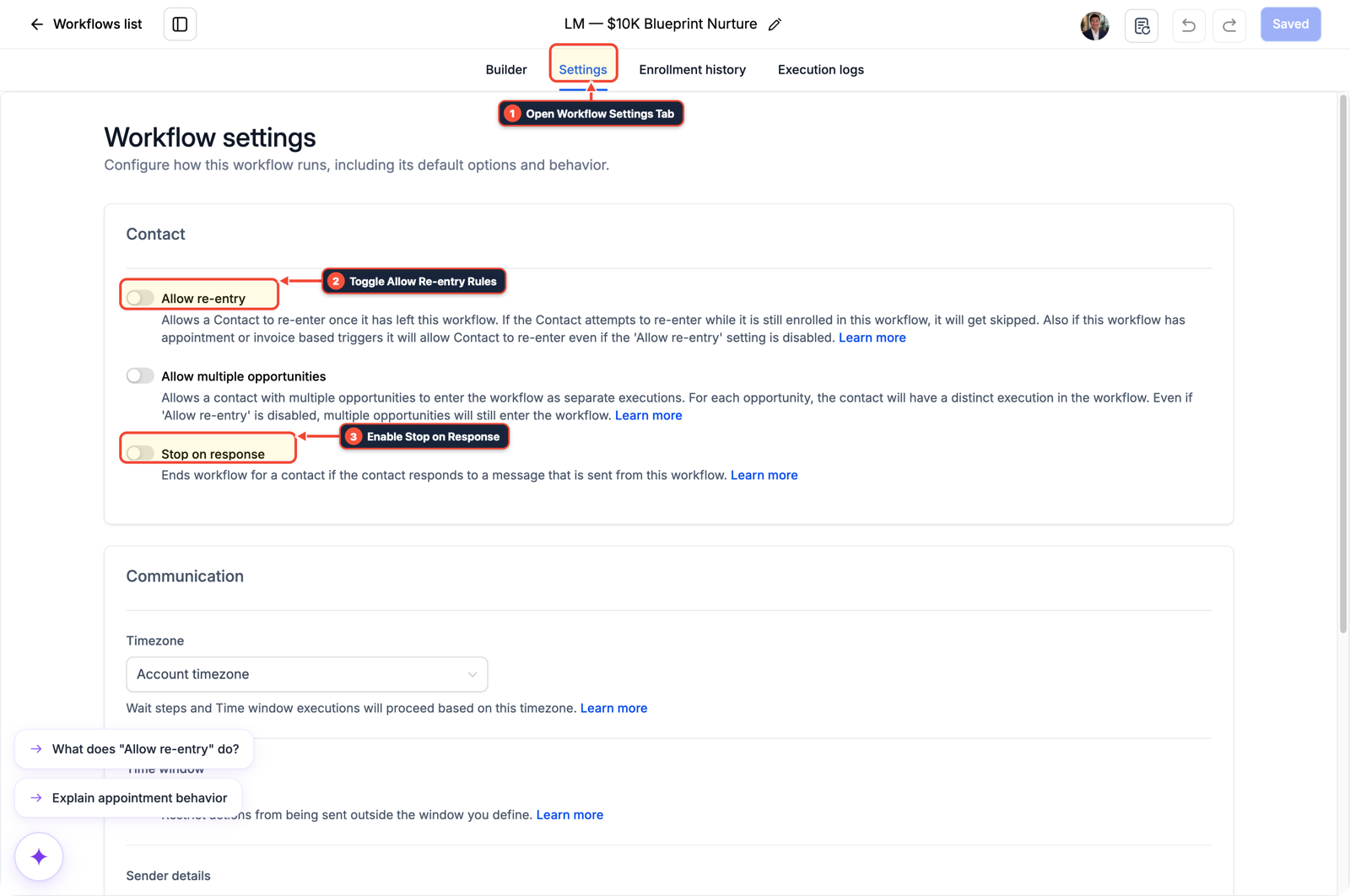
1Open Workflow Settings Tab 2Toggle Allow Re-entry Rules 3Enable Stop on Response
MODE: AGENT PROMPT
PASTE INTO CLAUDE CODE, CURSOR, CHATGPT, OR GOHIGHLEVEL ASK AI
AGENT PROMPT
Fix British Columbia permanent UTC-7 meeting notification offsets in sub-account <YOUR_LOCATION_ID>:
1. In Settings > Business Profile > General Information, set Time Zone to GMT-07:00 America/Phoenix (MST) and enable Disable Contact Timezone.
2. In Settings > Users and Calendars > Calendar Settings, update every staff user profile and calendar to GMT-07:00 America/Phoenix (MST).
3. In Automation > Workflow > Settings on appointment reminder workflows, set Time Window to Account Timezone and re-enroll contacts currently paused in Wait steps.
GHL-TOOLS MCP SERVER & CLI (DANIELHALLMAN.COM/MCP)
BUILDER + SUB-ACCOUNT TOOLS
# Inspect staff users and appointment reminder workflows in the sub-account
ghl-agency users list --context <YOUR_CONTEXT> --location <YOUR_LOCATION_ID>
ghl-crm workflows list --context <YOUR_CONTEXT> --location <YOUR_LOCATION_ID>
Official GHL MCP vs. ghl-tools: HighLevel’s official hosted MCP (services.leadconnectorhq.com/mcp) covers public v2 CRM records (contacts, opportunities, appointments, conversations). ghl-tools MCP complements it with workflow graph inspection & recipes, funnel/form builders, DNS/BIMI checks, and ghl-crm doctor audits.
Cause
- Legacy time zone databases still treat
America/Vancouveras shifting back toGMT-08:00in November even though British Columbia moved to permanentUTC-7year-round. - Updating only Settings > Business Profile leaves staff availability, individual contact records, and active workflow Wait timers anchored to the old
UTC-8offset, causing meeting notifications to fire an hour late.
GoHighLevel Configuration
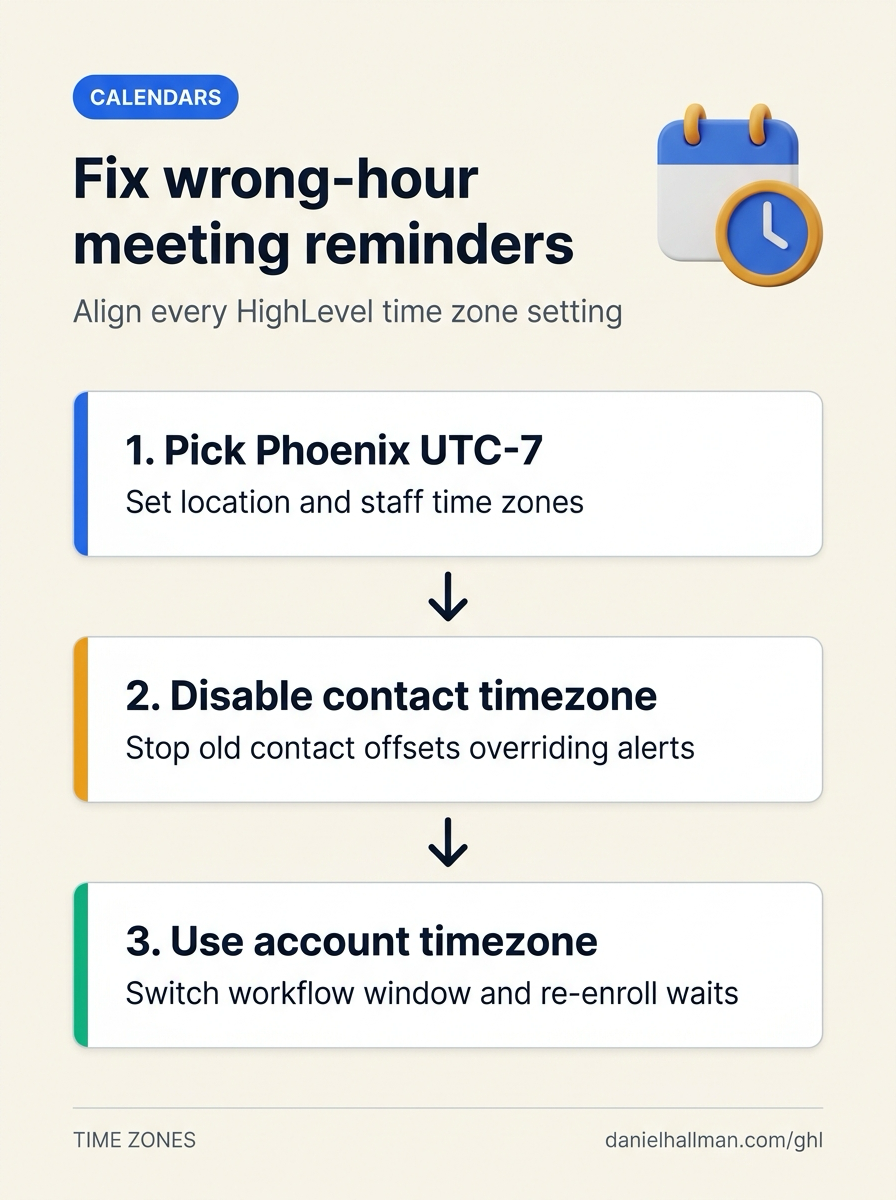
- Align all four time zone layers in GoHighLevel to
GMT-07:00 America/Phoenix (MST)(which staysUTC-7all year with no Daylight Saving shift), disable contact-level time zone overrides for local callers - and set appointment workflows to run on the Account Timezone.
GoHighLevel Menu Paths
| Step | Menu Path in GHL | Action |
|---|---|---|
| Step 1 | Settings > Users | In Settings > Users (and Settings > Business Profile > General Information), set the location Time Zone and every staff member's User Availability time zone to GMT-07:00 America/Phoenix (MST), then check Disable Contact Timezone. |
| Step 2 | Calendars > Calendar Settings | Open each booking calendar and confirm its calendar-level time zone and availability hours match GMT-07:00 America/Phoenix (MST). |
| Step 3 | Automation > Workflow > Settings | Set Time Window to Account Timezone and re-enroll contacts waiting on pre-switch appointment timers so their reminder timestamps recalculate on UTC-7. |
DEFAULT SETUP VS. AUTOMATED WORKFLOW
Operational Comparison
Appointment No-Show Rate
Calendar Slot Utilization
Related Questions
- How do you reduce appointment no-shows and stop double bookings in GoHighLevel?
- How do you qualify leads on GoHighLevel calendars without killing booking conversion rates?
- Why are GoHighLevel appointment start and end times blank in my webhook?
- Why Is My GoHighLevel Workflow Not Sending Notifications When a Customer Replies?
BUILD FASTER IN GOHIGHLEVEL · FREE TRIAL BONUSES + MCP SERVER
Build this directly inside your GoHighLevel sub-account
Connect Claude Code, Cursor, or OpenAI Codex to our ghl-tools MCP Server & Rust CLI to build workflows, forms, and funnels from your editor, or start your GoHighLevel plan through our partner link to unlock $612+ in ready-to-import kits (including GHL Calendar & Reminder Workflow Pack) and weekly live clinics.