GOHIGHLEVEL ANSWERS & PROMPTS: PLAYBOOK T111 · 1-STAR REVIEW ESCALATION, MANAGER TASK ASSIGNMENT & RESOLUTION TRACKING
AUTHOR: DANIEL HALLMAN
KEYWORD: REVIEW ESCALATION
STEP-BY-STEP INSTRUCTIONS + ANNOTATED GHL SCREENSHOTS
Steps in GoHighLevel
-
STEP 1In Reputation > Reviews, connect each location's Google Business Profile and build a workflow triggered by Review Received filtered to 1-star or 2-star ratings (plus complaint keywords like
damage,refund, ornever showed).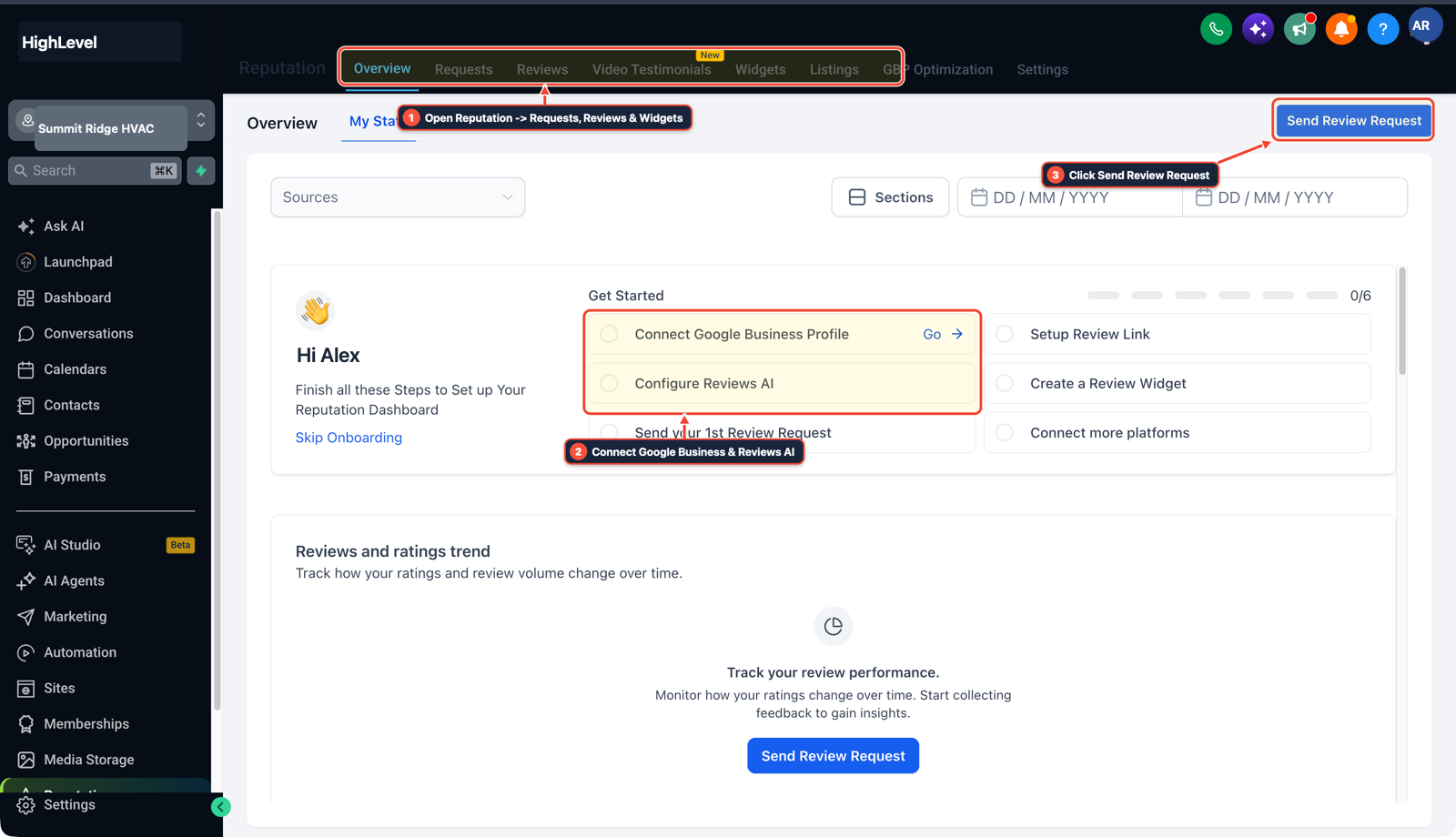
1Open Reputation > Requests, Reviews & Widgets 2Connect Google Business & Reviews AI 3Click Send Review Request -
STEP 2In Opportunities > Pipelines, create a Review Recovery pipeline with stages for New Escalation, Manager Contacted Customer, and Resolved, then have the workflow open a card assigned to that sub-account's local manager with a
24-hour callback task.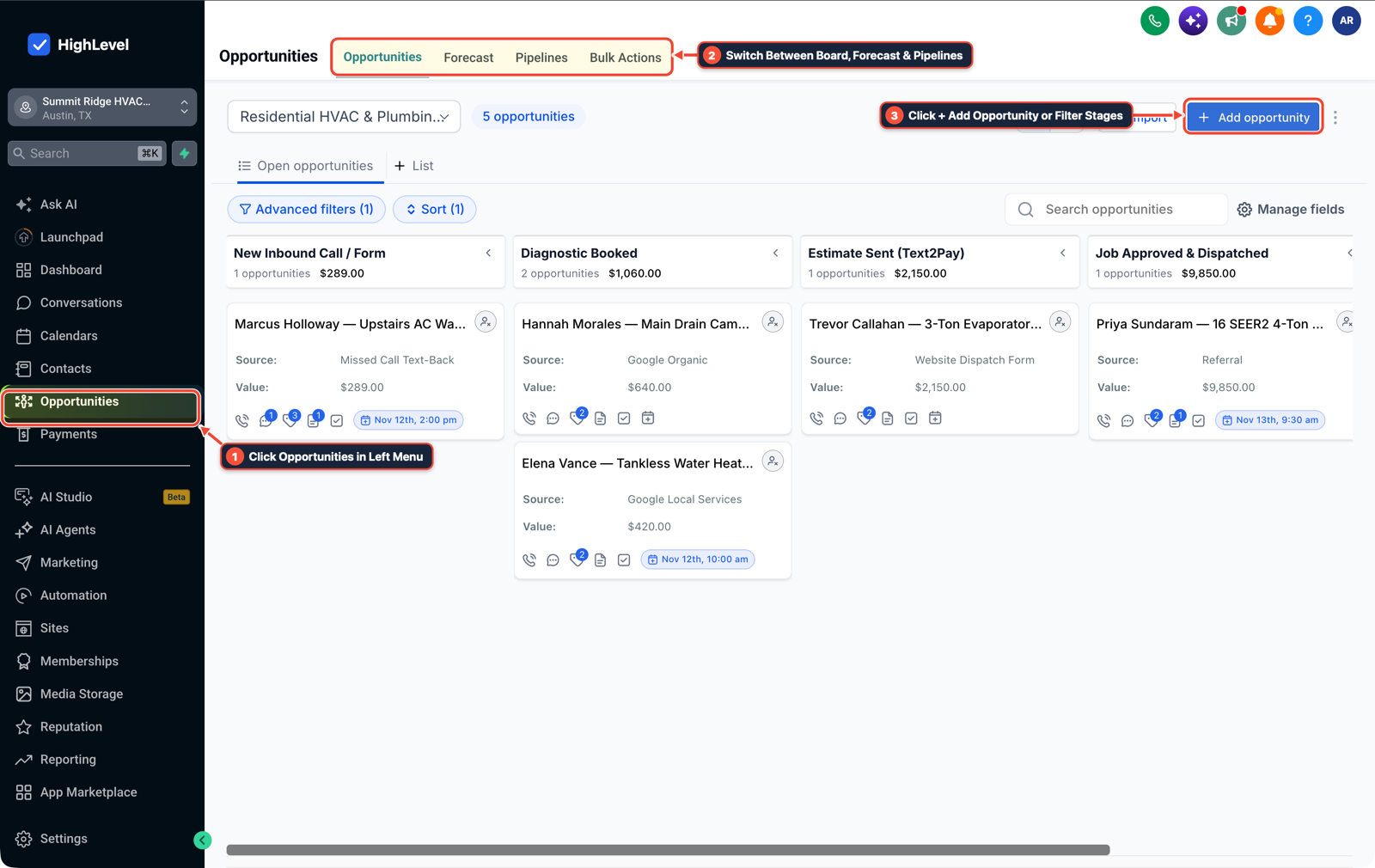
1Click Opportunities in Left Menu 2Switch Between Board, Forecast & Pipelines 3Click + Add Opportunity or Filter Stages -
STEP 3In Conversations > Team Inbox, have the local manager call or text the customer from the linked contact record and add an internal resolution note before moving the pipeline card to Resolved so unfixed complaints stay visible separately from public replies.
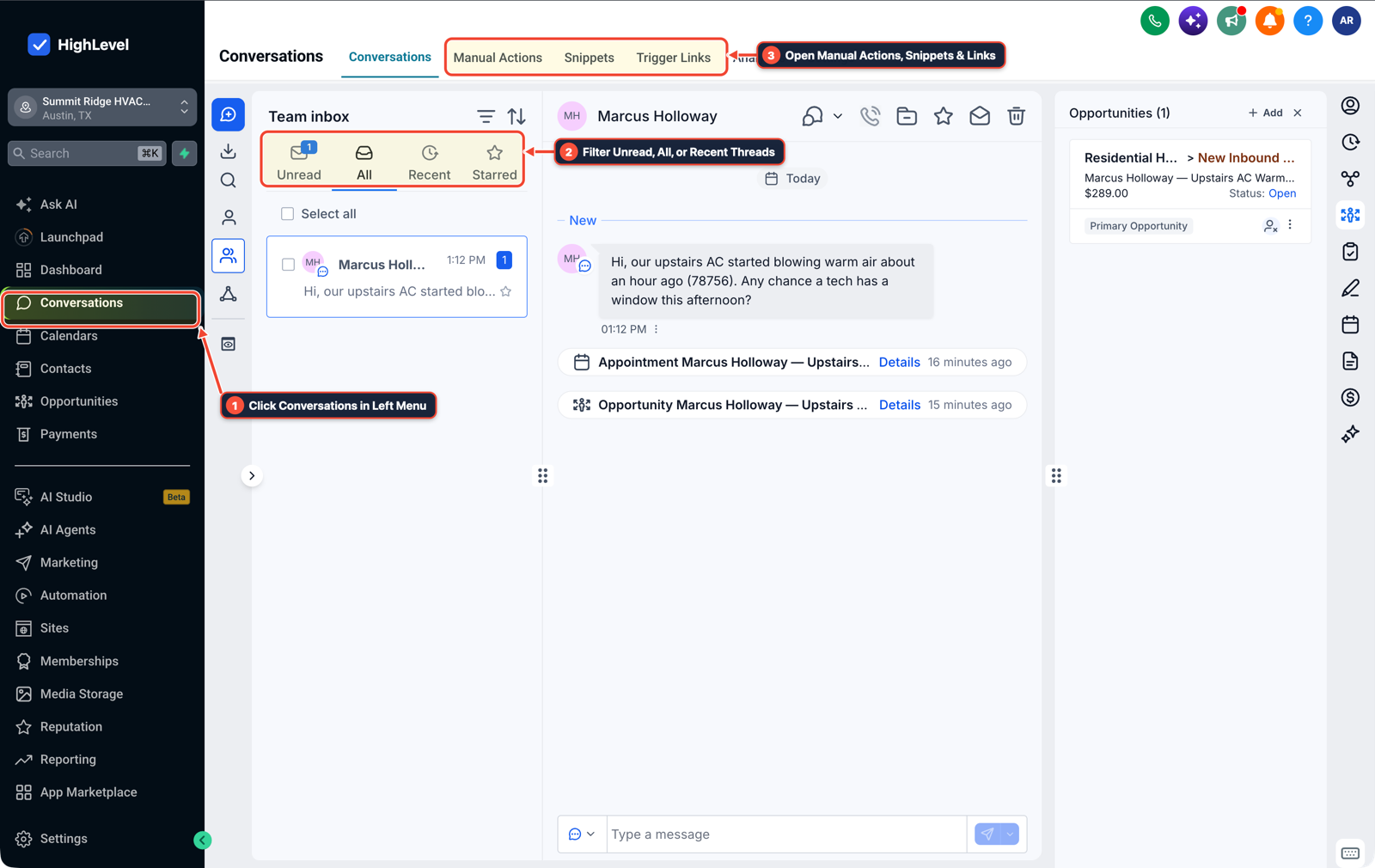
1Click Conversations in Left Menu 2Filter Unread, All, or Recent Threads 3Open Manual Actions, Snippets & Links
MODE: AGENT PROMPT
PASTE INTO CLAUDE CODE, CURSOR, CHATGPT, OR GOHIGHLEVEL ASK AI
AGENT PROMPT
Build a 1-star Google review escalation workflow in sub-account <YOUR_LOCATION_ID>:
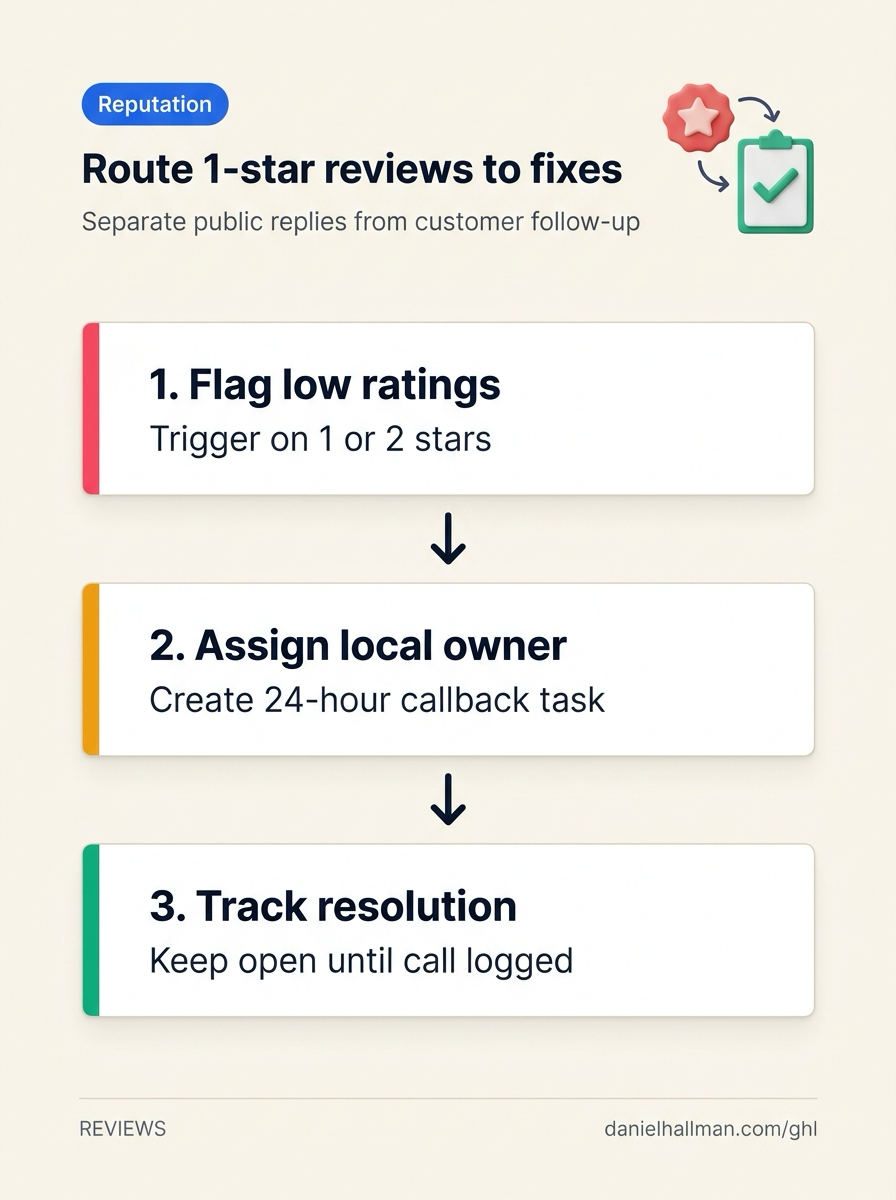
1. Trigger on Review Received when the rating is 1 or 2 stars or the review text mentions damage, billing, or a missed visit.
2. Create an opportunity in the Review Recovery pipeline assigned to the local branch manager with a 24-hour callback task.
3. Require a logged outbound call or SMS plus an internal resolution note on the contact record before moving the card to Resolved.
GHL-TOOLS MCP SERVER & CLI (DANIELHALLMAN.COM/MCP)
BUILDER + SUB-ACCOUNT TOOLS
# Inspect workflows and opportunities pipelines in the sub-account
ghl-crm workflows list --context <YOUR_CONTEXT> --location <YOUR_LOCATION_ID>
ghl-agency locations get --context <YOUR_CONTEXT> --location <YOUR_LOCATION_ID>
Official GHL MCP vs. ghl-tools: HighLevel’s official hosted MCP (services.leadconnectorhq.com/mcp) covers public v2 CRM records (contacts, opportunities, appointments, conversations). ghl-tools MCP complements it with workflow graph inspection & recipes, funnel/form builders, DNS/BIMI checks, and ghl-crm doctor audits.
Cause
- Multi-location agencies often draft Google review replies from a central team while only the local branch manager can replace damaged goods or refund a bad visit
- so serious complaints get marked replied before anyone contacts the customer.
GoHighLevel Configuration
- Separate review replies from recovery tracking by triggering an escalation workflow on low ratings in Reputation > Reviews, opening a manager-owned recovery card in Opportunities > Pipelines
- and logging the customer callback in Conversations > Team Inbox.
GoHighLevel Menu Paths
| Step | Menu Path in GHL | Action |
|---|---|---|
| Step 1 | Reputation > Reviews | Connect each location's Google Business Profile and build a workflow triggered by Review Received filtered to 1-star or 2-star ratings (plus complaint keywords like damage, refund, or never showed). |
| Step 2 | Opportunities > Pipelines | Create a Review Recovery pipeline with stages for New Escalation, Manager Contacted Customer, and Resolved, then have the workflow open a card assigned to that sub-account's local manager with a 24-hour callback task. |
| Step 3 | Conversations > Team Inbox | Have the local manager call or text the customer from the linked contact record and add an internal resolution note before moving the pipeline card to Resolved so unfixed complaints stay visible separately from public replies. |
DEFAULT SETUP VS. AUTOMATED WORKFLOW
Operational Comparison
Homeowner Google Review Conversion
Local Map Pack Visibility
Related Questions
- How do you get more 5-star Google reviews in GoHighLevel without annoying unhappy customers?
- How Do You Set Up Stripe Payments and Automated Google Reviews on the GoHighLevel $97 Starter Plan?
- How do you set up GoHighLevel for a solo home service business without bloated agency snapshots?
- How Do GoHighLevel Agencies Bill Clients for Voice AI and Conversation AI Usage Without Losing Money on Loop Spikes?
BUILD FASTER IN GOHIGHLEVEL · FREE TRIAL BONUSES + MCP SERVER
Build this directly inside your GoHighLevel sub-account
Connect Claude Code, Cursor, or OpenAI Codex to our ghl-tools MCP Server & Rust CLI to build workflows, forms, and funnels from your editor, or start your GoHighLevel plan through our partner link to unlock $612+ in ready-to-import kits (including GHL Multi-Location Review Escalation Kit) and weekly live clinics.