GOHIGHLEVEL ANSWERS & PROMPTS: PLAYBOOK T117 · QUIZZES VS. REGULAR FORMS & CONDITIONAL WORKFLOW ROUTING
AUTHOR: DANIEL HALLMAN
KEYWORD: QUIZ VS FORM
STEP-BY-STEP INSTRUCTIONS + ANNOTATED GHL SCREENSHOTS
Steps in GoHighLevel
-
STEP 1In Sites > Forms or Sites > Quizzes, pick a 3-field regular form (name, phone, job type) for urgent local callback pages, or build a 3-question quiz when buyers need distinct follow-up tracks (such as
Needs More Leadsvs.Needs Better Conversion).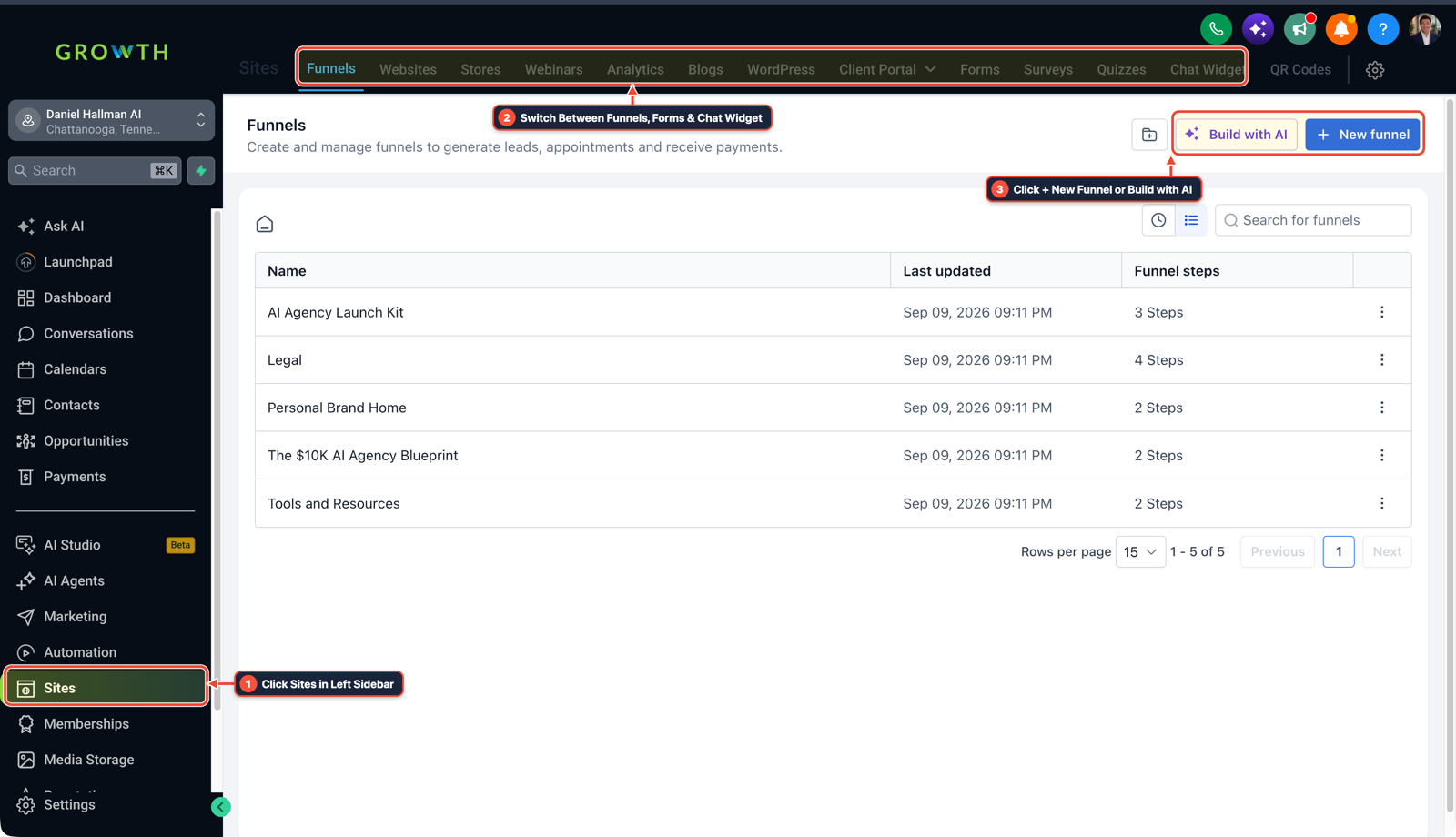
1Click Sites in Left Sidebar 2Switch Between Funnels, Forms & Chat Widget 3Click + New Funnel or Build with AI -
STEP 2In Settings > Custom Fields, create one dropdown or radio contact field (such as
primary_bottleneck) and map the key quiz or conditional form question to it so every submission stamps one clean routing value on the contact.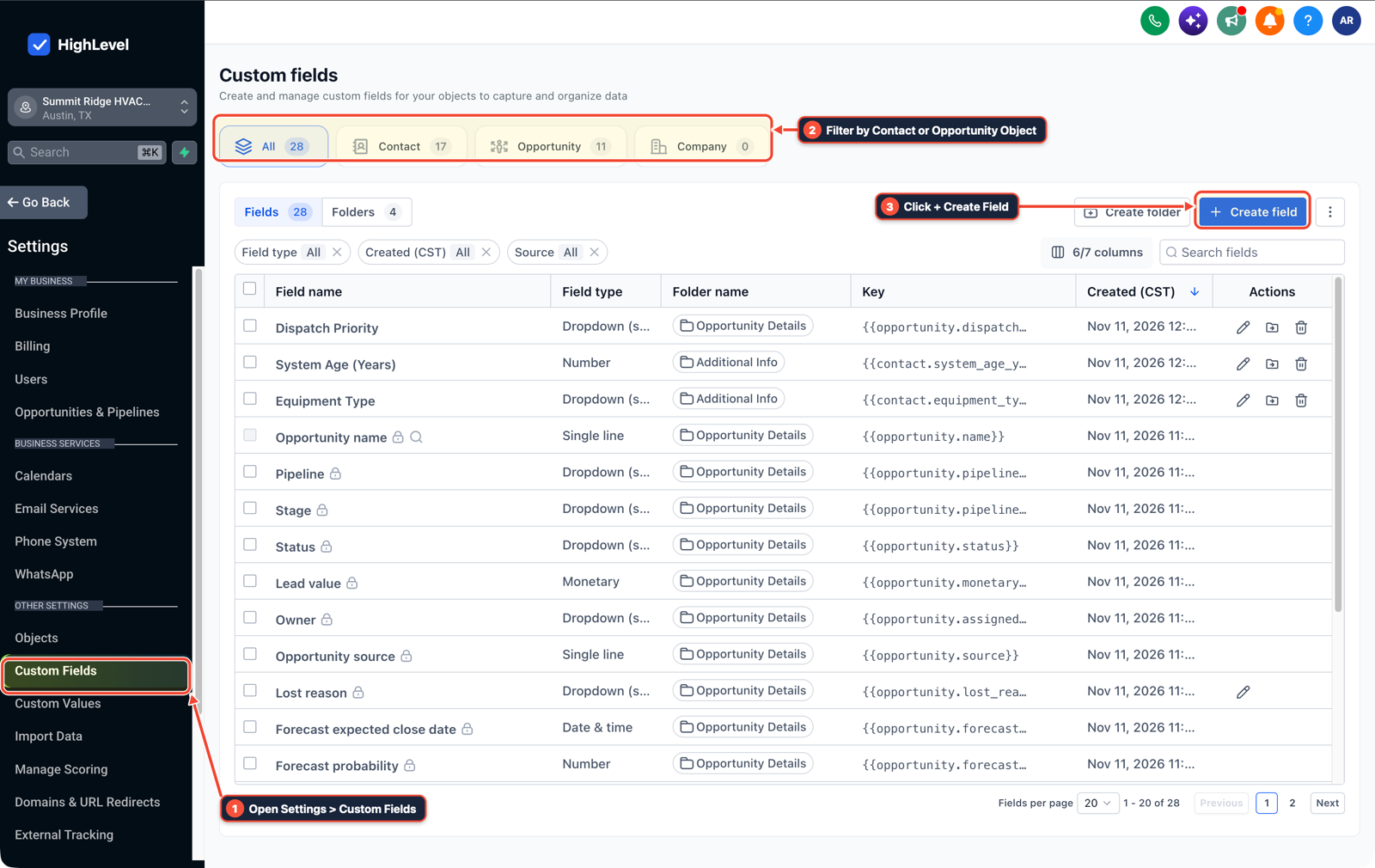
1Open Settings > Custom Fields 2Filter by Contact or Opportunity Object 3Click + Create Field -
STEP 3In Automation > Workflow Builder, trigger on Quiz Submitted or Form Submitted, add an If/Else branch checking
primary_bottleneck, and send each track its matching SMS, calendar link, and pipeline stage.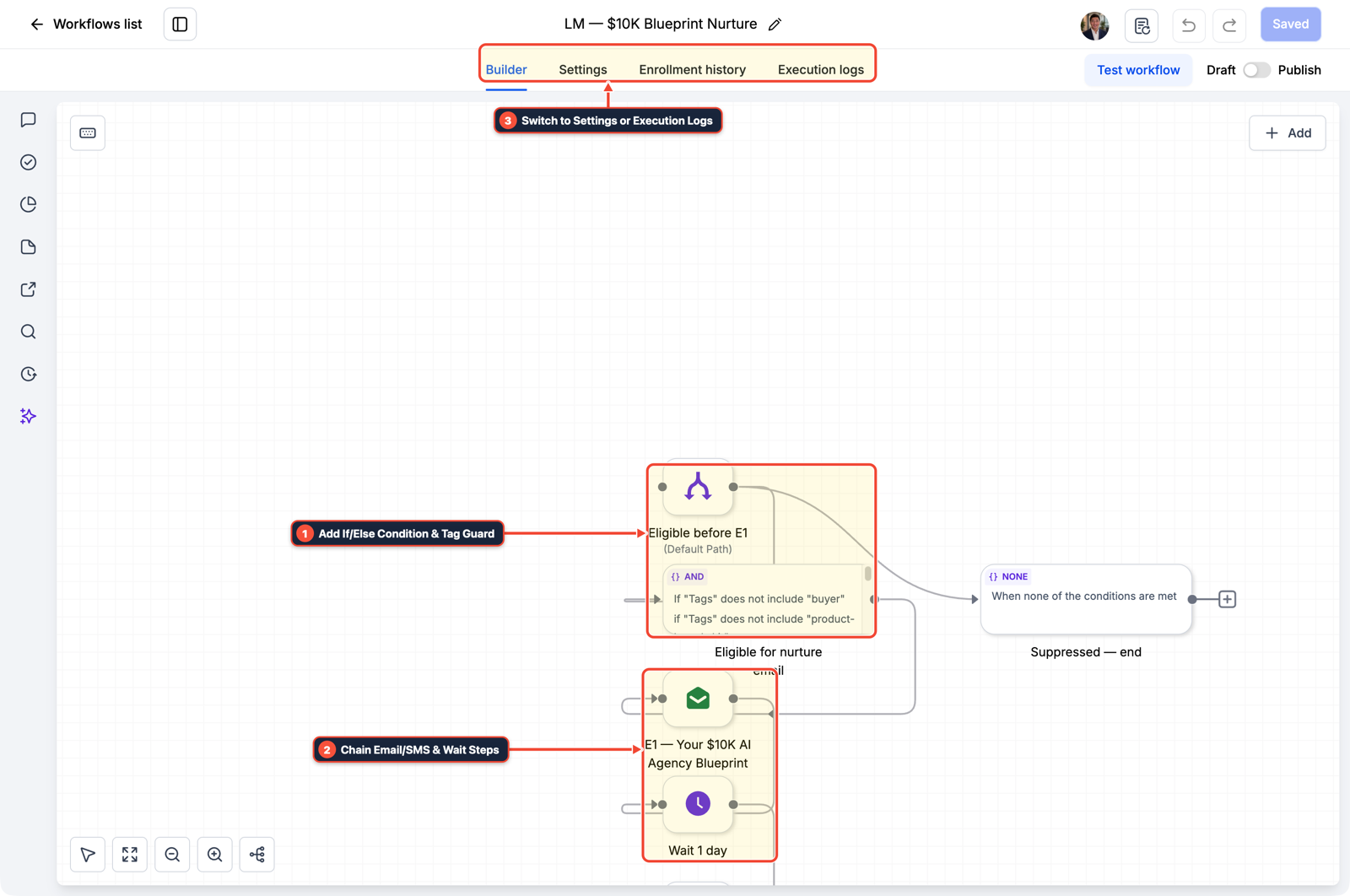
1Add If/Else Condition & Tag Guard 2Chain Priority & Wait Steps 3Switch to Settings or Execution Logs
MODE: AGENT PROMPT
PASTE INTO CLAUDE CODE, CURSOR, CHATGPT, OR GOHIGHLEVEL ASK AI
AGENT PROMPT
Set up lead qualification routing in sub-account <YOUR_LOCATION_ID>:
1. Create a contact dropdown custom field named primary_bottleneck with the buyer tracks (for example: Needs More Leads, Needs Better Conversion).
2. Map the key qualifying question on our Sites > Quizzes or Sites > Forms capture asset to primary_bottleneck while keeping urgent callback forms to 3 fields.
3. Build a Form/Quiz Submitted workflow with an If/Else branch on primary_bottleneck that sends each track its matching SMS follow-up and booking link.
GHL-TOOLS MCP SERVER & CLI (DANIELHALLMAN.COM/MCP)
BUILDER + SUB-ACCOUNT TOOLS
# Inspect existing forms, custom fields, and routing workflows
ghl-crm custom-fields list --context <YOUR_CONTEXT> --location <YOUR_LOCATION_ID>
ghl-crm workflows list --context <YOUR_CONTEXT> --location <YOUR_LOCATION_ID>
Official GHL MCP vs. ghl-tools: HighLevel’s official hosted MCP (services.leadconnectorhq.com/mcp) covers public v2 CRM records (contacts, opportunities, appointments, conversations). ghl-tools MCP complements it with workflow graph inspection & recipes, funnel/form builders, DNS/BIMI checks, and ghl-crm doctor audits.
Cause
- Sending every lead through a 10-step quiz kills conversion for urgent local buyers
- while dropping two totally different buyer problems into one generic form forces both groups into the same irrelevant SMS and email sequence.
GoHighLevel Configuration
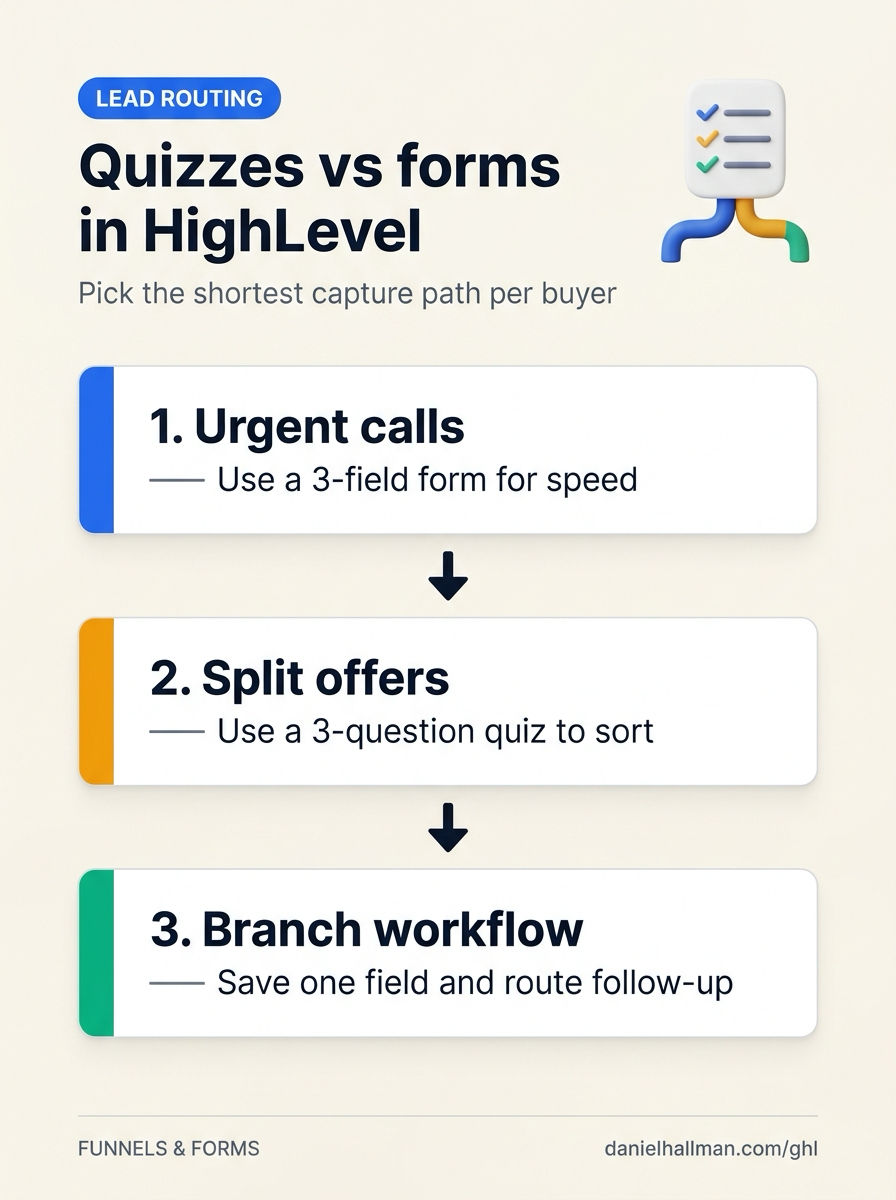
- Match capture length to buyer intent: keep urgent callback pages on a 3-field form, use a 3-question quiz (or conditional form) when you need to split offers or follow-up tracks
- and branch workflows off one saved custom field.
GoHighLevel Menu Paths
| Step | Menu Path in GHL | Action |
|---|---|---|
| Step 1 | Sites > Forms | Pick a 3-field regular form (name, phone, job type) for urgent local callback pages, or build a 3-question quiz when buyers need distinct follow-up tracks (such as Needs More Leads vs. |
| Step 2 | Settings > Custom Fields | Create one dropdown or radio contact field (such as primary_bottleneck) and map the key quiz or conditional form question to it so every submission stamps one clean routing value on the contact. |
| Step 3 | Automation > Workflow Builder | Trigger on Quiz Submitted or Form Submitted, add an If/Else branch checking primary_bottleneck, and send each track its matching SMS, calendar link, and pipeline stage. |
DEFAULT SETUP VS. AUTOMATED WORKFLOW
Operational Comparison
Manual Admin Work Per Client
Lead-to-Booked-Job Conversion
Related Questions
- How do you capture partial form submissions in a 2-step GoHighLevel funnel?
- Why do GoHighLevel survey and lead forms freeze on iPhone Safari, and how do you fix it?
- Should You Use One Giant Workflow or Separate Stage Workflows for a GoHighLevel Pipeline?
- Can a GoHighLevel Workflow Create and Send an Invoice With a Dynamic Quantity From a Form Submission?
FREE AGENCY BLUEPRINT & GHL CHECKLIST
Get the free $10K Agency Blueprint + GHL Setup Checklist
Enter your work email for the 7-part operating manual and GoHighLevel setup checklists (GHL Lead Capture & Quiz Routing Kit), or unlock the full bonus vault with your GoHighLevel partner bonus claim.