GOHIGHLEVEL ANSWERS & PROMPTS: PLAYBOOK T115 · FORM QUANTITY CUSTOM FIELD, INVOICES API CUSTOM WEBHOOK & AUTO-SEND
AUTHOR: DANIEL HALLMAN
KEYWORD: DYNAMIC INVOICE
STEP-BY-STEP INSTRUCTIONS + ANNOTATED GHL SCREENSHOTS
Steps in GoHighLevel
-
STEP 1In Settings > Custom Fields, create a Numerical contact field such as
participant_countand add it to your registration form under Sites > Forms so every submission saves an integer seat count on the contact record (if you prefer instant checkout instead of a pay-later invoice, use a GoHighLevel Order Form with product quantity selection enabled).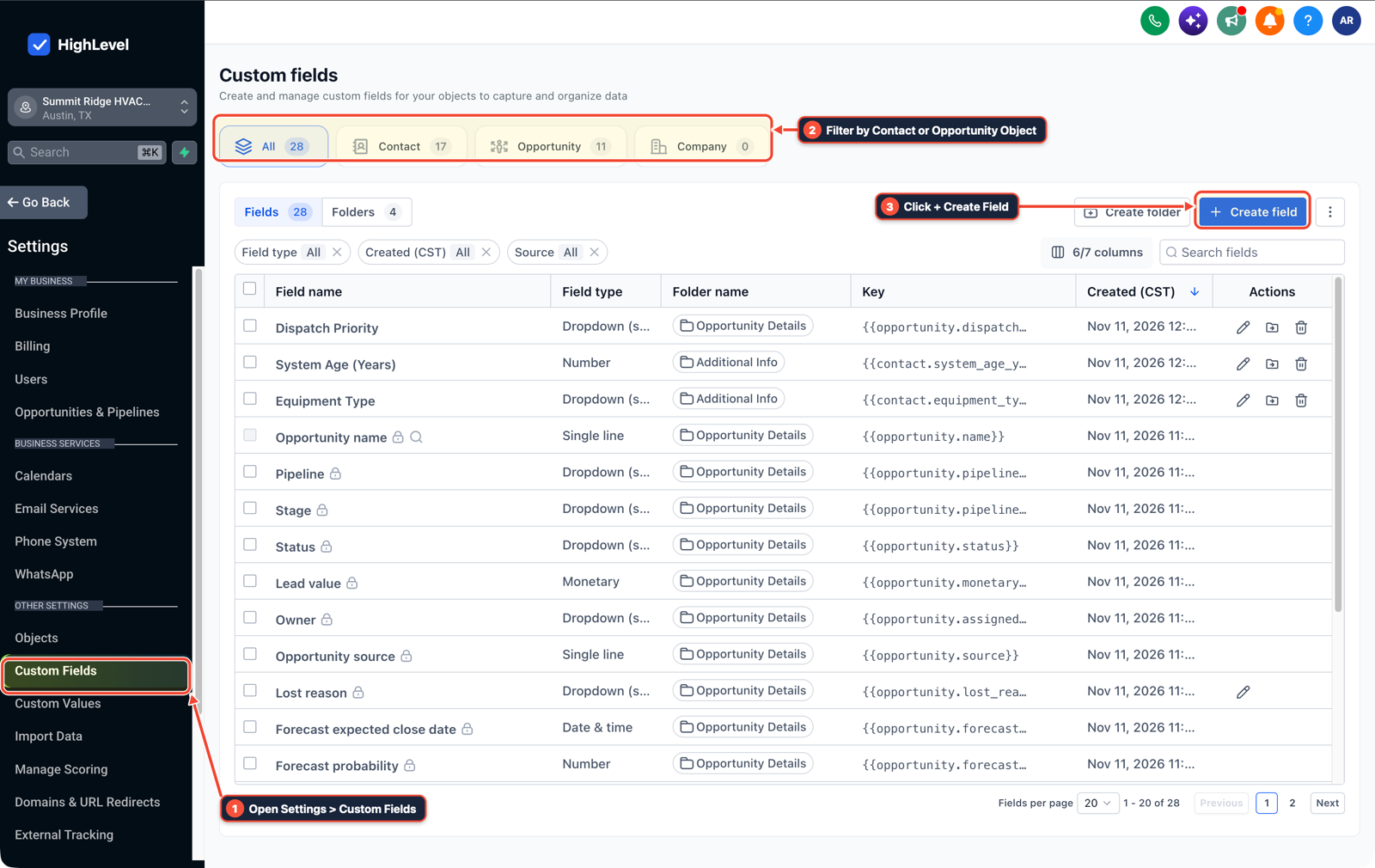
1Open Settings > Custom Fields 2Filter by Contact or Opportunity Object 3Click + Create Field -
STEP 2In Settings > Private Integrations, create a sub-account token with
invoices.writepermission and set the headersAuthorization: Bearer <token>andVersion: 2021-07-28for your workflow webhook.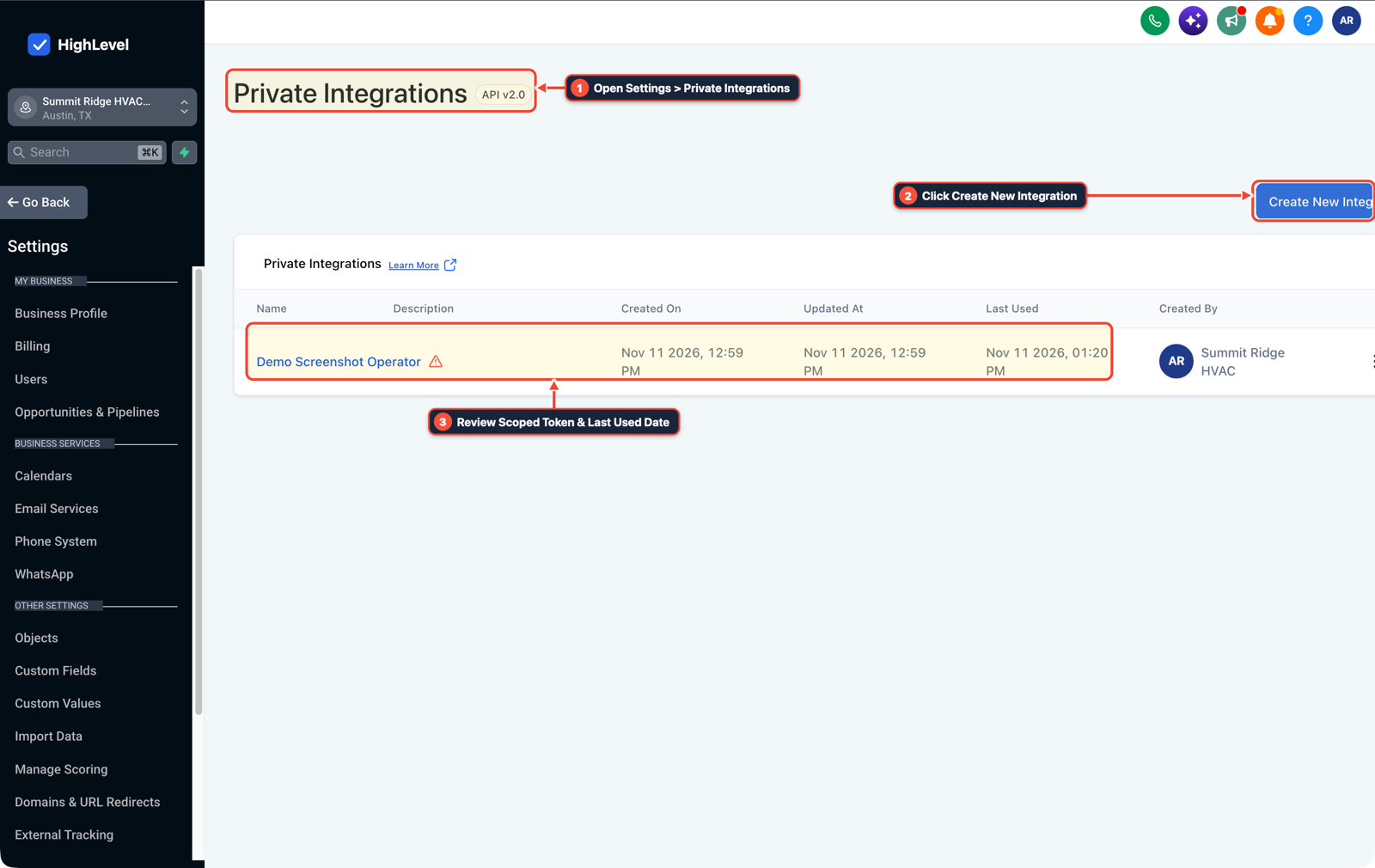
1Open Settings > Private Integrations 2Click Create New Integration 3Review Scoped Token & Last Used Date -
STEP 3In Automation > Workflow Builder, trigger on Form Submitted, add a Custom Webhook calling
POST https://services.leadconnectorhq.com/invoices/withaltId,altType: "location",contactDetails,businessDetails,currency,issueDate,sentTo,liveMode: true, anditems[0]passingamount: 100(unit price) andqty: {{contact.participant_count}}, then chainPOST /invoices/{{webhook.id}}/sendwithaction: "sms_and_email"to deliver the $300 invoice automatically.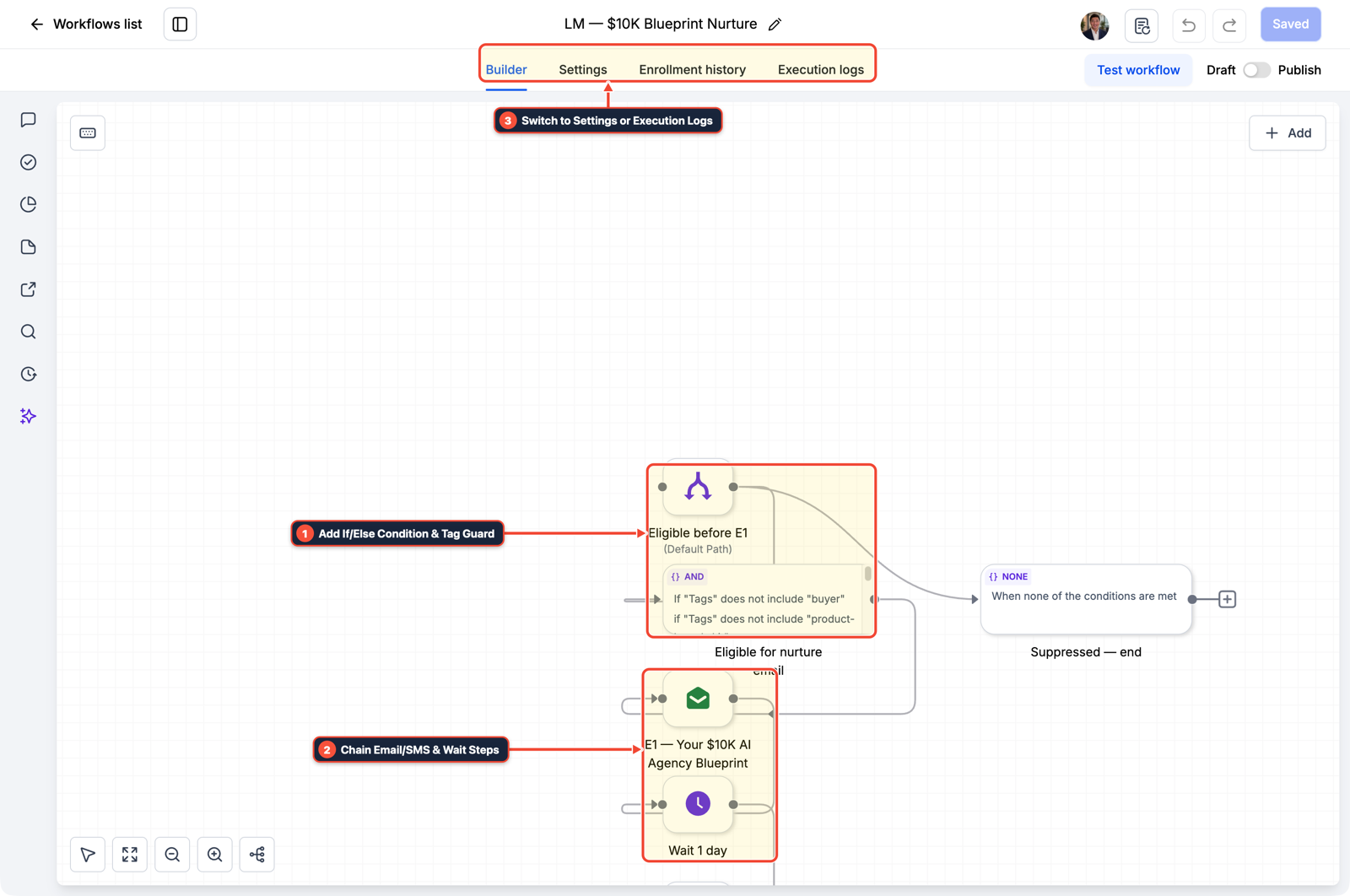
1Add If/Else Condition & Tag Guard 2Chain Priority & Wait Steps 3Switch to Settings or Execution Logs
MODE: AGENT PROMPT
PASTE INTO CLAUDE CODE, CURSOR, CHATGPT, OR GOHIGHLEVEL ASK AI
AGENT PROMPT
Set up dynamic-quantity invoicing from a registration form in sub-account <YOUR_LOCATION_ID>:
1. Add a Numerical custom field participant_count to the registration form so the contact stores the exact seat count.
2. Create a Private Integration Token with invoices.write permission and use Version: 2021-07-28.
3. In a Form Submitted workflow, send a Custom Webhook to POST https://services.leadconnectorhq.com/invoices/ passing items[0].amount as the unit price and items[0].qty as {{contact.participant_count}}, then call POST /invoices/{invoiceId}/send.
GHL-TOOLS MCP SERVER & CLI (DANIELHALLMAN.COM/MCP)
BUILDER + SUB-ACCOUNT TOOLS
# Inspect registration forms, custom fields, and workflows
ghl-crm custom-fields list --context <YOUR_CONTEXT> --location <YOUR_LOCATION_ID>
ghl-crm workflows list --context <YOUR_CONTEXT> --location <YOUR_LOCATION_ID>
Official GHL MCP vs. ghl-tools: HighLevel’s official hosted MCP (services.leadconnectorhq.com/mcp) covers public v2 CRM records (contacts, opportunities, appointments, conversations). ghl-tools MCP complements it with workflow graph inspection & recipes, funnel/form builders, DNS/BIMI checks, and ghl-crm doctor audits.
Cause
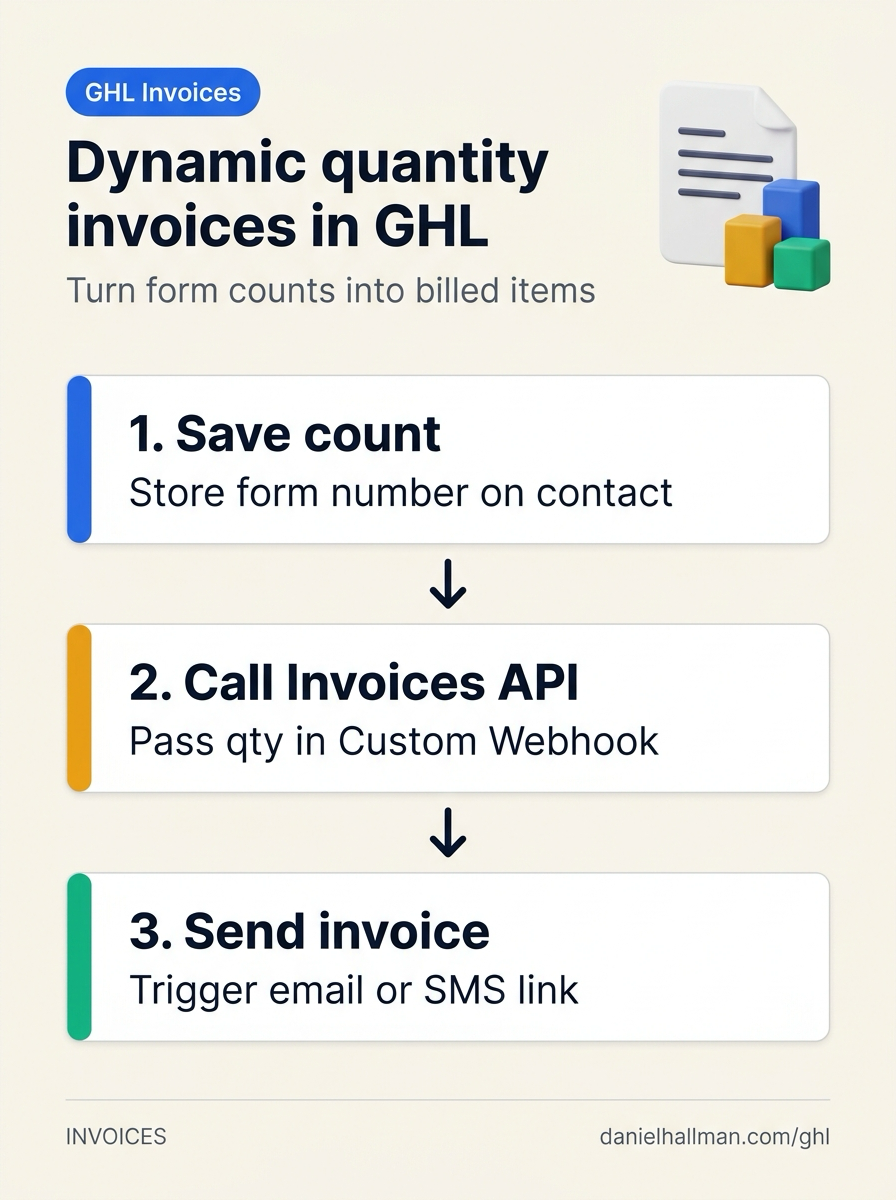
- When a coaching registration or event form asks how many participants someone is signing up, the native Send Invoice workflow step locks you to a static template quantity, forcing staff to edit and send multi-seat invoices by hand.
GoHighLevel Configuration
- Capture the seat count in a numerical contact field under Settings > Custom Fields, create a scoped token in Settings > Private Integrations
- and call the HighLevel Invoices API from a Custom Webhook step in Automation > Workflow Builder.
GoHighLevel Menu Paths
| Step | Menu Path in GHL | Action |
|---|---|---|
| Step 1 | Settings > Custom Fields | Create a Numerical contact field such as participant_count and add it to your registration form under Sites > Forms so every submission saves an integer seat count on the contact record (if you prefer instant checkout instead of a pay-later invoice, use a GoHighLevel Order Form with product quantity selection enabled). |
| Step 2 | Settings > Private Integrations | Create a sub-account token with invoices.write permission and set the headers Authorization: Bearer <token> and Version: 2021-07-28 for your workflow webhook. |
| Step 3 | Automation > Workflow Builder | Trigger on Form Submitted, add a Custom Webhook calling POST https://services.leadconnectorhq.com/invoices/ with altId, altType: "location", contactDetails, businessDetails, currency, issueDate, sentTo, liveMode: true, and items[0] passing amount: 100 (unit price) and qty: {{contact.participant_count}}, then chain POST /invoices/{{webhook.id}}/send with action: "sms_and_email" to deliver the $300 invoice automatically. |
DEFAULT SETUP VS. AUTOMATED WORKFLOW
Operational Comparison
Manual Admin Work Per Client
Lead-to-Booked-Job Conversion
Related Questions
- How do you send estimates and collect Text2Pay deposits in GoHighLevel?
- Why is my GoHighLevel Inbound Webhook not creating or updating contacts?
- How Do You Flag Duplicate Supplier Invoices and Orders Across Google Sheets, n8n, and GoHighLevel?
- How Do You Extract and Verify Supplier Invoices With Claude, n8n, and GoHighLevel Without AI Math Errors?
BUILD FASTER IN GOHIGHLEVEL · FREE TRIAL BONUSES + MCP SERVER
Build this directly inside your GoHighLevel sub-account
Connect Claude Code, Cursor, or OpenAI Codex to our ghl-tools MCP Server & Rust CLI to build workflows, forms, and funnels from your editor, or start your GoHighLevel plan through our partner link to unlock $612+ in ready-to-import kits (including GHL Dynamic Quantity Invoice Webhook Kit) and weekly live clinics.