GOHIGHLEVEL ANSWERS & PROMPTS: PLAYBOOK T102 · PER-SOURCE SUB-WORKFLOW ISOLATION, REQUIRED-KEY VALIDATION & DOMAIN-KEYED MERGES
AUTHOR: DANIEL HALLMAN
KEYWORD: LEAD ENRICHMENT
STEP-BY-STEP INSTRUCTIONS + ANNOTATED GHL SCREENSHOTS
Steps in GoHighLevel
-
STEP 1In Automation > Workflow Builder (and n8n
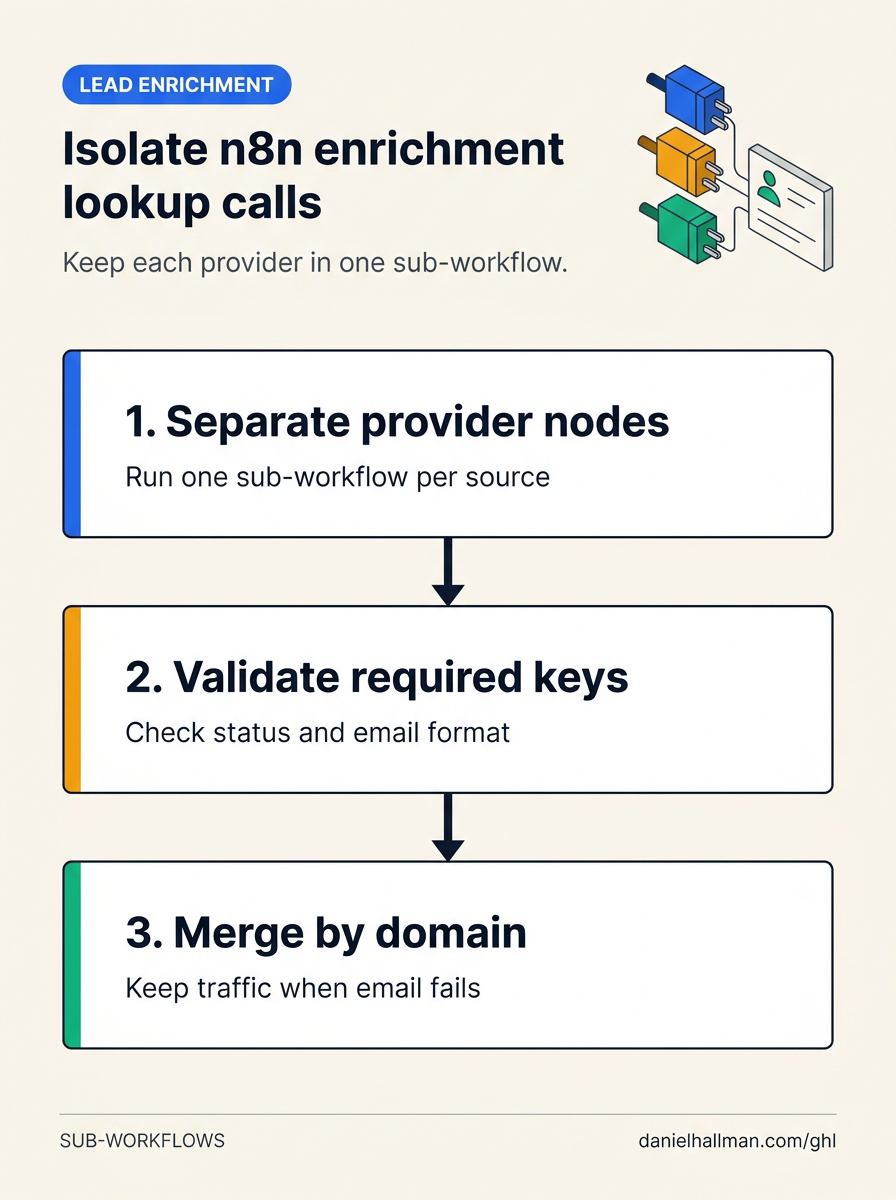
Execute Sub-Workflownodes), place each external lookup (site traffic, YouTube activity, X posts, and work email) in its own sub-workflow with separate API credentials and per-provider retry limits.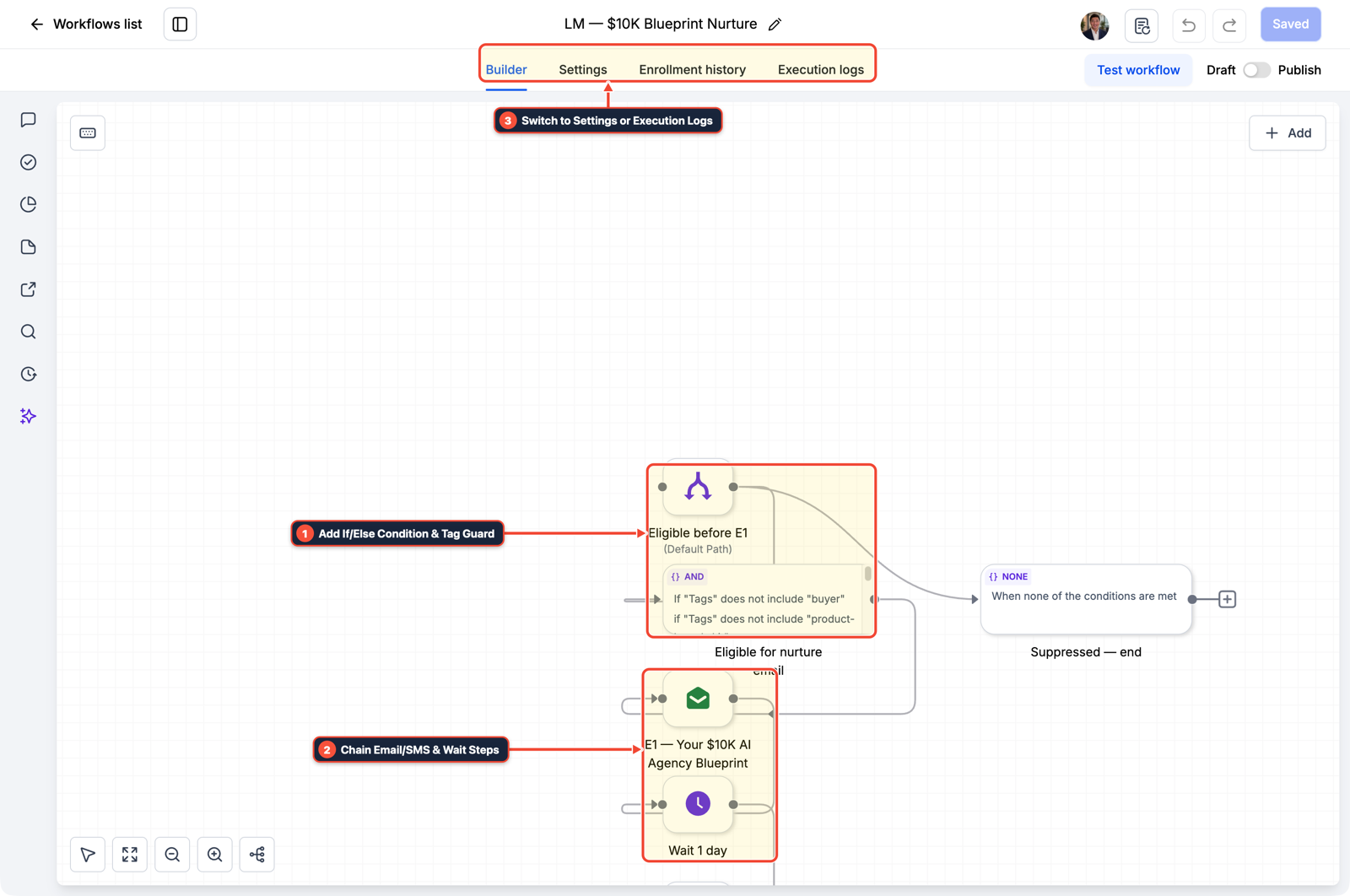
1Add If/Else Condition & Tag Guard 2Chain Priority & Wait Steps 3Switch to Settings or Execution Logs -
STEP 2In Settings > Custom Fields, check that each lookup returns a
2xxstatus code and a valid target field (a formatted email address, traffic visits above0, or a parsed post date) before updating the contact record, logging an explicit provider error code when a field is missing.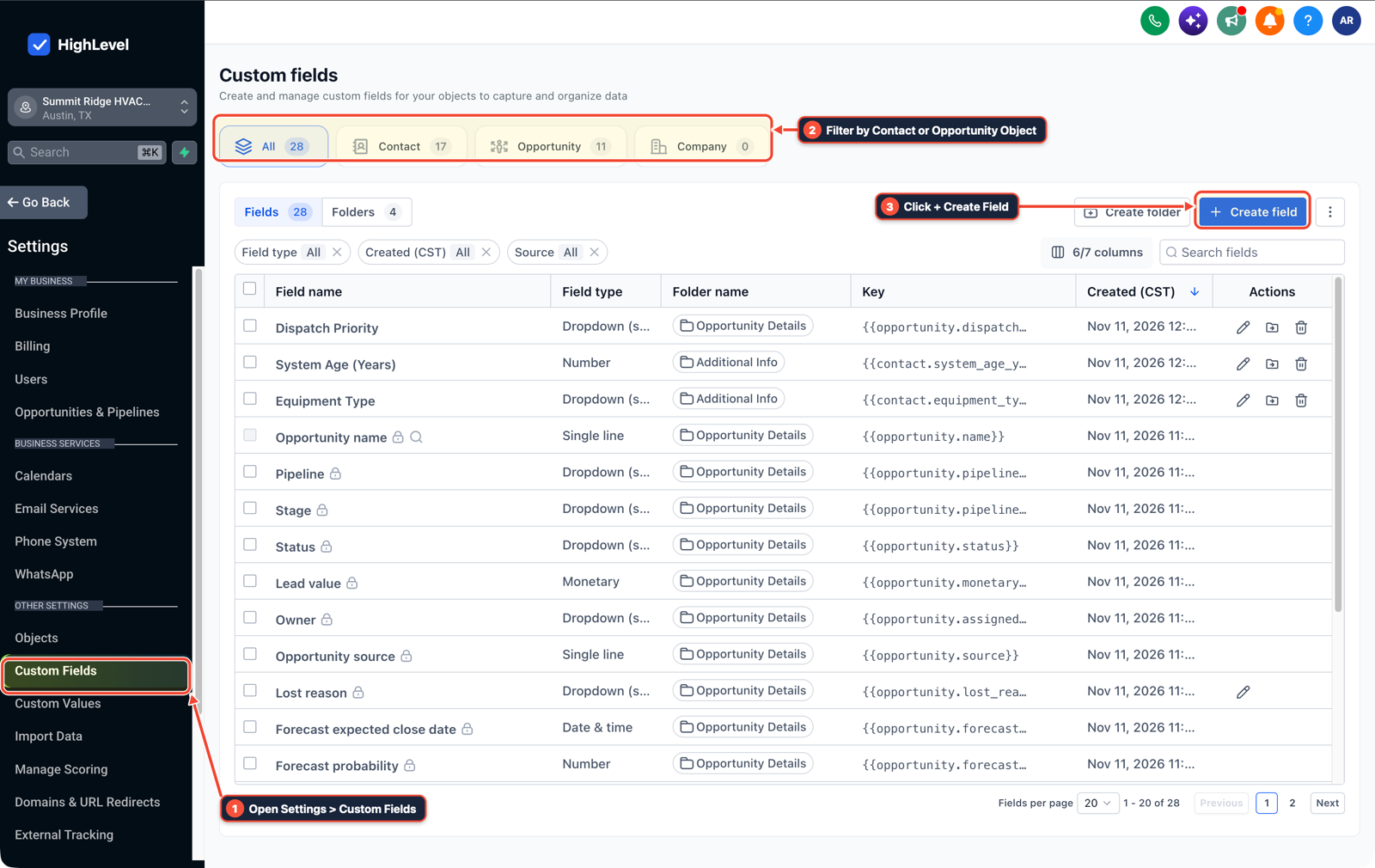
1Open Settings > Custom Fields 2Filter by Contact or Opportunity Object 3Click + Create Field -
STEP 3In Automation > Workflow > Execution Logs, merge the four lookup branches by domain name so a failed email lookup or X rate limit never drops the traffic and YouTube data for that prospect.
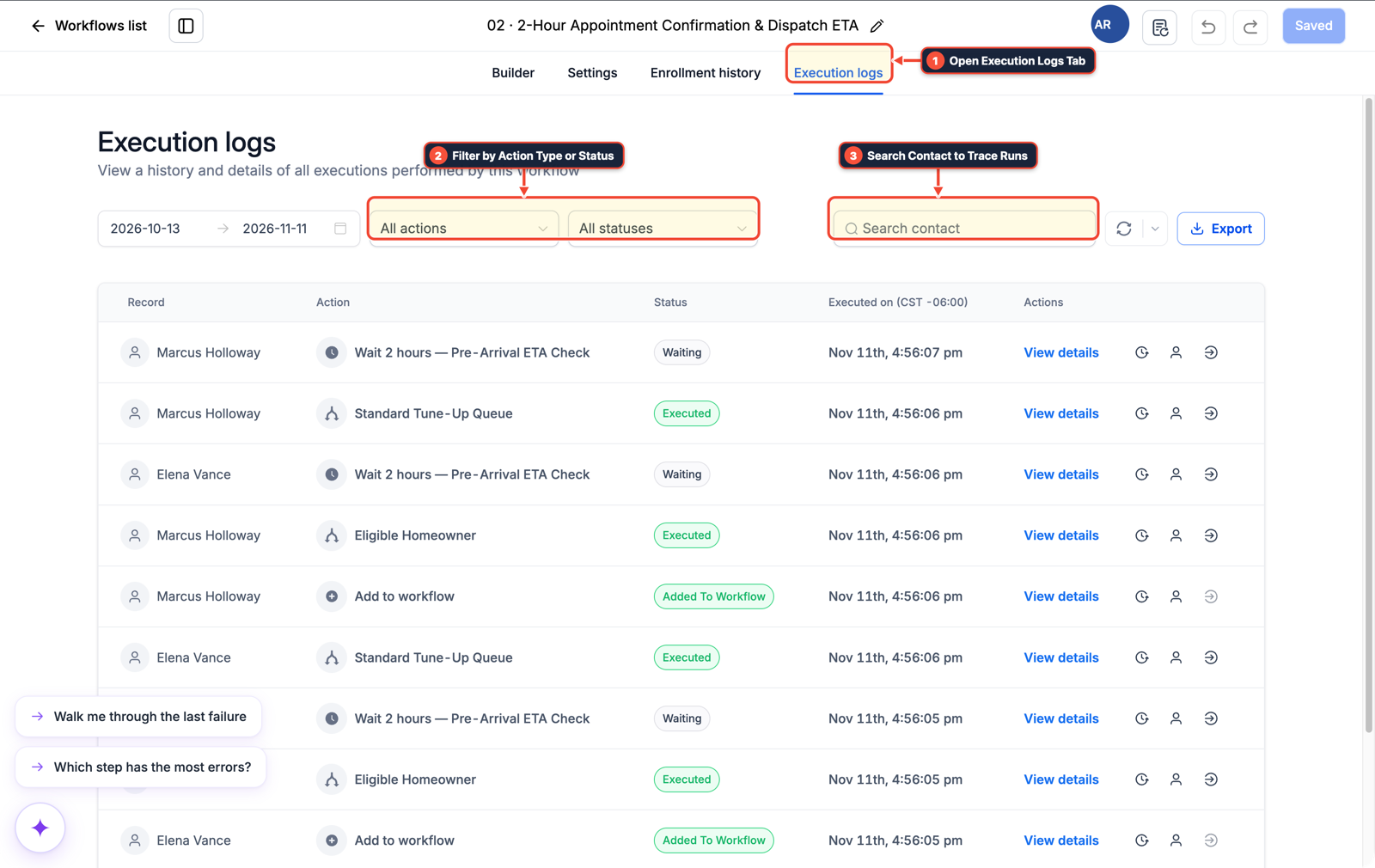
1Open Execution Logs Tab 2Filter by Action Type or Status 3Search Contact to Trace Runs
MODE: AGENT PROMPT
PASTE INTO CLAUDE CODE, CURSOR, CHATGPT, OR GOHIGHLEVEL ASK AI
AGENT PROMPT
Harden a multi-source domain, social, and email enrichment pipeline in sub-account <YOUR_LOCATION_ID>:
1. In Automation > Workflow Builder (and n8n Execute Sub-Workflow nodes), isolate site traffic, YouTube, X, and work email lookups with separate credentials and rate-limit settings.
2. In Settings > Custom Fields, require a 2xx status and non-empty validated target key (regex email, visits > 0, parsed post date) before updating contact fields, writing an explicit error code on failure.
3. In Automation > Workflow > Execution Logs, merge enrichment outputs by domain so partial lookup failures do not drop valid data from other sources.
GHL-TOOLS MCP SERVER & CLI (DANIELHALLMAN.COM/MCP)
BUILDER + SUB-ACCOUNT TOOLS
# Inspect enrichment custom fields and inbound webhook workflows in the sub-account
ghl-crm custom-fields list --context <YOUR_CONTEXT> --location <YOUR_LOCATION_ID>
ghl-crm workflows list --context <YOUR_CONTEXT> --location <YOUR_LOCATION_ID>
Official GHL MCP vs. ghl-tools: HighLevel’s official hosted MCP (services.leadconnectorhq.com/mcp) covers public v2 CRM records (contacts, opportunities, appointments, conversations). ghl-tools MCP complements it with workflow graph inspection & recipes, funnel/form builders, DNS/BIMI checks, and ghl-crm doctor audits.
Cause
- When four enrichment sources share one HTTP node or run sequentially without per-source validation, an X quota spike or a renamed JSON key in one provider either halts the entire enrichment run or passes
nullvalues downstream into your CRM.
GoHighLevel Configuration
- Isolate each lookup in its own sub-workflow in Automation > Workflow Builder (and n8n
Execute Sub-Workflownodes), validate non-empty target fields before updating Settings > Custom Fields - and merge results by domain in Automation > Workflow > Execution Logs.
GoHighLevel Menu Paths
| Step | Menu Path in GHL | Action |
|---|---|---|
| Step 1 | Automation > Workflow Builder | Place each external lookup (site traffic, YouTube activity, X posts, and work email) in its own sub-workflow with separate API credentials and per-provider retry limits. |
| Step 2 | Settings > Custom Fields | Check that each lookup returns a 2xx status code and a valid target field (a formatted email address, traffic visits above 0, or a parsed post date) before updating the contact record, logging an explicit provider error code when a field is missing. |
| Step 3 | Automation > Workflow > Execution Logs | Merge the four lookup branches by domain name so a failed email lookup or X rate limit never drops the traffic and YouTube data for that prospect. |
DEFAULT SETUP VS. AUTOMATED WORKFLOW
Operational Comparison
Speed to Lead & Callback Safety
Caller Reply & Booking Rate
Related Questions
- How Do You Build a Pay-Per-Use Lead Enrichment Waterfall in n8n and GoHighLevel Without 4 Monthly API Subscriptions?
- How Do You Catch a Silently Failed n8n or GoHighLevel Webhook Node Before a Message Is Lost?
- How Do You Keep Unattended n8n and GoHighLevel Workflows From Failing Silently or Double-Posting on Retries?
- How Do You Route Account Funding, CEO Change, and Layoff Signals From n8n Into GoHighLevel Without CRM Task Bloat?
BUILD FASTER IN GOHIGHLEVEL · FREE TRIAL BONUSES + MCP SERVER
Build this directly inside your GoHighLevel sub-account
Connect Claude Code, Cursor, or OpenAI Codex to our ghl-tools MCP Server & Rust CLI to build workflows, forms, and funnels from your editor, or start your GoHighLevel plan through our partner link to unlock $612+ in ready-to-import kits (including GHL & n8n Lead Enrichment Sub-Workflow Kit) and weekly live clinics.