GOHIGHLEVEL ANSWERS & PROMPTS: PLAYBOOK T49 · PAY-PER-USE LEAD ENRICHMENT WATERFALL & JSON DEFAULTS
AUTHOR: DANIEL HALLMAN
KEYWORD: ENRICHMENT WATERFALL
STEP-BY-STEP INSTRUCTIONS + ANNOTATED GHL SCREENSHOTS
Steps in GoHighLevel
-
STEP 1In Settings > Custom Fields, create contact fields for
Enrichment Status(Pending,Complete),Last Enriched Date, and social URLs so GoHighLevel caches completed domains and skips any lead enriched within the last 30 days.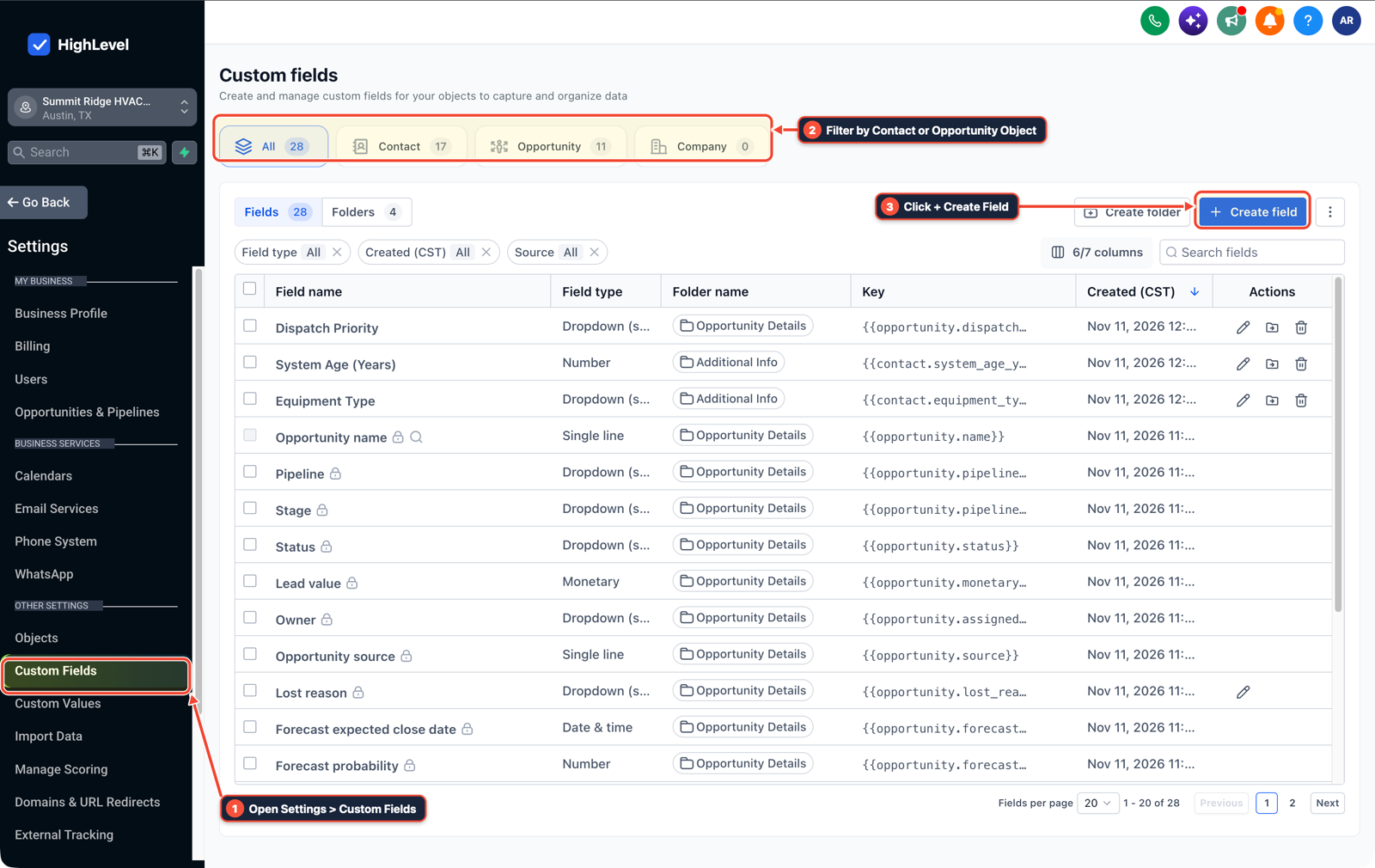
1Open Settings > Custom Fields 2Filter by Contact or Opportunity Object 3Click + Create Field -
STEP 2In Automation > Workflow Builder (and your n8n HTTP Request nodes), enable
Continue (using error output)on social lookups, normalize missing values to empty defaults ({{ $json.x_handle ?? '' }}) in one Format Data / Set step, and add an If/Else waterfall that calls pay-per-use email enrichment only when the email field is still blank.
1Add If/Else Condition & Tag Guard 2Chain Priority & Wait Steps 3Switch to Settings or Execution Logs -
STEP 3In Automation > Workflow > Execution Logs, save each enriched contact's status as
Completeimmediately after lookup so if a batch stops mid-run, re-enrollingPendingcontacts only retries the remaining domains.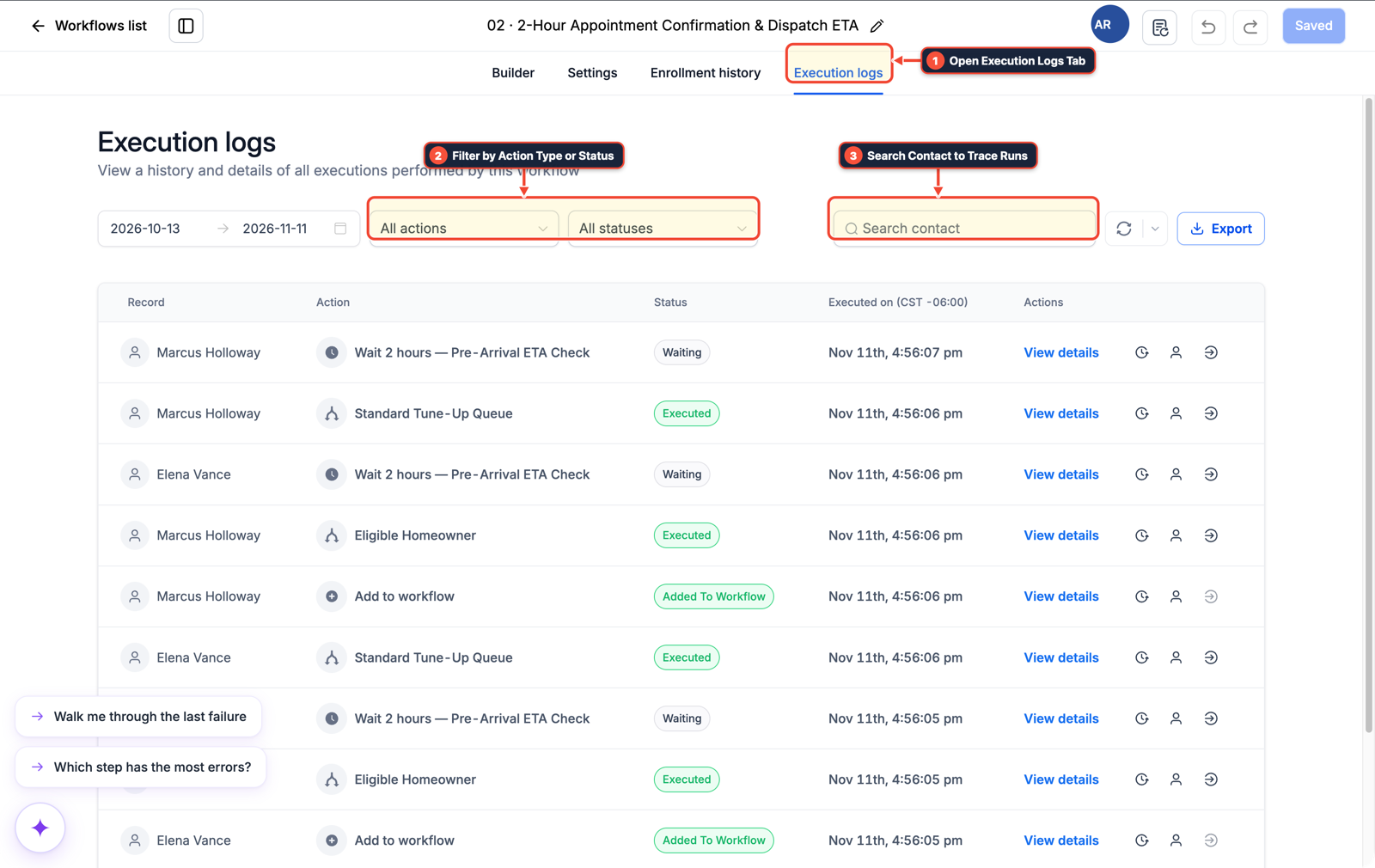
1Open Execution Logs Tab 2Filter by Action Type or Status 3Search Contact to Trace Runs
MODE: AGENT PROMPT
PASTE INTO CLAUDE CODE, CURSOR, CHATGPT, OR GOHIGHLEVEL ASK AI
AGENT PROMPT
Build a cached pay-per-use lead enrichment waterfall in sub-account <YOUR_LOCATION_ID>:
1. In Settings > Custom Fields, create Enrichment Status (Pending, Complete) and Last Enriched Date fields on the Contact object.
2. In Automation > Workflow Builder, filter out contacts enriched in the last 30 days, normalize empty social fields with Format Data, and use an If/Else branch to trigger outbound pay-per-use webhook lookups only when Email or Phone is blank.
3. In Automation > Workflow > Execution Logs, mark Enrichment Status as Complete on each returned webhook payload so retries only run on Pending contacts.
GHL-TOOLS MCP SERVER & CLI (DANIELHALLMAN.COM/MCP)
BUILDER + SUB-ACCOUNT TOOLS
# Inspect contact enrichment custom fields and webhook workflows
ghl-crm custom-fields list --context <YOUR_CONTEXT> --location <YOUR_LOCATION_ID>
ghl-crm workflows list --context <YOUR_CONTEXT> --location <YOUR_LOCATION_ID>
Official GHL MCP vs. ghl-tools: HighLevel’s official hosted MCP (services.leadconnectorhq.com/mcp) covers public v2 CRM records (contacts, opportunities, appointments, conversations). ghl-tools MCP complements it with workflow graph inspection & recipes, funnel/form builders, DNS/BIMI checks, and ghl-crm doctor audits.
Cause
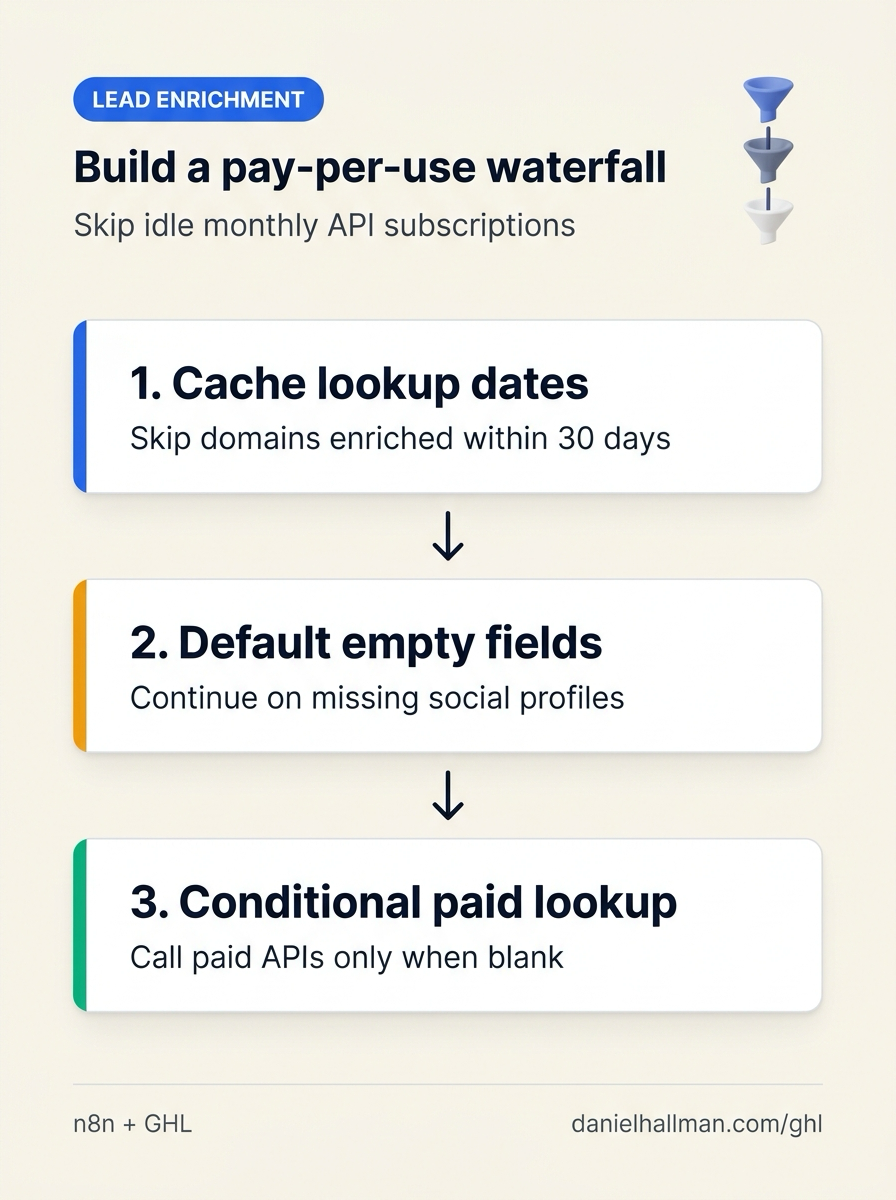
- Chaining four enrichment APIs in n8n or GoHighLevel creates two problems for low-volume batches: fixed monthly API plans sit idle 95% of the month
- and smaller local business websites without social profiles return null fields that break downstream nodes and force you to re-run the entire paid batch from row one.
GoHighLevel Configuration
- Store
Enrichment StatusandLast Enriched Datein Settings > Custom Fields, normalize missing JSON fields with default empty strings in Automation > Workflow Builder (and n8nEdit Fields) - and check Automation > Workflow > Execution Logs so retries only process rows where
Enrichment Statusis stillPending.
GoHighLevel Menu Paths
| Step | Menu Path in GHL | Action |
|---|---|---|
| Step 1 | Settings > Custom Fields | Create contact fields for Enrichment Status (Pending, Complete), Last Enriched Date, and social URLs so GoHighLevel caches completed domains and skips any lead enriched within the last 30 days. |
| Step 2 | Automation > Workflow Builder | Enable Continue (using error output) on social lookups, normalize missing values to empty defaults ({{ $json.x_handle ?? '' }}) in one Format Data / Set step, and add an If/Else waterfall that calls pay-per-use email enrichment only when the email field is still blank. |
| Step 3 | Automation > Workflow > Execution Logs | Save each enriched contact's status as Complete immediately after lookup so if a batch stops mid-run, re-enrolling Pending contacts only retries the remaining domains. |
DEFAULT SETUP VS. AUTOMATED WORKFLOW
Operational Comparison
Speed to Lead & Callback Safety
Caller Reply & Booking Rate
Related Questions
- How Do You Stop Self-Hosted n8n Out-of-Memory Crashes When Multiple Webhook and GoHighLevel Workflows Run at Once?
- How Do You Stop a Self-Hosted n8n Outage from Dropping Client Leads in GoHighLevel?
- How do you format data and run math in GoHighLevel Workflows without paying for n8n or Make?
- How Do You Handle High Webhook Volume Without Hitting 429 API Rate Limits in GoHighLevel, Make, and Airtable?
BUILD FASTER IN GOHIGHLEVEL · FREE TRIAL BONUSES + MCP SERVER
Build this directly inside your GoHighLevel sub-account
Connect Claude Code, Cursor, or OpenAI Codex to our ghl-tools MCP Server & Rust CLI to build workflows, forms, and funnels from your editor, or start your GoHighLevel plan through our partner link to unlock $612+ in ready-to-import kits (including GHL & n8n Pay-Per-Use Enrichment Waterfall Pack) and weekly live clinics.