GOHIGHLEVEL ANSWERS & PROMPTS: PLAYBOOK T12 · DELIVERABILITY & OUTREACH
AUTHOR: DANIEL HALLMAN
KEYWORD: COLD
MODE: AGENT PROMPT
PASTE INTO CLAUDE CODE, CURSOR, CHATGPT, OR GOHIGHLEVEL ASK AI
AGENT PROMPT
Audit and configure the 2-stage B2B cold email and speed-to-lead pipeline for GoHighLevel sub-account <YOUR_LOCATION_ID>:
1. Verify that primary LC Email domains are restricted to opted-in contacts and transactional messages.
2. Build an Inbound Webhook workflow in Automation > Workflows that receives positive replies from external outbound tools.
3. Map contact fields, apply the tag 'cold-reply-interested', and create an Opportunity in the B2B Sales Pipeline under 'Warm Lead'.
4. Trigger an instant SMS internal notification to the assigned sales rep for immediate call pickup.
GHL-TOOLS MCP SERVER & CLI (DANIELHALLMAN.COM/MCP)
BUILDER + SUB-ACCOUNT TOOLS
# Inspect workflows and opportunities via ghl-crm CLI
ghl-crm workflows list --context <YOUR_CONTEXT> --location <YOUR_LOCATION_ID>
Official GHL MCP vs. ghl-tools: HighLevel’s official hosted MCP (services.leadconnectorhq.com/mcp) covers public v2 CRM records (contacts, opportunities, appointments, conversations). ghl-tools MCP complements it with workflow graph inspection & recipes, funnel/form builders, DNS/BIMI checks, and ghl-crm doctor audits.
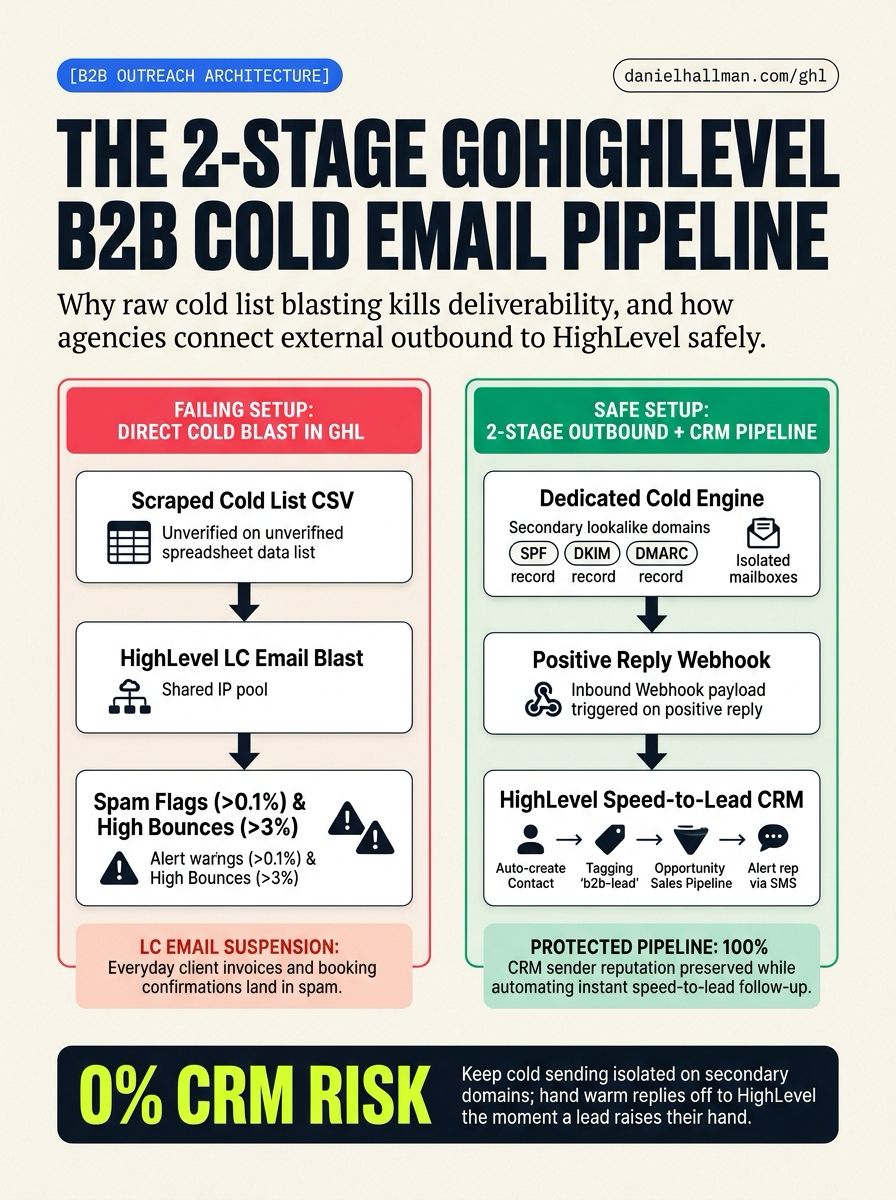
STEP-BY-STEP INSTRUCTIONS + ANNOTATED GHL SCREENSHOTS
Steps in GoHighLevel
-
STEP 1Isolate Cold Outbound on Secondary Domains: Register 2–3 lookalike domains in your DNS provider (Cloudflare > DNS), configure
SPF,DKIM, and_dmarcrecords, warm the mailboxes, and run initial cold sequences through dedicated outbound tools like Instantly or Smartlead capped at30emails/day per inbox.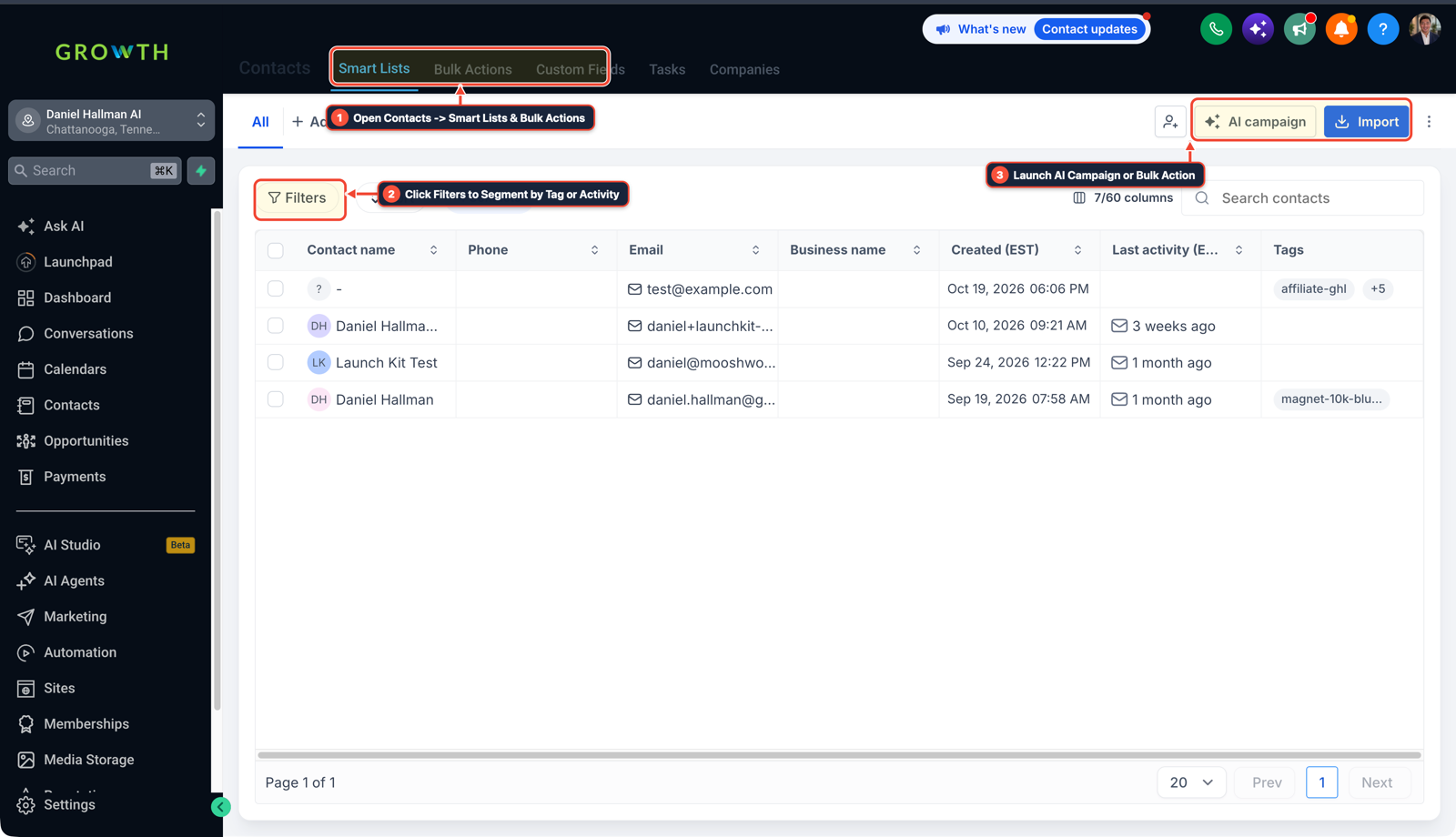
1Open Contacts > Smart Lists & Bulk Actions 2Click Filters to Segment by Tag or Activity 3Launch AI Campaign or Bulk Action - STEP 2Push Positive Replies Into HighLevel: In Automation > Workflows, create a new workflow triggered by Inbound Webhook. Map the incoming lead's email, name, and company, and add an Add Contact Tag action with
cold-reply-interested. -
STEP 3Automate Pipeline Creation & Speed-to-Lead: In the same workflow, add a Create Opportunity action placing the lead into your B2B sales pipeline under Warm Lead, and add an Internal Notification action sending an SMS alert to your sales rep with the prospect's details and direct calendar link.
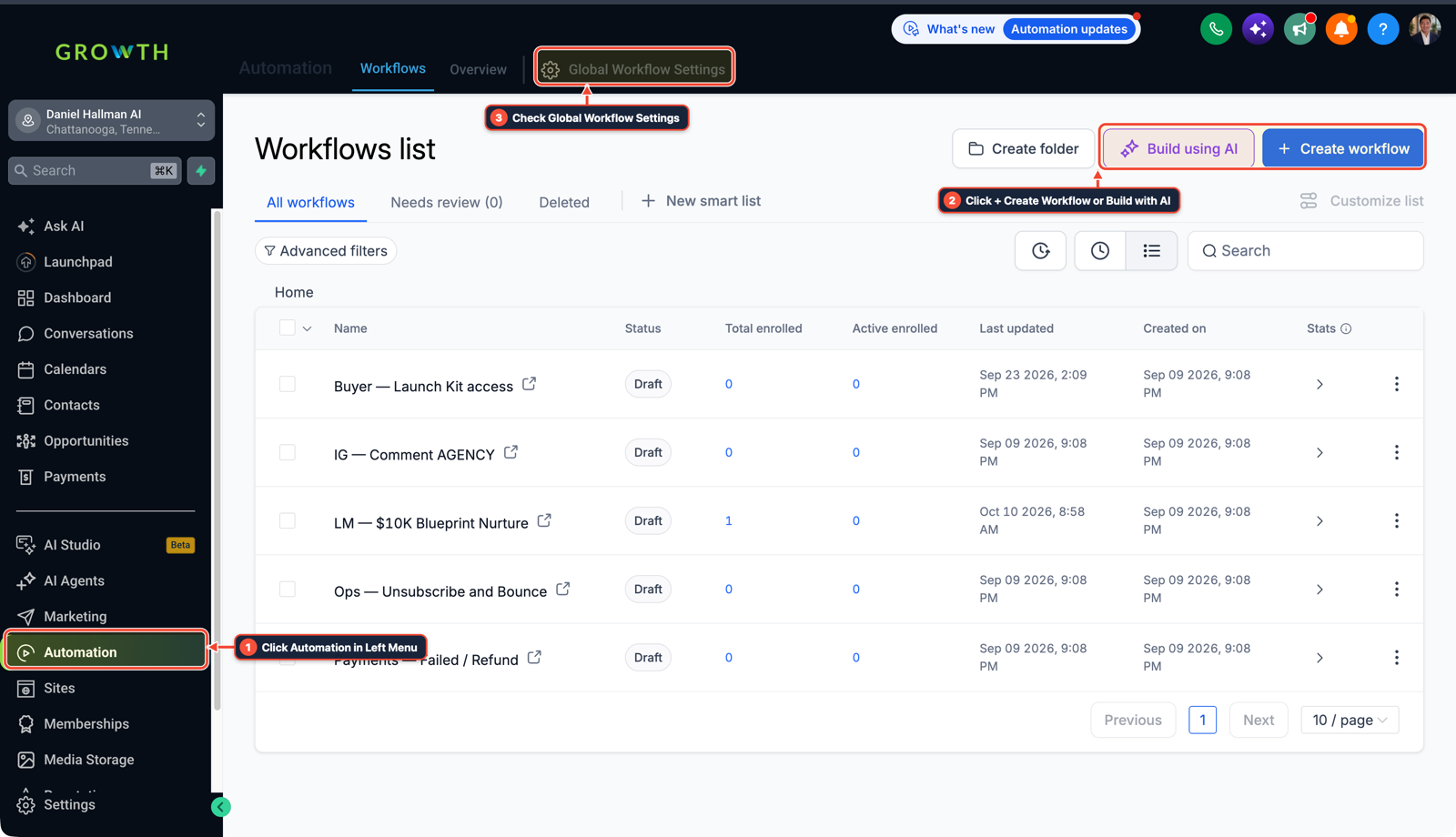
1Click Automation in Left Menu 2Click + Create Workflow or Build with AI 3Check Global Workflow Settings
Cause
- Uploading scraped B2B cold contact lists directly into HighLevel sub-accounts leads to high bounce rates (>3%) and spam complaint spikes (>0.1%).
- Because HighLevel's LC Email infrastructure is built for opted-in and transactional communications, cold list blasting risks sub-account email suspensions, shared IP blacklisting, and ruined deliverability for client invoices, booking reminders, and everyday proposals.
GoHighLevel Configuration
- Use a clean 2-stage architecture: run cold outbound campaigns on dedicated secondary domains with SPF, DKIM
- and DMARC configured, cap sending to 30 emails per inbox per day
- and hand positive replies off to HighLevel via an Inbound Webhook workflow that automatically creates the contact, tags them
cold-reply-interested, creates an opportunity in your sales pipeline - and pings your sales rep via SMS for instant follow-up.
GoHighLevel Menu Paths
| Step | Menu Path in GHL | Action |
|---|---|---|
| Step 1 | Cloudflare > DNS | Register 2–3 lookalike domains in your DNS provider (Cloudflare > DNS), configure SPF, DKIM, and _dmarc records, warm the mailboxes, and run initial cold sequences through dedicated outbound tools like Instantly or Smartlead capped at 30 emails/day per inbox. |
| Step 2 | Automation > Workflows | Create a new workflow triggered by Inbound Webhook. |
| Step 3 | Automation > Workflows > + Create Workflow | Add a Create Opportunity action placing the lead into your B2B sales pipeline under Warm Lead, and add an Internal Notification action sending an SMS alert to your sales rep with the prospect's details and direct calendar link. |
DEFAULT SETUP VS. AUTOMATED WORKFLOW
Operational Comparison
Manual Admin Work Per Client
Lead-to-Booked-Job Conversion
Related Questions
BUILD FASTER IN GOHIGHLEVEL · FREE TRIAL BONUSES + MCP SERVER
Build this directly inside your GoHighLevel sub-account
Connect Claude Code, Cursor, or OpenAI Codex to our ghl-tools MCP Server & Rust CLI to build workflows, forms, and funnels from your editor, or start your GoHighLevel plan through our partner link to unlock $612+ in ready-to-import kits (including GHL Workflow Architect Pack) and weekly live clinics.