GOHIGHLEVEL ANSWERS & PROMPTS: PLAYBOOK T51 · VOICE AI CALLBACK HOLDS & VOICEMAIL FOLLOW-UP
AUTHOR: DANIEL HALLMAN
KEYWORD: CALLBACK HOLD
STEP-BY-STEP INSTRUCTIONS + ANNOTATED GHL SCREENSHOTS
Steps in GoHighLevel
-
STEP 1In Opportunities > Pipelines, create a
Callback Pendingstage and aSlot Offered (Hold)stage so any call where the AI receptionist promises a shop check stays visible on the board until the customer confirms or passes.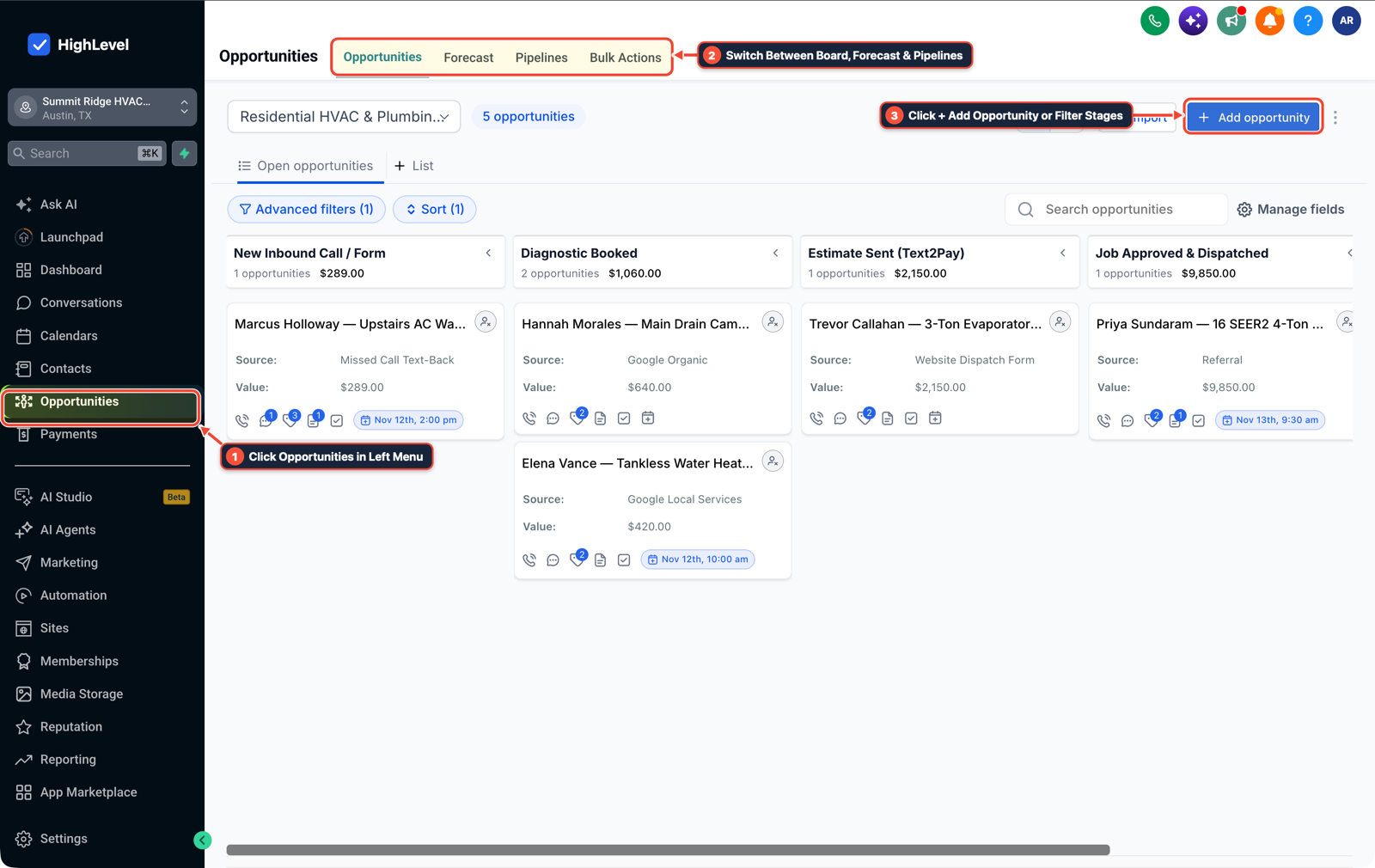
1Click Opportunities in Left Menu 2Switch Between Board, Forecast & Pipelines 3Click + Add Opportunity or Filter Stages -
STEP 2In Automation > Workflow Builder, trigger on Call Status (
Call Direction = Outgoing,Call Status = Voicemail / No-Answer) for contacts inCallback Pendingto send an immediate 2-way SMS with the offered slot and reply cutoff (Reply YES by 2:00 PM to lock in 2:30 PM).
1Add If/Else Condition & Tag Guard 2Chain Priority & Wait Steps 3Switch to Settings or Execution Logs -
STEP 3In Conversations > Team Inbox (Manual Actions), add a Wait for Reply step set to expire 30 minutes before the offered appointment time: confirm the calendar booking if they reply
YES, or release the tentative hold and notify the front desk if the timer runs out.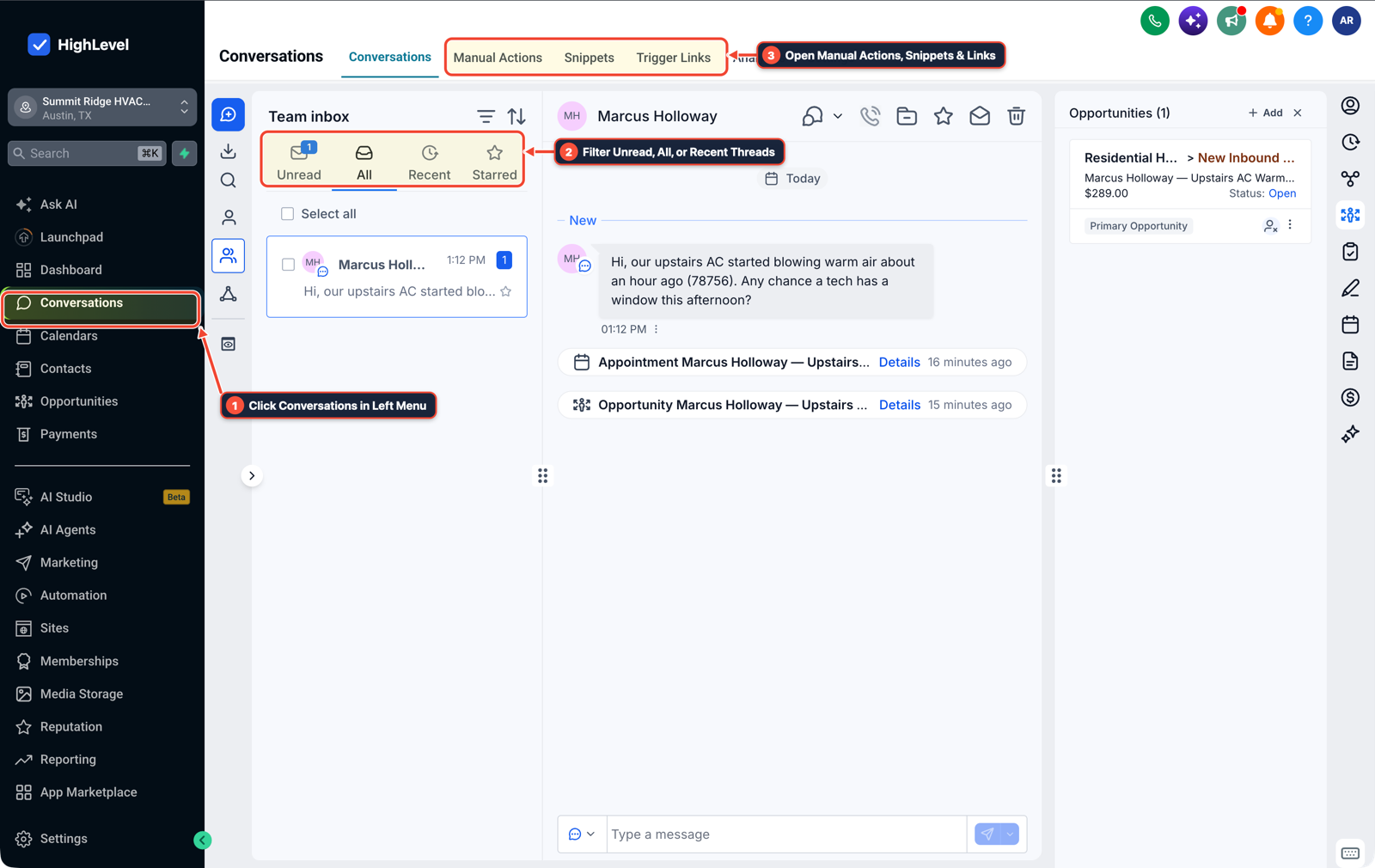
1Click Conversations in Left Menu 2Filter Unread, All, or Recent Threads 3Open Manual Actions, Snippets & Links
MODE: AGENT PROMPT
PASTE INTO CLAUDE CODE, CURSOR, CHATGPT, OR GOHIGHLEVEL ASK AI
AGENT PROMPT
Configure an AI receptionist callback hold and outbound voicemail follow-up workflow in sub-account <YOUR_LOCATION_ID>:
1. In Opportunities > Pipelines, add Callback Pending and Slot Offered (Hold) stages for callers waiting on a shop availability check.
2. In Automation > Workflow Builder, trigger on Outgoing Call Status (No-Answer / Voicemail) for contacts in Callback Pending, move the card to Slot Offered (Hold), and send an SMS with the offered time and confirmation cutoff.
3. Add a Wait for Reply step before the cutoff time that books the appointment on a positive reply or assigns a follow-up alert in Conversations > Team Inbox when the hold expires.
GHL-TOOLS MCP SERVER & CLI (DANIELHALLMAN.COM/MCP)
BUILDER + SUB-ACCOUNT TOOLS
# List pipeline stages and callback follow-up workflows in the sub-account
ghl-crm pipelines list --context <YOUR_CONTEXT> --location <YOUR_LOCATION_ID>
ghl-crm workflows list --context <YOUR_CONTEXT> --location <YOUR_LOCATION_ID>
Official GHL MCP vs. ghl-tools: HighLevel’s official hosted MCP (services.leadconnectorhq.com/mcp) covers public v2 CRM records (contacts, opportunities, appointments, conversations). ghl-tools MCP complements it with workflow graph inspection & recipes, funnel/form builders, DNS/BIMI checks, and ghl-crm doctor audits.
Cause
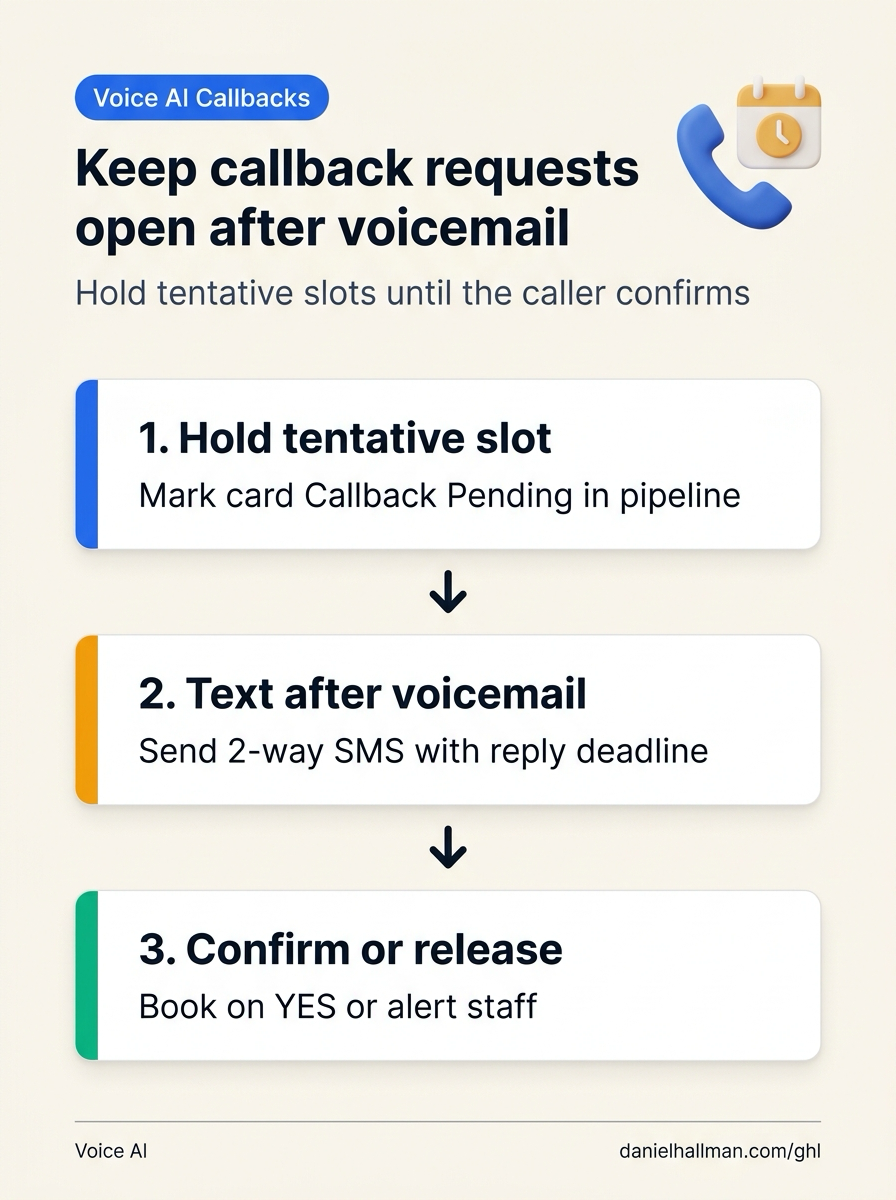
- If a caller asks an AI receptionist whether a technician can squeeze them in today and the technician calls back ten minutes later and leaves a voicemail ('Call me by 2:00 PM if you want the 2:30 PM slot'), marking the CRM task closed on 'Voicemail Left' drops the job.
- Customers driving or at work rarely check voicemail immediately, so the 2:30 PM bay sits empty while the front desk assumes the callback was handled.
GoHighLevel Configuration
- Keep callback requests open in Opportunities > Pipelines until the customer replies or the hold timer expires, pair every outbound staff voicemail with an automatic SMS confirmation cutoff in Automation > Workflow Builder
- and surface expired holds in Conversations > Team Inbox.
GoHighLevel Menu Paths
| Step | Menu Path in GHL | Action |
|---|---|---|
| Step 1 | Opportunities > Pipelines | Create a Callback Pending stage and a Slot Offered (Hold) stage so any call where the AI receptionist promises a shop check stays visible on the board until the customer confirms or passes. |
| Step 2 | Automation > Workflow Builder | Trigger on Call Status (Call Direction = Outgoing, Call Status = Voicemail / No-Answer) for contacts in Callback Pending to send an immediate 2-way SMS with the offered slot and reply cutoff (Reply YES by 2:00 PM to lock in 2:30 PM). |
| Step 3 | Conversations > Team Inbox | Add a Wait for Reply step set to expire 30 minutes before the offered appointment time: confirm the calendar booking if they reply YES, or release the tentative hold and notify the front desk if the timer runs out. |
DEFAULT SETUP VS. AUTOMATED WORKFLOW
Operational Comparison
After-Hours & Missed Call Capture
Qualified Jobs Booked 24/7
Related Questions
- Does Apple iPhone Call Screening Replace an AI Receptionist or Missed-Call Text-Back for Contractors?
- How Do You Handle Dropped Calls, Caller Interruptions, and Duplicate CRM Updates When Running AI Voice Agents in Production?
- What Stops Clients From Buying AI Voice Agents (And How Do You Build Call Audit Trails in GoHighLevel)?
- Where Do AI Scheduling Assistants Go Wrong (And How Do You Add Booking Guardrails in GoHighLevel)?
BUILD FASTER IN GOHIGHLEVEL · FREE TRIAL BONUSES + MCP SERVER
Build this directly inside your GoHighLevel sub-account
Connect Claude Code, Cursor, or OpenAI Codex to our ghl-tools MCP Server & Rust CLI to build workflows, forms, and funnels from your editor, or start your GoHighLevel plan through our partner link to unlock $612+ in ready-to-import kits (including GHL Voice AI Callback & Hold Workflow Kit) and weekly live clinics.