GOHIGHLEVEL ANSWERS & PROMPTS: PLAYBOOK T20 · UNIFIED INBOX & CHAT
AUTHOR: DANIEL HALLMAN
KEYWORD: INBOX
STEP-BY-STEP INSTRUCTIONS + ANNOTATED GHL SCREENSHOTS
Steps in GoHighLevel
-
STEP 1Connect Facebook and Instagram Accounts: In Settings > Integrations, connect your Facebook Page and Instagram Professional Account with messaging permissions enabled.
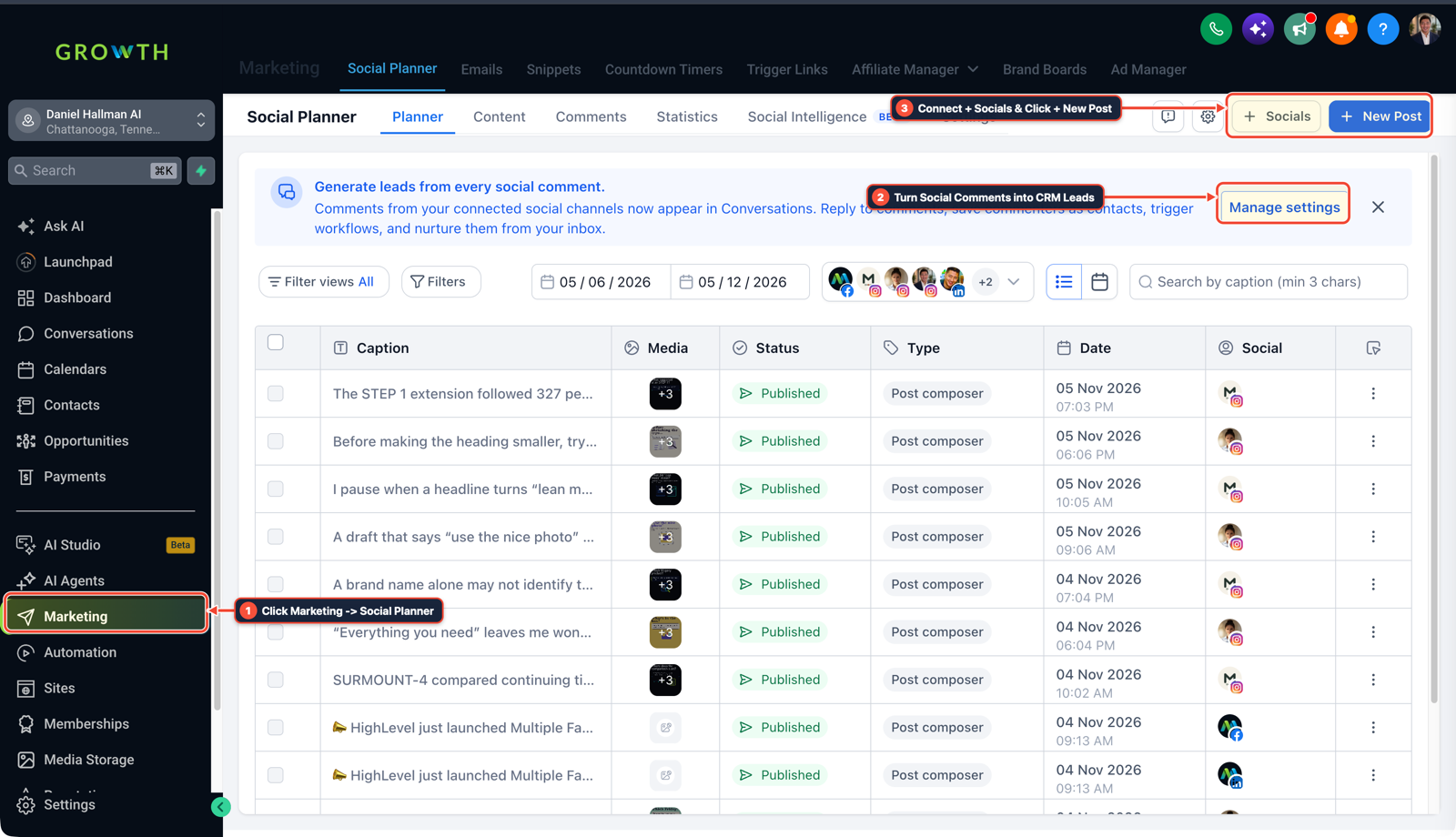
1Click Marketing > Social Planner 2Turn Social Comments into CRM Leads 3Connect + Socials & Click + New Post -
STEP 2Add the User Comments on a Post Trigger: In Automation > Workflows, add the Facebook / Instagram — User Comments on a Post trigger filtered by
Contains Phrase(GUIDEorQUOTE).
1Add If/Else Condition & Tag Guard 2Chain Priority & Wait Steps 3Switch to Settings or Execution Logs -
STEP 3Reply Publicly and Send the Interactive DM: In Automation > Workflows, add Reply in Comments (
Just sent it to your DMs!) followed by Instagram / Facebook Interactive Messenger with a quick-reply button.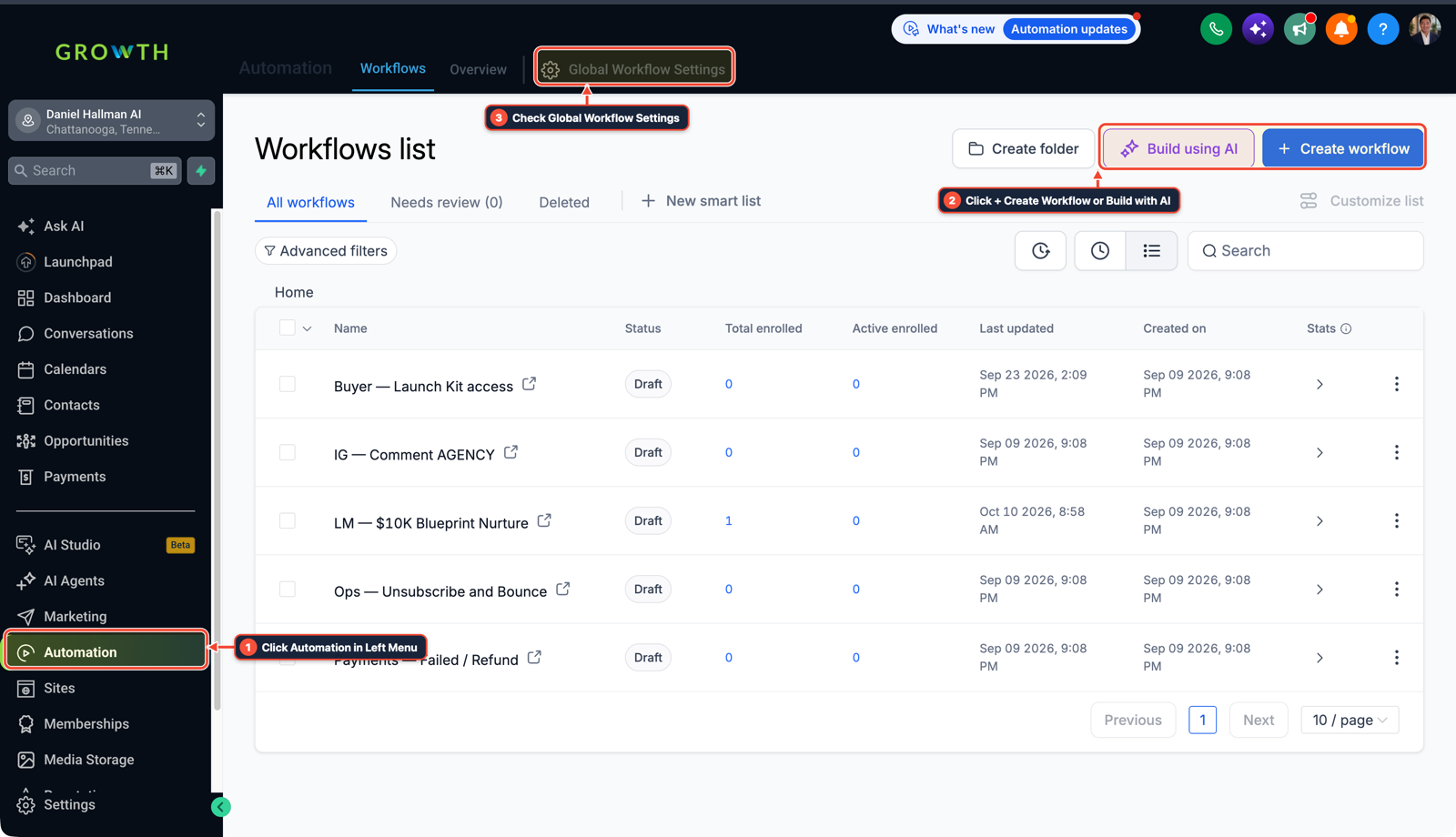
1Click Automation in Left Menu 2Click + Create Workflow or Build with AI 3Check Global Workflow Settings
MODE: AGENT PROMPT
PASTE INTO CLAUDE CODE, CURSOR, CHATGPT, OR GOHIGHLEVEL ASK AI
AGENT PROMPT
Configure Instagram and Facebook Comment-to-DM automation inside our GoHighLevel sub-account:
1. Create a workflow triggered on both "Instagram — User Comments on a Post" and "Facebook — User Comments on a Post" matching our trigger keyword.
2. Add a public comment reply action so the post gets engagement credit, followed by a direct Messenger/Instagram DM asking them to tap a quick-reply button to receive the resource.
3. Tag the contact with the campaign keyword so all follow-ups appear in the Conversations tab.
GHL-TOOLS MCP SERVER & CLI (DANIELHALLMAN.COM/MCP)
BUILDER + SUB-ACCOUNT TOOLS
# 1. MCP Tool Call (ghl-crm-mcp)
{
  "tool": "workflows_create_from_recipe",
  "arguments": {
    "location_id": "<YOUR_LOCATION_ID>",
    "recipe": "social_comment_to_dm_native",
    "channels": ["instagram", "facebook"],
    "keyword": "GUIDE"
  }
}

# 2. Or run via ghl-crm Rust CLI
ghl-crm workflows apply-recipe --location-id <YOUR_LOCATION_ID> --recipe ig-fb-comment-dm
Official GHL MCP vs. ghl-tools: HighLevel’s official hosted MCP (services.leadconnectorhq.com/mcp) covers public v2 CRM records (contacts, opportunities, appointments, conversations). ghl-tools MCP complements it with workflow graph inspection & recipes, funnel/form builders, DNS/BIMI checks, and ghl-crm doctor audits.
Cause
- Paying for a third-party comment-to-DM tool splits social messages away from SMS and call history, leaving sales reps blind when an Instagram lead also calls or texts.
GoHighLevel Configuration
- Connect Instagram and Facebook directly in HighLevel Integrations, trigger a workflow when someone comments your keyword on a Reel or post, auto-reply to their public comment
- and send the DM straight from HighLevel.
GoHighLevel Menu Paths
| Step | Menu Path in GHL | Action |
|---|---|---|
| Step 1 | Settings > Integrations | Connect your Facebook Page and Instagram Professional Account with messaging permissions enabled. |
| Step 2 | Automation > Workflows | Add the Facebook / Instagram — User Comments on a Post trigger filtered by Contains Phrase (GUIDE or QUOTE). |
| Step 3 | Automation > Workflows | Add Reply in Comments (Just sent it to your DMs!) followed by Instagram / Facebook Interactive Messenger with a quick-reply button. |
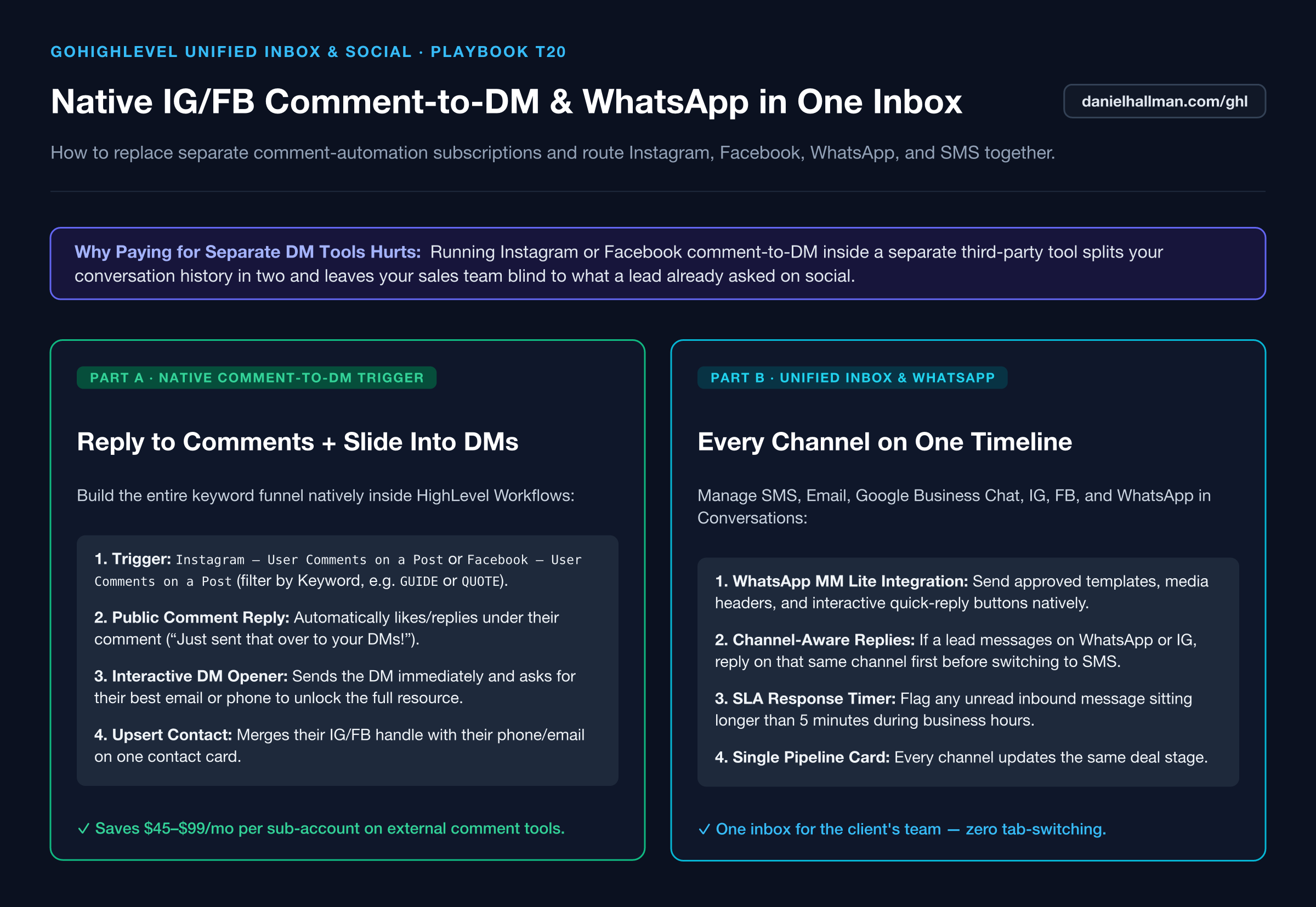
DEFAULT SETUP VS. AUTOMATED WORKFLOW
Operational Comparison
Manual Admin Work Per Client
Lead-to-Booked-Job Conversion
Related Questions
- How do you stop GoHighLevel Conversation AI from making up prices or looping on SMS?
- How do you replace Zapier, Calendly, and ManyChat with native GoHighLevel Workflows?
- How do you stop GoHighLevel chat bots from replying after a customer texts STOP?
- How do you set up Facebook Conversion API (CAPI) and Google Offline Conversions in GoHighLevel?
BUILD FASTER IN GOHIGHLEVEL · FREE TRIAL BONUSES + MCP SERVER
Build this directly inside your GoHighLevel sub-account
Connect Claude Code, Cursor, or OpenAI Codex to our ghl-tools MCP Server & Rust CLI to build workflows, forms, and funnels from your editor, or start your GoHighLevel plan through our partner link to unlock $612+ in ready-to-import kits (including Voice, Conversation & Knowledge Base Kit ($47)) and weekly live clinics.